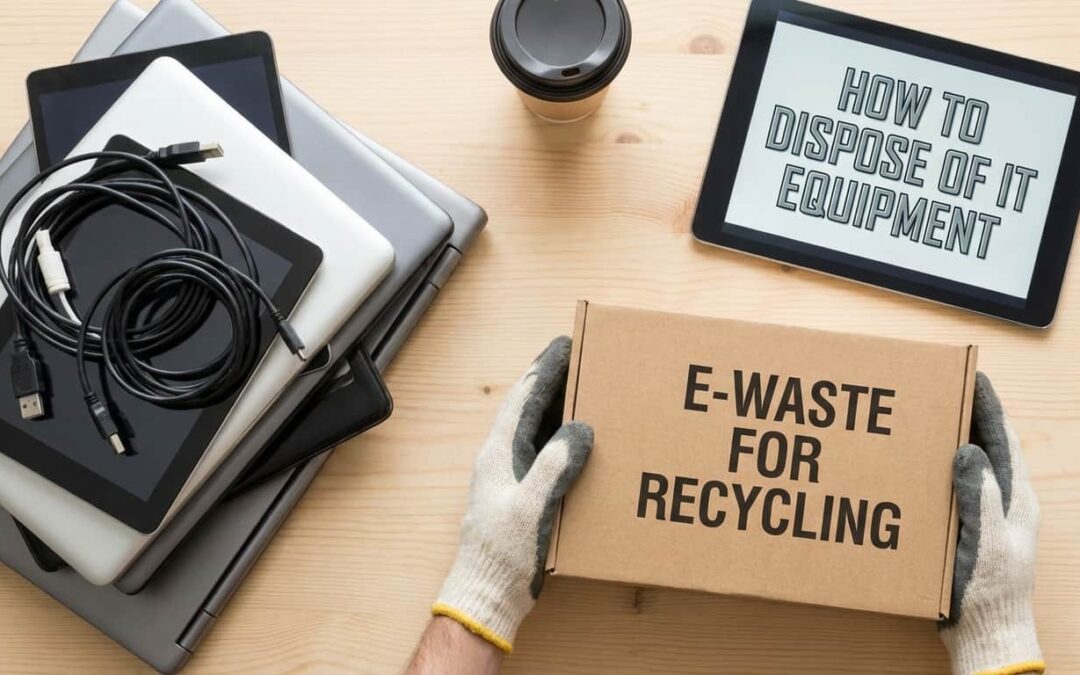
Your old servers are piling up. So are the laptops, monitors, and hard drives no longer in use. IT junk stacks up faster than coffee cups in a startup. And ignoring it? That’s a security risk and a legal headache waiting to happen. This guide shows you how to dispose of IT equipment the right way in Phoenix, AZ. You’ll protect your data, stay compliant, and maybe even recover some value from old gear. Let’s get into it.
What Is IT Equipment Disposal in Phoenix, AZ?
Definition of IT Equipment Disposal
IT equipment disposal means safely and legally disposing of old tech equipment. This includes computers, servers, printers, phones, and networking hardware. In Phoenix, proper disposal also means following state e-waste laws and protecting sensitive business data. Think of it as spring cleaning for your server room. But with higher stakes.
Overview of IT Asset Disposition (ITAD)
IT asset disposition goes beyond just tossing old equipment. ITAD is a complete process. It covers inventory, data destruction, value recovery, and final disposal. The goal? Maximize returns while minimizing risk.
Here’s what ITAD typically includes:
- Asset tracking from start to finish
- Data sanitization using certified methods
- Value recovery through resale or donation
- Environmental compliance with recycling standards
- Documentation for audit trails
Regular disposal = throwing stuff away. ITAD = strategic asset management with security built in.
Why Proper IT Equipment Disposal Matters in Phoenix, AZ
Balancing Data Security and Environmental Compliance
Phoenix businesses face a double challenge. First, there’s data security. Old hard drives store customer info, financial records, and trade secrets. One leaked drive can trigger lawsuits, fines, and reputation damage. Second, there’s environmental law. Arizona requires proper e-waste handling. Dump computers in regular trash? You could face penalties from the Arizona Department of Environmental Quality. Real example: A Phoenix healthcare company skipped proper data destruction. Their old laptops ended up at a garage sale. Patient records were still on them. The HIPAA fine? Six figures. Don’t let that be you.
Steps for Secure IT Equipment Disposal in Phoenix, AZ
Determine the Condition of IT Equipment
Start with a quick assessment of each device.
- Working condition – Powers on, functions normally, less than 5 years old
- Outdated but functional – Still works but slow or obsolete for business use
- Broken or non-functional – Won’t power on, cracked screens, major hardware failures
This determines your disposal path. Working gear can be resold or donated. Broken stuff goes to certified recyclers. Label everything. Create a simple inventory spreadsheet. Track serial numbers and condition.
Secure Data Destruction
Data destruction isn’t optional. It’s mandatory.
You have three main options:
- Software wiping – Overwrites data multiple times using DOD or NIST-approved tools
- Degaussing – Magnetic field destroys data on HDDs (doesn’t work on SSDs)
- Physical destruction – Shredding, crushing, or drilling drives into confetti
For maximum security? Combine methods. Wipe first, then physically destroy.
Always get a certificate of destruction. It’s your proof if you’re ever audited.
Secure IT Equipment Disposal Best Practices in Phoenix, AZ
Importance of Secure Data Destruction
One stat should scare you: 40% of used devices sold online still contain recoverable data. That’s not acceptable for a business. One drive with client information could trigger a data breach. You’d face legal liability, regulatory fines, and customer trust issues. The fix? Treat every device like it contains your most sensitive secrets. Because it probably does. Secure destruction protects your business and your customers. It’s not paranoia. It’s a responsibility.
Data Wiping vs Physical Destruction
Both methods work. The question is which one fits your needs.
| Method | Best For | Security Level | Equipment Reusability |
|---|---|---|---|
| Data Wiping | Working drives, resale equipment | High (when certified) | Yes – can reuse or sell |
| Physical Destruction | End-of-life drives, max security | Maximum | No – equipment is destroyed |
When to wipe: Devices you plan to sell, donate, or reuse internally.
When to destroy: Drives that stored highly sensitive data or devices that can’t be securely wiped.
Many Phoenix businesses use both. Wipe working equipment for resale. Destroy everything else.
Chain of Custody and Secure Logistics
Track every asset from your office to final disposal.
Here’s the step-by-step process:
- Log all devices with serial numbers, condition, and data sensitivity level
- Assign custody to a specific employee or vendor rep at each handoff
- Transport in locked containers with GPS tracking if possible
- Document each transfer with signatures and timestamps
- Verify final disposition with certificates and photographic proof
No gaps in the chain. If you can’t prove where a device went, you’ve got a problem. Certified ITAD vendors provide full chain-of-custody documentation. Make sure your contract includes this.
Documentation and Disposal Reporting
Paper trails matter.
Your disposal records should include:
- Asset inventory lists with serial numbers
- Data destruction certificates
- Recycling receipts or resale documentation
- Chain-of-custody logs
- Environmental compliance proof
Store these for at least seven years. Some industries require longer retention.
Good documentation protects you during audits. It proves you followed proper protocols.
Data Security Standards for IT Equipment Disposal in Phoenix, AZ (Media Sanitization)
NIST SP 800-88 Rev. 1 Overview
NIST 800-88 is the gold standard for data sanitization. It’s published by the National Institute of Standards and Technology. Government agencies follow it. So do most Fortune 500 companies. The standard defines three sanitization methods: Clear, Purge, and Destroy. Each offers different security levels based on your data sensitivity and compliance needs. Think of it as a blueprint. Follow NIST guidelines and you’re protected legally and technically.
Clear Method (Overwriting Data)
Clearing means overwriting data with new information. This protects against basic recovery tools. Software writes zeros, ones, or random patterns over your files multiple times. It’s good for internal reuse or donation. Not recommended for highly sensitive data. Most disk-wiping software uses this method. It’s fast and leaves hardware intact for reuse.
Purge Method (Cryptographic or Block Erase)
Purging takes sanitization further. This method uses cryptographic erase or advanced techniques. It protects against sophisticated lab-based recovery attempts.
Common purge techniques:
- Cryptographic erase – Deletes encryption keys, making encrypted data unrecoverable
- Block erase – Controller-level commands that purge entire SSDs
- Overwriting – Multiple passes with verification
Use purging when devices leave your organization but you want to resell them.
Destroy Method (Physical Destruction)
Destruction means rendering media completely unusable.
Common techniques include:
- Shredding – Industrial shredders turn drives into tiny pieces
- Crushing – Hydraulic presses flatten drives beyond recognition
- Disintegration – Reduces media to particles smaller than 2mm
This is the ultimate security method. There’s zero chance of data recovery.
Required for classified data, top-secret info, or maximum-paranoia scenarios.
NIST 800-88 Data Sanitization Explained for Phoenix, AZ Organizations
Differences Between Clearing, Purging, and Destroying Data
Let’s break down the three NIST methods side by side.
| Sanitization Level | Security Protection | Equipment Reusability | Best Use Case |
|---|---|---|---|
| Clear | Protects against basic recovery tools | Fully reusable | Internal reuse or low-risk donation |
| Purge | Protects against advanced lab recovery | Reusable for resale | Devices leaving your organization |
| Destroy | Protects against all recovery attempts | Not reusable | Highly sensitive data or compliance requirements |
Choose your method based on data sensitivity. Not all equipment needs maximum destruction. Match the sanitization level to your risk tolerance and compliance obligations.
Disposal Options Based on IT Equipment Condition in Phoenix, AZ
Functional Equipment Donation
Working equipment deserves a second life.Donate functional devices to Phoenix-area nonprofits, schools, or community programs. You support local organizations and potentially claim a tax deduction. Always wipe data before donation. Even for charity, security comes first. Check with groups like Goodwill, Arizona Science Center, or local school districts. Many have established donation programs.
Outdated but Working Equipment Resale
Old doesn’t mean worthless. Equipment that’s too slow for your business might work perfectly for someone else. Resale through ITAD vendors can recover 10-30% of original value. Properly sanitize everything first. Then let vendors handle pricing, marketing, and logistics. The recovered cash can offset disposal costs or fund new equipment purchases.
Broken or Non-Functional Equipment Recycling
When devices are truly dead, recycle them responsibly. Use R2 or e-Stewards certified recyclers in Phoenix. They’ll extract valuable materials while safely disposing of hazardous components. Broken equipment still contains gold, copper, aluminum, and rare earth metals. Proper recycling recovers these materials for reuse. Never toss electronics in regular trash. It’s illegal in Arizona and harmful to the environment.
Reuse, Donation, and Repurposing IT Equipment in Phoenix, AZ
Donating Functional IT Equipment
Donation turns your old tech into community value.
Look for Phoenix organizations that refurbish equipment for low-income families, students, or job training programs.
Benefits of donation:
- Tax write-offs for qualifying nonprofits
- Reduced disposal costs
- Positive community impact
- Environmental benefits
Get a receipt for tax purposes. Document the donation in your asset records.
Extending Equipment Lifecycle
Not every device needs immediate retirement. Repurpose older equipment for less demanding tasks. A slow laptop can still work for basic data entry or training purposes. This stretches your IT budget. It delays disposal costs. And it maximizes the value you’ve already paid for. Just update security patches and maintain proper data hygiene.
Risks of Reuse Without Proper Data Destruction
Reusing or donating equipment without wiping data? That’s asking for trouble.
The risks include:
- Data breaches affecting customers or employees
- Regulatory violations and hefty fines
- Reputation damage if sensitive info leaks
- Legal liability for negligence
Always sanitize first. No exceptions. Even if you trust the recipient.
One mistake can cost you everything you’re trying to save.
Methods for Proper IT Equipment Disposal in Phoenix, AZ
Retailer Take-Back Programs
Major retailers make disposal easy.
- Jay Hoehl Inc – Free recycling for most electronics at all Phoenix locations
- Staples – Accepts computers, monitors, and peripherals
- Office Depot – Tech Trade-In program with potential store credit
Drop off during business hours. Most programs don’t require purchase receipts.
Some limit quantities per day. Call ahead if you’re disposing of bulk equipment.
IT Asset Disposition (ITAD) Vendors
Professional ITAD vendors handle everything. They provide on-site pickup, secure data destruction, recycling, and documentation. You get certificates proving compliant disposal. Look for vendors with R2, e-Stewards, or NAID certifications. Review Phoenix-area reviews and request client references. Pricing varies. Some charge per pound. Others offer free pickup if your equipment has resale value.
Municipal E-Waste Recycling Events
Phoenix hosts periodic collection events.
The city offers free electronics recycling days throughout the year. Check the Phoenix.gov calendar for upcoming dates and locations.
These events accept:
- Computers and laptops
- Monitors and TVs
- Printers and copiers
- Phones and tablets
- Networking equipment
Bring items during event hours. No appointment needed for most residential collections.
How to Dispose of IT Equipment Securely in Phoenix, AZ
Securely Wipe All Data Before Disposal
Data wiping is your first line of defense.
- Back up any files you need to keep
- Use NIST-approved wiping software like DBAN or Blancco
- Run multiple overwrite passes for added security
- Verify the wipe completed successfully
- Document the process with screenshots or logs
For SSDs, use manufacturer-provided secure erase tools. Regular wiping doesn’t always work on solid-state drives.
Never skip this step. Ever.
Donation of Working IT Equipment
Working equipment helps others while helping you.
- Identify devices in good working condition
- Complete NIST-level data sanitization
- Research local Phoenix nonprofits accepting tech donations
- Contact organizations to confirm they’ll accept your equipment
- Arrange pickup or drop-off
- Get a donation receipt for tax records
Popular Phoenix donation programs include Goodwill, St. Mary’s Food Bank, and local school districts.
Selling Used or Outdated IT Equipment
Turn old tech into cash.
- Wipe all data using certified methods
- Test equipment to confirm functionality
- Document specs, condition, and any included accessories
- Work with ITAD resellers or online marketplaces
- Provide certificates of data destruction to buyers
ITAD vendors typically handle logistics and pricing. They know current market values better than you do.
Using Certified E-Waste Recycling Services
For end-of-life equipment, use certified recyclers.
- Research R2 or e-Stewards certified recyclers in Phoenix
- Request quotes and service details
- Schedule pickup or drop-off
- Ensure vendor provides chain-of-custody tracking
- Receive and store certificates of recycling and data destruction
Certified recyclers follow strict environmental and security protocols. They’re worth the investment.
Step-by-Step IT Asset Disposition (ITAD) Workflow in Phoenix, AZ
Inventory Audit
Start with complete visibility.
Document every device by serial number, make, model, and current location. Note data sensitivity levels for each item.
Use barcode scanning or asset management software if possible. Manual spreadsheets work too.
This inventory becomes your master tracking document.
Data Sanitization
Apply the appropriate NIST method.
Match sanitization level to data sensitivity and intended disposition. Use certified software or physical destruction services.
Track which method was used for each device. Store proof of completion.
Validation and Certificate of Data Destruction
Verify and document everything.
Run post-sanitization audits to confirm data is irrecoverable. Obtain certificates from your ITAD vendor or destruction provider.
These certificates are legal proof of compliance. File them permanently.
Disposal Methods (Resale, Donation, Recycling)
Route assets to appropriate endpoints. Working equipment goes to resale or donation. Non-functional items go to certified recyclers. Track where each asset ended up. Update your inventory records.
Record Retention and Audit Readiness
Keep documentation forever. Or at least seven years. Store all certificates, inventory logs, and chain-of-custody records. Organize by date and asset type. When auditors come calling, you’ll be ready. No scrambling, no stress.
IT Asset Disposition (ITAD) Process in Phoenix, AZ
Asset Inventory and Classification
Classification drives decision-making.
Categorize assets by:
- Data sensitivity (high, medium, low)
- Equipment condition (working, outdated, broken)
- Age and remaining useful life
- Resale or recovery value
Different categories get different treatment. High-sensitivity items require maximum security. Low-value broken items go straight to recycling.
Data Sanitization Standards (e.g., NIST 800-88)
Follow NIST 800-88 guidelines religiously. Choose Clear, Purge, or Destroy based on your asset classification. Document which standard you applied to each device. Consistency matters. Train your team on proper protocols.
Reuse, Resale, and Value Recovery
Extract maximum value from working equipment. Partner with ITAD vendors who offer value-sharing agreements. You get cash back from resale proceeds. Track recovery rates. Some equipment types hold value better than others. Use this data for future purchasing decisions.
Recycling and Final Disposal
End-of-life assets still have material value. Certified recyclers extract metals, plastics, and rare earth elements. These materials return to manufacturing supply chains. Hazardous components get disposed of safely. Nothing goes to landfills. Environmentally responsible disposal protects both your reputation and the planet.
Certified IT Equipment Disposal Services in Phoenix, AZ
Certificates of Data Destruction
Certificates prove you did everything right.
Reputable vendors provide:
- Device serial numbers
- Sanitization method used
- Date of destruction
- Technician signatures
- Company certification stamps
These documents protect you legally. They show regulators and auditors you followed proper protocols.
Accept nothing less from your disposal vendor.
Environmental Compliance Documentation
Environmental certs matter just as much.
Look for documentation showing:
- R2 or e-Stewards certification
- EPA compliance records
- Material recovery reports
- Downstream recycling verification
This proves your e-waste didn’t end up in a foreign landfill. It confirms responsible environmental practices.
Store these with your data destruction certificates.
Physical Disposal Certifications and Vendor Verification in Phoenix, AZ
R2v3 (Responsible Recycling) Certification
R2v3 sets the standard for responsible recycling.
This certification ensures vendors:
- Follow strict data security protocols
- Meet environmental health and safety requirements
- Track downstream recycling and material flows
- Prohibit export of hazardous e-waste to developing nations
R2-certified vendors undergo regular third-party audits. The certification isn’t easy to maintain.
When choosing a Phoenix recycler, R2v3 certification should be mandatory.
e-Stewards Certification
e-Stewards represents global best practices. This certification goes beyond R2 in some areas. It bans all hazardous e-waste exports and requires independent oversight. e-Stewards certified recyclers meet the highest environmental and social responsibility standards. Many Fortune 500 companies require this certification. Look for the e-Stewards logo when researching Phoenix disposal vendors.
NAID AAA Certification
NAID AAA focuses on data security.
The National Association for Information Destruction awards this certification to vendors with proven secure processes.
It covers:
- Physical security of facilities
- Employee background checks and training
- Chain-of-custody procedures
- Equipment security during transport
- Destruction verification processes
For maximum data protection, choose vendors with both NAID AAA and R2/e-Stewards certifications.
Certified E-Waste Recycling Services in Phoenix, AZ
Role of R2 and e-Stewards Certified Recyclers
Certified recyclers protect you on multiple fronts.
They handle data destruction, environmental compliance, and material recovery. You outsource risk while maintaining documentation.
What to verify when choosing a recycler:
- Current certification status (check issuing organization websites)
- Insurance coverage for data breaches
- Physical facility location and security
- Customer references from similar industries
- Transparent pricing structure
Don’t just trust a logo on a website. Verify certifications directly.
Manufacturer and Retailer Take-Back Programs
Many tech companies run their own recycling programs.
- Dell Reconnect – Partnership with Goodwill for free recycling
- HP Planet Partners – Mail-in recycling for HP products
- Apple Trade In – Credit or recycling for any Apple device
- Lenovo Asset Recovery Services – Corporate recycling program
These programs work well for brand-specific disposal. Mix-and-match equipment might require a different approach.
Municipal and State E-Waste Programs
Phoenix and Arizona offer public recycling options.
The City of Phoenix accepts electronics at Household Hazardous Waste Collection sites. Hours and accepted items vary by location.
Check Phoenix.gov for:
- Current collection site locations
- Accepted materials lists
- Drop-off hours
- Upcoming collection events
These programs are free for residents. Businesses may face restrictions or fees.
IT Equipment Drop-Off and Collection Locations in Phoenix, AZ
Retail Electronics Recycling Drop-Offs
Drop-off locations make disposal convenient.
Phoenix-area options include:
- Best Buy stores (all locations accept most electronics)
- Staples stores (tech recycling at customer service desk)
- Office Depot locations (varies by store, call ahead)
- Local recycling centers (check Earth911 database)
Bring photo ID for some locations. Remove any accessories you want to keep.
Call ahead if disposing of large quantities. Some locations limit daily drop-offs.
Municipal Collection Days
Phoenix schedules special collection events.
Watch for announcements about:
- Neighborhood e-waste collection days
- Bulk trash pickup schedules accepting electronics
- Annual city-wide recycling events
- Partnership programs with local organizations
Sign up for city email alerts. Collection dates fill up fast.
Bring items during designated hours. Most events don’t require proof of residency.
IT Equipment Disposal and Recycling Directories for Phoenix, AZ
Earth911 Recycling Database
Earth911 is your go-to resource locator. Enter your zip code and device type. The database shows nearby recycling options with addresses and accepted items. It covers everything from computers to batteries. Results include retailer programs, municipal sites, and certified recyclers. Free to use. Mobile-friendly. Updated regularly.
Call2Recycle Program
Call2Recycle specializes in battery recycling. Find drop-off locations throughout Phoenix for rechargeable batteries. Most locations accept batteries from IT equipment. Batteries require separate handling. Don’t leave them in devices you’re recycling. The program prevents fire hazards during transport and processing.
GreenerGadgets (CTA)
GreenerGadgets connects you with eco-conscious disposal options. The platform lists refurbishers, recyclers, and donation programs. Filter results by location and device type. Ideal for finding second-life options for working equipment.
Manufacturer Trade-In Programs
Direct manufacturer programs often offer the best value.
Check websites for:
- Dell Trade-In Program
- HP Buy-Back Service
- Lenovo Trade-In
- Cisco Technology Migration Program
These programs know their products’ residual value. They often beat general ITAD vendor pricing.
Specific IT Component Handling Requirements in Phoenix, AZ
Battery Removal and Separate Recycling
Batteries are fire hazards during recycling. Remove laptop batteries before disposal. Separate UPS batteries from server equipment. Bag lithium batteries individually.
Phoenix recyclers require separate battery handling because:
- Lithium batteries can ignite during crushing or shredding
- Battery chemicals contaminate other recyclable materials
- Different recycling processes apply to batteries vs electronics
Drop batteries at Call2Recycle locations or certified hazmat facilities. Never throw batteries in regular trash.
IT Equipment Disposal Process and Recycling Stages in Phoenix, AZ
Collection and Transportation
A professional collection ensures security. Certified vendors use locked trucks with GPS tracking. Equipment gets logged immediately upon pickup. Chain-of-custody documentation starts here. Every device receives a tracking number.
Shredding and Sorting
Industrial shredders reduce equipment to small particles. Hard drives, circuit boards, and cases go through separate shredding processes. Particle size meets security standards. Post-shred material gets sorted by type. Ferrous metals separate from non-ferrous. Plastics split from metals.
Extraction of Dust
Dust extraction removes fine particles. Air systems pull out contaminated dust created during shredding. This dust contains precious metals and hazardous materials. Proper dust handling prevents environmental contamination. It also recovers valuable materials.
Magnetic Separation
Magnets pull out ferrous metals. Steel and iron components separate from aluminum, copper, and plastics. This step enables material-specific processing. Ferrous metals go to steel mills. Non-ferrous materials continue to further separation.
Water Separation
Water tables separate materials by density. Heavy metals sink. Plastics float. This simple physics creates pure material streams. The process uses minimal chemicals. Water gets filtered and recycled.
Preparation of Recycled Materials for Sale
Clean material streams get packaged for resale. Copper goes to wire manufacturers. Aluminum returns to metal suppliers. Plastics get graded and baled.Your old IT equipment becomes raw material for new products.
Purification of the Waste Stream
Final purification removes contaminants.Advanced sorting technologies identify and remove trace hazardous materials. What remains meets commodity-grade specifications. This step ensures recycled materials are actually reusable. It prevents contamination of manufacturing supply chains.
Environmental Responsibility in IT Equipment Disposal in Phoenix, AZ
Environmental Risks of Improper E-Waste Disposal
E-waste in landfills creates long-term problems. Toxic materials leach into soil and groundwater. Mercury, lead, and cadmium spread through ecosystems. One computer monitor contains 4-8 pounds of lead. Multiply that by millions of devices in landfills.The damage lasts decades. Prevention is the only solution.
Hazardous Materials in IT Equipment
IT equipment contains surprisingly toxic stuff.
Common hazardous materials include:
- Lead in solder and CRT monitors
- Mercury in LCD backlights
- Cadmium in batteries and circuit boards
- Brominated flame retardants in plastics
- Beryllium in motherboards and connectors
These materials require specialized handling. Certified recyclers have the equipment and permits to process them safely.
Material Recovery and Recycling Stages
Recycling recovers valuable resources.
One ton of circuit boards contains more gold than 17 tons of ore. Copper recovery from e-waste is 10 times more efficient than mining.
Recovery processes extract:
- Precious metals (gold, silver, palladium)
- Base metals (copper, aluminum, steel)
- Rare earth elements (used in magnets and electronics)
- Plastics for remanufacturing
Your disposal choice directly impacts resource conservation.
Environmental Impact of Proper IT Asset Disposition in Phoenix, AZ
Energy Savings from Electronics Recycling
Recycling saves massive amounts of energy. EPA data shows recycling one million laptops saves energy equivalent to powering 3,500 homes for a year. Aluminum recycling uses 95% less energy than producing new aluminum from ore. Copper recycling cuts energy use by 85%. Proper disposal directly reduces carbon emissions and energy demand.
Metal Recovery from Recycled Devices
E-waste is urban mining.
Americans throw away phones containing over $60 million in gold and silver annually. Circuit boards contain more precious metals per ton than most ore deposits.
Recovery statistics:
- 35,000 pounds of copper from 1 million recycled cell phones
- 772 pounds of silver from 1 million recycled laptops
- 75 pounds of gold from 1 million recycled phones
These materials go back into manufacturing. The cycle continues instead of ending in landfills.
Environmental and Security Considerations for IT Disposal in Phoenix, AZ
Avoiding Landfills for E-Waste
Landfills are the wrong endpoint. Arizona law prohibits many electronics in municipal waste. Violators face fines up to $2,500 per day. Beyond legal issues, landfill disposal wastes valuable materials and creates environmental hazards. Always use certified recyclers or approved collection programs.
Maximizing Value Through Repurposing or Refurbishment
Working equipment deserves a second life. Refurbishment extends useful life by 3-7 years on average. This delays manufacturing demand for new devices. The environmental impact of manufacturing one new computer equals the energy use of running it for years. Refurbishment reduces manufacturing emissions, material extraction, and energy consumption.
Professional Shredding for Maximum Data Security
Shredding provides peace of mind. Industrial shredders reduce hard drives to particles smaller than 6mm. Data recovery is physically impossible. Watching the shredding process (many vendors offer this) provides visual confirmation. You see your data destroyed.For maximum security compliance, shredding beats all other methods.
Health and Safety Considerations in E-Waste Handling in Phoenix, AZ
Human Health Risks from Improper E-Waste Processing
Unsafe e-waste processing harms people. Workers in unregulated recycling operations face exposure to lead, mercury, and toxic fumes. Children in communities near these sites suffer developmental problems. This happens when e-waste gets exported to developing nations with weak regulations. Choosing certified recyclers prevents this human cost.
Worker Safety and Controlled Recycling Environments
Certified facilities protect workers.
R2 and e-Stewards standards require:
- Proper ventilation and air filtration
- Personal protective equipment for all workers
- Regular health monitoring
- Safe handling procedures for hazardous materials
- Worker training and certification
These standards ensure recycling doesn’t just move environmental problems. It solves them.
Your vendor choice affects real people’s health.
Legal and Regulatory Frameworks for IT Disposal in Phoenix, AZ
Government and Public Sector Disposal Requirements
Government agencies face stricter rules. Federal agencies must follow NIST 800-88 for data sanitization. FISMA compliance requires documented disposal procedures.State and local governments have similar requirements. Records retention laws apply to disposal documentation. Healthcare, finance, and education sectors face industry-specific disposal regulations.
International E-Waste Regulations (WEEE Directive)
Global regulations affect Phoenix businesses. The European Union’s WEEE Directive restricts hazardous materials and mandates recycling. Even US companies with EU operations must comply. The Basel Convention controls the international e-waste movement. Exporting hazardous e-waste to most developing nations is illegal.Working with certified recyclers ensures international compliance.
Corporate Compliance and Audit Considerations
Auditors want disposal documentation.
SOX, PCI-DSS, HIPAA, and other compliance frameworks require proven data destruction. Proper disposal records satisfy auditors.
Document everything:
- Asset inventories
- Sanitization methods used
- Vendor certifications
- Destruction certificates
- Recycling proof
Good records turn disposal from a compliance risk into a non-issue.
How to Dispose of Old Computers and Company Hardware in Phoenix, AZ
Here’s your quick-reference disposal checklist:
- Inventory all equipment including serial numbers and data sensitivity levels
- Back up any data you need to keep before proceeding
- Choose appropriate sanitization based on NIST 800-88 guidelines
- Select disposal method based on condition (resale, donation, or recycling)
- Work with certified vendors who provide R2, e-Stewards, or NAID certification
- Document everything, including destruction certificates and recycling proof
- Store records permanently for audit and compliance purposes
Follow these steps and you’ll protect your data, stay compliant, and do right by the environment.
Conclusion
Proper IT equipment disposal isn’t complicated. But it is important. You protect sensitive data. You follow Arizona laws. You recover value from old equipment. And you keep toxic materials out of landfills. The key? Work with certified vendors. Document everything. Match sanitization methods to your data sensitivity. Phoenix businesses have plenty of disposal options. Retailer programs, ITAD vendors, municipal collections, and certified recyclers all serve different needs .Don’t dig a well when you’re already thirsty. Set up your disposal process now, before you’re drowning in old equipment.
Ready to dispose of your IT equipment responsibly? Contact a certified ITAD vendor in Phoenix today. Your future self will thank you.