
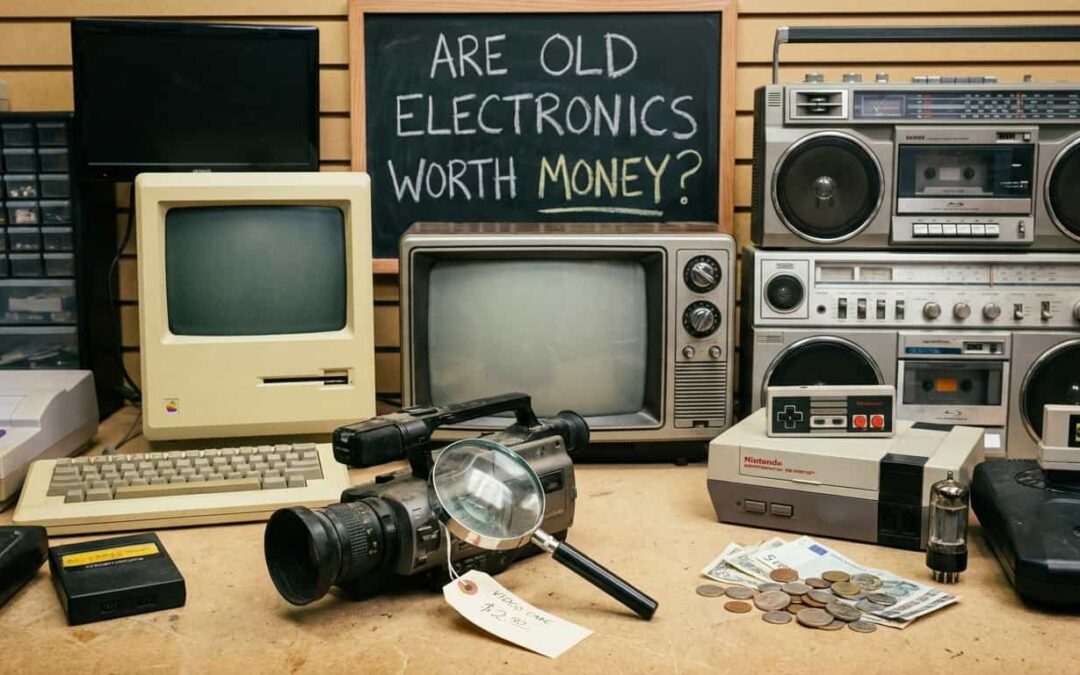
Are Old Electronics Worth Any Money?
Yes, old electronics can be worth money — sometimes more than you’d expect. Whether it’s a working smartphone, a busted laptop, or a drawer full of cables, you might be sitting on real value. Even broken devices have scrap metal and rare materials that recyclers and refurbishers will pay for.
The trick is knowing what to sell, where to sell it, and how to stay safe while doing it. In Phoenix, AZ, you’ve got options for both resale and recycling. But before you hand anything over, you need to wipe your data clean. Let’s walk through what your old tech is worth and how to protect yourself before you recycle or sell.
Why You Must Wipe Electronics Before Recycling in Phoenix, AZ
Your old electronics hold more than just photos and files. They store passwords, banking info, and personal data that can survive even after you think it’s gone.Recycling is great for the planet. But if you skip the data-wipe step, you’re handing strangers a digital copy of your life. This isn’t about being paranoid. It’s about being smart. Whether you’re selling for cash or dropping off at a recycling center, wiping your device protects you from identity theft, account hijacking, and worse. Let’s break down the real risks and how to avoid them.
Prevent Identity Theft
Deleted files can be recovered. If someone gets your old phone or laptop, they can pull up tax forms, medical records, and login credentials you forgot were there. Identity thieves use this data to open credit cards, file fraudulent returns, or drain bank accounts. It happens more often than you’d think especially with devices that weren’t properly wiped. Even if you’re recycling for cash, the extra five minutes it takes to factory reset could save you years of cleanup.
Security Risks of Recoverable Data
When you delete a file, your device doesn’t erase it right away. It just marks the space as available. That means recovery software can bring it back easily. Think of it like crossing out a word in pencil. It’s still readable if someone looks close enough. A proper wipe is like shredding the whole page. Photos, work emails, and browser histories can all be recovered unless you take the right steps. That’s why a factory reset isn’t optional it’s essential.
Risks of Signed-In Accounts
Forgot to log out of Gmail? Or Facebook? Or your Amazon account? If your device still has active sessions, the next person can access everything. They can read your messages. Change your passwords. Order things on your dime. And if your email is still logged in, they can reset passwords to other accounts too. Always sign out manually before you recycle. Don’t assume a quick wipe will catch it.
Steps to Take Before Recycling Electronics in Phoenix, AZ
Wiping your device the right way takes a few steps. But it’s simple once you know the process. Follow these steps in order. Skip one, and you risk leaving something behind.
Backup Important Data
Before you erase anything, save what matters. Photos, documents, and contacts should all be backed up to the cloud or an external drive. Once you wipe the device, it’s gone for good. So double-check your backup before you move forward.
Perform a Full Factory Reset
Every phone, tablet, and computer has a factory reset option. Find it in your settings and use it. This clears your data and restores the device to its original state. For iPhones, go to Settings > General > Reset. For Android, it’s usually Settings > System > Reset Options. For laptops, check the manufacturer’s guide.
Remove Physical Storage Devices
If your laptop or desktop has a hard drive or SSD, pull it out before recycling. This is the safest way to guarantee no one can access your data. You can keep the drive for later use or destroy it yourself. Either way, it’s no longer attached to the device.
Log Out of All Accounts
Manually log out of every app and service. Email, social media, banking apps — all of it. Don’t assume the factory reset will catch everything. If you’re selling the device, also remove it from your iCloud or Google account remotely. This prevents activation locks.
Physical Destruction for High-Security Needs
For businesses or anyone handling sensitive data, consider physical destruction. Drilling through the hard drive or using a professional shredding service ensures total data loss. This is overkill for most people. But if you work in healthcare, finance, or law, it’s worth the extra step.
Why Deleting Files Doesn’t Remove Your Data on Old Electronics in Phoenix, AZ
Most people think deleting a file means it’s gone. It’s not. When you hit delete, your device just hides the file and marks the storage space as reusable. The data itself stays intact until something overwrites it. That’s why police and hackers can recover “deleted” files. And it’s why you can’t trust the trash bin to protect your privacy. To actually erase data, you need software that overwrites the storage multiple times. Or you need to physically destroy the drive.
Deleting Files vs. Destroying Data
Deleting is like hiding something under your bed. Destroying is like burning it. A factory reset is better than just deleting files. But even a reset can leave traces if it’s not done correctly. For peace of mind, use a data-wiping tool or remove the drive entirely. If you’re selling for cash, this extra step builds trust with buyers. They know you took it seriously.
What Files Can You Delete and Destroy?
You can delete personal files, documents, photos, and browsing history. But you should also clear app data, cookies, and cached passwords. For hard drives, use software like DBAN or Eraser. These tools overwrite data multiple times so it can’t be recovered. If that sounds too technical, just pull the drive and keep it or destroy it yourself.
Are There Risks if I Don’t Wipe My Hard Drive Before Recycling in Phoenix, AZ
Yes. Big ones. If you skip the wipe, you’re handing over your digital life to whoever gets the device next. That could be a legitimate recycler. Or it could be someone looking to exploit old data for profit. Identity theft is the obvious risk. But there’s also the chance of blackmail, corporate espionage, or leaked private information. Even broken electronics can have readable drives. The bottom line? A few extra minutes now saves you from potential disasters later. Always wipe before you recycle or sell.
How to Safely Remove Your Data When Using Atlanta Electronics Recycling
Wait you’re in Phoenix, not Atlanta. But the process is the same no matter where you recycle. Before you drop off your device, follow the steps we covered earlier. Back up, factory reset, sign out, and remove storage if needed. Ask your recycling center about their data destruction policy. Reputable services will wipe or shred drives as part of the process. But you should still do your part first. If you’re working with a certified recycler, they’ll often provide a certificate of destruction. This proves your data was handled securely. Keep that certificate for your records.
Choosing Responsible Electronics Recyclers in Phoenix, AZ
Not all recyclers are created equal. Some cut corners. Others prioritize profit over privacy. Here’s what to look for when choosing a recycler in Phoenix:
Certifications: Look for R2 or e-Stewards certification. These prove the recycler follows strict data security and environmental standards.
Data destruction policies: Ask how they handle data. Do they wipe drives? Shred them? If they can’t explain it clearly, walk away.
Transparent pricing: If you’re getting paid for your electronics, make sure the pricing is fair and upfront. Hidden fees are a red flag.
Local reputation: Check reviews and ask around. Phoenix has plenty of trusted recyclers who’ve been in business for years.
Beyond Surplus Electronic Recycling in Phoenix, AZ
Recycling isn’t your only option. Depending on what you have, selling might make more sense. Smartphones, tablets, and laptops often have resale value — even if they’re a few years old. Sites like Gazelle, Decluttr, and Swappa buy used devices outright. You can also donate working electronics to schools, nonprofits, or community centers. Many organizations refurbish old tech for people who need it. And if you’ve got rare or vintage items, collectors might pay top dollar. Old game consoles, cameras, and audio equipment can be surprisingly valuable.
Creating a Sustainable E-Waste Policy for Your Company in Phoenix, AZ
If you run a business, you need a formal e-waste policy. It protects your data, keeps you compliant, and shows customers you care about sustainability. Start by auditing your current tech. How old is it? What data does it hold? When’s the last time you recycled anything? Next, set a schedule. Whether it’s annual or quarterly, regular e-waste pickups prevent old devices from piling up.
Work with certified recyclers. Make sure they offer data destruction and provide certificates.
Train your team. Employees should know how to wipe devices before turning them in.
Track everything. Keep records of what you recycle and when. This helps with compliance and builds trust with clients.
A strong e-waste policy isn’t just good for the planet. It’s good for business.
Managing Electronic Waste in Hospitals and the Healthcare Industry in Phoenix, AZ
Healthcare organizations face stricter rules than most. HIPAA requires secure destruction of any device that stored patient data. That means you can’t just drop off old computers at a public recycling center. You need a certified partner who understands healthcare compliance. Look for recyclers with NAID AAA certification. This proves they follow the highest standards for data destruction. You’ll also want documentation. Certificates of destruction and audit trails are essential for proving compliance during inspections. Beyond legal requirements, secure e-waste management protects your patients. A single data breach can destroy trust and cost millions in fines. Work with a partner who takes healthcare data seriously. It’s not optional it’s the law.
Get Your Instant Quote Today
You know where to start when you’re ready.
Contact a local buyer. Share what you’ve got. Get a quote. If the price works, schedule pickup.
Simple next step: Call (602) 272-4033 or visit 3334 W McDowell Rd Ste 17, Phoenix, AZ 85009.