
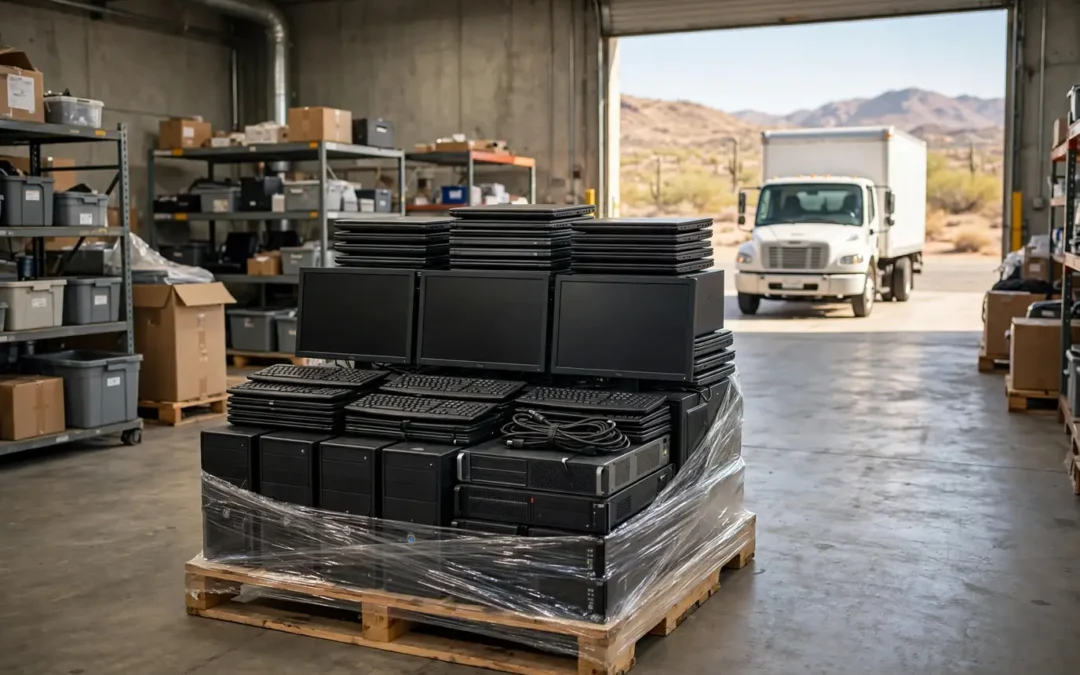
Business Electronics Surplus Pickup Preparation
A business electronics surplus pickup sounds easy. A truck shows up. Your old gear leaves. Everyone goes back to work. Then real life kicks in. Someone finds 40 dead monitors in a closet. The server room still holds drives full of client files. The loading dock is locked, and nobody has the key.
Good prep fixes all of that. This guide walks you through each step, from your first inventory to the paperwork you keep after the truck leaves. It’s written for Phoenix office managers, IT leads, school administrators, and property managers. You’ll learn what to sort, what to wipe, what to ask, and what a fair deal looks like.
Think of the pickup as a relay race. The hand-off decides the win. A clean hand-off saves you money, time, and a few gray hairs.
What Is a Business Electronics Surplus Pickup?
A business electronics surplus pickup is a scheduled visit to collect your unused tech. The crew loads it, hauls it away, and sorts it for reuse, resale, or recycling. You don’t drive anywhere. You don’t lift a thing.
Surplus means gear you no longer need. It doesn’t always mean broken gear. Retired laptops, extra monitors, switches, printers, phones, and server racks all count. So do lab tools and test equipment from a closed project. Many Phoenix companies call this surplus electronics and treat it as a real asset class.
Here’s what usually triggers a pickup in the Valley:
- An office move or lease end. Suites in Tempe and Central Phoenix turn over fast.
- A tech refresh. You swap 50 laptops for 50 new ones.
- A closed location. A retail shop in Mesa shuts its doors.
- A school year reset. Admins clear out carts of old Chromebooks.
- A long-overdue cleanout. Someone finally opens the storage closet.
The Wikipedia page on electronic waste shows how wide this category runs. It covers nearly anything with a plug, a battery, or a circuit board. Your business probably holds more of it than you think.
So is your pile trash or treasure? Often it’s both. One person’s junk is another person’s jackpot. A good partner sorts it out and tells you which is which.
How Do You Prepare for a Business Electronics Surplus Pickup?
You prepare in seven steps: inventory, sort, secure data, stage, confirm access, get a written quote, and plan your paperwork. Each step takes less time than you’d guess. Skipping one is what causes the pain.
Here’s the short version:
- Count it. Build a simple list of every item.
- Sort it. Split working gear, dead gear, and data-bearing gear.
- Secure it. Back up what you need. Plan how data gets destroyed.
- Stage it. Gather everything in one dry, shaded, easy-to-reach spot.
- Clear the path. Confirm dock hours, elevator rules, and parking.
- Get a written quote. Ask what’s free, what costs money, and why.
- Plan the paperwork. Know what proof you want when the job ends.
A good rule of thumb is to start two weeks ahead. That gives you time to find hidden stashes. It also gives you time to compare quotes without rushing.
A stitch in time saves nine. Rushed pickups lead to missed items and surprise fees. A calm timeline leads to a one-trip, one-invoice, no-drama day.
Don’t have two weeks? You can still do this in a few days. Just shrink each step. Focus on the data first, because that’s the riskiest piece.
Step 1: Build a Simple Inventory
An inventory is a plain list of what you’re sending out. It doesn’t need to be fancy. A spreadsheet works. So does a notebook.
Walk the building with a helper. Check the usual spots and the weird ones:
- Server rooms and network closets
- Supply rooms and under-desk storage
- Conference rooms with old video gear
- Warehouse shelves and receiving areas
- That one office nobody wants to enter
For each item, write the type, the count, and the location. Add a serial number or asset tag for anything with storage. Laptops, desktops, servers, and phones all qualify.
Why bother? Three reasons. You get an accurate quote. You can match your list to the recycler’s receipt. And you can prove what left your building if an auditor asks.
Photos help too. Snap a quick picture of each pile and each rack. It takes five minutes. It can save you a long argument later.
Also decide what stays. Check with finance before anything leaves. Leased equipment may belong to the leasing company. Gear under warranty may have a return process. Equipment still on the books may need an accounting entry first.
Measure twice, cut once. A good list now prevents a bad surprise on pickup day.
Step 2: Sort Working, Dead, and Data-Bearing Gear
Sort your gear into three piles: working, dead, and data-bearing. This one step shapes your price, your risk, and your paperwork. It’s worth doing with care.
Working gear still powers on and does its job. Newer laptops, servers, switches, and test equipment may hold resale value. A buyer may pay you for them. Keep these items together and ask for a value assessment.
Dead gear no longer works or has no market. Think cracked monitors, old keyboards, and tangled cables. These usually go to recycling. Some cost money to process, and some don’t.
Data-bearing gear is anything that stored information. That includes:
- Hard drives and solid-state drives
- Laptops, desktops, and servers
- Phones, tablets, and copiers with built-in drives
- Backup tapes, USB sticks, and external drives
- Network gear with saved configurations
Here’s a trick many offices miss. Copiers and multifunction printers often keep scanned images on an internal drive. Treat them like computers.
Tag each pile with painter’s tape or sticky notes. Keep the data-bearing pile in a locked room if you can. Then you control who touches it until the crew arrives.
A sorted pile is a gold mine. A mixed pile is a guessing game. Which one would you rather hand a recycler?
What Electronics Do Recyclers Usually Accept?
Most business recyclers accept computers, servers, networking gear, phones, printers, and monitors. Scope still varies by company. Always confirm your list before booking.
Common accepted items include:
- Desktops, laptops, and tablets
- Servers, racks, and storage arrays
- Switches, routers, and firewalls
- Printers, copiers, and scanners
- Phones and conference room equipment
- Cables, power supplies, and peripherals
- Test equipment and lab instruments, when the recycler handles them
Some items need special care or extra fees. Televisions and old tube monitors often cost more. Many recyclers charge by size or weight. Batteries need separate handling. Ink and toner may go through a different program.
Heat adds a twist in Phoenix. Lithium batteries can swell when stored in a hot garage or a storage unit. A swollen battery is a fire risk. Set it aside, keep it away from other gear, and tell the crew before pickup.
What about stuff that doesn’t belong? Medical waste, liquids, and chemicals don’t go in the load. Kitchen appliances rarely qualify at e-waste recyclers. When in doubt, ask first.
Better safe than sorry. A two-minute call about an odd item beats a rejected pallet on pickup day.
Step 3: Protect Your Data Before the Truck Arrives
Protect your data by backing up what you need, then destroying what you don’t. Deleting files isn’t enough. A quick format isn’t always enough either. Old drives can give up their secrets with the right tools.
Start with a backup. Move anything you still need to a safe system. Confirm the backup opens. Only then should you touch the old device.
Next, choose how the data gets destroyed. There are three common paths:
- Wiping. Software overwrites the drive so the data can’t be read.
- Degaussing. A strong magnet scrambles old spinning drives.
- Physical destruction. A shredder or crusher breaks the drive into pieces.
The NIST guide on media sanitization, called NIST SP 800-88, explains these methods in plain steps. Many auditors use it as a yardstick. Ask any recycler how its process lines up.
If your files include patient records, client files, or payment data, go further. Choose a process that gives you a serial-number report. Our post on data destruction explains why this matters.
Also log out of every account. Remove saved passwords, and sign out of cloud tools. Remove the device from your management system. A forgotten login can cause trouble long after the box leaves.
Would you hand a stranger your filing cabinet? Then don’t hand them an unwiped laptop. Trust, but verify.
Step 4: Stage Your Equipment for a Smooth Loading Day
Stage your gear by gathering it in one place that’s dry, shaded, and easy to reach. Loading takes far less time when the crew isn’t hunting for items.
Pick a spot near the exit. A ground-floor room or a loading area works best. If you’re on the fourth floor, tell your pickup partner. They’ll plan for stairs, carts, and elevators.
Here’s your staging checklist:
- Group by type. Keep monitors, towers, and loose cables apart.
- Stack safely. Don’t build tall, wobbly towers of old monitors.
- Use pallets or bins. Small items belong in boxes or crates.
- Keep data gear separate. Mark it clearly and lock it up.
- Label the pile. Add notes like “ready to go” or “hold for review.”
Phoenix summers change the plan. Don’t stage electronics outside in July. Hot asphalt and direct sun can damage plastics and batteries. A parking-lot pile is also an invitation to theft. Keep gear indoors until the crew arrives.
Check access too. Does your building require a visitor badge? Does the property manager limit dock hours? Do you need a certificate of insurance for the crew? Many Phoenix office parks do. Ask early.
It’s a dry heat, they say. Your electronics still don’t like it. Shade and a short wait are your friends.
Finally, name one point person. This person meets the crew, signs the forms, and answers questions. One voice keeps the day on track.
How Much Does a Business Electronics Surplus Pickup Cost?
Cost depends on what you’re sending, how much there is, and how hard it is to collect. Some pickups are free. Some earn you money. Some cost a fee. Your sorted list tells the story.
Here’s what moves the price:
- Item type. Newer servers and laptops can have resale value. Old tube TVs usually don’t.
- Volume and weight. A full truck costs less per item than a lone box.
- Location and access. Stairs, long carries, and tight docks add labor.
- Data destruction. Shredding and certified wiping take staff time.
- Packing needs. Loose items take longer than palletized ones.
Ask the recycler for a written quote that says what’s free, what’s paid, and why. The quote should name any fee for TVs, tube monitors, or special items. It should say who covers labor and fuel. It should say how data destruction is charged.
Watch out for vague promises. “Free pickup” can hide a handling fee later. There’s no such thing as a free lunch, but there can be an honest one. Look for a quote that explains every line.
Also ask about value recovery. If your gear has resale value, the recycler may offset your costs or pay you. A trustworthy partner shows how they calculate that number.
Have a big load? Two clear steps help you compare quotes. Give every vendor the same item list. Then ask each one to explain the totals line by line.
The cheapest quote isn’t always the best deal. A low price with no paperwork is a risky bargain.
How Do You Pick a Trustworthy Pickup Company?
Pick a pickup company by checking its proof, its process, and its paperwork. Anyone can say “we recycle responsibly.” Fewer can show you how.
Use this short vetting checklist:
- Certifications. Ask which standards they hold, such as R2v3, e-Stewards, or NAID AAA. Then ask for proof you can verify.
- Chain of custody. Ask how items are tracked from your door to final processing.
- Certificates. Ask for a certificate of recycling or data destruction for every job.
- Downstream partners. Ask where materials go after sorting. Ask if anything is exported or landfilled.
- Insurance. Ask for a certificate of insurance. Your property manager may need it.
- Local roots. Ask how long they’ve served Phoenix and who answers the phone.
- Reviews and ratings. Check Google reviews and the Better Business Bureau.
Pay attention to how they answer. Clear, direct answers are a good sign. Dodging and buzzwords are not.
Compare at least two companies. Ask each one the same questions. Write down the answers. Side-by-side notes make the winner obvious.
One more trick. Call and ask a detailed question about your odd item. A real recycler knows. A broker who just resells your job may not.
Which company would you trust with your client data? The one that answers fast and shows its work.
You don’t need to decide alone. When you’re ready, you can get your free quote from our Phoenix team. We’ll review your list, answer your questions, and give you straight numbers. No pressure and no surprises. Call (602) 272-4033 to schedule a pickup or request a free evaluation.
What Happens on Pickup Day?
On pickup day, the crew arrives, checks your list, loads the gear, and gives you a receipt. A good crew is quick, polite, and careful. You should see the process, not just a truck backing away.
Here’s a typical flow:
- Check-in. The crew meets your point person and confirms the job.
- Walk-through. Together you review the items against your inventory.
- Loading. Staff move gear with carts, straps, and padding.
- Count and tag. Data-bearing devices are counted and often tagged.
- Sign-off. You sign a pickup receipt that lists what left.
- Departure. The truck heads to the processing facility.
Stay close during the walk-through. Point out your data-bearing pile. Point out the swollen battery. Point out anything you want reviewed for resale. A short chat now prevents confusion later.
Check the receipt before you sign. Does it match your list? Does it note the number of drives? Does it include the company’s name, date, and contact info? Fix mistakes on the spot.
Want a witness? Ask a second employee to join. Two sets of eyes beat one.
If the crew finds items you didn’t list, stay calm. Ask for a quick price check. Good partners explain any change before they load.
Most pickups for small offices take under an hour. Larger jobs can take half a day. Phoenix traffic and building rules add time, so build in a buffer.
When the truck leaves, take one last look around. Lock the staging room. Your job isn’t quite done until the paperwork lands.
What Paperwork Should You Get After the Pickup?
After pickup, you should receive a pickup receipt, an itemized report, and a certificate of recycling or data destruction. These documents are your proof. Keep them.
Here’s what each one does:
- Pickup receipt. It shows what left your building and when.
- Itemized report. It lists devices, counts, and serial numbers for data-bearing gear.
- Certificate of data destruction. It confirms drives were wiped or destroyed.
- Certificate of recycling. It confirms the rest was processed responsibly.
- Final invoice or payment record. It shows costs, credits, or buyback value.
File these in a folder labeled with the date and project. Save a digital copy too. Retention rules vary by industry. Ask your compliance or legal contact how long to keep them.
Why does this matter? If a drive shows up in the wrong place, your paperwork is your shield. It proves you did the right thing. It also helps with audits, insurance questions, and sustainability reports.
How fast should the documents arrive? Many recyclers send them within days or a couple of weeks. Ask for a timeline up front. If documents run late, follow up in writing.
Want a bigger view? Our ITAD guide explains how asset disposition works from start to finish. It’s a handy read if you manage recurring refreshes.
No paper, no proof. Don’t let a good job end with a handshake and a hope.
Do Arizona Rules Apply to Your Business E-Waste?
Yes, rules can apply, but they depend on your industry and your data. Many Phoenix businesses face data-privacy duties even when no e-waste law applies. The risk often sits in the information, not the hardware.
Here’s how that plays out:
- Healthcare offices handle patient records under HIPAA.
- Financial firms protect customer account data.
- Law offices guard client confidentiality.
- Defense contractors follow strict controlled-data rules.
- Schools protect student records.
City and county rules can also shape how you handle large loads. Landfill rules, transfer station policies, and hauler requirements differ by location. When in doubt, ask your property manager and your recycler.
I’m not a lawyer, and this isn’t legal advice. Your compliance officer or attorney can confirm what applies to you. What a recycler can do is give you clear documents that support your compliance work.
One more point. Never toss business electronics in a dumpster. It can break company policy, expose data, and harm the environment. Plus, many dumpsters get picked through.
Follow the old rule: if it has a cord, a battery, or a chip, treat it with care. Ask before you throw.
What if you’re unsure what applies? Start with a simple question. What data lived on this device? Your answer will point you toward the right process.
A little homework now beats a big headache later. Honest paperwork is your best friend if anyone asks questions down the road.
Seven Mistakes That Cost Phoenix Businesses Time and Money
The biggest mistakes are skipping the inventory, ignoring data, and accepting vague quotes. Each one is easy to fix. Here are seven to avoid.
- Skipping the inventory. You can’t compare quotes or verify receipts without one.
- Forgetting hidden drives. Copiers, phones, and network gear store data too.
- Trusting “free” without details. Get the fees in writing.
- Staging gear outside. Heat, dust, and theft are real Phoenix problems.
- Ignoring building rules. Dock hours and insurance requests can block your crew.
- Accepting no paperwork. Always ask for certificates and receipts.
- Waiting too long. Piles grow, and old gear loses value fast.
Time is the quiet cost. Old laptops lose resale value every month. Storage closets cost rent. Messy piles cost labor.
There’s a human cost too. Your team can’t find things. Your IT lead keeps a mental list of the “someday” boxes. That stress adds up.
A stuffed closet is like a clogged drain. It looks fine until it backs up. Then everything gets expensive.
Set a calendar reminder for a yearly or twice-yearly cleanout. Small, regular pickups are easier than one giant dump. They also keep your data risk low.
Tell your team where to put retired devices. One labeled bin saves hours of searching later. Make it a habit, not a project.
Catch a mistake early and you pay little. Catch it late and you pay plenty.
Why Phoenix Businesses Choose JHI Scrap
Phoenix businesses choose JHI Scrap for a local team, a long track record, and clear communication. Jay Hoehl Inc. started in 1980. Jay Hoehl is the founder and president, and Jake Hoehl has served as CEO since 2016.
That’s a lot of years in a changing industry. It means we’ve seen tech cycles come and go. It also means we’ve built habits that keep clients coming back.
Here’s what you can expect:
- Electronics recycling and e-scrap management. We handle business equipment of many kinds.
- IT asset disposition. We help retire devices with care for your data.
- Industrial surplus buying. We buy useful equipment and test gear.
- Straight talk. We explain what’s free, what costs money, and why.
- Local roots. We work from Phoenix and serve Maricopa County.
We’re a long-time BBB member with an A+ rating. That matters to us because trust takes years to earn. It can vanish with one bad pickup.
We focus on a simple promise. Upfront pricing. Secure handling. Responsible recycling. No surprises on pickup day.
Need more detail on how local pickup works? Our guide to Phoenix e-waste pickup covers scheduling, items, and what to expect.
Our shop sits at 3334 W McDowell Rd, Unit 17, Phoenix, AZ 85009. We’re open Monday to Friday, 8:00 a.m. to 4:30 p.m. Visits are by appointment only, so call ahead.
Belonging matters in business. You want a partner who knows your neighborhood. We’re proud to be the local team behind many Valley cleanouts.
When the pile gets big and the clock gets loud, call someone who picks up the phone.
Frequently Asked Questions
How far ahead should I schedule a business electronics surplus pickup?
Schedule two weeks ahead when you can. That gives you time to take inventory, back up data, and compare quotes. Smaller jobs can move faster. Call to ask about current availability.
Do I need to wipe my computers before pickup?
Back up first. Then ask your recycler how data gets destroyed. Many businesses let the recycler handle wiping or shredding and request a certificate. Either way, log out of accounts and remove devices from your systems.
Is business electronics pickup free in Phoenix?
Sometimes. It depends on the items, volume, and location. Some equipment has resale value and may reduce your cost. Other items cost money to process. Always get a written quote.
What if I have only a few items?
Small loads still matter, especially if they hold data. Ask whether a drop-off or small pickup makes sense. Call before visiting because many shops work by appointment.
What should I do with a swollen battery?
Set it aside in a cool, dry spot away from other items. Don’t charge or puncture it. Tell your recycler before pickup so the crew can plan for safe handling.
Can you pick up from an office building with limited dock access?
Usually yes, with planning. Share building hours, elevator rules, and any insurance needs up front. Then the crew can bring the right carts and timing.
What proof will I get that my data was destroyed?
Ask for a certificate and an itemized report. A good report lists serial numbers for data-bearing devices. It should also show the date and method.
Ready to Schedule Your Pickup?
A smooth business electronics surplus pickup comes down to a few simple habits. Count your gear. Sort it. Protect your data. Stage it indoors. Get a clear quote. Keep your paperwork.
Do those six things and you’ll skip the stress most offices feel. You’ll also protect your clients and your company.
You don’t have to guess your way through it. Our Phoenix team is happy to look at your list, talk through your data needs, and give you honest numbers.
Get your free quote today. Call JHI Scrap at (602) 272-4033 to schedule a pickup or request a free evaluation. We’re open Monday to Friday, 8:00 a.m. to 4:30 p.m. Please call before visiting, since our shop at 3334 W McDowell Rd, Unit 17, Phoenix, AZ 85009 is by appointment only.
Clear the closet. Protect the data. Hand off the load with confidence. We’ll take it from there.