
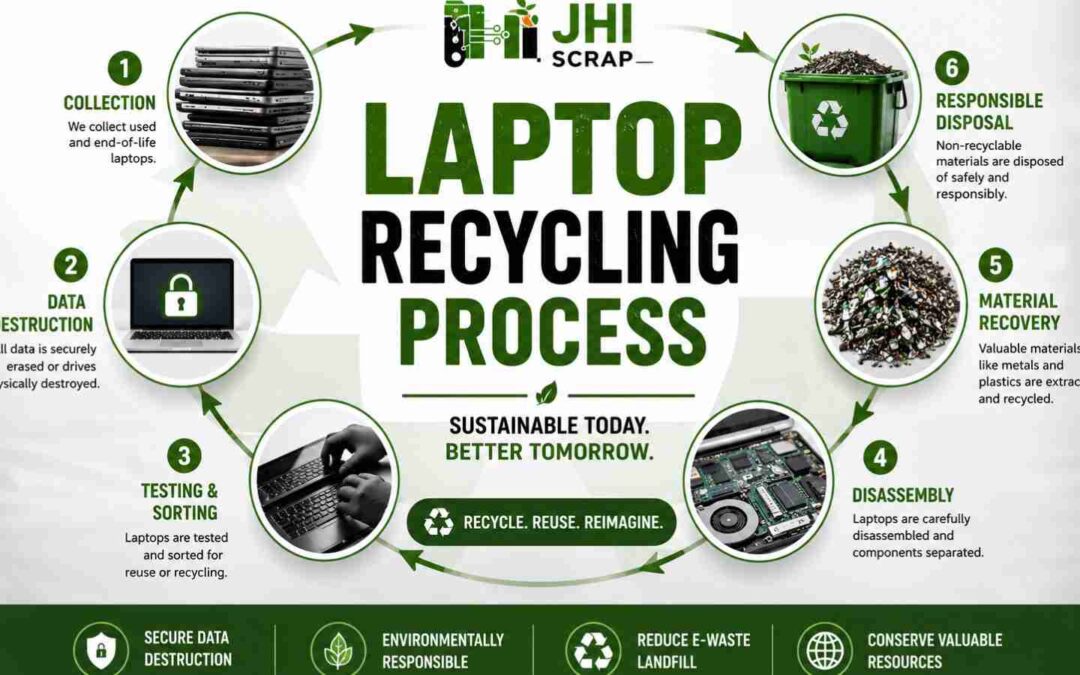
The Journey of One Laptop From Drop-Off to Raw Material
What really happens after you recycle an old laptop?
Most people picture a bin. A truck. Then nothing. But that retired laptop isn’t the end of the story. It’s the start of one.
Here’s the truth. Every laptop that leaves your office begins a second life. The screen, the battery, the tiny gold contacts inside, they all go somewhere. Some parts get reused. Some get refined back into raw material. And your business data? That has its own careful path too.
We built this guide for Phoenix businesses that want to know exactly what happens next. We’ll follow one single laptop, step by step, from the moment it’s picked up to the moment its metals become something new. You’ll see how IT asset disposition keeps your data safe, how recyclers recover value from what most people throw away, and why doing this right gives you real peace of mind. This is what we do every day at JHI.
One laptop. Sixteen steps. Let’s follow it the whole way.
Why Phoenix Businesses Should Not Throw Old Laptops Away
Old laptops feel harmless sitting in a closet. They’re not.
Every retired laptop is two things at once. It’s a hidden liability. And it’s a valuable recyclable asset. Which one it becomes depends on what you do next.
Throw it in the trash and you risk a data breach, a compliance headache, and a pile of recoverable metal buried in a landfill. Store it for years and you trade closet space for growing cybersecurity risk. Neither option helps your business.
Recycling the right way flips the script. You protect your data. You clear your space. You recover value. And you can prove all of it with clean documentation. Below are the six reasons smart Phoenix teams stop stockpiling and start recycling.
Old Laptops Can Still Contain Sensitive Business Data
That laptop in storage still remembers everything. Client records. Passwords. Financials. It’s all sitting on the drive, waiting.
Deleting files doesn’t erase them. When you hit delete, the computer just removes the label. The actual data stays on the drive until something writes over it. A basic recovery tool can pull it right back. That’s how breaches happen long after a device leaves service.
Picture a laptop that sat in a drawer for three years. Someone grabs it for a garage sale. The buyer runs free software and recovers old customer files. Now you have a reportable breach from a machine you forgot about.
Real protection means secure data destruction, not a quick delete. That’s methods like drive wiping to the NIST 800-88 standard, or physical hard drive and SSD destruction, backed by a documented chain of custody. This is the piece most people miss, and it’s exactly where responsible recycling starts.
Laptops Contain Hazardous and Recoverable Materials
Open a laptop and you’ll find a small treasure chest. And a small hazard kit.
Inside every device sits a mix of recoverable materials. Lithium and cobalt in the battery. Copper in the wiring. Gold and other metals on the circuit boards. These aren’t scraps. They’re resources that manufacturers pay to recover.
Alongside the value sit hazards. Batteries, certain metals, and other components need careful handling so they don’t harm people or the ground. That mix is exactly why laptops belong with a proper electronics recycler and not the curb.
Here’s the part most people miss. A business laptop holds recoverable metal even when it no longer turns on. Dead doesn’t mean worthless. It means ready for recovery.
Valuable Components and Metals Are Lost in Landfills
Toss a laptop and you bury copper, aluminum, and even gold. Gone. For nothing.
Landfilled electronics take real value with them. Gold recovery, copper recycling, and aluminum recycling all depend on those devices reaching a recycler instead of a dump. Once they’re buried, that value is lost and someone has to mine new metal to replace it.
The value grows when it’s pooled. One laptop holds a little. A thousand laptops, processed together, create a material stream worth recovering at scale. That’s why the smart move is to recycle old business laptops in volume instead of letting them vanish one by one.
Lithium-Ion Batteries Can Create Fire Hazards
The battery is the part that scares recyclers most. And it should.
Lithium-ion batteries store a lot of energy in a small space. Crush one, puncture it, or let it overheat, and it can enter thermal runaway. That’s a fast, hot chemical reaction that can spark a fire. It’s why you keep seeing headlines about batteries igniting in trash trucks and recycling plants.
So what’s the risk with your old laptops? A drawer full of aging batteries is a slow-building hazard. Damaged or swollen batteries are worse.
Never toss a lithium-ion battery in the trash or a mixed recycling bin. Damaged batteries need specialized handling and their own path. Good recyclers isolate them fast and route them to facilities built for hazardous battery processing. That single habit prevents real fires.
Toxic Materials Can Contaminate Soil and Water
What’s inside a landfilled laptop doesn’t stay put. Rain moves it.
Certain electronic materials are toxic. Left in a landfill, they can leach into soil and work their way toward groundwater over time. That’s a slow leak of hazardous material into the same environment your community depends on.
Responsible recycling stops that at the source. Recyclers separate hazardous components first, before any downstream processing. Batteries, certain metals, and other risky parts get pulled and handled on their own.
Think of it like triage. Deal with the dangerous parts first, and everything after that is cleaner and safer. That’s how doing this right protects the environment instead of just moving the problem around.
Recycling Supports Compliance, Space Recovery, and Sustainability Goals
Recycling isn’t just the responsible choice. It’s a smart business move with three clear wins.
Compliance. A proper recycling program gives you documentation. Certificates of data destruction. Certificates of recycling. Asset reports. When an audit comes, you have proof that devices were handled correctly instead of a shrug and a hope.
Operational efficiency. Every retired laptop you clear is space you get back. Offices, storage rooms, and warehouses stop filling with dead tech. Your inventory gets cleaner and easier to track.
Sustainability. Recovered materials feed your ESG reporting and show real environmental responsibility. Customers and partners notice. It strengthens your brand instead of just checking a box.
Teams that set up recurring recycling often cut storage costs, simplify audits, and get better visibility into their assets over time. Old laptops become hidden liabilities when you wait. They become handled, documented, and done when you act. So let’s follow one laptop and see exactly how that happens, starting the moment it leaves your hands.
Step 1: Residential Drop-Off or Business Laptop Pickup in Phoenix
Our laptop’s journey starts with one simple choice. Drop it off, or have it picked up.
If you’re a resident with one old machine, drop-off is easy. If you’re a business clearing a dozen laptops or a whole floor, a scheduled pickup makes more sense. Both paths lead to the same secure process. The only difference is how the device gets there.
Here’s what surprises most people. The process is more organized than they expect. You don’t need to figure it all out. You just need to share a few basic details so the recycler can send the right vehicle, the right crew, and the right paperwork.
A little prep goes a long way. Businesses that organize equipment before pickup cut loading time, keep their inventory accurate, and make downstream reporting simpler. Whether you’re recycling one laptop or an entire office, knowing what to expect makes the whole thing smoother. Let’s walk through both paths.
Residential Laptop Drop-Off
Got one old laptop at home? Drop-off is the simple route.
You bring the device to a collection point, hand it over, and you’re done. No scheduling, no truck, no fuss. It’s the easiest way for a resident to recycle responsibly instead of letting a laptop gather dust or hit the trash.
One quick tip before you go. Pull out anything you want to keep. Carrying cases, USB drives, chargers you still use, and personal accessories don’t need to go with the laptop. Take a second to check the bag and the ports. Then hand off the device knowing your extras stayed with you.
Scheduling Business E-Waste Pickup
For businesses, a pickup beats a drive every time.
Scheduling is straightforward. You reach out, share what you’re recycling, and pick a time that works for your team. The recycler handles the rest, arriving with the vehicle and crew sized to your load. No hauling laptops across town on your own clock.
Here’s the move smart teams make. They set up recurring pickups. Instead of letting retired gear pile up, they clear it on a regular rhythm. That keeps equipment from accumulating and makes IT asset lifecycle management far easier to run.
Want to save your team real time? A scheduled business laptop pickup turns a messy chore into a booked appointment. You focus on work. The recycler handles the logistics.
What JHI Needs to Know Before Pickup
A smooth pickup starts with a few clear details. The more we know up front, the better we plan.
Accurate load details let us assign the right vehicle, staffing, equipment, and documentation before we ever arrive. That means no surprises and no delays on pickup day. Here’s what helps most.
Quantity of Laptops
How many laptops are we picking up? A rough count is plenty. Ten, fifty, or two hundred all change how we plan the vehicle and crew. You don’t need an exact number during scheduling. A solid estimate keeps everything sized right.
Types of Electronics Included in the Load
Laptops rarely travel alone. Let us know what else is coming along. Monitors, desktops, keyboards, cables, phones, and other IT gear all fit in a pickup. Listing everything in advance helps us bring the right transport and handling for the full load, so nothing gets left behind or mishandled.
Whether Materials Are Boxed, Palletized, Loose, or Dock-Ready
How’s the load packed? That detail matters more than it sounds. Boxed, palletized, loose on a shelf, or staged at a dock all call for different handling. Good packaging cuts handling time and lowers the risk of damage in transit. Tell us the setup and we’ll come ready for it.
Whether Hard Drives or SSDs Are Still Inside the Laptops
Are the drives still in the machines? This one’s about your data. Knowing whether hard drives or SSDs remain installed lets us plan secure data sanitization or destruction the right way. It’s a small answer that protects your sensitive business information the whole way through.
Whether the Load Includes Servers, Network Hardware, Circuit Boards, or Components
Mixed loads need mixed plans. If servers, switches, routers, circuit boards, or loose components are riding along, tell us. Each one often follows a different handling workflow for secure processing and material recovery. Flagging them early means every asset gets the right path from the start.
What Businesses Should Prepare Before Pickup
A few minutes of prep saves hours later. Here’s a simple checklist that keeps pickup day fast and your records clean.
None of this is heavy lifting. A short internal checklist can cut pickup delays and sharpen your documentation. Run through these five before we arrive.
Remove Personal Accessories
Pull out anything that isn’t meant for recycling. Chargers you’re keeping, personal items, and stray accessories in the bags. Unless we tell you otherwise, hold onto what you still need so nothing walks out by accident.
Keep an Asset List if Available
Have an inventory list? Bring it. Serial numbers and asset tags make reconciliation and reporting so much easier on the back end. Even a rough spreadsheet helps us match your records to ours and keeps your IT asset tracking tight.
Separate Batteries Only if Instructed
Don’t go pulling batteries on your own. Lithium-ion batteries need careful handling, so follow your recycler’s guidance. If we ask you to separate them, we’ll tell you how. Otherwise, leave them in place to avoid unnecessary risk.
Ask What Recycling or Data Destruction Documentation Is Available
Know what proof you’ll get. Before pickup, ask about the certificate of recycling, the certificate of data destruction, and any asset reports. Sorting out documentation needs early means your audit and compliance records are ready when you need them, not scrambled after the fact.
Confirm Pickup or Drop-Off Details
Lock in the basics. Confirm the date, the access instructions, and the contact person before the scheduled service. A two-minute confirmation gives you peace of mind and keeps collection running on time.
Step 2: Laptop Intake, Inspection, Sorting, and Chain of Custody
Our laptop arrives at the facility. Now the careful part begins.
This is where trust gets built. Before anything is wiped or taken apart, the device goes through intake. That means inspection, sorting, identification, and the start of a secure chain of custody. Each step exists to protect your asset and your data.
Will your device be handled responsibly? This stage is the answer. Every laptop gets logged, tagged, and tracked from the moment it lands. Nothing floats around unaccounted for.
Here’s the insider detail. Facilities that establish chain of custody the instant a device arrives cut the risk of misplaced assets, improve audit readiness, and earn real customer confidence. It all starts with a clear, documented receipt. Let’s see how a single laptop moves through intake.
Initial Device Inspection
First, we look. Closely.
When a laptop lands, it gets a hands-on inspection before anything else happens. We check for visible damage, missing parts, and any condition that calls for special handling. A cracked case, a swollen battery, or a missing drive all change how the device moves forward.
Why start here? Because this first look sorts the reusable from the risky. Devices in good shape head toward one path. Damaged equipment gets isolated for specialized handling so it stays safe. It’s a quick step that shapes everything after it, and it keeps both people and the process protected.
Power-On and Condition Assessment
Next question. Does it turn on?
We power up the laptop and check its real condition. This tells us whether the device is a candidate for reuse, refurbishment, or recycling. A machine that boots cleanly opens more doors than one that won’t wake up.
But powering on isn’t the whole story. A laptop that turns on isn’t automatically reusable. Diagnostic testing digs deeper to find its true recovery potential. A device might boot yet still have a failing drive or a dead port. So we assess, then decide, based on what the hardware actually shows us. That’s how each laptop earns its next step instead of getting guessed at.
The Laptop Is Received and Categorized
Now the laptop gets a lane.
Based on its condition and best recovery path, we sort the device into a processing category. Reuse. Refurbishment. Parts harvesting. Full recycling. Each category has its own workflow, and putting the laptop in the right one now keeps things organized down the line.
Sorting early pays off. Categorization at this stage cuts unnecessary handling later in the process. Instead of moving a device back and forth, we set its direction once and keep it moving forward. Clean, organized, and efficient from the start.
Barcode and Asset Tag Assignment
Every laptop gets a name. A unique one.
We assign a barcode or asset tag so the device can be tracked and accounted for through the entire process. From this point on, that laptop isn’t just a laptop. It’s a specific, identified asset in our system, tied to your records.
This is how mix-ups disappear. Unique identifiers cut the chance of assets getting confused or lost as they move through the workflow. Your device stays your device, traceable at every step. That accountability is the backbone of a chain of custody you can actually trust.
Recording Serial Numbers and Device Information
We write it all down. Precisely.
Serial numbers and key hardware details get recorded for auditing and reporting. This creates a clear record of exactly which devices came in and what they were. When you need to reconcile your inventory or prove what was processed, the data is right there.
Recording serial numbers does double duty. It supports data destruction verification and makes asset reconciliation simple. You can match your internal list to our records line by line. That transparency is what audit readiness actually looks like.
Separating Mixed E-Waste by Material and Handling Requirements
Not everything gets treated the same. It can’t be.
A mixed load holds many kinds of electronics, and each follows its own handling procedure. Laptops, batteries, circuit boards, and hazardous components all need different care. So we separate them by material and by what they require to be processed safely.
Think of it like sorting recycling at home, but with far higher stakes. Some items carry environmental risk. Some carry security risk. Splitting them correctly means each stream gets the right treatment. That’s responsible recycling in action, and it protects both your data and the planet.
Establishing a Secure Chain of Custody
Here’s the promise that holds it all together. We track who touches your device, every step of the way.
Secure chain of custody begins the moment devices change hands. From intake forward, each transfer is documented. Who received the laptop, when, and what happened next. Nothing moves in the dark.
Why does this matter so much? Because a chain is only as strong as its first link. Documentation that starts at the moment of receipt is what makes the whole record trustworthy. Wait, and you have gaps. Start immediately, and you have proof. This is how we protect your business assets from the first handoff to the last.
What Chain of Custody Means for Business Laptop Recycling
Let’s translate the jargon into plain business value.
Chain of custody sounds technical. In practice, it’s simple. It’s a documented record of who handled each device throughout the recycling lifecycle. That’s it. And that record is worth a lot.
Here’s what it gives you:
- Accountability. You know exactly who had your assets and when.
- Audit readiness. When compliance asks for proof, you have it in hand.
- Reputation protection. A clean custody trail shows partners and customers you take security seriously.
A missing device with no paper trail is a risk. A tracked device with a full record is peace of mind. That’s the difference certified electronics recycling makes for your business.
Step 3: Laptop Inventory, Auditing, and Asset Tracking
Now our laptop becomes a line in a ledger. And that ledger protects you.
This stage is all about accountability. Inventory management, auditing, and asset tracking come together to create a clear record across the entire IT asset disposition process. Every device is counted, tracked, and documented.
Why go to this trouble? Because consistent inventory tracking improves compliance reporting and cuts discrepancies during audits. When your numbers match our numbers, reviews get fast and painless. When they don’t, you have a problem. Good tracking makes sure they always match.
Think of this as the financial backbone of responsible recycling. It’s the paperwork that turns a pile of old laptops into a documented, defensible process. Here’s how it works.
IT Asset Management Documentation
Documentation is the foundation. Everything else stands on it.
In IT asset disposition, records aren’t a nice-to-have. They’re the proof. They show what came in, what happened to it, and how it was handled. That record supports compliance, backs up audits, and gives you a defensible account of every device.
Consistency is the secret ingredient. Documentation gets far more valuable when it’s standardized across every asset type. One clean format for laptops, servers, and drives beats a jumble of notes. Standardized records are easy to search, easy to audit, and easy to trust. That’s what turns paperwork into protection.
Inventorying and Tracking Corporate Devices
Every corporate device gets logged and followed.
We build an inventory as devices arrive, then track each one through its lifecycle. Serial numbers, barcodes, and asset tags tie it all together. You end up with a living record of where each device is and what stage it’s reached.
This really pays off at scale. Centralized inventory systems make large IT refresh projects far simpler. When you’re retiring a hundred laptops at once, a single organized system beats chasing spreadsheets across departments. It keeps a big, messy job clean and under control.
Tracking the Laptop Through the ITAD Process
Our laptop is visible the whole way. Start to finish.
From intake to final processing, the device stays tracked at every stage. Received. Categorized. Sanitized. Recycled or refurbished. Each step updates the record, so there’s never a moment where the laptop drops off the map.
Continuous tracking does something powerful. It removes uncertainty during audits and reporting. Instead of guessing what happened to a device, you can point to a clear timeline. That end-to-end visibility is exactly what makes ITAD trustworthy for businesses that answer to auditors and customers.
Compliance and Audit Tracking
Regulators want records. This is where you get them.
Compliance and audit tracking captures the documentation that regulatory reviews depend on. It shows devices were handled correctly and that your process holds up to scrutiny. When an audit lands, you’re ready instead of rattled.
One habit makes this easy. Keep consistent documentation retention policies. Decide how long you hold records, apply it evenly, and stick to it. When everything is retained the same way, pulling proof for an audit takes minutes, not days. Security you can actually rely on.
Asset Reports and Pickup Records
You walk away with real deliverables.
Asset reports and pickup records document what was collected and processed. They list the devices, the quantities, and the details of the service. These aren’t just receipts. They’re an auditable record of the whole job.
That record works double duty. It supports your day-to-day operational management and your compliance needs at the same time. Managers use it to track equipment. Auditors use it to verify handling. One clean set of reports, two big jobs covered.
Why Accurate Tracking Matters for Phoenix Businesses
Let’s bring this home. Literally.
For Phoenix businesses, accurate tracking isn’t paperwork for its own sake. It’s relief. When your records are tight, compliance reviews stop being stressful. Equipment refresh cycles stop being chaotic. You spend less time chasing details and more time running your business.
Here’s the contrast. Sloppy tracking means scrambling before every audit and guessing where devices went. Accurate tracking means answers on demand and a process you can defend. One creates anxiety. The other creates trust. Accurate tracking cuts administrative effort during audits and refreshes, and that’s a win you feel every quarter.
Step 4: Secure Laptop Data Sanitization and Destruction
This is the step that keeps IT managers up at night. So let’s get it right.
Before a laptop is reused or recycled, its data has to go. Not hidden. Not deleted. Truly gone. This stage covers the secure methods that make that happen, from software wiping to physical destruction.
Which method is right? It depends. Choosing the right sanitization approach comes down to the media type, whether the device will be reused, and your compliance requirements. There’s no single answer for every drive, and that’s a good thing. It means the method matches the need.
The goal is simple. Prevent data breaches, permanently. Here’s how secure data destruction actually works, and what proof you should walk away with.
Why Deleting Files Is Not Enough
You dragged the files to the trash. You emptied it. You’re safe, right? Not even close.
When you delete a file, the computer doesn’t erase the data. It just removes the pointer that says where the file lives. The actual information stays on the drive until new data happens to overwrite it. Until then, recovery software can pull it straight back.
Think about what that means for a retired laptop. Client lists, contracts, and login details can all sit there long after you thought they were gone. A curious buyer or a bad actor with free tools can resurface them in minutes.
So what actually protects you? Secure data destruction. That’s deliberate wiping or physical destruction that removes the data itself, not just its label. Deleting removes the reference. Real sanitization removes the risk.
Data Wiping Versus Physical Destruction
Two roads lead to a clean device. Each fits a different goal.
Data wiping overwrites the drive so the old data can’t be recovered, while leaving the drive usable. That’s the path when a laptop or drive will be reused, resold, or redeployed. The device lives on, minus your data.
Physical destruction shreds or otherwise destroys the storage media so it can never function again. That’s the path when reuse isn’t the goal and you want zero chance of recovery. The data and the drive both cease to exist.
How do you choose? Match the method to the outcome. Want to recover value through reuse? Wipe. Want absolute, irreversible finality? Destroy. Many businesses use both across different devices, and a good recycler helps you decide which drive gets which treatment.
Hard Drive Data Wiping
For traditional hard drives, wiping is a proven, secure option.
Wiping overwrites the entire drive with new data, making the original information unrecoverable. Done to a recognized standard, it renders your old files unreadable while keeping the drive fit for reuse. That’s how a healthy drive gets a second life without carrying your data into it.
Proof matters here. Verification logs strengthen the evidence that wiping actually completed and succeeded. It’s not enough to run the process. You want a record showing it worked, drive by drive. Those logs turn a claim into documented fact, which is exactly what auditors and security teams want to see.
SSD Sanitization
Solid-state drives play by different rules. So they get different care.
SSDs store data differently than spinning hard drives. Because of that architecture, they often need sanitization methods built specifically for them, like secure erase commands, rather than the overwrite approach used on older drives. The right method for an SSD isn’t always the right method for an HDD.
Why does that distinction matter? Because using the wrong technique can leave data behind on an SSD even when the drive looks clean. Matching the method to the media is what makes sanitization actually secure. A recycler who knows the difference protects your data properly on every kind of drive.
NIST 800-88 Data Sanitization Practices
You’ll hear one standard mentioned again and again. NIST 800-88.
NIST 800-88 is widely recognized guidance for media sanitization. It lays out clear approaches for clearing, purging, and destroying data across different media types. When a recycler aligns to it, they’re following a respected, well-documented playbook instead of making it up.
Here’s why that helps you. Aligning sanitization with recognized guidance supports your internal governance and audit readiness. It gives you a defensible answer when someone asks how your data was handled. You point to an accepted standard and move on. That’s a lot stronger than “we think it’s fine.” Recognized practices turn security into something you can prove.
Physical Hard Drive and SSD Shredding
Sometimes the only acceptable answer is total destruction. That’s shredding.
Shredding physically destroys hard drives and SSDs, breaking the media into pieces so it can never be read or reused. There’s no undo. The drive is gone, and so is everything on it. It’s the most final form of data destruction there is.
When do businesses choose it? When they require irreversible media destruction and won’t accept any recovery risk. Highly sensitive data, strict internal policies, or specific compliance demands all point toward shredding. If your standard is “this can never come back,” shredding meets it. It’s security you can see.
Why Phoenix Businesses Require Secure Data Destruction
Let’s connect this to your risk, right here in Phoenix.
Every business holds data someone would love to get. Customer records. Employee details. Financials. When laptops retire, that data becomes a loose end. Secure destruction ties it off before it can hurt you.
The stakes are real. A single recovered drive can trigger a breach, a fine, and a hit to your reputation that lingers. Secure data destruction closes that door. It supports your information security goals and your responsible IT asset disposition at the same time.
One choice protects two things at once. Your data stays private, and your recycling stays responsible. For Phoenix businesses that can’t afford a leak, that’s not optional. It’s the whole point.
What Proof Businesses Should Request
Trust is good. Proof is better. Always ask for the paperwork.
After sanitization or destruction, you should walk away with documentation that shows exactly what happened. It’s the difference between believing your data was destroyed and being able to prove it. Request records that fit your internal governance, your customer requirements, and any rules you answer to.
The next few sections break down the specific documents worth asking for. Get these in hand and your audit trail is solid.
Data Destruction Record
A data destruction record documents that sanitization or destruction was completed. It’s your proof the job got done. A strong record clearly names the device, the destruction method, the completion date, and the person responsible. That’s accountability you can point to.
Certificate of Data Destruction
A Certificate of Data Destruction is formal proof that your data was destroyed. Businesses use it for compliance and audits, showing regulators and partners the work was handled correctly. Ask for certificates that reference asset identifiers whenever possible. Tying the certificate to specific serial numbers makes it far more useful when you need to verify a particular device. It’s the document that turns “we destroyed it” into verified peace of mind.
Serial-Number Reporting
Serial-number reporting lists the specific devices that were processed, by their unique IDs. It boosts traceability and audit readiness in one move. Best of all, these reports make reconciliation simple. You match your internal inventory against the recycling records, serial by serial, and confirm nothing is unaccounted for. That’s real accountability, not a guess.
Internal Asset Documentation
Keep your own records too, alongside the ones your recycler provides. Your internal asset documentation gives you an independent trail that complements their certificates and reports. Together they create a fuller picture. Maintaining your own records strengthens long-term asset lifecycle management and supports any future compliance reviews. Two sets of records beat one when an auditor comes knocking.
Step 5: Testing Laptops for Reuse, Refurbishment, Resale, or Donation
Here’s the hopeful part. Not every laptop is ready to be torn apart.
Before we recover raw materials, we ask a better question. Can this device live on? Recyclers test each laptop to decide if it should be reused, refurbished, donated, harvested for parts, or recycled into materials. Reuse always comes first when it makes sense.
Why lead with reuse? Because keeping a working laptop in service preserves far more value than melting it down. It’s the top of the waste hierarchy for a reason. A refurbished laptop helps a school, a startup, or a nonprofit, and it keeps a good machine out of the shredder.
The rule is simple. Test every device before recycling. It maximizes recovery value and supports sustainable IT asset disposition. What happens next depends entirely on the laptop’s condition. So let’s test it.
Power-On Testing
First checkpoint. Does it start?
We power on the laptop and confirm it boots and shows basic signs of life. A clean startup is the green light to keep evaluating. No startup, and the device likely heads toward parts recovery or recycling instead.
But don’t read too much into a boot. A successful startup is only the first checkpoint in judging reuse potential. Plenty of laptops turn on and still have real problems hiding underneath. So we treat power-on as step one, not the verdict. There’s more testing to do before we decide this laptop’s future.
Hardware Diagnostics
Now we look under the hood. Deep.
Diagnostics test the major components. The processor, the memory, the storage, the ports, the screen. We’re checking that each part actually works, not just that the machine turns on. This is where a laptop proves it’s genuinely reusable.
Here’s the value of digging deeper. Diagnostics often uncover hidden faults that a visual inspection can’t catch. A drive that’s failing. Memory that errors under load. Problems you’d never see from the outside. Catching them now means we route each laptop honestly, so reused devices are ones that truly perform.
Cosmetic Grading
Looks matter too. Especially for resale.
Cosmetic grading rates a laptop’s physical condition. Scratches, dents, worn keys, screen wear. A device that works great but looks rough gets graded differently than one that’s near mint. That grade shapes its refurbishment and resale path.
Consistency is key here. Cosmetic grading should be standardized so every device gets judged the same way. When “Grade A” means the same thing across your whole inventory, buyers know exactly what they’re getting. Standard grading builds trust and keeps resale smooth. It’s the difference between a guess and a promise.
Laptop Refurbishment
Time to bring a good laptop back to life.
Refurbishment is the hands-on work that readies a device for reuse. Cleaning, replacing worn parts, upgrading components where it helps, testing, and reloading software. The result is a laptop that’s ready to work again, reliably.
This is where value gets recovered. Refurbishment often extends the usable life of business laptops while cutting replacement costs. Instead of buying new, an organization redeploys a solid, restored machine. That’s money saved and waste avoided. A refurbished laptop is proof that “old” and “useful” can absolutely be the same device.
Resale and Donation Opportunities
A restored laptop deserves a new home. There are good ones waiting.
Suitable devices can return to productive use through resale or donation. Refurbished laptops find their way to buyers who need affordable tech, or to schools and nonprofits through donation programs. Either way, a working machine keeps working instead of gathering dust.
One rule comes first, though. Always complete secure data sanitization before any resale or donation. A device can’t leave for a new owner with old data still on it. Wipe first, then rehome. That way reuse stays responsible and your information stays protected. Good for the planet, safe for your business.
Why Reuse Is Preferred Before Recycling
Recycling is great. Reuse is better. Here’s why.
There’s an order to responsible handling, and it’s called the waste hierarchy. Reuse sits above recycling. Why? Because reusing a laptop preserves all the value already built into it. The materials, the manufacturing, the energy, all of it stays in service.
Compare the two paths. Recycling recovers raw materials, which is valuable. But it can’t recover the work that went into making the device whole. Reuse keeps that whole intact. So a working laptop redeployed beats the same laptop shredded for metal, every time it’s practical. That’s why we test first and recycle second. Reuse squeezes the most good out of every machine.
If the Laptop Still Has Life Left
Good news. Our laptop passed its tests.
When a device still has life in it, a new set of choices opens up. Refurbish it, harvest useful parts, or route it to resale and reuse. Each path keeps value in play. The right one depends on the device and your goals.
So how do you choose? Weigh your business needs before deciding. Refurbishment, reuse, and resale each offer different long-term value. Here’s how the three main paths for a still-good laptop break down.
Refurbishment
Refurbishment repairs and restores the laptop for continued use. We swap worn components, clean it up, and get it running like it should. The smart approach is to replace parts only when doing so meaningfully extends the device’s life. Restore what matters, skip what doesn’t, and put a solid machine back to work.
Parts Harvesting
Sometimes the whole laptop can’t be saved, but its parts can. Parts harvesting recovers working components before a device is dismantled. Memory, storage, screens, and more get pulled for reuse. The key is to harvest compatible parts before taking apart non-functional systems. One retired laptop can keep several others running.
Resale or Reuse Channels
Reusable laptops need somewhere to go. Resale and reuse channels direct them to buyers, redeployment, or donation. The trick is choosing channels that match your organization’s policies and data security requirements. A good channel respects both the value of the device and the privacy of whatever it once held.
If the Laptop Is Obsolete or Damaged
Not every laptop makes the cut. And that’s okay.
When a device is too old or too damaged to reuse, it takes a different path. This is where responsible recycling begins, but only after reuse options are truly exhausted. We don’t shred a laptop that could still serve someone. We recycle the ones that genuinely can’t.
The order stays firm. Responsible dismantling starts only once reuse is off the table. Here’s how an obsolete or damaged laptop moves from device to recovered material.
Manual Dismantling
Manual dismantling means carefully taking the laptop apart by hand. Skilled workers separate components instead of just crushing the whole device. Why by hand? Because careful disassembly protects components that still have recovery value. A gentle touch upfront means cleaner, more valuable material streams down the line.
Component Recovery
Before anything gets shredded, we pull the useful parts. Component recovery rescues functional pieces that can be reused elsewhere. Every part saved is waste avoided and value kept in play. Recovering functional components reduces waste and supports a circular use of resources. Nothing useful goes to the crusher if we can help it.
Raw Material Recycling
Once reuse and parts recovery are done, what’s left becomes raw material. Raw material recycling breaks the remaining device down into recoverable resources like metals and plastics. This path becomes the preferred one only after repair and component recovery are no longer practical. It’s the final, valuable stage, and it flows right into Step 6.
Step 6: Recovering Reusable Laptop Components
Before the shredder, we go treasure hunting. Inside every laptop.
This step is about pulling out valuable components, testing them where it makes sense, and recovering them for reuse. It happens before any material recycling. The goal is to squeeze maximum value from every part that still has something to give.
Why bother going part by part? Because recovering reusable components before shredding boosts overall efficiency and saves parts that still hold value. A working stick of RAM is worth more whole than melted down. So we give components a second life whenever we can.
Think of it like an organ donor program for electronics. Good parts go on to help other machines live longer. Let’s see which components we rescue.
Recovering RAM and SSDs
Memory and storage are first on the rescue list. And for good reason.
RAM and SSDs are among the most reusable parts in a laptop. We recover them, test them, and, when they pass, prepare them for reuse. A healthy memory module or storage drive can slot right into another machine and keep working for years.
One rule guards this process. Storage components only move forward after proper testing and data sanitization. We never reuse a drive that still holds old data. So SSDs get wiped or verified clean first, then reused if they’re healthy. That way you get value recovery and data security together, no tradeoff.
Recovering CPUs and Circuit Boards
Now for the brains of the machine. And the gold inside them.
Processors and circuit boards get recovered for reuse or for downstream precious-metal processing. Some go on to work in other systems. Others head to refiners because of what they’re made of. Either way, they’re far too valuable to shred blindly.
Here’s what surprises people. Even a dead processor or circuit board still has value, because of its metal content. Gold, copper, and other metals sit right there on the board. So a CPU that no longer computes can still be recovered for its materials. Nothing about these parts is truly waste. For the metal-rich boards, IC chip and circuit board recovery is where the real value shows up.
Reusing Chargers and Power Supplies
Don’t forget the accessories. They add up.
Chargers and power supplies often come in with the laptops, and many are perfectly reusable. We inspect them and set aside the ones that still work. A good charger doesn’t need to be trash just because its laptop retired.
Safety comes first, though. Accessories get inspected for compatibility and safety before any reuse. A frayed cable or a failing adapter is a hazard, not a bargain. So we check each one, keep the good ones, and recycle the rest. Practical value recovered, with no corners cut.
Recovering LCD Screens and Fans
Screens and cooling parts get a close look too.
LCD displays and cooling fans are recoverable components with real reuse potential. An intact screen can replace a cracked one in another laptop. A working fan can keep another machine cool. We pull these parts and evaluate them for a second life.
Condition is everything here. Intact displays and cooling components offer far more recovery value than damaged ones. A flawless screen is a prize. A shattered one becomes material recovery instead. So we handle these parts carefully during removal, because gentle handling keeps their value high. It’s sustainability that pays.
Recovering Wireless Cards and Other Components
The small parts count too. More than you’d think.
Wireless cards, connectors, and other little components all get recovered when they’re reusable. On their own, each seems minor. Together, they add up to meaningful value and a lot less waste. So we don’t overlook them just because they’re small.
Here’s the mindset. Small components collectively represent real recovery value when they’re processed systematically instead of discarded. Every part has a purpose. Handle them one by one with care, and a pile of “little stuff” becomes a genuine contribution to recovery. Then the device moves on to manual dismantling.
Recovering Cables, Speakers, Hinges, and Cooling Systems
Even the odds and ends earn a second look.
Cables, speakers, hinges, and cooling systems get removed individually before shredding. Each can support reuse, repair, or material recovery. A working speaker, a solid hinge, a clean cooling assembly, all of it has somewhere useful to go if we take the time to pull it.
Why sweat the small parts? Because volume changes the math. Individual components may seem inexpensive, but recovering them in bulk improves material efficiency and feeds repair markets. Even the smallest parts can play a big role in giving electronic materials a second life. With the valuables recovered, it’s time to dismantle what’s left.
Step 7: Manual Laptop Dismantling and De-Manufacturing
Now we take the laptop apart. Piece by piece. On purpose.
For devices that can’t be reused, manual dismantling breaks them into clean material streams before machines get involved. Skilled workers separate the laptop into its core materials by hand. It’s the opposite of just crushing everything together.
Why do this the slow way first? Because manual dismantling before shredding raises recovery rates and cuts contamination between material streams. Clean separation means better metal, better plastic, and safer processing. A little handwork upfront makes everything downstream more valuable.
This is responsible recycling at its most hands-on. Let’s follow the laptop through the dismantling sequence, one stage at a time.
Hazard Removal
Safety leads. Every time.
Before anything else in dismantling, hazardous components come out. Batteries and other risky parts get removed first, so the rest of the process runs safely. It sets the tone for everything that follows.
Why start here? Because removing hazardous items first protects workers, equipment, and the downstream recycling processes. Pull the dangerous parts before you start breaking things down, and you prevent fires, leaks, and contamination. It’s the simplest, most important rule on the dismantling floor. Handle the hazards, then handle everything else.
Safe Lithium-Ion Battery Removal
The battery gets special treatment. It has to.
Lithium-ion batteries are removed carefully, before dismantling continues. These cells store real energy and react badly to damage, so they come out with a steady hand and the right tools. Rushing this step is how accidents happen.
What about a battery that’s already damaged? Damaged batteries get isolated immediately to reduce fire risk. A swollen or cracked cell doesn’t wait around on the line. It goes straight to a safe, separate container built for the job. That quick isolation is what keeps a small problem from becoming a big one. Safety first, always, with batteries.
Drive, RAM, Processor, and Circuit Board Separation
Next out are the high-value assemblies.
We separate the drives, memory, processor, and circuit boards from the rest of the laptop. These are the parts that carry the most reuse and material value, so they get pulled deliberately rather than crushed with everything else. It’s careful work with a real payoff.
Timing is the trick. Separating high-value components early preserves both reuse and material recovery options. Pull a circuit board cleanly and it can head to refining at full value. Crush it in with the plastics and you lose recovery quality. So we take the good stuff out first, and keep every option open. For the boards and chips, specialized recovery captures the precious metals inside.
Removing the Plastic Shell and Keyboard
Off comes the outer layer.
The plastic shell and keyboard get separated so those materials can head to plastic recycling. Pulling them cleanly keeps the plastic stream free of metal bits and other contaminants. Clean input means better output.
Here’s why the care pays off. Keeping plastic streams clean improves downstream recycling efficiency. A pure plastic stream is far easier to sort, clean, and turn into usable pellets. Mix in stray metal or debris and the whole batch loses quality. So we separate the plastics thoughtfully, and the recycled material comes out stronger for it.
Dismantling the Display and Glass
The screen needs a delicate touch.
Displays get disassembled and their glass separated from the other materials. A laptop screen isn’t one simple thing. It’s layers of glass, plastic, and electronics packed together. Taking it apart properly means each material can go where it belongs.
Why the extra care? Displays often combine several material types in a tight space, so they need careful handling to separate cleanly. Rush it and you get a contaminated mix that’s hard to recycle. Slow down and you recover clean glass and clean components. It’s meticulous work, and it’s exactly what responsible recycling looks like up close.
Separating the Laptop Frame and Metal Chassis
Now the skeleton. And it’s valuable.
The laptop frame and metal chassis, usually aluminum and steel, get separated out. These structural metals are highly recyclable, so pulling them cleanly sets up strong material recovery. The frame that held everything together becomes a recoverable resource of its own.
Early separation is the win here. Pulling the metals out early improves downstream material purity. Clean aluminum and clean steel are worth more and recycle better than a mixed jumble. So we take the chassis out as its own stream, and the recovered metal comes out ready for refining. Structure becomes resource.
Removing Hinges, Speakers, Cables, and Cooling Systems
The last useful bits get their moment too.
Hinges, speakers, cables, and cooling systems come out next. These secondary components still hold reusable and recyclable value, so we don’t skip them. Each one recovered is a little more value captured and a little less waste created.
It all adds up. Recovering these secondary components lifts the overall recovery rate for the whole device. No single hinge or speaker is a windfall, but together they push the numbers higher and the waste lower. Attention to the small parts is what separates thorough recycling from lazy recycling. We choose thorough.
Separating Chargers, Cables, and Accessories
External extras get their own lane.
Chargers, cables, and accessories are processed separately from the laptop body. Keeping them apart lets us route the reusable ones toward a second life before anything gets recycled. It’s a simple sort with a real benefit.
Here’s the payoff. Accessory separation helps send compatible items toward reuse before recycling. A working charger can serve another user. A good cable can be redeployed. Only what’s truly spent goes on to material recovery. That order, reuse first and recycle second, keeps showing up because it works. And with dismantling complete, the hazardous batteries get their own careful path.
Step 8: Safe Laptop Battery Recycling and Hazardous Material Handling
The battery earns its own step. Because it earns its own respect.
This stage covers how laptop batteries are managed safely and how their valuable materials are recovered through specialized recycling. Batteries aren’t like the rest of a laptop. They carry both real hazard and real value, so they get a dedicated, careful process.
Why keep batteries separate from everything else? Because damaged lithium-ion batteries need specialized handling and transportation. Mixing them into general electronics recycling is how fires start. So battery recycling runs on its own track, with its own safety rules, from start to finish.
Handled right, a hazard becomes a resource. Here’s how safe battery recycling works.
Preventing Battery Fires and Thermal Runaway
The big risk has a name. Thermal runaway.
When a lithium-ion battery is damaged, overcharged, or overheated, it can enter thermal runaway. That’s a runaway chemical reaction that produces intense heat and can ignite a fire. It’s the danger behind battery incidents at recycling plants and in trash trucks alike.
So how do you prevent it? Careful handling and proper storage. Physical damage and poor storage significantly raise thermal runaway risk, so batteries get handled gently and kept in safe conditions. No crushing, no piling them loose, no ignoring a swollen cell. Respect the battery, control the environment, and you stop the fire before it can start. That’s the whole game with battery safety.
Responsible Hazardous Material Handling
Batteries hold materials that need real care. We give it.
Responsible handling means managing hazardous battery materials safely at every step. That covers how they’re contained, stored, and moved, so nothing leaks and no one gets hurt. It’s methodical work guided by clear procedures, not guesswork.
The core principle is separation. Proper segregation minimizes environmental risk and supports regulatory compliance. Keep hazardous materials apart from everything else and you protect the ground, the water, and the workers, while staying on the right side of the rules. Responsible handling isn’t just safer. It’s how recycling stays trustworthy from end to end.
Recovering Lithium
Now the upside. That battery is full of valuable metal.
Lithium recovery pulls this key material back out of spent batteries so it can be reused. Lithium is in high demand for new energy storage, and recovering it means less has to be mined from the earth. A dead laptop battery becomes a source of fresh supply.
Think of it as mining above ground instead of below it. Recovered lithium supports manufacturing demand while reducing dependence on newly mined resources. Every gram reclaimed is a gram that doesn’t need to come out of a new mine. That’s sustainability with a real economic engine behind it. The battery gives back what it borrowed.
Recovering Cobalt and Nickel
Lithium isn’t the only prize. Cobalt and nickel matter too.
These valuable battery metals get recovered right alongside lithium. Both are important building blocks for modern batteries and plenty of industrial uses. Recovering them keeps critical materials in circulation instead of buried in a landfill.
Why go after them specifically? Because cobalt and nickel remain essential to many battery technologies and industrial applications, and demand keeps climbing. Recovering them from old laptops helps meet that demand without leaning entirely on new extraction. It’s value recovery that serves manufacturers and the planet at once. Nothing valuable in that battery gets wasted.
Routing Damaged or Swollen Batteries to Specialized Facilities
Some batteries are too risky for the standard path. They get an expert one.
Damaged and swollen batteries are the highest-risk items in the whole process, so they’re routed to specialized facilities built for hazardous battery handling. These sites have the equipment and training to process high-risk cells safely. It’s the responsible answer to a genuine danger.
Here’s the takeaway you can trust. High-risk batteries belong with specialized recycling partners equipped for hazardous processing, not in a general line. That extra step protects everyone and keeps even the most dangerous batteries from becoming a fire or a spill. Careful routing is what safe recycling really means.
Step 9: Circuit Boards and Precious-Metal-Bearing Scrap Recovery
Now for the part that surprises everyone. There’s gold in that laptop. Real gold.
Circuit boards are one of the most valuable material streams in the whole device. This step explains why, and how the precious metals inside get recovered for manufacturing. Those green boards you’d never look twice at are packed with recoverable value.
How much value are we talking? Circuit boards often hold higher concentrations of recoverable precious metals than people expect. Gold, silver, palladium, and copper all show up in the connectors, contacts, and traces. That’s why careful separation of circuit boards is such an important part of recycling.
Think of a circuit board as an urban ore, richer in some metals than natural rock. Let’s dig into what’s there and how it’s recovered.
Why Laptop Circuit Boards Matter
Circuit boards are the heart of the value story. Here’s why.
A printed circuit board is where a laptop’s electronics come together, and it’s also where much of its recoverable value lives. Boards carry a dense mix of metals in a small footprint, which makes them the standout material stream in electronics recycling. Miss the boards and you miss the treasure.
Here’s the key fact. Circuit boards often serve as the primary source of recoverable precious metals in electronic devices. More than the frame, more than the wiring, it’s the boards that hold the gold, silver, and palladium worth refining. That’s exactly why we separate them so carefully earlier in the process. The IC chips on those boards are a big part of the story.
Gold Contacts, Copper Traces, Processors, and Connectors
Let’s find the valuable spots. There are several.
Valuable materials hide all over a laptop’s electronics. Gold sits on contacts and connectors. Copper runs through the traces. Processors and connector pins carry their own metal content. Each component contributes something worth recovering.
Why map it out? Because different components hold different metal values, and knowing where the value sits guides how we separate everything. Gold-plated contacts deserve different handling than copper traces. Careful separation, informed by what’s where, improves downstream recovery. It’s like knowing which rooms of a house hold the valuables before you start. Precision here pays off later.
Recovering Gold From Laptop Components
Gold gets the headline. So let’s talk about how it’s recovered.
Gold shows up on the electronic assemblies that carry electrical signals, prized for how well it conducts and how it resists corrosion. Recovering it means pulling that gold back out of the boards and connectors where it was applied. Small amounts per device add up fast across volume.
One important note on how this works. Gold recovery usually happens through specialized downstream refining, not at the initial collection facility. The recycler prepares and concentrates the precious-metal-bearing material, then sends it to expert refiners who extract the gold. It’s a partnership between collection and refining, and it’s how those tiny gold contacts become usable metal again.
Recovering Silver and Palladium
Gold has company. Silver and palladium are here too.
These additional precious metals get recovered right alongside gold. Both appear in various electronic components in small amounts, and both are worth reclaiming. Silver for its conductivity, palladium for its role in electronics and industry. Neither gets left behind.
Here’s why the small quantities still matter. Silver and palladium add to the overall recovery value even when they’re present in modest amounts. Multiply a little per board across thousands of boards, and the total is real. So the process captures them carefully instead of writing them off. Every precious metal counts toward the full recovery, and that’s what makes electronics refining worthwhile.
Recovering Copper From Circuit Boards and Wiring
Copper is the workhorse. And there’s a lot of it.
Copper runs all through a laptop, in the circuit board traces and the wiring. It’s recovered in real quantity and it’s highly valued for manufacturing, especially anything electrical. Of all the metals in the device, copper often makes up the largest recoverable mass.
The benefit reaches beyond the recycler. Copper recovery supports manufacturing while reducing demand for newly mined metal. Recovered copper feeds right back into wiring, electronics, and countless products, so less new ore has to come out of the ground. It’s a practical, high-value material that keeps the circular economy turning. Copper proves recycling pays.
How Manufacturers and Laboratories Generate Similar Scrap Streams
Laptops aren’t the only source of this treasure. Not by a long shot.
Manufacturers, laboratories, and technology companies produce electronic scrap that looks a lot like what comes out of laptop recycling. Circuit boards, connectors, processors, and other precious-metal-bearing materials pile up in production and research settings too. It’s the same kind of valuable stream, just from a different source.
If that’s your business, here’s a tip worth money. Organizations that segregate production scrap by material type before shipment often improve downstream recovery efficiency and reporting accuracy. Sort as you go and you get cleaner streams and better returns. JHI handles this industrial surplus electronics and scrap the same careful way as laptops, and can also help with excess inventory management. Next, the leftover materials head to mechanical processing.
Step 10: Mechanical Shredding and Material Separation
Now the machines take over. And it’s a sight to see.
After manual dismantling pulls out the hazards and the reusable parts, what’s left gets mechanically processed. Shredders and separators break the remaining material down and sort it into clean streams for recycling. This is where a laptop stops looking like a laptop and starts looking like raw material.
Ever wonder how a machine tells copper from plastic? Through a clever chain of technologies. But it all works best in the right order. Mechanical separation delivers its best results after manual dismantling removes the hazardous materials and reusable components. Clean input first, then the machines do the heavy sorting.
Picture an assembly line running in reverse, taking a device apart into pure materials. Let’s follow the shredded laptop through each separation stage.
Shredding Non-Reusable Laptop Components
First, everything left gets broken down.
The non-reusable materials go into a shredder that reduces them to small pieces. This opens up the mixed materials so they can be sorted. What was a solid chunk of laptop becomes a stream of fragments ready for separation.
But order matters, and it’s non-negotiable. Shredding only happens after reusable parts and hazardous materials have been removed. Shred a battery by accident and you get a fire. Shred a working drive and you lose value and risk data. So we recover and remove first, then shred what truly remains. Safety and value both depend on that sequence.
Size Reduction
Smaller pieces sort better. It’s that simple.
Size reduction shrinks the shredded material into smaller, more uniform bits. The finer and more consistent the pieces, the easier it is for the separation machines to do their job accurately. Big irregular chunks confuse the process. Small even ones sail through it.
Here’s the principle at work. Uniform particle sizes improve sorting accuracy during mechanical separation. When every piece is a similar size, magnets, currents, and sensors can sort by material instead of getting tripped up by shape. So we reduce first, then separate. It’s a small step that makes every step after it work better.
Dust Collection
Shredding makes dust. We capture it.
Dust collection systems pull fine particles out of the air during shredding operations. All that breaking and grinding creates airborne dust, and capturing it keeps the workspace clean and safe. It’s an easy part to overlook and an important one to get right.
The benefits run two ways. Effective dust collection improves worker safety while protecting the processing equipment. Clean air means healthier crews, and less dust in the machines means fewer breakdowns. So good dust control isn’t just housekeeping. It’s part of running a responsible, reliable facility. Safety built right into the process.
Combining Manual and Mechanical Separation
The best recycling uses both hands and machines. Together.
Manual dismantling and mechanical separation aren’t rivals. They’re partners. Skilled workers recover the delicate, high-value, and hazardous items. Machines then power through the bulk material fast. Each does what it’s best at.
Why not just use one or the other? Because manual recovery preserves reusable assets and pulls out hazards, while automated systems separate bulk materials efficiently. Machines can’t safely spot a swollen battery. Hands can’t sort tons of shredded metal quickly. Put them together and you get the safety and value of handwork plus the speed and scale of machines. That combination is what modern electronics recycling runs on.
Magnetic Separation for Steel and Iron
First sort. Bring on the magnets.
Powerful magnets pass over the shredded material and pull out the steel and iron. These ferrous metals are magnetic, so they’re the easiest to isolate. The magnet grabs them and the rest of the stream moves on. Clean, fast, and simple.
It’s satisfying to picture. A strong magnet sweeping through a river of shredded material, lifting out all the steel and iron in one pass. Powerful magnets efficiently isolate ferrous metals from the mix, giving us a clean stream of recoverable steel and iron right off the bat. One material captured, and the sorting has begun.
Eddy Current Separation for Aluminum and Copper
Now for the tricky metals. This tech is clever.
Aluminum and copper aren’t magnetic, so a plain magnet can’t grab them. Eddy current separation solves that. It uses a rapidly changing magnetic field to create a force that pushes these non-ferrous metals away from the rest of the material, sorting them out without touching them.
How does it move metal it never touches? The changing field induces currents in the aluminum and copper, and those currents create a repelling force that flings the metals off the stream. It’s almost like the machine gives the metal a gentle shove using physics alone. Eddy current systems separate conductive non-ferrous metals with no direct contact. Impressive, and effective.
Density Separation for Plastics and Glass
Next, we sort by weight. Sort of.
Density separation uses differences in how heavy materials are for their size to split them apart. Lighter plastics behave differently than heavier glass, so techniques based on density can isolate each into its own fraction. Water, air, and motion all help pull this off.
Why bother separating plastic from glass? Because differences in density help isolate each one for cleaner downstream processing. A clean plastic stream and a clean glass stream are both far easier to recycle than a mixed pile. So we let physics do the sorting, and each material comes out ready for its own recycling path. Simple science, real results.
Optical Sorting for Different Plastic Types
Finally, machines that can see. And they’re sharp-eyed.
Optical sorting uses sensors and cameras to identify different types of plastic as material moves down the line. When the system spots a specific polymer, a puff of air or a mechanical arm diverts it to the right bin. It classifies plastics faster and more accurately than any human could.
Here’s the payoff for quality. Optical systems improve polymer purity, which raises the quality of recycled plastic. Not all plastics are the same, and mixing types weakens the recycled result. By separating polymers precisely, optical sorting produces cleaner feedstock that manufacturers actually want. It’s high-tech sorting that makes recycled plastic genuinely useful.
Step 11: Separating Recoverable Laptop Material Streams
The laptop is now a set of clean piles. Each with its own destiny.
After mechanical processing, the separated materials get organized into clean commodity streams. Metals, plastics, glass, and electronics all end up sorted by type, ready for final recycling and refining. This is the checkpoint where mixed material becomes market-ready material.
Why fuss over clean streams? Because cleaner material streams improve recycling efficiency and downstream manufacturing value. A pure pile of aluminum is worth more and recycles better than a contaminated one. So the sorting done here directly shapes how valuable and useful the recovered material becomes. Every stream follows its own pathway from this point on.
Ferrous Metals
Steel and iron lead off. Recovered mostly by magnet, this ferrous stream is one of the most recyclable materials on earth. It heads off to be melted and reused in new products. Ferrous metals are commonly recovered through magnetic separation, which makes them reliable and efficient to reclaim. A sustainable staple of the recycling world.
Non-Ferrous Metals
Aluminum and copper come next, sorted out by eddy current. These non-ferrous metals hold serious value and recycle beautifully. In fact, they retain their recyclable properties through multiple processing cycles, so the same aluminum or copper can be reused again and again without losing quality. That durability is exactly why non-ferrous metals are such prized recovery streams.
Circuit Board Fractions
The circuit board material forms its own special stream. Packed with precious metals, these fractions don’t get recycled like plain metal or plastic. Circuit board fractions typically move to specialized downstream refiners who can extract the gold, silver, palladium, and copper inside. It’s the high-value stream that heads to expert hands for the careful work of precious-metal recovery.
Plastics
The recovered plastics get grouped for their own recycling path. Sorted by type and cleaned, they can become feedstock for new products. Quality is everything here, because plastic purity significantly affects downstream manufacturing quality. Clean, well-sorted plastic makes strong recycled material. Contaminated plastic makes weak material. So this stream stays as pure as the sorting can make it.
Glass
Glass from the displays becomes its own stream too. Recovering it responsibly keeps it out of landfills and available for reuse. One note on the details, though. Different display technologies may require different downstream recycling methods, so display glass isn’t a one-size-fits-all material. Handling it thoughtfully is part of doing this right and keeping the whole process responsible.
Batteries and Hazardous Components
Batteries and hazardous parts stay in their own protected lane. Separated early and kept apart throughout, they’re routed to specialized processing built for safety. The rule holds firm. Hazardous components should remain isolated throughout the recycling process, never mixed back into the general streams. That separation protects people, equipment, and the environment from the riskiest materials in the device.
Hard Drives, SSDs, RAM, and Other Electronic Components
Recovered electronic assemblies get their own handling too. Drives, memory, and other components each carry different value and material makeup. So components follow different downstream pathways depending on reuse potential and material composition. Some head to reuse after testing and sanitization. Others go to material recovery. Each finds the path that captures the most value. And speaking of paths, let’s follow the plastics next.
Step 12: Recycling Laptop Plastics
The plastic gets a full second life. Here’s the transformation.
Recovered laptop plastics don’t just get tossed in a bin and forgotten. They’re cleaned, processed, and converted into manufacturing-grade recycled material. That old laptop shell can become raw material for something entirely new. It’s a real journey from waste to resource.
What makes recycled plastic actually good? Sorting by type. Separating plastics by polymer type significantly improves recycled material quality. Mixed plastic makes weak, low-value recycled material. Sorted plastic makes strong, useful feedstock. So the care taken here decides how valuable the recovered plastic becomes.
Let’s follow the plastic from a shredded shell to a fresh pellet, ready for the factory floor.
Sorting Plastic by Polymer Type
First, we sort. By exactly what kind of plastic it is.
Different plastics are different polymers, and they don’t mix well. So the recovered plastic gets identified and separated by polymer type before anything else. One type goes here, another goes there, so each recycled batch stays consistent. It’s the foundation of quality recycled plastic. Polymer consistency improves manufacturing performance, which means sorted plastic performs reliably when it becomes a new product.
Cleaning Recovered Plastic
Next, we wash it. Thoroughly.
Recovered plastic arrives with contaminants like dust, labels, adhesives, and stray bits of other material. Cleaning removes all of that so only pure plastic moves forward. A clean input is a better input, every time. Cleaner plastics produce higher-quality recycled feedstock, so this scrubbing step directly raises the value of the final material. Skip it and quality drops. Do it well and the plastic shines.
Grinding Plastic Into Flakes
Then we break it down small. Into flakes.
The cleaned plastic gets ground into small, uniform flakes. This makes it easy to handle and prepares it for the pelletizing step ahead. Consistent flakes flow smoothly and process evenly. Uniform flakes improve processing consistency, so the grinding stage sets up everything that follows to run cleanly. It’s like dicing ingredients before you cook, small and even makes the whole recipe work better.
Converting Plastic Into Pellets
Now the flakes become pellets. The standard currency of plastic.
The plastic flakes get melted and reformed into small, uniform pellets. Pellets are what manufacturers buy and feed into their machines, so this step turns recovered plastic into a ready-to-use raw material. It’s the finished product of plastic recycling. Pellets provide a standardized raw material for manufacturers, easy to ship, store, and mold into new goods. Recovered material, factory-ready at last.
Reusing Recycled Plastic in Manufacturing
Finally, the plastic goes back to work. In new things.
Those recycled pellets become part of new manufactured products, closing the loop. The plastic from a retired laptop can live on in all kinds of goods, feeding the circular economy instead of a landfill. That’s the whole point of recycling done right. Recycled plastics help reduce demand for virgin polymer production, so every pellet reused is new plastic that never had to be made. A satisfying second life for what looked like trash. Now on to the metals.
Step 13: Recycling Laptop Aluminum, Steel, and Ferrous Metals
The metals are where recycling really flexes. Here’s their comeback story.
The recovered metals from a laptop get refined and transformed into manufacturing-grade raw materials for future products. Aluminum, steel, and iron all head toward a fresh start. What held your laptop together becomes the stuff of new things entirely.
What makes recycled metal high quality? Clean streams. Keeping metal streams clean before refining improves the quality of the recycled product and the efficiency of manufacturing. Pure aluminum in, great aluminum out. That’s why all the careful separation upstream pays off right here.
Metals are the champions of recycling because they can be reused almost endlessly. Let’s follow them from laptop chassis back into industry.
Separating Aluminum From the Laptop Chassis
Aluminum comes off the frame first.
Many laptop chassis are made of aluminum, and that metal gets separated for recovery. It’s lightweight, valuable, and wonderfully recyclable, so reclaiming it is well worth the effort. The frame that gave your laptop its shape becomes a recoverable resource. Best of all, aluminum retains its recyclable properties through repeated recycling cycles, so the same metal can be reused over and over without losing what makes it useful.
Recovering Steel and Other Ferrous Metals
Steel and iron follow, pulled by magnets.
The steel and other ferrous metals in a laptop get recovered efficiently, largely thanks to magnetic separation. These sturdy metals are among the most recycled materials anywhere, and reclaiming them is reliable and cost-effective. Magnetic separation continues to play a key role in recovering ferrous materials efficiently, making steel one of the easiest and most sustainable metals to bring back into use. A dependable win for recycling.
Melting and Refining Recovered Metals
Then comes the fire. Melting and refining.
Recovered metals get melted down and refined to prepare them for manufacturing. The heat removes impurities and turns mixed scrap into clean, consistent metal. This is the step that transforms recovered material into something a factory can trust. Refining removes impurities and produces manufacturing-grade metal suitable for new industrial applications, so the metal that comes out meets real production standards. From scrap to spec, all through careful refining.
Manufacturing New Products From Recycled Metal
And now the payoff. Recovered metal becomes new things.
Recycled aluminum and steel flow back into manufacturing supply chains, ready to become new products. The metal from your old laptop can turn up in vehicles, appliances, construction materials, or fresh electronics. It gets a genuine new life, not just a resting place.
Here’s the beauty of it. Recycled metals can support diverse industries, cutting demand for newly mined resources while keeping their performance intact. The same steel that framed a laptop might frame a building. The same aluminum might become a car part. That’s new life for recovered material, and it flows right into the most refined stage of all. Next up, precious metals.
Step 14: Precious Metal Smelting and Refining
This is the part that feels like alchemy. Turning circuit boards into pure gold.
The precious-metal-bearing materials recovered earlier now move into specialized smelting and refining facilities. There, they become manufacturing-grade raw materials again. It’s the most technical, most fascinating stage of the whole journey, and it’s where those tiny gold contacts finally become usable metal.
Does the recycler do this on-site? Usually not. Most electronics recyclers prepare precious-metal-bearing materials for downstream refiners rather than extracting the metals themselves. Refining is a specialized craft with dedicated facilities. So the recycler concentrates and readies the material, and expert refiners do the extraction.
Think of it as sending gold ore to a master goldsmith. Let’s walk through how scrap becomes pure metal.
Preparing Precious-Metal-Bearing Material for Refining
First, the material gets prepped. Consistency is everything.
Electronic scrap has to be readied before it enters the refining process. That means concentrating and organizing the precious-metal-bearing material so refiners can work with it efficiently. Well-prepared material makes for a smoother, more productive refining run. Material consistency improves refining efficiency and metal recovery rates, so the prep work directly boosts how much precious metal actually gets reclaimed. Good preparation is quiet, but it makes all the difference.
Smelting and Refining Recovered Metals
Then comes the heat. And the chemistry.
Smelting and refining turn the prepared material into purified metals. High heat and careful processing separate the valuable metals from everything else and strip away impurities. Step by step, mixed scrap becomes refined, high-purity metal. Refining removes impurities so recovered metals can meet manufacturing specifications, which is the whole goal. The output has to be clean enough for real production, and refining is how it gets there. It’s controlled, precise, and genuinely impressive to picture.
Separating Gold, Silver, Palladium, and Copper
Now each metal goes its own way.
Refining separates the individual metals, splitting out gold, silver, palladium, and copper into distinct, pure streams. Each one gets isolated so it can be used on its own. That mixed mass of electronic scrap resolves into a set of clean, valuable metals. Each metal follows its own refining pathway because purification requirements differ. Gold isn’t purified the same way as copper. So the process handles each on its own terms, and every metal comes out ready for use.
Producing Manufacturing-Grade Raw Materials
The result is factory-ready metal. Real, usable stuff.
The refined metals become industrial feedstock, meaning raw material a manufacturer can actually build with. This is recycling’s finish line, where recovered material meets the standard for new production. Quality control ensures refined metals satisfy manufacturing performance requirements, so nothing moves on until it measures up. The gold, silver, and copper that started as scrap now match the specs of freshly refined metal. Recovered, purified, and ready to build.
How Precious Metals Reenter Manufacturing
And the circle closes. Old gold becomes new gold.
The recovered precious metals return to industrial supply chains, ready to be used again in real products. Refined gold, silver, and palladium head back into electronics and industry, indistinguishable from newly mined metal. The journey that started with a retired laptop ends with usable, valuable material back in the world.
Here’s the remarkable part. Recovered precious metals often return to manufacturing with performance comparable to newly refined material. There’s no downgrade. Gold recovered from a laptop can help build a brand-new device with full quality intact. That’s the circular economy at its finest, giving materials a genuine second life. Now let’s see where all these recovered materials actually end up.
Step 15: How Recovered Laptop Materials Begin a New Life
This is the happy ending. Or really, a whole set of new beginnings.
Every material recovered from that one laptop now reenters manufacturing, completing the circular economy. The metals, the plastics, the precious metals, all of it becomes part of new products. Responsible recycling isn’t the end of the story. It’s the bridge to the next one.
Why does this matter to your business? Because seeing where materials end up shows recycling creates real economic and environmental value, far beyond just diverting waste. Your retired laptops become cars, phones, buildings, and solar panels. That’s a tangible return on doing the right thing.
What goes around comes around, and here that’s a good thing. Let’s see the new lives your recovered materials begin.
Copper Goes Back Into Industrial Supply Chains
Copper is in constant demand, and recovered copper helps meet it. Reclaimed from wiring and circuit boards, it flows back into industrial supply chains, especially electrical manufacturing. Recovered copper supports electrical manufacturing while reducing demand for newly mined ore. So the copper from your laptop might end up as wiring in a building or a component in a new device. A workhorse metal, back on the job.
Aluminum and Steel Become Recyclable Metal Streams
Aluminum and steel never really retire. They just get recycled again. Recovered from the laptop chassis, they rejoin the endless loop of structural metal recycling. Aluminum and steel can remain in productive use through repeated recycling cycles, so the same metal serves job after job without wearing out its usefulness. Your old laptop frame becomes tomorrow’s car part, and later something else entirely. Truly circular.
Precious Metals Return to Electronics Manufacturing
The gold and silver come full circle. Right back into electronics. Refined precious metals return to electronics production, where their electrical properties are prized. Precious metals retain those desirable properties after refining, so recovered gold performs just like new gold in a fresh device. The metal from a retired laptop can help build the next generation of technology. From old screen to new circuit, the loop closes beautifully.
Plastics and Other Fractions Are Routed Responsibly
The non-metal materials find responsible homes too. Recovered plastics and other fractions get routed to proper downstream recycling instead of being dumped. Responsible downstream management supports greater transparency across the recycling chain, so you can trust that even the humble plastic shell is handled with care. It’s the follow-through that makes recycling genuinely responsible from the first step to the last. Nothing gets left behind.
Manufacturing New Laptops and Smartphones
Here’s a poetic twist. Old laptops help build new ones. Recovered materials support the production of fresh consumer electronics, including laptops and smartphones. Recycled metals can become part of entirely new electronic products after refining. So the device you recycle today might live on inside someone’s next phone. A retired machine, reborn as cutting-edge tech. That’s the circular economy telling a story you can actually feel good about.
Producing Electric Vehicle Components
Your laptop might help power the future. Literally. Recovered materials play a real role in electric vehicle manufacturing. Copper, aluminum, and battery materials all contribute to modern EV production, from wiring to structure to energy storage. The metals reclaimed from electronics feed straight into the clean transportation boom. So recycling an old laptop isn’t just tidying up. It’s supplying the materials that move the world forward.
Creating Solar Equipment
Recovered materials also help capture the sun. Reclaimed metals and other materials support the manufacturing of solar equipment and renewable energy systems. Material recovery backs renewable energy production while conserving natural resources at the same time. It’s a double win. Your recycled laptop helps build clean power and spares the earth from new mining. Sustainability feeding sustainability, which is exactly how it should work.
Manufacturing Home Appliances
Some of that material ends up right in your kitchen. Recovered metals and plastics show up in everyday home appliances. Many common household products incorporate recycled industrial materials, so the fridge, the washer, or the microwave in a home might contain metal that once lived in a laptop. Recycling quietly touches daily life in ways most people never notice. Familiar objects, built in part from what we recover.
Producing Industrial Machinery
Heavy industry leans on recycled metal too. Recovered materials go into the manufacturing of industrial machinery and equipment. Industrial manufacturers often incorporate recycled metals into production wherever specifications allow, because quality recycled metal performs just as well as new. So the strong, refined metal from your electronics can end up building the machines that build everything else. A confident, capable second life for recovered material.
Reusing Metals in Construction Materials
And finally, our materials help build the world around us. Recovered metals find their way into construction materials and infrastructure projects. Reclaimed steel and aluminum can support buildings, bridges, and more, while reducing demand for virgin resources. The metal from one small laptop becomes part of something big and lasting. It’s an inspiring finish to the journey, and it leads straight to the records that prove it all happened.
Step 16: Recycling Documentation and Business Records
The journey ends where trust begins. With the paperwork.
After recycling, your business receives records that document the whole process. These support compliance, audits, ESG reporting, and responsible IT asset disposition. It’s the proof that everything we’ve walked through actually happened to your devices, the right way.
Why does documentation deserve its own step? Because a well-organized documentation package simplifies audits, strengthens internal governance, and demonstrates responsible asset management. Without records, you have a good story. With records, you have evidence. And evidence is what protects your business when questions come.
Here are the key documents you should expect and keep.
Data Destruction Records
Data destruction records document that sanitization or destruction was completed on your devices. They log what was done and when, creating a clear trail for your data security story. A smart move is to match these records against your internal asset inventories. Doing so improves reconciliation and confirms every device was accounted for. It’s the record that backs up your claim that the data is truly gone.
Certificates of Data Destruction
A Certificate of Data Destruction is formal proof that your data was destroyed. It’s the document you hand to auditors, customers, or regulators to show the job was done properly. These certificates are most useful when they include asset identifiers and destruction details, tying the proof to specific devices. A certificate with serial numbers on it isn’t just a promise. It’s verifiable confidence you can stand behind.
Asset Reports and Pickup Records
Asset reports and pickup records capture the inventory and logistics of the service. They list what was collected, in what quantities, and how it was handled. Together they give you a clean operational record of the entire job. Consolidated reporting improves long-term asset lifecycle management, so these documents help you track your equipment story over years, not just one pickup. Organization you’ll be glad to have later.
Certificates of Recycling
A Certificate of Recycling confirms your devices were recycled responsibly. It’s proof that the materials were handled properly and diverted from landfills the right way. These certificates can support customer, stakeholder, and internal reporting needs, showing everyone that your business recycles with real accountability. It’s a document that turns good intentions into demonstrated environmental responsibility. Something worth showing off.
Compliance and Audit Documentation
Compliance and audit documentation captures the records that regulatory and organizational reviews depend on. It shows your process meets the standards you answer to and holds up under scrutiny. The habit that makes this easy is consistency. Consistent documentation practices reduce preparation time during audits, so when a review lands, you’re ready in minutes instead of scrambling for days. Steady recordkeeping is quiet security you’ll appreciate every time.
Why Documentation Matters for ESG Reporting
There’s one more reason this paperwork is powerful. It fuels your ESG story.
Recycling documentation feeds directly into environmental, social, and governance reporting. It gives you hard evidence of responsible business practices, the kind stakeholders increasingly expect to see. Instead of just saying you’re sustainable, you can show it with records.
Here’s how to get the most from it. Align your recycling records with your broader ESG framework. When environmental metrics, asset disposition records, and compliance documentation all support one consistent reporting strategy, your ESG story gets stronger and more credible. That’s not just good optics. It’s real accountability that strengthens your brand and builds trust. Now let’s see how this whole journey comes together for a Phoenix business.
How Business Laptop Recycling Works in Phoenix, AZ
We’ve followed one laptop through sixteen steps. Now let’s zoom out. How does this work for your Phoenix business, start to finish?
The full journey compresses into a clean, manageable workflow. Pickup. Chain of custody. Inventory. Data destruction. Reuse or recycling. Documentation. Every retired laptop follows the same documented path, so nothing gets lost and nothing gets missed.
Does this sound like a lot to manage? It isn’t, because your recycler runs it for you. Businesses that standardize their IT asset retirement process usually improve inventory accuracy, strengthen security, and simplify future audits. You set it up once, and every future pickup runs the same reliable way.
Here’s the typical ITAD workflow for a Phoenix business, in order.
Scheduling Business E-Waste Pickup
It all starts with a scheduled pickup. You reach out, tell us what you’re retiring, and pick a time. We arrive with the right vehicle and crew for your laptops and other electronics. No hauling, no hassle.
The pro move is a recurring schedule. Recurring pickups keep retired IT equipment from piling up in offices and storage rooms. Instead of a once-a-year scramble, you clear gear on a steady rhythm that keeps your space and your inventory under control.
Creating a Secure Chain of Custody
The moment we take possession, custody tracking begins. Every transfer of your devices gets documented, so there’s always a clear record of who had them and when. Your assets never move in the dark.
This is where accountability lives. Every custody transfer should be documented to strengthen accountability, and that’s exactly what we do from the first handoff. It’s the trust layer that runs under the entire process.
Inventorying and Tracking Corporate Devices
Next, your devices get logged and tracked. We build an inventory with serial numbers, barcodes, and asset tags, then follow each device through the process. You get a clear record of what came in and where it went.
Centralized inventory records simplify reconciliation after large equipment refreshes. So when you retire a whole fleet at once, matching your records to ours stays simple instead of turning into a spreadsheet nightmare.
Sanitizing or Destroying Stored Data
Then we handle the data. Before any reuse or recycling, stored data gets securely wiped or destroyed. Depending on the device and your needs, that means drive wiping to the NIST 800-88 standard or physical destruction of the media.
The key is fit. Match the sanitization method to your security and compliance requirements, and every device gets exactly the level of data protection it needs. No guesswork, no loose ends.
Refurbishing Reusable Business Laptops
Good laptops get a second life. We test devices and refurbish the ones that still have value, readying them for resale or redeployment. It’s the responsible, high-value path whenever a machine can support it.
Remember the rule. Functional devices often deliver more value through reuse than immediate material recycling. So we reuse first, and recover materials only from what genuinely can’t be reused.
Recycling Obsolete and Damaged Devices
The rest gets recycled responsibly. Obsolete and damaged laptops move into dismantling and material recovery, where their metals, plastics, and components are reclaimed. Nothing valuable gets wasted, and hazards get handled safely.
Order still matters. Material recovery begins only after reuse opportunities have been evaluated. That sequence squeezes the most value and the most good out of every device you retire.
Providing Recycling and Destruction Documentation
Finally, you get your proof. After processing, we provide the documentation that closes the loop. Certificates of recycling, certificates of data destruction, and asset reports. It’s the evidence that everything was handled correctly.
This documentation strengthens audit readiness and internal recordkeeping. So when a review comes, you’re ready. And your recycled devices come with receipts. Which raises a good question. What makes business recycling different from tossing one home laptop?
What Makes Laptop Recycling Different for Businesses and Manufacturers?
Recycling one home laptop is simple. Recycling for a business or manufacturer is a different animal. Here’s why.
Commercial organizations generate more diverse and more valuable electronic assets than a household ever will. A business retires laptops, desktops, servers, network gear, and drives all at once. A manufacturer adds specialized scrap on top of that. The volume and variety are simply higher.
Why does that call for a specialized program? Because more asset types mean more handling needs, more data security concerns, and more recovery value on the line. Separating equipment by asset type before pickup improves inventory accuracy, loading efficiency, and downstream processing.
Let’s break down what businesses and manufacturers actually recycle, and why it matters.
Businesses Often Have Mixed IT Assets
Businesses rarely recycle just laptops. They recycle a whole mix of IT gear at once.
A single pickup often includes several categories of equipment, not one. That’s normal, and consolidating them into one scheduled pickup usually improves operational efficiency. One booking clears many device types at once. Here are the assets a business commonly retires together.
Laptops
Laptops usually make up the largest share of retired office equipment. They cycle out fastest and in the biggest numbers. Whenever you can, include their accessories in your inventory too, so chargers and cables get accounted for alongside the machines.
Desktops
Desktop computers are a steady part of most recycling loads. Those towers often hold additional recyclable metals and reusable components compared to a slim laptop. So don’t overlook them. A pile of old desktops is a rich source of recoverable material and parts.
Servers
Retired servers need extra care. They frequently require enhanced inventory and data destruction procedures, because of the sensitive data they hold and their higher value. Secure handling isn’t optional here. Servers get careful tracking and thorough data destruction, every time, to protect what they once stored.
Switches and Routers
Network equipment recycles well and shouldn’t be forgotten. Switches and routers contain recoverable materials and often reusable value. Where it makes sense, record configuration status before retiring network hardware, so you keep any details you might need. Then it joins the recycling stream like everything else.
Hard Drives and SSDs
Storage devices demand the tightest security. Hard drives and SSDs hold your data, so they get wiped or destroyed with a full record. Keep storage media traceable throughout the destruction process, so you can prove exactly what happened to each drive. Traceability plus destruction equals real peace of mind.
Phones, Cables, and Accessories
The small stuff counts too. Phones, cables, and accessories often contain recoverable materials and shouldn’t be overlooked. They’re easy to ignore and worth including. Tossing them in the trash wastes value and, for phones especially, risks data. So they ride along and get handled properly.
Manufacturers May Have Higher-Value Electronic Scrap
Manufacturers play in a different league. Their scrap can be even richer than office gear.
Production and lab environments generate specialized electronic scrap that often carries higher recovery value. Circuit boards, connectors, semiconductors, and processors pile up as part of doing business. It’s a stream worth handling with real expertise. Separating production scrap by material type before shipment can improve downstream recovery efficiency. Here’s what manufacturers commonly recycle.
Circuit Boards
Manufacturing scrap often includes valuable circuit boards. These boards frequently contain recoverable precious metals like gold, silver, and palladium. So a batch of production circuit boards isn’t waste. It’s a high-value stream headed for careful circuit board and IC chip recovery.
Connectors
Metal-bearing connectors are worth reclaiming. These small parts carry recoverable metal, and connector quality influences downstream recovery value. Higher-grade connectors mean better returns. So manufacturers do well to keep them sorted and route them to a recycler who knows their worth.
Integrated Circuits and Semiconductors
Semiconductor scrap is specialized material. Integrated circuits and semiconductors may require specialized downstream processing to recover their value properly. They’re not ordinary metal or plastic. Handling them right takes expertise, which is exactly why manufacturers pair with recyclers equipped for this kind of scrap.
Processors
Processors are little packages of value. Older processors in particular may contain recoverable precious metals alongside any reusable worth. So a bin of retired CPUs can hold real recovery value. Manufacturers who set them aside and process them properly turn what looks like scrap into meaningful return.
Test Equipment
Retired lab and production test equipment deserves its own attention. This gear often combines electronic assemblies, metals, and specialized components that benefit from organized inventory and the right downstream processing. It’s complex, valuable, and worth handling carefully. JHI processes test equipment with the same rigor as any high-value asset. Which leads to a smart habit for any busy operation.
Ongoing Pickup Programs Can Prevent Inventory Clutter
Here’s the problem. Retired electronics pile up faster than you think. Then they become a mess.
Old laptops, dead drives, and spent gear collect in closets, storage rooms, and warehouse corners. Left alone, that pile becomes a space problem and a security risk at the same time. Nobody plans for the clutter. It just accumulates.
The solution is a recurring pickup program. Scheduled pickups clear retired assets on a regular rhythm, before they can stack up. That means less clutter, better inventory visibility, and no last-minute scramble.
Think of it like trash day for IT gear. Scheduled pickups reduce equipment accumulation, improve inventory visibility, and help you retire assets before storage becomes a security or space concern. Set the cadence once, and clutter simply stops building. It also strengthens the case for secure IT asset disposition overall.
Why Phoenix Businesses Should Use Secure IT Asset Disposition
Secure ITAD isn’t just recycling with extra steps. It’s risk protection for your whole business.
Secure IT asset disposition ties together data security, compliance, sustainability, and value recovery into one coordinated process. It covers what happens to every retired device, from the data on it to the materials inside it. Done right, it lowers your organizational risk across the board.
Is a scattered approach really that risky? Yes. When data destruction, tracking, documentation, and recycling happen in separate, uncoordinated pieces, things fall through the cracks. An ITAD program is most effective when all of that runs through one coordinated process. Here’s what secure ITAD delivers for your business.
Protecting Sensitive Business Data
The biggest reason is data. Secure ITAD protects your confidential information throughout the retirement process.
Here’s the problem. Retired devices hold sensitive data long after they leave active use, and that data is a breach waiting to happen. Secure ITAD solves it by controlling and destroying that data properly, with documentation to prove it. Data protection begins before devices leave your organization’s control, so there’s never a window where your information is exposed. That’s protection you can trust, from your hands to the final record.
Meeting Regulatory and Compliance Requirements
Secure ITAD keeps you on the right side of the rules. It supports your regulatory obligations and audit readiness with proper handling and documentation.
Many industries carry rules about how data and equipment must be disposed of. A solid ITAD program helps you meet them and prove you did. Standardized documentation simplifies compliance verification, so when an auditor asks how a device was handled, you have a clear, consistent answer ready. Compliance stops being a source of stress and becomes something you’re simply prepared for.
Supporting ESG and Sustainability Initiatives
Secure ITAD also advances your sustainability goals. Responsible electronics recycling connects directly to your corporate ESG commitments.
When you recycle responsibly and recover materials, you generate real environmental wins worth reporting. Recycling metrics become more valuable when integrated into broader ESG reporting, turning your disposal practices into a genuine part of your sustainability story. It’s an achievement you can measure and share. Your retired laptops don’t just disappear. They become proof that your business takes its environmental responsibility seriously.
Recovering Value From Retired IT Equipment
Here’s an upside people forget. Retired equipment can put value back in your pocket.
Secure ITAD recovers value two ways. Working devices can be refurbished and redeployed or resold. Non-working ones yield recoverable materials. Recovery value often comes from both reusable equipment and recyclable materials, so almost nothing is a total loss. That old laptop fleet isn’t just a disposal cost. It’s a source of recovered value. Smart ITAD turns retirement into return, which beats paying to throw things away.
Reducing Environmental Risk
Secure ITAD protects the environment, not just your data. Responsible handling keeps hazardous materials out of the ground and the water.
Electronics contain batteries and other hazardous components that cause real harm if dumped. Proper handling minimizes the risks tied to batteries and hazardous components, isolating and processing them safely instead of letting them leak into the environment. It’s the responsible thing to do, and it removes a liability from your shoulders. Doing right by the planet and reducing your risk turn out to be the same move.
Improving Brand Reputation
Finally, secure ITAD makes your business look good. And earns it.
Customers, partners, and stakeholders increasingly care how companies handle their responsibilities. Transparent recycling practices strengthen relationships with customers and business partners, showing them you operate with integrity. It’s a source of real pride. When you can point to secure data handling, responsible recycling, and clean documentation, you’re not just avoiding risk. You’re building a reputation worth having. And that starts with understanding what’s actually inside these devices.
What Materials Can Be Recovered From a Laptop?
So what’s actually inside that laptop worth recovering? More than you’d guess.
A single laptop is a surprisingly rich mix of materials. Common metals, precious metals, battery materials, rare earths, plastics, and glass all come together in one device. Responsible recycling recovers as many of them as it can, which supports both resource conservation and manufacturing.
Which part holds the value? Here’s the thing. The overall recovery value comes from the combination of many materials, not one single valuable component. It’s the whole mix that adds up, not a lone chunk of gold. Let’s open up a laptop and see what’s worth reclaiming.
Aluminum, Steel, and Copper
These are the everyday heroes. Aluminum in the chassis, steel in the structure, and copper in the wiring make up much of a laptop’s recoverable mass. They’re common, valuable, and endlessly useful. Best of all, these metals retain their properties through repeated recycling cycles, so they can be reused again and again. Reliable workhorses that keep the circular economy turning.
Gold, Silver, and Palladium
Now the glamorous ones. Gold, silver, and palladium hide in the contacts, connectors, and circuit boards. There’s not a lot of each per device, but what’s there is genuinely valuable. Precious metals are prized for their conductivity and corrosion resistance, which is exactly why electronics use them. Recovering them keeps that value in circulation and out of the landfill. Small amounts, real worth.
Lithium, Cobalt, and Nickel
The battery holds its own treasure. Lithium, cobalt, and nickel power the laptop and they’re in high demand for new energy storage. Recovering them from spent batteries matters more every year. These battery materials support growing demand for advanced energy storage technologies, so reclaiming them helps supply the batteries of the future. A dead battery becomes tomorrow’s power source.
Rare Earth Metals
Then there are the exotic ingredients. Rare earth metals appear in small quantities in various electronic parts, doing important jobs behind the scenes. They enable functions like magnets and displays that modern electronics rely on. Although present in tiny amounts, rare earth elements contribute to important electronic functions, which makes recovering them worthwhile. Small players with an outsized role in how our devices work.
Plastic and Glass
Not everything valuable is metal. Plastic from the shell and glass from the display are both recoverable material streams. Handled right, they become feedstock for new products instead of landfill filler. The key is separation, because clean separation improves downstream recycling quality. Pure plastic and clean glass recycle far better than a contaminated mix. So these humble materials get real care too.
Circuit Boards, Hard Drives, SSDs, and RAM
Finally, the electronic assemblies. Circuit boards, hard drives, SSDs, and RAM each get specialized downstream processing. They’re not simple single materials. They’re complex parts with different value and makeup. Different electronic assemblies follow different recovery pathways depending on their condition and material composition. Some head to reuse, some to precious-metal refining, some to material recovery. Each finds its best path, and together they complete the picture of what a laptop can give back.
Environmental Benefits of Laptop Recycling in Phoenix, AZ
Beyond your business, recycling does real good. For Phoenix and the planet.
Responsible laptop recycling conserves natural resources, supports sustainability, and strengthens the circular economy. It keeps hazardous material out of the ground, valuable metal out of the landfill, and unnecessary mining out of the picture. The benefits ripple outward from one recycled device to the whole community.
Where does the biggest benefit come from? Reuse. The greatest environmental benefit comes from extending equipment life through reuse before recycling the remaining materials. A laptop kept in service beats a laptop recycled, every time it’s possible. And even when recycling is the answer, it delivers real environmental wins. Here they are.
Reducing the Need for New Mining
Every recovered metal is metal we don’t have to dig up. Recycling reclaims aluminum, copper, gold, and more from old devices, which means less new ore has to come out of the earth. Recovering existing materials helps reduce pressure on natural resource extraction, easing the environmental toll of mining. It’s like harvesting metal from what we already made instead of tearing up more ground. Smarter, cleaner, and kinder to the planet.
Preventing E-Waste From Entering Landfills
Recycling keeps electronics out of the dump, where they don’t belong. Landfilled devices waste recoverable value and leach hazardous material over time. Recycling diverts them instead. Responsible recycling isolates hazardous components before downstream processing, so the dangerous parts are handled safely rather than buried. Every laptop recycled is one less pile of toxic, valuable material rotting in a landfill. That’s a win you can feel good about.
Lowering Carbon Emissions
Recycled materials help shrink the carbon footprint of manufacturing. Making products from recovered metal usually takes far less energy than making them from freshly mined resources. Manufacturing with recycled materials often requires less energy than producing equivalent materials from virgin resources, and less energy means fewer emissions. So recycling your laptops quietly supports the fight against climate change. A small act with a genuinely bigger impact.
Conserving Finite Natural Resources
The earth’s resources aren’t endless. Recycling helps them last. Metals, minerals, and rare earths are finite, and every gram we recover is a gram that stays available for the future. Every recovered material contributes to preserving limited natural resources for future use. It’s a form of stewardship, taking care of what we have so the next generation has it too. Responsible recycling is really just responsible resource management.
Supporting a Circular Economy
This is the big idea behind it all. A circular economy keeps materials in use instead of throwing them away. Recovered metals and plastics cycle back into new products again and again, creating value on every loop. Circular systems prioritize reuse and recovery before new resource extraction, which is exactly the journey we’ve followed. Your laptop’s materials rejoin the cycle rather than ending it. Round and round, value preserved the whole way.
Advancing Zero-Landfill and Responsible Recycling Goals
The best programs aim high. Zero landfill.
Zero-landfill recycling means finding a responsible path for as much material as possible, so almost nothing ends up buried. Combined with responsible downstream processing, it turns a waste problem into a resource story. It’s the gold standard for handling electronics.
Here’s what makes it achievable. Organizations that combine secure IT asset disposition with responsible downstream recycling are better positioned to support measurable sustainability objectives and long-term environmental reporting. Do the two together and you get real, reportable results. That’s how a business turns good intentions into genuine environmental impact. And in Phoenix, local logistics make it even easier.
Phoenix and Maricopa County Laptop Recycling Considerations
Where you recycle matters as much as how. And local wins.
Scheduling laptop and electronics recycling across Phoenix and Maricopa County comes with real logistical factors worth planning for. Pickup timing, transportation, load size, and packaging all shape how smoothly a collection runs. A little planning here saves time and money.
Why lean local? Because local recycling providers often streamline scheduling, transportation, and documentation, cutting delays and improving asset visibility. A recycler based in your metro can move faster and coordinate more easily than one hauling from far away. Here’s what to keep in mind for smooth service.
Why Local Pickup Matters
Local pickup just works better. Here’s the problem it solves.
Recycling with a distant provider means longer waits, tricky scheduling, and gear sitting around while you wait for a truck. A local pickup fixes that. Shorter distances mean faster scheduling and quicker collection, so your retired equipment leaves sooner.
The benefit is speed and simplicity. Local pickups often reduce storage time, letting businesses retire equipment sooner instead of stockpiling it. Less waiting, less clutter, less risk. When your recycler is right here in the Phoenix area, the whole process gets easier and more responsive.
Reducing Storage Risk in Offices, Warehouses, and Production Spaces
Stored electronics are a quiet problem. They pile up and create risk.
Retired laptops, drives, and gear sitting in offices, warehouses, and production spaces take up room and hold onto sensitive data. The longer they sit, the bigger the security and space concerns grow. It’s clutter that carries real liability.
The fix is simple. Remove retired devices from work areas promptly to reduce security and space concerns. Clear them out on a schedule and the risk never gets a chance to build. That’s a relief for your team and your facilities, and it keeps your workspace working for you instead of storing your problems.
Scheduling Recurring Pickups for Ongoing E-Scrap
If you generate e-scrap regularly, schedule regularly. It’s that logical.
Businesses that constantly retire equipment benefit most from recurring recycling programs. Instead of one-off calls whenever the pile gets too big, you set a steady cadence that keeps up with your flow. The gear never gets ahead of you.
Regular pickups keep your operation organized. They help maintain consistent inventory control and reduce clutter, so your space stays clean and your records stay current. Set the rhythm once and ongoing e-scrap stops being a recurring headache. It becomes a routine that runs itself.
Managing Large or Mixed Electronic Scrap Loads
Big, mixed loads need a plan. We help you make one.
A large collection with many device types takes coordination. Different equipment means different handling, transport, and documentation. Planning ahead keeps a complex pickup from turning chaotic. The more we know, the better it goes.
Accuracy is the key input. Accurate load descriptions improve staffing and transportation planning, so telling us what’s coming lets us bring the right crew, vehicle, and equipment. A well-described load is a smoothly handled load. Whether it’s a hundred laptops or a warehouse of mixed gear, good planning makes it manageable.
Coordinating Dock, Pallet, and Transportation Requirements
The final detail is logistics. How does the load actually move?
Commercial pickups involve real transportation planning. Dock access, palletized material, loading conditions, and vehicle needs all factor in. Sorting these out in advance keeps pickup day efficient instead of stuck. Preparedness pays off right here.
One simple step helps a lot. Confirm loading conditions before pickup to improve collection efficiency. Let us know if material is dock-ready, palletized, or loose, and we’ll arrive equipped for it. It’s the operational detail that turns a big pickup into a quick, clean handoff. Smart logistics, start to finish.
Laptop Recycling Services Across the Phoenix Metro Area
Phoenix is big, and so is our reach. We serve businesses across the whole metro.
Recycling needs differ by organization and by city. A downtown Phoenix office, a Scottsdale company, a Mesa school, and a Chandler manufacturer all have their own situations. Coverage across the metro means each one gets service that fits, not a one-size-fits-all approach.
Does your city or industry have unique needs? Almost certainly. Recycling should address the specific needs of businesses, schools, manufacturers, and startups rather than repeating the same generic plan. Here’s how we serve organizations across the Phoenix metro area.
Laptop Recycling for Phoenix Businesses and Offices
Phoenix businesses get recycling built around their workflow. From small offices to large operations, we handle secure laptop recycling and IT asset disposition that keeps your data safe and your space clear. The smart approach is proactive. Retire IT assets before storage becomes a problem, so clutter and risk never get a chance to build. That’s recycling that keeps pace with your business right here at home.
Electronics Recycling for Scottsdale Companies
Scottsdale companies get service that scales with them. Growing businesses cycle through technology fast, so recycling needs to keep up. We handle business electronics recycling that flexes with your pace. Tailor pickup schedules to your organization’s growth and technology refresh cycles, so recycling matches how quickly you upgrade. Reliable, responsive, and built for companies on the move.
Laptop Disposal Services for Mesa Schools
Mesa schools have their own rhythm, and we work with it. Educational institutions retire devices in waves, often tied to the school year. That takes thoughtful timing. Coordinate device retirement around academic calendars to minimize operational disruption, so recycling happens when it’s convenient, not when it interrupts learning. Responsible, budget-aware recycling that respects how schools actually run.
IT Asset Disposition for Tempe Startups
Tempe startups get ITAD that grows with them. Young companies scale fast, and their equipment does too. Setting up smart disposal early prevents headaches later. Build an ITAD strategy early to support future growth, so your process is ready before your equipment volume takes off. It’s a foundation that scales, letting founders focus on building instead of managing old laptops. Momentum, protected.
Electronics Recycling for Chandler Manufacturers
Chandler manufacturers get industrial-grade recycling expertise. Production environments generate specialized electronic scrap that standard office recycling can’t fully address. We handle the higher-value, more complex material. Separate production scrap by material type whenever practical, so recovery stays efficient and reporting stays clean. From circuit boards to test equipment, manufacturers get a partner who understands industrial e-scrap.
Recycling Services for Gilbert and Glendale Organizations
Gilbert and Glendale organizations are covered too. Service reaches across the surrounding communities, not just the metro core. Wherever you are in the Valley, responsible recycling is accessible. Regional pickup routes can improve scheduling efficiency, so nearby businesses often get convenient, timely service. Local support that extends across the whole Phoenix area, ready when you need it.
How to Choose the Right Electronics Recycling Partner in Phoenix
Not all recyclers are equal. Choosing the right one protects your business.
The best partner is judged on more than price. Security, compliance, downstream processing, transparency, and real operational capability all matter more than the cheapest quote. A bargain recycler that mishandles your data or dumps your materials isn’t a bargain at all.
So what separates a great recycler from a risky one? The strongest partners provide clear documentation, transparent processes, secure data handling, and responsible downstream material management. Want to know how we approach it? Take a look at who we are. And use this checklist of questions to choose with confidence.
Look for Recognized Recycling Certifications
Start with certifications. They signal quality and accountability.
Recognized recycling certifications show a recycler follows structured standards for security and environmental responsibility. They’re an outside stamp that the operation does things properly, not just claims to. It’s a strong first filter.
Here’s a practical question to ask. Find out what certifications the recycler currently maintains and how they apply to their operations. A good partner answers clearly and can explain what each certification means in practice. Certifications you can verify beat promises you just have to trust.
Ask About Data Handling and Sanitization Standards
Data security comes next, and it’s non-negotiable. Ask exactly how they handle and sanitize data.
A trustworthy recycler can explain their data protection process in plain terms. What methods they use, how they verify results, and what standards they follow. Vague answers here are a red flag.
Get specific. Request an explanation of the sanitization methods used for different storage media, since hard drives and SSDs need different approaches. A partner who knows the difference and can walk you through it is one who takes your data seriously. That’s the reassurance you want before handing anything over.
Confirm Hard Drive and SSD Shredding Capabilities
Sometimes wiping isn’t enough. You want the option to destroy.
Confirm the recycler can physically shred hard drives and SSDs when your security needs call for it. Physical destruction is the most final answer for sensitive data, so having it available matters. Not every job needs it, but you want it on the table.
Ask a sharp follow-up. Find out when they recommend physical destruction instead of logical sanitization. A knowledgeable partner will explain the tradeoffs clearly and help you match the method to your risk. That kind of guidance is exactly what you’re looking for in a recycler.
Verify Chain-of-Custody Documentation
Track record, literally. Confirm they document chain of custody.
A reliable recycler tracks your assets from pickup through processing, with a documented record of every handoff. That trail is what proves your devices were accounted for the whole way. No trail, no proof.
Set the expectation clearly. Documentation should record every custody transfer, so there’s never a gap in who had your assets and when. Ask to see how they handle it before you commit. Solid chain-of-custody documentation is one of the clearest signs of a trustworthy partner.
Ask What Documentation You Will Receive
Know your paperwork up front. Ask exactly what records you’ll get.
A good recycler tells you clearly what documentation comes with the service. Certificates of recycling, certificates of data destruction, and asset reports should all be on the table. You shouldn’t have to chase them down after the fact.
Nail it down early. Confirm reporting expectations before scheduling service, so you know what proof you’ll have in hand when the job is done. Clear answers here mean clean records later. A partner who’s upfront about documentation is one who takes compliance as seriously as you do.
Ask Where Recovered Materials Go
Follow the materials. A responsible recycler is transparent about it.
Ask where your recovered metals, plastics, and components actually end up. A trustworthy partner can tell you how materials move downstream instead of dodging the question. Transparency here says a lot about their integrity.
There’s a real benefit to knowing. Understanding downstream processing improves supply chain transparency, so you can trust your materials are handled responsibly all the way through. Curiosity is your friend on this one. The recyclers worth choosing are happy to show you where everything goes.
Ask How Downstream Materials Are Processed
Go one step deeper. Ask how those downstream materials get processed.
It’s not enough to know where materials go. How they’re handled after collection matters too. A strong recycler can explain how different streams are processed responsibly once they leave the facility. That knowledge reflects a well-run operation.
Ask directly. Find out how different material streams are managed after collection and sorting. Compare their answer to what responsible processing should look like. A partner who understands and controls their downstream chain is one you can trust with the full journey, not just the pickup.
Confirm Responsible and Zero-Landfill Practices
Aim for landfill-free. Confirm they practice responsible, zero-landfill recycling.
The best recyclers work to keep as much material as possible out of landfills, finding responsible paths for even the tricky streams. That commitment shows they take environmental responsibility seriously, not just conveniently.
Look past collection. Responsible material management extends beyond collection and includes downstream accountability, so a true zero-landfill approach follows materials all the way through. Ask how they handle what’s left after the valuable stuff is recovered. A partner committed to responsible practices is one your business and your ESG story can stand behind.
Ask Whether the Recycler Handles Industrial E-Scrap
Manufacturers, this one’s for you. Confirm they can handle industrial e-scrap.
Industrial electronic scrap isn’t the same as office electronics. It often includes circuit boards, connectors, semiconductors, and production materials that need specialized handling, segregation, and reporting. Not every recycler is equipped for it.
So ask plainly. Does the recycler have the expertise and capacity to process complex industrial scrap streams safely and efficiently? Industrial e-scrap often requires specialized handling and reporting procedures that differ from standard recycling. A partner built for this work, like JHI with its surplus electronics and ITAD capabilities, makes all the difference for manufacturers.
Ask About Pickup Requirements and Fees
Finally, clear up logistics and cost. Ask about pickup requirements and fees.
A good recycler tells you what they need to know before a pickup and how pickup conditions, volume, and logistics affect planning and pricing. No surprises, no hidden costs. Just a clear picture so you can plan.
Come prepared. Providing accurate information about equipment quantity, loading conditions, and pickup access helps recyclers arrange the right transportation and staffing while reducing delays. Ask what details they need and share them upfront. Transparent requirements and fees are the mark of a partner you can plan around. Still have questions? The FAQ below covers the common ones.
Frequently Asked Questions About Laptop Recycling in Phoenix
Here are quick, clear answers to the questions we hear most.
What Happens to a Laptop After Recycling?
A recycled laptop goes on a long journey. First it’s picked up and logged with a secure chain of custody. Then its data is wiped or destroyed. Next it’s tested for reuse or refurbishment. Devices that can’t be reused get dismantled, and their metals, plastics, and precious materials are recovered through shredding and refining. Finally, those recovered materials return to manufacturing as raw material for new products. One laptop becomes many new things.
Can a Broken Laptop Still Be Recycled?
Yes, absolutely. A broken laptop is still full of value. Even when a device won’t turn on, it holds recoverable metals, working components, and materials worth reclaiming. Cosmetic or functional damage doesn’t necessarily eliminate recycling opportunities. Dead drives can be securely destroyed, good parts can be harvested, and the metals inside can be recovered. So don’t toss that broken laptop in the trash. It has plenty left to give through responsible recycling.
Is Personal or Business Data Really Deleted?
Done properly, yes, your data is truly gone. Secure recycling doesn’t just delete files, because deleting only removes the label while the data stays recoverable. Instead, drives are wiped to recognized standards like NIST 800-88, or physically shredded so nothing can be retrieved. The exact method depends on your organization’s security requirements. You also receive documentation, like a Certificate of Data Destruction, proving the data was destroyed. That’s real, verifiable protection, not just a promise.
How Are Laptop Batteries Recycled?
Laptop batteries follow their own careful path. Because lithium-ion batteries can catch fire if damaged, they’re removed and handled separately from the rest of the device. They’re stored and transported safely, then sent to specialized facilities that recover valuable materials like lithium, cobalt, and nickel. Damaged or swollen batteries get isolated immediately and routed to partners equipped for hazardous processing. Battery recycling stays separate from general electronics recycling for safety, and it turns a hazard into recovered resources.
Can Recycled Laptop Parts Be Reused?
Yes, and reuse is actually the preferred outcome. Many laptop components have real life left in them. RAM, SSDs, screens, chargers, and other parts get tested and, when they pass, reused in other devices. Whole laptops in good shape are refurbished for resale or donation. Functional components may provide added value before any material recycling happens. Reuse keeps more value in play and creates less waste, which is why we test every device before recycling it.
How Much of a Laptop Can Be Recycled?
A large share of a laptop is recoverable. Metals like aluminum, steel, and copper, precious metals like gold and silver, plus plastics, glass, and battery materials can all be reclaimed through responsible recycling. Working parts get reused, and the rest gets separated into material streams for recovery. Actual recovery rates vary depending on the device’s design and condition. But the goal of responsible recycling is always to recover as much as possible and send as little as possible to a landfill.
What Valuable Metals Are Inside a Laptop?
More than you’d expect. A laptop contains common metals like aluminum, steel, and copper, plus precious metals including gold, silver, and palladium. The battery adds lithium, cobalt, and nickel, and small amounts of rare earth metals appear too. Gold and other precious metals show up on the circuit boards and connectors, prized for their conductivity. No single metal makes a laptop valuable. It’s the combination of all of them, recovered together, that adds up to real worth.
Where Do Recovered Metals Go?
Recovered metals go right back into manufacturing. After refining, they become raw material for all kinds of new products. Copper returns to electrical manufacturing and wiring. Aluminum and steel become vehicles, appliances, and construction materials. Precious metals head back into new electronics. Battery materials support energy storage and electric vehicles. It’s the circular economy in action, where the metal from your old laptop helps build the next generation of products instead of sitting in a landfill.
How Long Does the Laptop Recycling Process Take?
It depends on a few things. The timeline varies with the volume of devices, the services you request, and the downstream processing involved. A small pickup with straightforward data wiping moves quickly. A large fleet with physical destruction, refurbishment, and detailed documentation takes longer. Your recycler can give you a realistic estimate based on your specific job. It’s best to confirm turnaround directly with your service provider, since every recycling project and its requirements are a little different.
Why Is Certified Electronics Recycling Important?
Certified recycling gives you confidence and proof. Recognized certifications show a recycler follows structured standards for data security, environmental responsibility, and proper downstream handling. That means your data is protected, your materials are managed responsibly, and your process holds up to an audit. Certifications help demonstrate that a recycler’s operational and environmental practices are real and verifiable, not just marketing. For businesses that answer to auditors, customers, and regulators, that verified accountability is exactly what makes certified recycling worth choosing.
Can Businesses Schedule Laptop Pickup in Phoenix?
Yes, easily. Phoenix businesses can arrange scheduled electronics pickups that fit their operational needs. You reach out, share the details of your load, and pick a convenient time, and the recycler handles the logistics. Even better, recurring pickup programs often simplify ongoing IT asset management, clearing retired gear on a regular rhythm so it never piles up. Whether it’s a one-time cleanout or an ongoing program, scheduling a business laptop pickup in Phoenix is straightforward. Ready to get started?
Schedule Laptop Recycling or E-Scrap Pickup in Phoenix
You’ve followed one laptop from drop-off to raw material. Now let’s do it for yours.
You know the whole journey. Secure data destruction. Documented chain of custody. Reuse before recycling. Full material recovery. Clean records at the end. That’s what responsible recycling looks like, and it’s exactly what your Phoenix business deserves.
The strongest reason to act isn’t the recycling itself. It’s what it protects. Your data, your compliance, your space, and your reputation. Here’s how JHI helps you get all of it, right here in Phoenix.
Recycle Laptops, Servers, Hard Drives, Network Equipment, and Circuit Boards
Bring it all. We handle the full range of business electronics. Laptops, servers, hard drives, network equipment, circuit boards, and more. One partner covers your whole retirement list, so you don’t need to juggle multiple recycling vendors for different gear. From a single laptop to a full data center refresh, we recover the value and handle the data securely. Comprehensive electronics recycling services under one roof.
Get Help With Precious-Metal-Bearing Electronic Scrap
Got scrap that holds real value? We specialize in it. Circuit boards, connectors, processors, and other precious-metal-bearing electronic scrap all carry recoverable gold, silver, palladium, and copper. Manufacturers and labs, this is our wheelhouse. Separate your high-value electronic scrap before pickup whenever practical, and we’ll help you recover the most from it. From IC chips to SMD components, we know what your scrap is worth.
Arrange Recurring Business and Manufacturing Pickups
Generate e-scrap regularly? Set it and forget it. Recurring pickups keep businesses and manufacturers clear of clutter by collecting retired equipment on a steady schedule. No more piles building up in closets and warehouses. Recurring pickup schedules help maintain organized facilities and reduce storage risks, so your space stays clean and your inventory stays current. It’s the easy way to keep ongoing electronic scrap under control all year long.
Request Data Destruction and Recycling Documentation
Always get your proof. With every service, request the documentation that backs up the work. Certificates of data destruction, certificates of recycling, and asset reports. These records support your compliance, governance, and audit needs, turning responsible recycling into documented, defensible fact. Keep your documentation aligned with your internal requirements, and you’ll be audit-ready whenever the question comes. Proof you can point to, every time.
Contact JHI to Schedule a Phoenix Business Pickup
Ready to give your old laptops a proper send-off? Let’s make it happen.
JHI provides secure laptop recycling, IT asset disposition, and electronic scrap pickup for businesses across Phoenix. You get four things that matter most. Secure data handling. Documented asset tracking. Responsible recycling. And convenient business pickup that fits your schedule.
Your retired laptops don’t have to be a liability sitting in a closet. They can be a clean, documented, responsible win instead. Contact JHI today to schedule your Phoenix business pickup, and turn one laptop, or a thousand, from forgotten e-waste into valuable raw material with a story worth telling.