
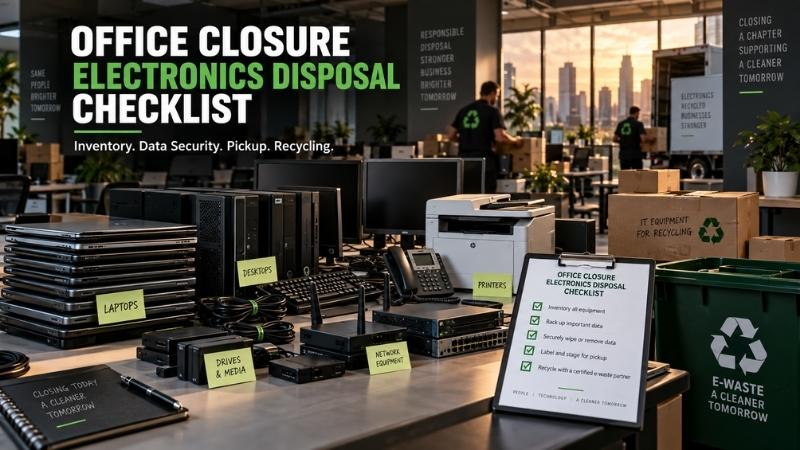
Office Closure Electronics Disposal Checklist
Closing an office creates a lot of moving parts at once. Electronics can become the riskiest part.
You may have laptops in desk drawers, servers in a closet, and phones in storage. There may also be printers, monitors, routers, cables, batteries, and old backup drives. Some devices still work. Some hold data. Others have little resale value but still need responsible handling.
A good office closure electronics disposal checklist keeps the process controlled. It protects data, saves time, and helps your team avoid expensive last-minute mistakes.
Phoenix offices also face a local challenge. Heat can make stored batteries and damaged devices harder to manage safely.
The goal is simple. Know what you have, decide where it goes, and document every handoff. This guide walks through that process from the first room sweep to the final records.
1. Start With a Room-by-Room Electronics Inventory
Start by listing every electronic asset before anything leaves the office. That sounds basic, but closure days get messy fast. One team packs furniture while another unplugs equipment.
A closing office can feel like a moving train. Missing one box can create a data problem later. As the saying goes, measure twice and move once.
Walk each room with one person recording assets. Use a spreadsheet or asset management tool. Capture these details when practical:
- Device type
- Manufacturer and model
- Asset tag or serial number
- Assigned employee or department
- Physical location
- Data storage present
- Working condition
- Power adapter or accessory status
- Planned disposition
Include obvious devices like laptops, desktops, servers, monitors, and printers. Also check conference rooms, reception desks, storage rooms, kitchens, and network closets.
Small items often hide in plain sight. Phones, tablets, USB drives, external drives, hotspots, and headsets add up.
Office managers should also check leased or financed equipment. Those devices may need return instructions. Do not assume every machine belongs to the business. Some may belong to vendors or employees.
The asset list becomes your master record. It should follow the project through pickup. Your asset log is the seat belt for the whole closure process. It helps prevent surprises.
For larger Phoenix offices, assign one inventory owner. That person should approve final counts.
2. Sort Every Device Into a Clear Disposition Path
Every device should have one planned destination before the pickup date. A good rule of thumb is simple: do not let equipment leave in an undefined pile.
Use five practical paths:
- Reuse inside the company
- Return to a lessor or vendor
- Resell or recover value
- Donate when suitable
- Recycle or dispose responsibly
This step controls both cost and risk. Working laptops may still have resale value. Old servers may contain reusable parts. Networking hardware, test equipment, and industrial electronics may also hold recoverable value. Broken equipment can still contain metals, boards, and components worth processing.
The right decision depends on age, condition, demand, and data risk.
Do not mix usable assets with scrap too early. Once equipment is stacked together, sorting gets harder. That can also reduce resale value.
Phoenix businesses often close offices while moving to another Valley location, so some equipment may transfer instead. Separate transfer equipment before any recycler arrives.
Label each group clearly. Keep data-bearing devices in a controlled area. When in doubt, treat a device as data-bearing until proven otherwise. That simple habit saves headaches later.
3. Identify Every Device That Can Store Data
Data-bearing devices need special handling during an office closure. The obvious examples are laptops, desktops, servers, and hard drives. But modern offices store information in many other places.
Look for:
- Solid-state drives
- External hard drives
- USB flash drives
- Mobile phones
- Tablets
- Network attached storage
- Backup appliances
- Copiers with internal drives
- Multifunction printers
- Point-of-sale terminals
- Security camera recorders
- Routers and firewalls
- Medical or lab equipment with storage
- Industrial control computers
What happens if a laptop leaves before anyone records it? That is exactly the kind of gap a closure checklist should prevent.
Keep these assets separate from monitors, keyboards, cables, and low-risk accessories. Assign a unique tracking number when possible.
Do not rely on a factory reset alone for sensitive business data. A factory reset may be useful for some devices, but it is not a complete policy. Businesses should choose sanitization based on data sensitivity and storage media.
The current NIST SP 800-88 Rev. 2 focuses on a media sanitization program. That standard replaced the older Rev. 1 guidance. The new version stresses program controls, validation, and appropriate sanitization methods.
This matters during office closures because many devices move at once. The more devices you move, the more important consistent handling becomes. In plain English, data destruction should be planned, tracked, and verified.
The importance of data destruction becomes even clearer during rushed office exits. As the saying goes, the devil is in the details.
4. Build a Chain of Custody Before Equipment Leaves
A chain of custody records who handled assets and when they changed hands. This is essential for data-bearing equipment. Think of it as a paper trail with guardrails.
The chain should begin before the recycler enters the office. Record:
- Pickup date and time
- Pickup location
- Authorized company contact
- Recycler or vendor contact
- Asset count
- Container or pallet count
- Serial numbers when needed
- Transfer signatures
- Vehicle or shipment details when appropriate
- Final processing status
For high-risk projects, record individual storage devices. For lower-risk loads, groups may be acceptable if policy allows it. Your internal compliance needs should shape the detail level.
Healthcare, financial, education, legal, and government offices may need tighter controls. Contracts can also create special requirements.
Do not wait until pickup day to decide what proof you need. Ask the recycler what documentation they provide. Common records include pickup receipts, asset lists, and destruction certificates. Some projects also need data-sanitization reports or downstream recycling records.
Would you hand a box of old drives to an unknown vendor? Most office managers would not. Documentation helps make that trust measurable.
A written chain of custody also helps during audits. It can show that your company acted with care. As the saying goes, trust but verify.
5. Choose the Right Data Sanitization or Destruction Method
Choose data handling based on the media type and information sensitivity. Some devices can be sanitized and reused. Others should be physically destroyed.
A good process starts with business policy. Ask three questions:
- What kind of data is stored?
- Can the media be safely reused?
- What proof does the company require?
Common sanitization approaches include clearing, purging, cryptographic erase, and physical destruction. The correct method depends on the device and risk.
Solid-state drives can behave differently from magnetic hard drives. Mobile devices may use encryption and secure erase features. Server drives may need enterprise-specific procedures.
Physical shredding can be appropriate when reuse is not needed. However, destruction should still be documented.
Do not choose a method only because it sounds strong. Choose it because it fits the storage media and your policy.
A professional IT asset disposition program should connect sanitization with tracking. That is why IT asset disposition is broader than simple electronics recycling. ITAD may include inventory, logistics, data handling, reuse, resale, and recycling.
For an office closure, those services can reduce the number of vendors involved. Fewer handoffs can also reduce confusion. As the saying goes, too many cooks spoil the broth.
6. Separate Batteries, UPS Units, and Damaged Electronics
Battery-powered equipment needs extra care during storage and transport. This matters in Phoenix because extreme heat can increase battery stress. Do not leave old electronics in direct sun or hot vehicles for long periods.
Swollen, damaged, leaking, or punctured batteries need careful handling. Lithium-ion batteries can create fire risks when damaged or improperly discarded.
The City of Phoenix warns residents not to place lithium-ion batteries in trash. Business waste rules can differ from residential collection programs, so your company should use a qualified handler for commercial loads.
Separate these items when practical:
- Loose lithium batteries
- Swollen device batteries
- UPS battery backups
- Lead-acid batteries
- Power banks
- Damaged phones or tablets
- Battery-powered tools
- Devices with non-removable batteries
Do not tape damaged batteries together. Do not crush or compact battery-powered devices. Keep terminals protected when appropriate, and store suspect batteries away from heat and ignition sources. Follow your recycler’s packing instructions.
Arizona universal waste rules can also apply to certain batteries. Businesses should confirm generator and handler requirements when relevant. A recycler should help identify special handling needs.
If a device is badly damaged, tell the vendor before pickup. Surprises are the enemy of safe logistics. As the saying goes, an ounce of prevention beats a pound of cure.
7. Pull Out Monitors, Printers, Copiers, and Other Special Items
Not every office electronic follows the same recycling path. Screens, printers, copiers, and large equipment may carry different fees.
CRT monitors need special handling because their glass contains lead. Large printers may contain toner, imaging drums, or internal storage.
Copiers can also include hard drives, so do not treat a copier as a harmless office appliance. Ask whether the device stores scanned documents or user information. Some printers save address books, print jobs, or authentication data.
Old flat-panel monitors may be easier to process than CRT units. However, fees and acceptance policies vary by recycler. Phoenix businesses should ask about charges before pickup. A clear quote should explain paid items, no-cost items, and value-bearing assets.
Also ask about:
- Televisions
- Projectors
- UPS systems
- Large copiers
- Lab equipment
- Telecom gear
- Server racks
- Industrial electronics
- Test equipment
- Loose batteries
- Fluorescent lamps
Do not assume your electronics recycler handles every waste stream. Office closures can include lamps, chemicals, furniture, and confidential paper. Those may need separate vendors.
Keep the electronics project focused and documented. As the saying goes, do not mix apples and oranges.
8. Check Resale and Value Recovery Before Recycling Everything
Some retired electronics still have market value. A closure can create a large batch of similar equipment at once, which can make resale or recovery more practical.
Newer laptops, servers, network gear, and test equipment may be candidates. Industrial electronics and surplus components can also have demand. Condition matters. So do age, specifications, quantity, and current market demand.
Keep chargers, rails, adapters, and accessories with higher-value devices. Missing accessories can reduce resale value.
Do not wipe asset labels before the valuation step. Serial numbers and model details help buyers verify equipment.
Value recovery should not weaken data security. The data process comes first.
A reseller or ITAD provider should explain when equipment qualifies for resale. They should also explain fees that reduce net recovery. Ask how revenue is calculated, when payment or credit is issued, and what happens when items fail testing.
If value recovery is important, get the process in writing. Do not accept vague promises about “getting something back.” A clean valuation model is better than a shiny estimate.
As the saying goes, do not count your chickens before they hatch.
9. Get a Written Pickup Scope and Quote
A written scope helps prevent surprise costs on closure day. Your quote should describe the load as clearly as possible. Include estimated quantities and special items. Photos can help when the load is mixed.
Provide floor access details too. A third-floor office without a freight elevator changes the job. So does a loading dock with reserved access.
Tell the recycler about:
- Stairs
- Elevators
- Loading docks
- Parking limits
- Security check-in
- Building hours
- Pallet requirements
- Heavy server racks
- Large copiers
- After-hours access
- Multiple suites
- Multiple pickup locations
Ask whether labor is included, and whether packing, palletizing, or stairs cost extra. Ask about minimum pickup charges and whether certain monitors or batteries carry fees. Also ask whether valuable equipment can offset costs.
Good pricing should be understandable before the truck arrives. That creates trust.
For JHI Scrap, the simplest next step is a free evaluation. Share the equipment list, photos, and pickup details. JHI can review the load before scheduling. That keeps the process clear and reduces last-minute surprises.
As the saying goes, get your ducks in a row.
10. Plan the Phoenix Pickup Around Building Access and Heat
Phoenix logistics can change quickly during an office closure. Summer heat affects people, vehicles, batteries, and loading time.
Schedule heavy loading earlier when practical. Keep electronics indoors until the carrier is ready, and do not stage battery-powered devices in direct sun.
Coordinate with property management before pickup. Many office buildings require loading dock reservations. Some require certificates of insurance. Others limit freight elevator use.
Downtown Phoenix, Tempe, Scottsdale, Mesa, Chandler, and Glendale buildings vary. Do not assume one pickup plan fits every property.
Share access instructions with the recycler in advance. Include:
- Building name
- Suite number
- Loading entrance
- Dock contact
- Parking instructions
- Gate codes
- Elevator reservation
- Security rules
- Pickup window
- On-site contact number
Keep one employee available during the handoff. That person should know the asset count and which items must not leave.
Use colored labels if several disposition groups share one room. For example, green can mean transfer and red can mean recycle. Keep data-bearing assets inside a controlled zone.
As the saying goes, the early bird gets the worm.
11. Use a Simple Day-Before-Pickup Checklist
The day before pickup is your last easy chance to catch mistakes. Do a final walkthrough and compare the physical load with the asset list.
Confirm that transfer equipment is separate and that leased devices are not in the recycling pile. Check that employee personal items are removed. Verify storage media handling instructions. Confirm building access with property management and the recycler’s arrival window. Prepare documents for signature.
The final check should cover:
- Asset list completed
- Data-bearing devices separated
- Special batteries identified
- Monitors and CRTs identified
- Large printers or copiers identified
- Resale candidates separated
- Leased equipment removed
- Accessories paired with valuable devices
- Pickup route cleared
- Dock or elevator reserved
- On-site contact assigned
- Quote approved
- Required certificates confirmed
A ten-minute review can prevent hours of cleanup. Do not skip it because the office feels nearly empty. Empty offices create false confidence, and one forgotten cabinet can still hold old drives.
As the saying goes, better safe than sorry.
12. Control the Pickup Day Handoff
Pickup day should feel boring. That is a good sign.
The recycler should arrive with the expected vehicle and crew. Your assigned employee should meet them. Count pallets, carts, bins, or grouped assets, and record exceptions.
Do not let unapproved devices get added casually. A closure often creates “one more box” requests. Pause and verify those boxes, since they may contain storage media or leased hardware.
Match the final load against the approved scope. Sign only documents you understand, and keep copies.
Photographs can help document larger loads. For sensitive projects, photograph sealed containers or pallet labels. Do not photograph confidential screens or documents.
Confirm the destination when your policy requires it, and confirm when destruction reports will arrive.
The chain of custody should stay intact. No asset should become anonymous during the handoff. That is the whole point.
As the saying goes, keep your eye on the ball.
13. Keep the Right Records After the Office Is Empty
The electronics job is not finished when the truck leaves. Close the loop with records.
Store pickup documents with the closure project file. Add final disposition status to your asset list. Save destruction or sanitization records when applicable. Keep resale or credit statements, and keep recycling documentation when needed for compliance.
Your company may also need accounting records for retired assets, so coordinate with finance before deleting asset records. The IT team may need serial numbers for license cleanup. Security teams may need proof of sanitization. Facilities may need the final pickup receipt.
A clean closeout packet can include:
- Final asset inventory
- Pickup receipt
- Chain-of-custody record
- Data sanitization report
- Certificate of destruction
- Resale or value-recovery statement
- Recycling record
- Exception notes
- Photos when appropriate
Retention periods depend on your company policies and obligations. Do not throw records away just because the office closed. The physical office may be gone, but the audit trail still matters.
As the saying goes, the proof is in the pudding.
14. Know What Arizona and Phoenix Guidance Means for Businesses
Business electronics disposal is not identical to household disposal. Phoenix residential programs can accept some electronics and household hazardous waste, but those programs may not apply to commercial office loads. Businesses should confirm requirements before using public facilities.
The City of Phoenix has separate controls for commercial disposal. Some materials also require special handling.
Arizona hazardous waste rules apply to many businesses that generate regulated waste. Certain batteries can fall under universal waste rules, which have labeling, storage, and handling requirements.
Not every computer becomes hazardous waste. However, office closures can contain several regulated material types. That is why sorting matters.
ADEQ also points businesses toward certified electronics recycler locator programs. For a Phoenix office closure, use a recycler that can explain its process. Ask about downstream handling, data security, and documentation. Do not accept a generic “we recycle it” answer. Responsible recycling should be traceable.
Electronic waste is the broader entity behind this entire process. The term covers discarded electrical and electronic devices. It also includes equipment headed toward reuse, recovery, or recycling.
That makes office closure electronics a business asset problem first. Then it becomes a recycling problem.
As the saying goes, know the lay of the land.
15. Common Office Closure Electronics Disposal Mistakes
Most office closure mistakes come from rushing.
The first mistake is skipping inventory. Without a list, you cannot prove what left.
The second mistake is mixing data devices with general electronics. That makes security harder.
The third mistake is relying only on factory resets. Some devices need stronger sanitization controls.
The fourth mistake is waiting until the final lease day. Pickup schedules, building rules, and special items can create delays.
The fifth mistake is assuming everything is free. Some items may carry processing or labor fees.
The sixth mistake is ignoring resale value. Working business equipment may offset project costs.
The seventh mistake is forgetting leased hardware. That can create replacement charges.
The eighth mistake is using an unverified hauler. A low pickup price means little if data handling is weak.
The ninth mistake is storing old electronics outside. Phoenix heat is not friendly to batteries or fragile equipment.
The tenth mistake is forgetting documentation. No paperwork means no clean audit trail.
You do not need a complicated system. You need a consistent one.
As the saying goes, haste makes waste.
16. How to Choose an Electronics Recycler for an Office Closure
Choose a recycler based on process, proof, and fit. Price matters, but it should not be the only factor.
Ask how they track assets and how they handle data-bearing equipment. Ask what happens to reusable devices and how non-reusable material is processed. Ask about downstream vendors and what documentation you receive. Ask how special batteries are handled, how fees are calculated, and whether they can manage pickup from your building.
A good provider should answer clearly. They should not hide behind vague environmental language.
Look for experience with business electronics. Office closures are different from one-box residential drop-offs. The vendor may need to coordinate dozens or hundreds of devices. They may also need to handle resale, destruction, and recycling together.
For Phoenix-area businesses, local pickup knowledge helps. Building access, loading times, and Valley travel all affect planning.
JHI Scrap supports electronics recycling, industrial surplus, and IT asset disposition. The team also works with business electronics and value-bearing equipment.
JHI Scrap operates in Phoenix and serves Maricopa County. Public access is by appointment, so call before visiting. Business hours are Monday through Friday, 8:00 a.m. to 4:30 p.m.
A free evaluation can help define the best path for the load. As the saying goes, the right tool makes the job easier.
17. Office Closure Electronics Disposal Timeline
Start planning at least a few weeks before the office closes. Large sites may need more time. The exact schedule depends on volume and security needs.
Four or more weeks before closure:
- Assign a project owner
- Start the inventory
- Identify leased assets
- Flag sensitive devices
- Contact recyclers or ITAD providers
Two to three weeks before closure:
- Choose disposition paths
- Get quotes
- Confirm data handling
- Plan resale or transfers
- Schedule pickup windows
One week before closure:
- Finalize asset counts
- Confirm building access
- Separate data-bearing devices
- Identify special items
- Confirm documentation needs
One day before pickup:
- Walk the office
- Check cabinets and storage
- Match items to the list
- Separate exceptions
- Confirm the on-site contact
Pickup day:
- Control access
- Verify the crew
- Count the load
- Sign transfer records
- Keep copies
After pickup:
- Collect final records
- Update the asset list
- Reconcile resale or credits
- Store destruction proof
- Close accounting records
This timeline is flexible. The key is avoiding a final-day scramble.
As the saying goes, a stitch in time saves nine.
18. Office Closure Electronics Disposal Checklist
Use this master checklist as your working closeout list.
Inventory and ownership
- Assign one project owner
- List all electronics
- Record serial numbers when needed
- Confirm leased or vendor-owned devices
- Identify equipment moving to another location
Data security
- Identify all data-bearing devices
- Separate storage media
- Choose sanitization or destruction methods
- Define required proof
- Keep chain-of-custody records
Disposition
- Mark items for reuse
- Mark items for resale
- Mark items for donation
- Mark items for recycling
- Mark items for vendor return
Special handling
- Separate batteries
- Flag damaged battery devices
- Identify CRT monitors
- Identify large copiers and printers
- Identify lab or industrial electronics
- Confirm non-electronic waste needs separate handling
Pickup planning
- Get a written scope
- Confirm fees
- Confirm labor needs
- Reserve loading access
- Confirm elevator or dock access
- Plan around Phoenix heat
- Assign an on-site contact
Pickup day
- Verify the recycler
- Match the load to the asset list
- Record changes
- Sign transfer paperwork
- Keep copies
After pickup
- Collect destruction records
- Collect recycling records
- Collect resale statements
- Update the final asset log
- Store closeout documents
This checklist should make the closure quieter. That is the goal. Good disposal work is almost invisible because the risks were handled early.
As the saying goes, smooth seas come from good preparation.
Ready for a Phoenix Office Electronics Pickup?
If your office is closing, relocating, or clearing old equipment, JHI can review the load. Send the equipment list, photos, and pickup details.
You can request a free evaluation before choosing the final disposal path. That helps you understand likely fees, value recovery, and data handling.
JHI Scrap can support a planned electronics pickup across Phoenix and Maricopa County. The process can include recycling, ITAD, and surplus equipment evaluation.
As the saying goes, many hands make light work.
Frequently Asked Questions About Office Closure Electronics Disposal
What electronics should I inventory before closing an office?
Inventory computers, servers, drives, phones, printers, copiers, monitors, networking gear, and accessories. Also check storage rooms, desks, conference rooms, and network closets. Small storage devices deserve extra attention.
As the saying goes, leave no stone unturned.
Should I destroy every hard drive?
Not always. Some drives can be sanitized for safe reuse. Others should be physically destroyed based on policy and data sensitivity. Use an approved method and keep proof.
As the saying goes, use the right tool for the job.
Is a factory reset enough before recycling a business computer?
A factory reset should not be your only security control. The correct process depends on the device and data sensitivity. Use a documented sanitization method that fits the media.
As the saying goes, better safe than sorry.
Can an electronics recycler pick up equipment from a Phoenix office?
Yes, many business recyclers offer scheduled pickup. The scope may depend on volume, item types, labor, and building access. Ask for a written quote before pickup.
As the saying goes, forewarned is forearmed.
What affects office electronics recycling costs?
Costs can depend on labor, quantity, item type, access, packing, and special handling. Certain screens, batteries, or large equipment may add costs. Resale value can sometimes offset part of the project.
As the saying goes, every penny counts.
Can old office electronics still be sold?
Some can. Newer business computers, servers, network gear, and test equipment may have value. Condition, age, specifications, and market demand all matter. Data handling must come first.
As the saying goes, one person’s trash can be another’s treasure.
What should I ask for after data destruction?
Ask for documentation that matches your policy. That may include an asset report, sanitization record, or destruction certificate. Confirm the required format before pickup.
As the saying goes, get it in writing.
How should I handle swollen laptop or phone batteries?
Keep damaged batteries away from heat and ignition sources. Do not crush them or toss them into normal trash. Tell your recycler before pickup and follow the handler’s packing instructions.
As the saying goes, do not play with fire.
Can I use a residential Phoenix electronics program for business equipment?
Do not assume residential programs accept commercial office loads. Business disposal rules and facility access can differ. Confirm requirements before transporting equipment.
As the saying goes, read the fine print.
What is IT asset disposition during an office closure?
ITAD is the managed retirement of business technology. It can include inventory, data sanitization, resale, recycling, logistics, and reporting. The essential guide to IT asset disposition explains the broader process.
As the saying goes, see the forest and the trees.
What is the safest way to dispose of computers and electronic devices?
Start with inventory and data classification. Then choose reuse, resale, or recycling based on condition. Use secure data handling and a documented chain of custody. This guide on how to dispose of computers and electronic devices covers the basics.
As the saying goes, slow and steady wins the race.
Close the Office Without Leaving Electronics Risk Behind
A clean office closure needs more than a recycling truck. It needs inventory, data controls, safe handling, and clear documentation.
Start early. Know what belongs to the company. Separate data-bearing devices and plan sanitization before pickup. Flag batteries, CRTs, printers, copiers, and special equipment. Get a written scope, control the handoff, and keep the records.
That process protects the business after the doors close. It also gives working equipment a chance for reuse or value recovery, while non-working electronics can move into responsible recycling channels.
JHI Scrap helps Phoenix-area businesses manage electronics, IT assets, and surplus equipment. Call before visiting because public access is by appointment.
To plan a pickup, request a free evaluation from JHI Scrap. Share your inventory, photos, and closure date. You will have a clearer path before the last moving box leaves. As the saying goes, finish strong.