
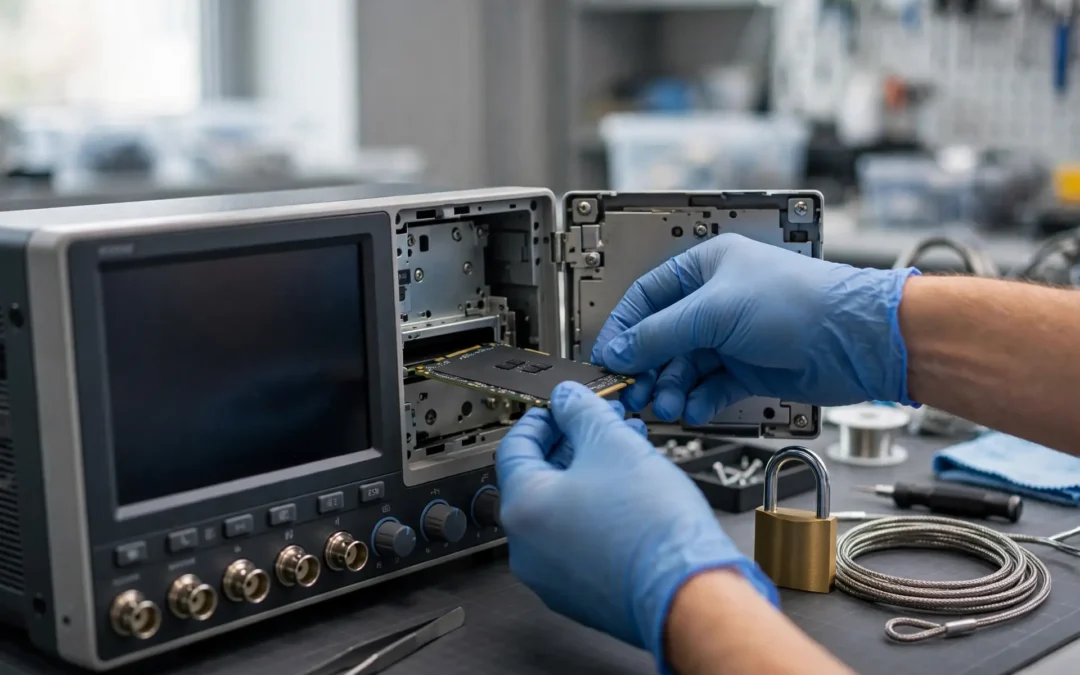
Test Instrument Data and IP Disposal Guide
Test instruments can hold much more than measurements. They may contain customer data, scripts, credentials, designs, and proprietary limits.
Removing the asset from a laboratory does not remove those risks. A factory reset may leave storage untouched.
A sound disposal process connects security, engineering, records, asset management, and environmental responsibilities.
This guide provides a practical framework. It does not replace legal advice, manufacturer instructions, or organizational security policy.
Why Test Instruments Need Data Review
Modern instruments often use embedded computers. They can include flash memory, solid-state drives, hard drives, and removable cards.
Oscilloscopes may store waveforms, screenshots, setups, and protocol captures. Analyzers can store traces, correction files, and limits.
Data acquisition systems may retain logs, channel maps, alarms, and product-test results.
Automated test stations can include scripts, source code, databases, and customer-specific sequences.
Networked instruments may retain addresses, certificates, wireless profiles, shared folders, accounts, and remote-access settings.
A laboratory disposition page should therefore include data review. JHI’s laboratory equipment disposition guidance also identifies data sanitization as a core step.
Data and Intellectual Property Are Different Risks
Data can include readings, images, logs, reports, user profiles, and network details.
Intellectual property can include scripts, algorithms, fixtures, limits, calibration methods, designs, and manufacturing processes.
Some information fits both categories. A proprietary test sequence can contain customer identifiers and technical know-how.
Sanitizing storage can address recoverable information. It does not address visible fixtures, labels, or physical design features.
IP review must therefore extend beyond media. Engineering drawings, connector panels, jigs, and custom modules need assessment.
Keep the reviews connected but distinct. One successful erase does not authorize every physical item for transfer.
Build a Complete Instrument Inventory
Assign a unique asset ID to every instrument, controller, computer, module, and removable storage device.
Record manufacturer, model, serial, asset tag, department, location, owner, and planned disposition.
List installed options, operating system, firmware, network interfaces, and connected computers.
Record removable media, external drives, USB devices, cards, dongles, and proprietary modules.
Identify supporting servers, cloud accounts, license portals, databases, and network shares.
Add the data owner, system owner, security contact, records contact, and engineering approver.
Keep every change versioned. Removing a drive or module changes the instrument configuration and buyer description.
| Inventory area | Examples | Required question |
|---|---|---|
| Internal storage | SSD, HDD, flash, NVRAM | What data persists? |
| Removable media | USB, SD card, optical disc | Who owns the media? |
| Network data | Shares, servers, cloud accounts | What access remains? |
| Instrument settings | Users, IP addresses, certificates | What identifies the organization? |
| Intellectual property | Scripts, limits, fixtures, methods | Can it transfer? |
| Licenses | Keys, dongles, subscriptions | Is transfer permitted? |
Map Every Storage Location
Start with the manufacturer manual and model-specific security documentation. Do not rely on one generic checklist.
Internal drives may hold the operating system, applications, data, settings, logs, and recovery partitions.
Embedded flash may store firmware, user settings, calibration constants, traces, and network configuration.
Volatile memory may clear after power removal. Battery-backed memory can persist longer.
Removable modules can contain their own flash or storage. Controllers and interface cards deserve separate review.
External PCs may hold most test data while the instrument stores credentials and recent files.
Network shares and cloud services can retain synchronized copies. Instrument sanitization does not erase remote repositories.
Create a storage map for each model family. Record evidence for every identified media location.
Distinguish Volatile and Nonvolatile Memory
Volatile memory usually loses data without power. Nonvolatile memory can retain data after shutdown.
Battery-backed memory complicates the simple distinction. It may preserve settings or information during power loss.
Do not assume every RAM area clears immediately. Manufacturer instructions can specify required power-off times.
Nonvolatile areas can include flash, solid-state storage, hard drives, EEPROM, and removable cards.
Some memory stores only firmware. Other memory stores user data, settings, or security information.
Record the purpose of each memory area. Sanitization decisions depend on the data and media behavior.
When documentation is unavailable, treat uncertainty as a risk. Escalate before releasing the equipment.
Follow Model-Specific Declassification Instructions
Manufacturers often publish declassification or instrument-security instructions. These documents explain memory, data, and sanitization features.
Use the document for the exact model and firmware generation. Related families may use different storage architectures.
Tektronix publishes oscilloscope declassification instructions for specified TBS, TDS, and TPS series models.
Those instructions help users identify and sanitize or remove memory devices. Other models require their own documents.
Record the document title, revision, model coverage, and procedure date. Keep screenshots or logs where permitted.
Do not improvise a memory-removal method. Physical changes can affect safety, calibration, warranties, and resale condition.
When instructions conflict with policy, escalate to security and engineering. Do not choose the easier path silently.
Use Current NIST Media Sanitization Guidance
NIST published SP 800-88 Revision 2 in September 2025. It superseded Revision 1.
The publication defines sanitization around making target data access infeasible for a given effort level.
NIST’s SP 800-88 Revision 2 emphasizes an organizational sanitization program, assurance, and modern storage architectures.
The framework includes clear, purge, and destroy approaches. Selection depends on confidentiality, media, reuse, and organizational requirements.
Do not turn these labels into generic buttons. The selected method must fit the specific media and risk.
Follow approved standards, manufacturer capabilities, and validation requirements. Document why the method was selected.
Sanitization is one control within disposition. Chain of custody, inventory, authorization, and records remain necessary.
Understand Clear, Purge, and Destroy
Clear generally uses logical techniques against user-addressable storage. It may support lower-risk reuse scenarios.
Purge applies stronger techniques intended to resist more advanced recovery. Suitable methods depend on media capabilities.
Destroy makes media unusable for data storage. It also removes the media’s reuse potential.
Do not choose destruction automatically. Reuse, repair, and environmental goals may support approved sanitization instead.
Do not choose simple clearing automatically. Sensitive data and modern storage behavior may require stronger assurance.
Cryptographic erase can be appropriate only when required conditions are satisfied. Key management and implementation trust matter.
The organization should define decision authority. Technicians should not choose methods ad hoc during pallet preparation.
A Factory Reset Is Not a Universal Sanitization Method
Factory reset usually returns settings to a default state. Its treatment of stored data varies by model.
One instrument may erase user files. Another may preserve files, logs, licenses, partitions, or recovery data.
A reset can also leave external drives, network shares, removable media, and cloud copies untouched.
Review the manufacturer procedure. Identify which media and data categories it addresses.
Do not rename a reset as secure erase without evidence. Use the terminology supported by the procedure.
After resetting, verify the expected state. Check accounts, files, histories, network settings, and user areas.
Record limitations. A completed reset may still require separate media sanitization or removal.
Protect Test Results and Customer Information
Test results can reveal product performance, failures, serials, manufacturing yield, and customer acceptance criteria.
Waveforms and screenshots can show unreleased designs. File names may reveal customers or program identities.
Logs can contain operator names, timestamps, lot numbers, device identifiers, and exception comments.
Review retention requirements before deletion. Some results may support quality, warranty, safety, or regulatory records.
Export approved records into the organization’s controlled repository. Confirm readability and completeness.
Delete unnecessary copies only through the approved process. Do not leave exports on temporary USB drives.
Record the data owner and retention decision. Technicians should not guess which records matter.
Review Scripts, Sequences, and Automation Code
Scripts can contain proprietary algorithms, product limits, commands, credentials, paths, and customer identifiers.
Automated test systems may store code locally, on servers, or inside version-control systems.
Identify the code owner and approved repository. Preserve required versions before equipment release.
Remove working copies from instruments and controllers through the approved method.
Review configuration files, environment variables, batch files, macros, notebooks, and compiled applications.
Do not give source code to a buyer merely to demonstrate equipment function.
Licensed vendor software requires separate review. Removing proprietary code should not damage permitted manufacturer software.
Handle Limits, Recipes, and Product Configurations
Test limits can reveal product tolerances, quality targets, and failure thresholds.
Recipes may include model-specific parameters, process steps, fixture mappings, and calibration values.
Configuration names can reveal customer projects or unreleased product codes.
Export authorized records when retention applies. Store them within the approved engineering system.
Remove local copies and recent-file references. Check backups, recovery folders, and temporary directories.
Review printed labels and fixture markings. Digital sanitization cannot remove visible proprietary identifiers.
Record the engineering approver. A security technician may not understand the value of technical limits.
Remove Credentials and Network Trust
Retired instruments may retain local users, service accounts, passwords, tokens, and cached credentials.
They can also store wireless profiles, VPN settings, certificates, keys, domains, and remote-control configurations.
Disable associated accounts when no longer needed. Rotate shared credentials that may have reached the instrument.
Revoke certificates, API keys, and tokens through their authoritative systems. Local deletion alone may be insufficient.
Remove the device from management platforms, monitoring tools, allowlists, and asset-discovery systems.
Review DNS records, reservations, and remote-access software. Close abandoned trust relationships.
Record each revocation separately from media sanitization. Both controls protect different paths.
Address Cloud and Remote Data
Some instruments synchronize files with cloud portals, vendor services, or enterprise storage.
Disconnecting the instrument does not delete those copies. The authoritative account needs separate review.
Identify synchronized folders, upload queues, dashboards, remote logs, and shared projects.
Preserve required records before removing the instrument from the account.
Revoke device authorization and user sessions. Remove stored payment, subscription, and support details when appropriate.
Review service retention and deletion controls. Do not assume local policy automatically applies to vendor systems.
Document remote actions beside the asset record. This closes gaps that physical inspection cannot reveal.
Treat Removable Media as Separate Assets
USB drives, memory cards, optical discs, and removable disks should receive their own identifiers.
Do not leave media inside instruments, cases, drawers, or accessory boxes.
Record the media type, capacity, serial when available, owner, data classification, and disposition.
Inspect write-protection and hardware-encryption features. Sanitization procedures may depend on their behavior.
Retain media when records or licenses require it. Otherwise apply the approved sanitization or destruction method.
Document every transfer between departments. Small media is easy to misplace.
Update the instrument package description after removing required boot or license media.
Review Software Licenses and Entitlements
Installed software does not automatically transfer with equipment. Rights may belong to the organization, user, site, or instrument.
Identify node-locked, floating, subscription, dongle-based, and account-based licenses.
Review vendor terms and purchase records. Confirm whether transfer, deactivation, or account removal is required.
Return floating licenses to the server where appropriate. Deactivate subscriptions and remove organization credentials.
Keep transferable instrument options documented. Do not erase them accidentally during sanitization.
Do not promise a buyer that a license will remain active. Provide only verified, authorized information.
Record the final license decision with the instrument configuration.
Protect Calibration and Service Information
Calibration records can contain serials, results, uncertainty, as-found conditions, technicians, and customer details.
Some records belong in the quality system. Others may support the buyer’s understanding of instrument history.
Quality and metrology should decide which records remain internal. They should also approve any redacted copy.
Do not erase internal calibration constants blindly. Those values may be required for instrument function.
Manufacturer security instructions can distinguish user data from calibration or firmware areas.
Preserve service passwords and proprietary procedures. Buyers rarely need sensitive internal methods.
State when certificates are unavailable, expired, or limited. Do not rebuild missing history from memory.
Validate and Verify Sanitization
Procedure completion is not the same as outcome assurance. Organizations need defined verification and validation steps.
Verification confirms that the prescribed actions occurred. Review logs, settings, tool results, and technician records.
Validation evaluates whether the result meets the organization’s sanitization requirements.
The exact checks depend on media, method, risk, and available tools. Do not improvise destructive tests.
Review failed, interrupted, unsupported, and partially completed outcomes. Move those assets into an exception process.
Never mark an asset sanitized because a technician started the procedure. Record the final status.
Use independent review for higher-risk equipment where policy requires it.
Create Useful Sanitization Records
A useful record connects an identifiable asset with the media, method, result, date, and responsible party.
Include model, serial, asset ID, media type, media serial, classification, selected method, and procedure reference.
Record the tool or manufacturer function used. Include relevant versions and logs when policy permits.
Document verification, validation, exceptions, approvals, and final disposition.
JHI’s sanitization certificate checklist explains how records should connect actions with identifiable items.
A certificate does not fix a weak process. Evidence must support the recorded result.
Keep retention periods aligned with organizational requirements. Do not publish sensitive asset lists unnecessarily.
Maintain Chain of Custody
Chain of custody records who controlled the asset during collection, transport, sanitization, storage, and release.
Label instruments, drives, cards, and removed modules. Use tamper-evident controls when policy requires them.
Record dates, times, locations, handlers, package IDs, and condition changes.
Store awaiting-sanitization equipment in a controlled area. Do not mix it with approved outbound inventory.
Limit access to authorized personnel. A locked room cannot replace an accurate inventory.
When vendors participate, define handoff evidence and exception reporting. Request receiving reconciliation by serial.
Resolve missing items immediately. Delayed investigations lose useful evidence.
Build a Formal Exception Process
Some instruments cannot boot, recognize storage, complete sanitization, or support an approved logical method.
Others require retention of calibration data, licenses, firmware, or proprietary recovery partitions.
Move every exception into a controlled queue. Do not release it with ordinary cleared equipment.
Record the failure, attempted procedure, error, media, data risk, and responsible approver.
Options may include media removal, vendor support, stronger sanitization, physical destruction, or retained storage.
Update the equipment description after media removal. Buyers must know whether the instrument remains complete.
Close the exception only after validation and authorization. Keep supporting evidence with the asset record.
Handle Failed and Nonfunctional Instruments
A dead instrument can still contain readable storage. Failure does not equal sanitization.
Do not assume broken displays, power supplies, or mainboards protect the underlying drive.
Qualified personnel should identify accessible media. Avoid unsafe disassembly and uncontrolled parts removal.
Record removed media and the remaining configuration. Protect exposed electronics during storage and transport.
If media cannot be sanitized logically, use the approved exception route. Destruction may be considered when required.
Confirm whether parts reuse remains possible after storage removal. Do not sacrifice viable equipment without review.
Keep failed units inside chain-of-custody controls until the risk closes.
Review Fixtures, Panels, and Physical Markings
Custom fixtures can expose product geometry, pinouts, connector assignments, and process knowledge.
Front panels may carry customer names, program labels, ranges, limits, and proprietary control layouts.
Photographs can reveal those details even when the physical fixture stays onsite.
Engineering and program owners should decide whether transfer, alteration, destruction, or retention is appropriate.
Do not grind, cut, or alter fixtures without safety review. Hidden materials and coatings can create hazards.
Remove labels only under approved records policy. Some labels support asset, safety, or regulatory traceability.
Record the physical IP review separately from media sanitization.
Coordinate the Responsible Departments
Engineering identifies scripts, limits, fixtures, designs, dependencies, and critical spares.
Information security maps storage, selects controls, reviews credentials, and validates sanitization.
Records management identifies required data retention and approved repositories.
Quality and metrology review test results, calibration records, and controlled procedures.
Legal and compliance address contracts, customer property, holds, export issues, and license terms.
Asset management confirms ownership, tags, release status, and register closeout.
Environmental staff review non-reuse routes, batteries, and removed media.
Logistics protects chain of custody. One coordinator keeps the master inventory synchronized.
Evaluate Vendors and Written Controls
A vendor should explain asset tracking, custody, sanitization methods, validation, exceptions, and final reporting.
Ask which procedures apply to embedded instruments. Standard laptop workflows may not cover specialized test equipment.
Ask how removed drives and modules are identified. Confirm whether they remain linked to parent assets.
Ask how unsupported media is handled. Review destruction, return, approval, and evidence requirements.
Ask who can access equipment and data. Review subcontractors and downstream paths where relevant.
JHI’s ITAD vendor due-diligence checklist provides related questions for custody, security, reporting, and terms.
Do not accept broad marketing claims instead of process evidence.
Document the Final Release Decision
The release record should show asset identity, configuration, storage status, IP review, approvals, and disposition.
List removed drives, cards, modules, dongles, fixtures, and accessories. Update the buyer inventory.
Attach sanitization evidence, exception closures, license decisions, and retention confirmations.
Record the final authorized condition. Examples include sanitized complete, sanitized without storage, or parts-only.
Confirm package IDs and chain-of-custody details before pickup.
Do not reopen approved packages casually. Record any change as a new revision.
Close the asset register only after receiving required disposition evidence.
A Practical Data and IP Disposal Checklist
Inventory every instrument, controller, module, drive, card, dongle, fixture, and accessory.
Identify internal, removable, networked, cloud, and backup storage.
Classify data, scripts, limits, configurations, credentials, licenses, and physical intellectual property.
Preserve required records within approved repositories. Confirm retention before deletion.
Select methods through current policy, media behavior, risk, and manufacturer guidance.
Perform procedures with authorized tools and trained personnel. Record every result and error.
Verify completion and validate the outcome. Move failures into the exception process.
Revoke accounts, keys, certificates, wireless profiles, and remote trust.
Review fixtures, panels, labels, software rights, and transfer restrictions.
Approve release, maintain custody, reconcile receipt, and retain final evidence.
Common Disposal Mistakes
Do not assume factory reset means complete sanitization. Confirm its documented scope.
Do not sanitize before preserving required quality or calibration records.
Do not overlook removable media inside cases, drawers, controllers, or accessory boxes.
Do not remove drives without updating the buyer configuration.
Do not confuse deleted files with validated sanitization.
Do not ignore credentials, certificates, cloud accounts, and remote trust relationships.
Do not transfer proprietary fixtures because their computers were cleared.
Do not accept a generic certificate without asset, method, result, date, and responsible party.
Build a Recurring Instrument Disposition Program
Organizations should not rebuild this process during every laboratory closure.
Create approved storage maps for common models. Keep manufacturer security instructions current.
Define data owners, approvers, methods, validation, exceptions, and evidence requirements.
Train engineering, metrology, security, asset, and logistics teams together.
Review new instrument purchases for future sanitization support. Disposal readiness begins during acquisition.
Track recurring failures and missing documents. Use them to improve purchasing and operating procedures.
JHI’s IT asset disposition guide provides additional context about data protection and documented retirement.
Complete a Pre-Sanitization Preservation Review
Sanitization can permanently remove records. Confirm preservation needs before executing any irreversible procedure.
Ask the data owner which results, images, logs, and configurations remain necessary.
Ask quality whether calibration, maintenance, validation, and product records support required retention.
Ask engineering whether scripts, libraries, drivers, fixtures, and limit files have authoritative copies.
Ask legal or compliance whether a hold, contract, investigation, or customer requirement affects deletion.
Export only approved information. Avoid copying an entire drive merely because selection takes time.
Store preserved records inside controlled repositories. Temporary laptops and personal cloud folders are poor destinations.
Verify file readability, metadata, access permissions, and ownership after export.
Record the repository, export date, responsible person, and verification result.
Remove temporary export media through the approved process. Those devices can become an overlooked duplicate risk.
Obtain final authorization to sanitize. The approval should identify assets and data owners clearly.
Use a Risk-Based Decision Record
A repeatable decision record explains why one sanitization method fits a specific instrument.
Start with data classification and contractual restrictions. Then identify the media and its supported capabilities.
Consider the next use. Internal reassignment, external resale, repair, parts recovery, and recycling create different exposure paths.
Consider whether the device works. A failed controller may prevent logical sanitization.
Consider whether storage removal damages reuse potential. Document that tradeoff before changing the configuration.
Consider assurance requirements. Higher-risk data may require stronger validation or independent review.
Record the selected method, alternatives, constraints, and approving authority.
Do not select a weaker method because the preferred tool is unavailable. Move the asset into the exception queue.
Do not destroy useful equipment without evaluating approved sanitization options. Reuse and security can coexist.
Review the decision after procedure failures or configuration discoveries. New evidence can change the required route.
Prepare Buyer-Facing Information Safely
Buyers need enough information to evaluate the instrument. They do not need confidential data or proprietary files.
Provide model, serial, options, functions, condition, accessories, and approved calibration history.
Use clean startup screens after sanitization. Do not photograph customer traces, filenames, network details, or user accounts.
Redact documents carefully. Hidden spreadsheet columns and PDF layers can retain sensitive information.
Share only the approved document version. Keep originals under restricted access.
State when storage was removed. Explain resulting boot, software, or configuration limitations.
Do not share sanitization logs containing unnecessary credentials or internal network paths.
Describe the final state accurately. “Reset” and “sanitized” should not be treated as interchangeable terms.
Connect every buyer-facing photograph with the inventory ID. This prevents evidence from crossing between instruments.
Keep buyer communications with the transaction file. They may define accepted configuration and data responsibilities.
Package Sanitized and Unsanitized Equipment Separately
Physical separation prevents an uncleared asset from joining an approved shipment.
Use clear status labels that do not expose sensitive classification details.
Mark awaiting review, sanitization in progress, exception hold, approved, and released states.
Do not rely on sticker color alone. The authoritative inventory should show the same status.
Seal approved packages when policy requires it. Record the package ID, contents, and responsible employee.
Keep removed drives and media in controlled containers. Link each item with its parent instrument.
Protect connectors, displays, modules, and exposed drive bays during transport.
Photograph approved packages before carrier handoff. Capture labels, counts, seals, and visible condition.
Reconcile every package at pickup and delivery. Investigate missing or unexpected items immediately.
Never downgrade custody after sanitization. The equipment can still contain valuable hardware and organizational information.
Conclusion
Test instruments can contain sensitive data, credentials, software, and intellectual property. Their disposal needs structured review.
Start with a complete asset and storage inventory. Preserve required records before sanitization.
Use current guidance and model-specific instructions. Verify outcomes and control every exception.
Review physical fixtures, licenses, labels, and remote accounts. Digital sanitization alone cannot address them.
Finally, connect technical evidence with approvals and custody. That creates a defensible release record.
Frequently Asked Questions
Can test instruments contain sensitive data?
Yes. They may store readings, traces, screenshots, scripts, accounts, credentials, settings, and customer information.
Is factory reset the same as secure sanitization?
Not always. Review the exact model’s documentation and validate which storage areas the reset addresses.
What is NIST SP 800-88 Revision 2?
It is current NIST guidance for organizational media sanitization programs, methods, assurance, and modern storage architectures.
Should calibration data be erased?
Not blindly. Metrology and engineering should identify functional constants and required quality records first.
Do scripts count as intellectual property?
They can. Scripts may contain proprietary algorithms, limits, processes, credentials, and customer-specific methods.
What happens when an instrument will not boot?
Use the approved exception process. Identify media, risks, removal options, stronger methods, and required approvals.
What should a sanitization record contain?
Include asset identity, media, method, result, date, technician, verification, validation, exceptions, and final disposition.
Does sanitization address physical fixtures and labels?
No. Engineering and program owners must review visible designs, pinouts, identifiers, and other physical intellectual property.
Planning a secure test-equipment disposition?
Share your instrument inventory, storage concerns, quantities, condition, and pickup requirements with JHI.