
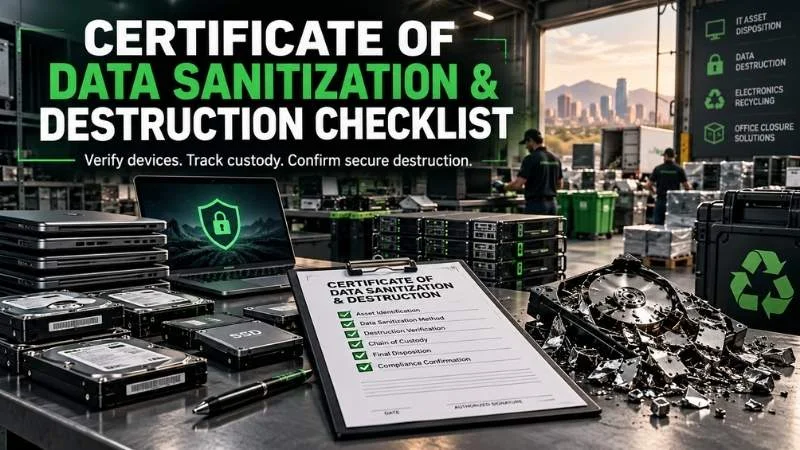
Certificate of Data Sanitization and Destruction Checklist
This guide gives office managers, IT teams, schools, and healthcare facilities a practical review checklist. You can use it before booking a pickup, during handoff, and after the final paperwork arrives.
What is a certificate of data sanitization or destruction?
A certificate of data sanitization records what happened to information on a device or storage medium. It should connect an identifiable item to a method, outcome, date, and responsible party. A certificate of destruction usually documents physical destruction, such as shredding a drive.
These names are often used loosely in sales conversations. The important question is what the document actually proves. A receipt that says “25 computers recycled” records a shipment. It does not identify the drives, the data treatment, or the outcome for each one.
NIST’s Guidelines for Media Sanitization describes Clear, Purge, and Destroy as sanitization methods. Its September 2025 Revision 2 includes a sample Certificate of Sanitization. The guidance also separates checking that a method completed from deciding whether the result meets your organization’s risk requirements.
For a Phoenix office, the certificate should fit into a larger evidence trail. That trail starts with your asset list, continues through pickup and custody, and ends with a reviewed disposition record. Think of the certificate as the final page of the story, with the earlier pages still attached.
Sanitization, destruction, and recycling are different steps
Sanitization addresses the data. Destruction makes the media unusable through an approved physical process. Recycling concerns the material after the data risk has been addressed.
A working laptop may be sanitized for reuse. A damaged drive containing sensitive information may need destruction. Its metal and other recoverable material can then enter a responsible recycling stream. These decisions should be written down before equipment leaves your control.
You may also see the term data erasure used for software-based removal of stored data. That general term does not, by itself, tell you which NIST method was used or whether the operation was verified. Ask for the specific technique and result.
Why the certificate matters to a Phoenix organization
The document helps your team answer a simple question: what happened to the exact media we released? Without serial numbers or another reliable identifier, you may have no clear way to connect a pile of equipment to its final treatment.
That gap matters in a routine IT refresh. It matters more when a clinic retires patient workstations, a school closes a computer lab, or a law office moves across town. One untracked storage device can turn a smooth cleanout into a difficult investigation.
A useful certificate also supports internal review. Finance can close the asset record, IT can close the service ticket, and management can retain evidence for an audit. The record gives each team the same facts instead of a string of emails and verbal assurances.
For a smaller business, the same discipline still pays off. A single office computer may hold payroll files, customer contact details, and saved browser sessions. Write down its identifier, who approved release, and what outcome was requested. Later, match that request to the actual result. You do not need a large IT department to ask clear questions.
The paperwork alone does not establish legal compliance. Your own policies, contracts, retention duties, and applicable rules determine what evidence you need. If protected health information is involved, have your privacy or compliance lead review the disposition plan before pickup.
A certificate is not a substitute for custody records
Chain of custody follows equipment as it changes hands. A certificate describes the treatment performed on the media. You need both when the handoff involves sensitive or regulated information.
Ask who collected the equipment, when custody changed, where it went, and how exceptions were recorded. Then compare that handoff record with the final media list. A missing serial number is easier to investigate immediately than three months later.
Phoenix heat also makes unattended storage a poor plan for retired devices and batteries. Stage items in a secure, suitable indoor area and arrange a scheduled handoff. Do not leave loose drives in an open loading area while a team waits for pickup.
The certificate checklist: what to verify line by line
Use this checklist before approving a vendor’s sample paperwork. Keep a copy alongside the pickup manifest, asset inventory, and any service agreement. Some fields may live in a linked report rather than on one page, but the documents should be easy to reconcile.
| Check | What to look for | Why it matters |
|---|---|---|
| Customer and project | Your organization, site, job or work-order ID | Connects the record to the right engagement |
| Media identity | Device or media type, make/model, serial or asset number | Connects treatment to a specific item |
| Count and scope | Total units and a clear list of included media | Exposes missing or extra items |
| Method | Clear, Purge, or Destroy and the specific technique | Shows what was actually done |
| Tool or equipment | Relevant tool, equipment, and version when applicable | Helps explain how the work was performed |
| Date and location | Treatment date and facility or on-site location | Establishes a timeline |
| Result | Completion status, errors, exceptions, and retry outcome | Separates success from an attempted operation |
| Assurance | Verification and validation details | Shows how the outcome was checked and accepted |
| Personnel | Responsible operator and reviewer or signatory | Adds accountability |
| Final disposition | Reuse, resale, recycling, or other destination | Connects data treatment to the asset’s next step |
NIST’s sample form includes media details, the method and technique, tools, verification status, validation, destination, and signatures. Your exact report format can differ. What matters is that your team can trace each relevant item and understand any exceptions.
1. Match each media item to your inventory
Start with the serial number when one is available and legible. Also record an internal asset tag or a unique assigned ID. Do not rely on a generic description such as “black desktop” to distinguish dozens of similar machines.
A computer may contain more than one drive. Servers may have several disks, while phones and tablets can contain built-in storage. Count the actual data-bearing media, not only the outer devices.
Before pickup, compare the equipment list against your internal asset register. Mark any unit whose serial label is missing or damaged. Agree on an alternative identifier and document it during handoff.
2. Confirm the method and the specific technique
“Data removed” is too vague for a useful audit record. The report should say whether the media was cleared, purged, or destroyed. It should then name the technique used to achieve that result.
The right choice depends on the data’s sensitivity, the media, its condition, and its planned reuse. A process suitable for an ordinary reusable drive may not suit a failed drive. Ask the provider how failed, locked, or inaccessible devices are handled.
Do not assume every device should be shredded. Reuse can preserve value when effective sanitization is possible and appropriate. Destruction can be the practical choice when a device cannot be sanitized with confidence.
3. Look for verification, validation, and exceptions
Verification checks the operation’s outcome, such as a completed tool status or inspected destruction remnants. Validation is the decision that the result is acceptable for the data and the organization’s requirements. The two terms are related, but they are not interchangeable.
Ask what happens when an operation fails or a device cannot be read. The report should flag that exception instead of counting the unit as successfully sanitized. Your team should then approve a documented next step, often a different method or destruction.
An honest exception report is more useful than a perfect-looking certificate with missing detail. It tells you what still needs action. Keep the corrected record with the original one so the sequence remains clear.
4. Review signatures and final destination
The certificate should identify the person or organization attesting to the work. Electronic records can serve this purpose when your policies allow them. Ask who reviews the work and how the record can be retrieved later.
The final destination matters too. A sanitized device may be reused or sold, while destroyed media may be sent for material recovery. A certificate about data treatment does not automatically document every downstream recycling step.
If your team needs proof of recycling, request that separately. Set the requirement in writing before collection, especially for a large office closure. You will save time if both parties know the reporting package expected at the end.
A simple three-stage workflow: before, during, and after pickup
The easiest audit happens before anything moves. Choose an owner for the project and prepare one working inventory. If several departments contribute devices, give them the same labeling rules.
Before pickup: define the scope
List desktops, laptops, servers, loose drives, phones, tablets, removable media, and equipment with hidden storage. Printers, network appliances, and multifunction devices deserve a second look. A familiar device can still store credentials, logs, or documents.
Identify the data owner and decide what must be retained. Remove legal holds, records, and needed backups from the disposition queue. Confirm a recoverable backup before approving any permanent sanitization.
Set the required treatment for each group. Tell the provider whether a device is intended for reuse or destruction. Ask for a sample certificate and manifest now, not after the truck has left.
Before-pickup checklist
- Assign one person to approve the asset list and handoff.
- Inventory data-bearing media and note missing identifiers.
- Confirm backups, retention rules, and any legal hold.
- Decide which items may be reused and which need destruction.
- Request the method, custody process, exception path, and documentation format.
- Agree on pickup access, timing, packaging, and any fees.
For a wider retirement project, JHI’s IT asset disposition services describe data handling, logistics, tracking, and value recovery. Confirm the particular method and documentation available for your inventory in the written scope.
At handoff: record the transfer
Count the items with the pickup team and keep a signed or acknowledged manifest. Note the date, time, location, and names of the people releasing and accepting custody. If equipment is sealed in containers, record the seal or container IDs.
Do not quietly add another box from a hallway closet. Add it to the manifest first. The same rule applies when an expected drive is missing from a workstation.
For large pickups, compare the final count with the draft inventory while the team is present. Record any differences and who accepted them. This small pause can prevent a long dispute later.
After processing: reconcile the evidence
Match every line on the final certificate or attached report to the pickup manifest. Resolve unmatched serial numbers and missing units with the provider. Ask whether any item failed processing or followed a different path.
Then close each item in your own asset register. Save the manifest, certificate, exceptions, approvals, and invoice under the same project ID. Follow your organization’s retention schedule for those records.
Which method fits which equipment?
Start with information sensitivity and intended use. Then select a technique that works for the particular media. NIST Rev. 2 describes the decision process, while device-specific methods need appropriate technical guidance and testing.
| Equipment or situation | Questions to ask | Documentation to expect |
|---|---|---|
| Working hard drive for reuse | Which approved sanitization technique applies? Was the result checked? | Drive ID, method, technique, tool details, status |
| SSD or flash storage | Does the device support an appropriate command or cryptographic erase? | Device ID, selected method, completed status, validation |
| Failed or inaccessible media | Can it be sanitized reliably, or should it be destroyed? | Exception, changed method, final disposition |
| Server with multiple disks | Were all disks identified individually? | Parent asset ID plus disk-level records |
| Phone or tablet | What storage and account locks remain? | Device ID, method, status, any exception |
| Loose backup media | What kind of media is it, and what treatment fits? | Media ID, technique, custody, final result |
A factory reset may be part of a workflow, but its label alone is not evidence of effective sanitization. Ask whether the method fits that device and data. The completed process and its result should appear in the record.
Likewise, removing a drive from a computer shifts responsibility rather than finishing the job. The removed media still needs secure custody and treatment. If you plan to retain it, say so clearly on the handoff paperwork.
For a closer look at physical options, JHI’s guide to securely destroying old hard drives covers the practical decision. Your organization should still document its own chosen method and acceptance criteria.
Common certificate problems and how to catch them
Most paperwork problems are ordinary mismatches. A serial number has one digit missing, a loose drive never made the manifest, or a failed device is included in a success total. Build a review step that catches these while the job is fresh.
A batch total with no item-level detail
A count helps, but it may not be enough for a sensitive business inventory. Ask for an itemized attachment or a linked electronic report. You should be able to locate one drive without guessing which batch included it.
If your organization accepts batch records for certain low-risk media, document that rule beforehand. Use more detailed tracking where the data or contract calls for it. A one-size-fits-all form often serves no one well.
Method names that do not describe the work
Words such as “certified wiping” can hide important details. Ask what method, technique, tool, and verification were used. Also ask who chose the method for that device type.
Be cautious with blanket promises about all SSDs, disks, or phones. Storage technologies differ, and failed hardware changes the options. A provider should explain its exception process in plain English.
A certificate with no custody trail
The best final report cannot show where a device was before processing unless custody was recorded. Keep your release manifest and the provider’s receipt together. Reconcile identifiers across them.
This is especially useful for multi-site cleanouts in Phoenix, Tempe, Mesa, or Glendale. Separate each site or pickup window with a project ID. That keeps similar-looking devices from different locations from becoming one confusing pile.
An unclear claim of compliance
“NIST certified” may sound reassuring, but ask what it means. NIST publishes guidance and sample documentation. Your team should evaluate the specific process and evidence rather than assume a certificate title settles the matter.
For healthcare, education, public agencies, and contractors, internal policies may add more requirements. Give the vendor those requirements before the quote. Your compliance lead can identify which rules and contractual terms apply to your records.
Questions to ask a Phoenix data destruction provider
A short call can reveal whether the service matches your risk and schedule. Bring a rough inventory and explain which items contain sensitive information. Ask for the sample paperwork while you are still comparing providers.
Ask these questions before you approve the work:
- Will the final report list each drive or other data-bearing medium?
- Which sanitization or destruction options are available for our equipment?
- How do you handle an SSD, locked device, or failed drive?
- Who keeps custody during transport and at the processing site?
- Can we review a sample certificate and pickup manifest?
- Will you report exceptions and changes to the agreed method?
- When should we expect the final records?
- Which recycling or disposition records can you provide separately?
- Are pickup, treatment, reporting, and unusual items priced separately?
Price deserves a direct conversation. Quantity, pickup distance, sorting, media types, and documentation needs can change the quote. Ask what is included and what would trigger an extra charge.
JHI has served the Phoenix market since 1980 and describes data sanitization, destruction, logistics, and tracking within its ITAD work. Review the importance of data destruction if you are still deciding how much attention this part of the project needs. Ask JHI to confirm the exact process, paperwork, and cost for your items.
The JHI Scrap website is a starting point for its services and Phoenix contact information. Give the team your inventory and desired outcome, then request a written scope. If your procurement process needs a particular certificate format, send a sample of that requirement before scheduling.
Example: a 40-device office refresh
Imagine an office replacing 30 laptops, six desktop computers, and four servers. The initial asset list contains 40 outer devices. It does not yet tell the team how many storage drives sit inside the servers or desktops.
The IT lead inventories each storage medium and labels loose drives separately. The team marks five laptops for possible reuse and flags one server with a failed disk. They decide on appropriate treatment with their data owner before requesting pickup.
At handoff, the office and provider compare the item count and sign the manifest. One desktop has no visible asset tag, so they record its serial number and assign a temporary ID. No one needs to remember a verbal description later.
The final report shows the agreed method and result for each listed medium. The failed disk appears as an exception with a documented alternate treatment. The office matches the report to its inventory, resolves the temporary ID, and retains the complete file.
That is what “audit ready” should feel like: a clear trail a colleague can follow. It does not require a beautiful binder. It requires accurate identifiers, an explained process, and a record of what happened when plans changed.
The example also shows why counting outer devices is a weak shortcut. Four servers might contain dozens of individual disks. A laptop with a replaced drive may have a second loose drive in storage. Count the media that held information and record its treatment, even when the larger device follows a different path.
What a certificate does not prove by itself
The certificate can support your evidence, but it has limits. It cannot prove that your inventory included every drive hidden in a closet. It cannot replace the custody record for the period before processing.
It also does not automatically prove a vendor holds a particular certification. Request a current certificate and verify its scope if that status matters to procurement. Similarly, a data-destruction record is different from a downstream recycling report.
The provider may use subcontractors for some steps. Ask who performs the data treatment and who handles materials afterward. Put any restrictions on subcontracting, off-site work, or reuse in the agreement.
Finally, your team must decide what outcome is acceptable. A vendor can describe a completed operation, but your data owner knows the sensitivity and contractual stakes. Keep the approval decision with the people responsible for that information.
A practical file set to keep after the job
Create one folder for each project or pickup. A consistent file set helps when staff change roles and a question arrives months later. Use access controls appropriate for the information in the records.
Keep these records together:
- Approved project scope and method requirements.
- Final inventory with asset and media identifiers.
- Pickup manifest and custody acknowledgments.
- Certificate and any item-level report or tool logs supplied.
- Exception notices, approvals, and corrected outcomes.
- Separate reuse, resale, or recycling records when requested.
- Invoice, contact details, and final internal sign-off.
This process can fit a five-device pickup or a warehouse clearance. The detail should scale with the sensitivity and volume. The principle stays the same: each data-bearing item needs a defensible outcome.
If you are starting a larger program, JHI’s essential guide to IT asset disposition offers broader context on retirement planning. The certificate checklist is one piece of that plan.
Frequently asked questions
Close the loop before you close the ticket
A strong certificate of data sanitization and destruction lets you trace specific media to a documented result. It names the method, records exceptions, and fits the custody trail. That is the standard to use when you review a provider’s sample.
Phoenix organizations often have mixed loads: reusable computers, failed drives, network gear, and surplus electronics. Define the treatment for each group and ask for the paperwork you need. Then compare the final records with your own inventory before signing off.
JHI Scrap works with businesses in Phoenix and Maricopa County on IT asset disposition and electronics recovery. Its Phoenix facility is at 3334 W McDowell Rd, Unit 17, and visits are by appointment. Discuss your equipment, data requirements, pickup needs, and documentation expectations before booking.
Plan a documented electronics pickup
Share your device list, data concerns, and reporting needs. Ask which sanitization or destruction options fit your project.
JHI Scrap serves Phoenix and Maricopa County from 3334 W McDowell Rd, Unit 17. Visits are by appointment.