
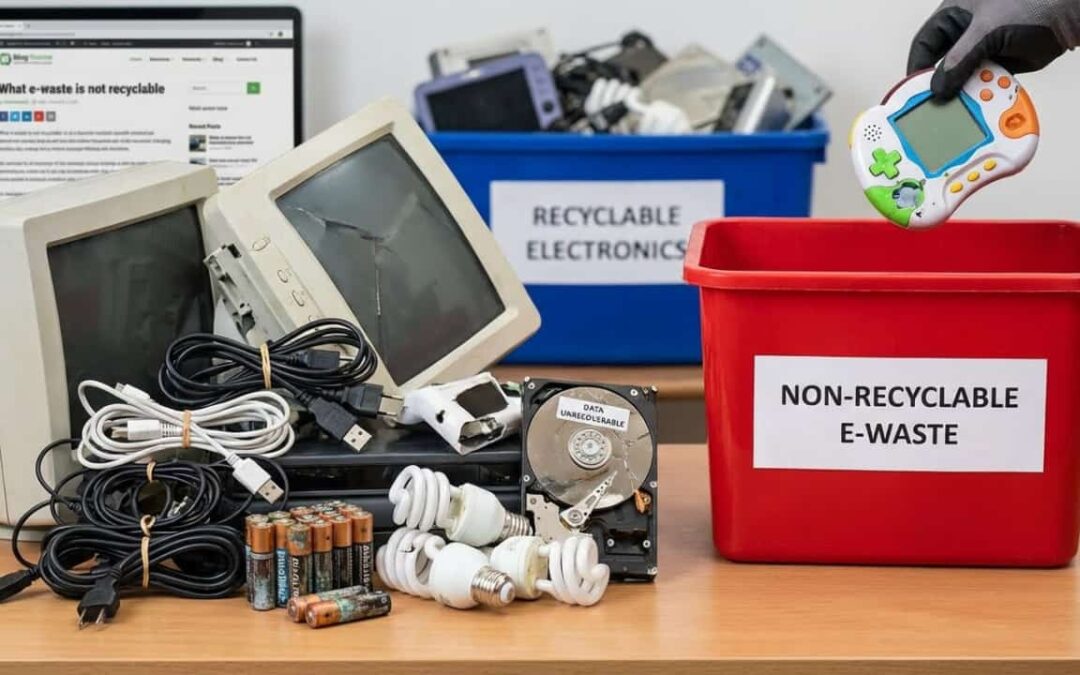
Which e-waste is not recyclable?
Did you know that roughly 40% of electronics can’t go through standard recycling?
Most people assume all e-waste is recyclable. That’s not true. Some devices contain materials too dangerous or too mixed to process safely.
Phoenix residents face this challenge daily. Old gadgets pile up in garages because people don’t know where they belong. Broken laptops sit in closets. Ancient CRT monitors collect dust in storage units.
The confusion is real. You want to do the right thing. But when recycling centers reject your old microwave, what’s the backup plan?
This guide breaks down which electronics can’t be recycled—and what to do instead. You’ll learn why some devices get refused, which materials pose real dangers, and how to dispose of problem items legally in Arizona.
No more guessing. No more garage clutter. Just clear answers.
Commonly Recycled E-Waste
Not all e-waste is difficult. Many items flow smoothly through recycling programs.
Computers, keyboards, and basic cables are easy wins. So are cell phones without cracked batteries. Printers (minus the toner) usually make the cut too.
These devices have something in common. They contain valuable materials that recyclers can extract profitably. Copper wiring, aluminum frames, and steel chassis all have resale value.
Common recyclables include:
- Desktop towers and monitors (CRT-free)
- USB cables and power cords
- Computer mice and keyboards
- Intact smartphones and tablets
- Basic audio equipment
- Flat-screen TVs (LED and LCD without damage)
- DVD and Blu-ray players
- Digital cameras
- Gaming consoles (working condition)
- Network routers and modems
The recycling process for these items is straightforward. Workers separate plastic housings from metal components. Shredders break down materials into uniform sizes. Magnets pull out ferrous metals. Eddy current separators grab aluminum and copper.
What’s left gets sorted by hand or optical scanners. Glass goes one way. Circuit boards go another. Each material stream heads to specialized processors.
The whole system works because these items have clean material profiles. Recyclers can extract copper, aluminum, and steel without much contamination risk. The economics make sense. Recovery value exceeds processing costs.
But once you add batteries, mercury, or mixed plastics? The rules change fast. Those components introduce hazards that standard facilities can’t handle.
That’s where the trouble starts.
Challenges in E-Waste Recycling
E-waste recycling hits walls most people never see.
The problems aren’t obvious from the outside. A recycling truck pulls up. Workers load bins. Everything seems smooth. But behind the scenes, facilities reject tons of electronics daily.
Here’s why:
Mixed materials — Electronics blend metal, glass, and plastic in ways machines can’t separate cleanly. A smartphone contains over 60 different elements. Some are bonded together with adhesives that resist mechanical separation. Disassembly would cost more than the recovered materials are worth.
Toxic components — Lead, mercury, and cadmium require specialized handling that standard facilities lack. These materials need negative-pressure rooms, protective equipment, and hazmat certifications. Most municipal recycling centers don’t have that infrastructure.
Economic barriers — Some items cost more to dismantle than the recovered materials are worth. Old CRT monitors are the classic example. They contain pounds of lead glass. But processing lead glass safely costs more than selling recovered lead. No profit margin means no incentive to accept them.
Contamination risk — One leaking battery can ruin an entire recycling batch. Battery acid corrodes metal. It contaminates plastic pellets destined for remanufacturing. A single damaged device can force recyclers to downgrade or reject tons of otherwise clean material.
Safety hazards — Workers face real dangers. Lithium batteries catch fire during shredding. Capacitors hold lethal electrical charges. Mercury vapor escapes when fluorescent tubes break. OSHA violations and worker injuries drive up insurance costs.
Regulatory complexity — Different states impose different rules. What’s recyclable in California might be banned in Texas. Interstate shipping of certain e-waste requires EPA manifests. Compliance paperwork adds cost and complexity.
These obstacles force recyclers to reject certain devices. It’s not laziness. It’s safety and economics. Facilities simply can’t handle every type of electronic waste without losing money or endangering workers.
The result? Items get turned away. Confused consumers take them home. The cycle continues.
Hazardous Materials in E-Waste
Some electronics are ticking environmental bombs.
You can’t see the danger. Devices look harmless sitting on a shelf. But inside, chemical hazards lurk.
CRT monitors contain lead glass. A single large screen holds 4 to 8 pounds of lead. That lead prevents X-ray emissions during operation. But in a landfill, it leaches into groundwater. Lead poisoning causes neurological damage, especially in children.
LCD screens hide mercury in backlights. Cold cathode fluorescent lamps (CCFLs) use mercury vapor to produce light. When screens crack, mercury escapes. It vaporizes at room temperature. Breathing mercury vapor damages the brain, kidneys, and lungs.
Older circuit boards use flame-retardant plastics that release dioxins when heated. Polybrominated diphenyl ethers (PBDEs) prevent fires in electronics. But when incinerated or improperly recycled, they form some of the most toxic compounds known to science. Dioxins cause cancer and disrupt hormones.
Rechargeable batteries contain cadmium. Nickel-cadmium batteries power everything from cordless tools to emergency lighting. Cadmium accumulates in the body over time. It weakens bones and damages kidneys.
The toxic lineup:
- Lead (solder, glass panels, weights) — Neurological damage, developmental delays
- Mercury (fluorescent tubes, switches, sensors) — Brain damage, kidney failure
- Cadmium (rechargeable batteries, solar cells) — Bone disease, kidney damage
- Brominated flame retardants (plastic casings, cables) — Cancer, hormone disruption
- Beryllium (thermal conductors, connectors) — Lung disease, cancer
- Arsenic (older semiconductors, LEDs) — Skin lesions, cancer
- Hexavalent chromium (metal coatings, data tapes) — Lung cancer, kidney damage
These chemicals don’t just disappear. They persist in the environment for decades. They leach into soil and water. They enter the food chain through contaminated crops and fish.
Workers at informal recycling sites face the worst exposure. Without protective equipment, they breathe toxic fumes. They handle contaminated materials with bare hands. Studies in developing countries show elevated lead levels in children living near e-waste recycling operations.
That’s why some e-waste needs hazardous waste treatment—not a curbside bin. The risks are real. The consequences are permanent.
E-Waste Items That Cannot Be Recycled
Here’s the reality check. These items get rejected by most recycling programs.
Put dangerous items first. Scanning readers catch those immediately.
1. Lithium-ion batteries (damaged or swollen)
Fire risk dominates this category. One punctured cell can ignite an entire truck. Lithium reacts violently with water and oxygen. Thermal runaway causes chain reactions where one burning cell ignites neighboring cells.
Swollen batteries are already failing. The electrolyte is breaking down. Gas pressure builds inside. Any impact or puncture releases flammable vapor. Recycling facilities can’t risk warehouse fires.
Even intact lithium batteries require special handling. They must be discharged, cooled, and processed in controlled environments. Standard e-waste centers don’t have that capability.
2. CRT televisions and monitors
Lead glass is too expensive to process safely. Most facilities won’t touch them. A typical CRT contains 4 to 8 pounds of lead. Separating the leaded funnel glass from the non-leaded panel glass requires precision cutting.
The market for recycled lead glass collapsed years ago. New monitors use LED technology. Nobody manufactures CRTs anymore. No demand means no buyers. Recyclers would have to pay hazmat disposal fees instead of earning revenue.
Some states ban CRTs from landfills. But they also don’t provide affordable recycling options. The result? Millions of CRTs sit in storage, waiting for a solution that may never come.
3. Microwaves
The capacitors store deadly voltage even when unplugged. High-voltage capacitors hold thousands of volts for days or weeks. Touching the terminals can cause cardiac arrest. Recycling workers need specialized training to discharge capacitors safely.
Plus, mixed materials make dismantling costly. Microwaves contain metal, plastic, glass, and electronics. They’re bulky and awkward. The scrap value is low. Most recyclers refuse them because labor costs exceed material recovery value.
The magnetron contains beryllium ceramic insulators. Beryllium is toxic and carcinogenic. Breaking magnetrons releases beryllium dust. OSHA requires special precautions and exposure monitoring.
4. Leaking or corroded devices
Battery acid or coolant contamination makes these items hazmat. Once fluids leak, everything they touch becomes contaminated. Recyclers would need to decontaminate the device before processing it. That’s not economically viable.
Alkaline battery leakage contains potassium hydroxide. It’s caustic and corrosive. It damages other electronics in the same container. Lithium battery leaks are even worse—flammable and reactive.
Old refrigerators and air conditioners leak refrigerants. CFCs and HCFCs deplete ozone. HFCs contribute to global warming. EPA rules require certified technicians to recover refrigerants before disposal. Most e-waste centers don’t have that certification.
5. Medical electronics
Biohazard concerns dominate this category. Blood pressure monitors, glucose meters, and nebulizers contact bodily fluids. They may harbor pathogens. OSHA bloodborne pathogen standards apply.
Hospitals and clinics must use specialized services. Medical waste haulers have the permits and training. Standard e-waste recyclers don’t accept potentially infectious materials. Liability risk is too high.
Some medical devices contain radioactive sources. Bone density scanners use radioactive americium. Radiation therapy equipment contains cesium or cobalt. These require Nuclear Regulatory Commission licensing to handle.
6. Smoke detectors
Some contain radioactive americium-241. Ionization smoke detectors use a tiny radioactive source to detect smoke particles. The amount is small—about 1 microcurie. But it’s still radioactive material.
The NRC allows consumers to dispose of one or two detectors in household trash. But recycling facilities can’t accept them in bulk. Concentrating many detectors in one place creates regulatory issues.
Photoelectric smoke detectors don’t have radioactive sources. But recyclers can’t tell the difference without opening each unit. Most just refuse all smoke detectors to avoid problems.
7. Toner cartridges (certain models)
Fine powder is a respiratory hazard. Toner contains plastic particles, carbon black, and various additives. When airborne, these particles irritate lungs. They can trigger asthma attacks.
Laser printer toner cartridges also contain drums coated with photoconductive materials. Some older drums use selenium or cadmium compounds. Both are toxic.
Ink cartridges are usually acceptable. But toner cartridges require specialized recycling. Many manufacturers run take-back programs. Third-party refillers also accept empty cartridges. But standard e-waste centers often refuse them.
8. Devices with embedded lithium batteries
If you can’t remove the battery, many recyclers won’t take it. Smartphones, tablets, and e-readers often have batteries glued or soldered in place.
The problem is shredding. When a shredder crushes a device with an embedded battery, the battery ruptures. Lithium ignites. Fires erupt in the processing equipment.
Safe processing requires manual disassembly. Workers must remove batteries before shredding. But glued-in batteries take time and skill to extract. Labor costs make the process unprofitable for low-value devices.
Manufacturers deliberately make batteries hard to remove. They claim it allows thinner designs. But it also forces consumers to replace entire devices instead of just batteries. It’s planned obsolescence disguised as sleek design.
9. Fluorescent tubes and CFLs
Mercury content makes these items hazmat. Each CFL bulb contains 4 to 5 milligrams of mercury. Fluorescent tubes contain even more. When bulbs break, mercury vaporizes.
Many recyclers accept intact fluorescent bulbs. But broken or crushed bulbs must go to hazmat facilities. The distinction matters. If bulbs break during transport to a standard recycling center, the center may refuse the entire load.
Some states require stores that sell CFLs to accept them for recycling. Home Depot and Lowe’s both run take-back programs. But availability varies by location.
10. Old thermostats
Mechanical thermostats use mercury switches. A glass vial contains liquid mercury. When the thermostat tilts, the mercury flows and completes an electrical circuit.
Each thermostat contains about 3 grams of mercury. That’s more than a CFL bulb. Breaking the vial releases mercury vapor. It’s a serious exposure hazard.
The Thermostat Recycling Corporation runs a nationwide collection program. HVAC contractors participate. But consumers must know to ask. Many old thermostats end up in trash by mistake.
11. Anything that smells of smoke or water damage
Contamination concerns drive this rejection. Fire-damaged electronics may contain toxic combustion byproducts. Burning plastic releases phthalates and brominated compounds. These chemicals coat internal components.
Water-damaged devices may harbor mold. Mold spores are respiratory irritants. Workers opening contaminated devices risk exposure. The liability isn’t worth it.
Flood-damaged electronics from homes may also contain sewage contamination. That introduces bacterial and viral hazards. Standard e-waste facilities aren’t equipped to handle biohazards.
Electronic Waste Disposal Rules
Federal and state laws control how you dump electronics.
The EPA classifies certain e-waste as universal waste. That includes batteries, mercury devices, and lamps. You can’t toss them in regular trash—it’s illegal under the Resource Conservation and Recovery Act (RCRA).
Universal waste rules simplify handling for consumers and businesses. They allow longer storage times. They relax manifest requirements. But they still prohibit landfill disposal.
Arizona doesn’t have a statewide e-waste ban yet. But Maricopa County encourages proper disposal. Some cities impose fines for dumping electronics in landfills. Phoenix solid waste ordinances prohibit hazardous materials in residential trash.
Key rules to remember:
- No batteries in household trash — Alkaline, lithium, and rechargeable batteries all require separate disposal. Many retailers offer collection bins.
- CRT devices require special drop-off — Landfill bans apply even without statewide e-waste legislation. Check county hazardous waste programs.
- Business e-waste often needs certified recyclers — Companies generating more than 220 pounds of hazardous waste per month face RCRA requirements. That includes large amounts of electronic waste.
- Mercury devices need hazmat disposal — Thermostats, fluorescent tubes, and mercury switches must go to certified facilities.
- Medical waste follows separate rules — Hospitals and medical offices must use licensed medical waste haulers.
Breaking these rules isn’t just bad karma. It’s a compliance issue with real penalties. EPA fines for illegal hazardous waste disposal start at $37,500 per day per violation. State penalties add to that.
But individual households rarely face prosecution. Enforcement focuses on businesses and repeat violators. The goal isn’t to punish people trying to do the right thing.
The real purpose is environmental protection. Hazardous materials in landfills leach into groundwater. Phoenix sits above crucial aquifers. Contamination affects drinking water for millions of people.
Electronic waste in incinerators releases toxic air pollution. Mercury, lead, and dioxins end up in emissions. They settle on soil and water far from the source. Children playing outdoors absorb them through skin contact and ingestion.
The goal isn’t fear. It’s keeping hazardous materials out of water supplies and landfills. Following disposal rules protects your family and your neighbors.
What Counts as Excess Inventory?
Excess inventory isn’t just a business term. It applies to your basement too.
Think of it this way: anything obsolete, broken, or unused for over a year is excess. Old laptops collecting dust. Printers replaced by newer models. Cables for devices you sold years ago. VHS players from the 1990s.
We all accumulate electronic clutter. Upgrade cycles accelerate. Smartphones become outdated in two years. Laptops slow down after three. Gaming consoles release new generations. The old ones migrate to closets.
You keep things “just in case.” Maybe you’ll fix that broken tablet. Maybe the old printer will serve as a backup. Maybe those analog cables will become useful again. They won’t.
Businesses face this at scale. Warehouses full of outdated tech. Overstock that didn’t sell. Returned items too damaged to resell. Obsolete inventory ties up cash. It occupies valuable storage space. It eventually becomes e-waste.
Retailers order too much seasonal inventory. Manufacturers produce excess to meet minimum order quantities. Distributors stock products that become obsolete before they sell. Technology moves fast. Inventory moves slowly.
The mismatch creates waste. Products that never reach consumers still become electronic waste. They age in warehouses until they’re worthless. Then they need disposal.
For individuals, excess inventory looks different. It’s the junk drawer full of old phone chargers. The garage shelf stacked with outdated electronics. The storage unit you rent partly to house old computers.
It’s not failure. It’s the natural cycle of technology. Devices age out. Features become irrelevant. Storage space runs out. Software stops supporting old hardware. Security updates end. Devices become liabilities.
The trick is recognizing excess early—before it becomes a disposal headache. Identify obsolete items while they still have some value. Donate working devices before they break. Recycle items before they’re rejected by recyclers.
Waiting too long creates bigger problems. Working laptops become broken laptops. Intact screens crack in storage. Batteries swell and leak. What could have been donated or resold becomes hazardous waste.
6 Ways to Get Rid of Excess Inventory
You have options beyond recycling. Here’s what works.
Each method suits different situations. Match the disposal method to the item’s condition and your available time.
1. Donate to schools or nonprofits
Working devices can find second lives. Local programs often accept older tech. Schools need computers for students who can’t afford them. After-school programs need tablets for educational apps. Libraries need devices for public access.
But be realistic. Nobody wants broken equipment. Don’t donate your problems. Test devices before offering them. Include power cords and accessories. Wipe personal data first.
Many organizations issue donation receipts. That creates tax deductions. Keep records for your accountant. The IRS allows fair market value deductions for working electronics.
Check specific requirements first. Some schools only accept devices running current operating systems. Some programs need specific software compatibility. Ask before you show up with a carload of old computers.
2. Sell through resale platforms
eBay, Facebook Marketplace, or Craigslist all work. Even broken electronics have parts buyers. Someone needs that specific laptop screen. Another person wants the motherboard from your dead desktop.
Price items realistically. Check completed listings to see actual selling prices. Don’t base prices on what you paid years ago. Electronics depreciate fast.
For broken items, be honest in descriptions. State exactly what works and what doesn’t. Include clear photos. Parts buyers appreciate accuracy. It saves everyone time.
Selling takes effort. You field questions. You arrange pickups or shipping. But you recoup some value. It beats paying disposal fees.
Local sales work best for bulky items. Nobody wants to ship an old CRT across the country. But someone nearby might want it for retro gaming.
3. Return to manufacturers
Some brands run take-back programs. Apple, Dell, and HP offer trade-ins. Best Buy accepts many electronics for recycling regardless of where you bought them.
Apple gives gift cards for devices with remaining value. Old iPhones and iPads qualify. Even broken devices sometimes have trade-in value if the damage is minor.
Dell and HP accept their own branded equipment. They handle recycling at no charge. Just print a shipping label from their website. Pack the device. Drop it at UPS.
Microsoft runs a similar program for Surface devices and Xbox consoles. Amazon accepts Kindle devices and some other electronics.
These programs handle recycling properly. Manufacturers have the resources to process materials safely. They recover valuable metals. They dispose of hazards correctly.
But don’t expect much money for old equipment. Trade-in values are low. The convenience is the real benefit. Manufacturers handle pickup and recycling. You avoid disposal hassles.
4. Use certified e-waste haulers
They handle transportation and ensure proper disposal or recycling. This matters for items recycling centers won’t accept. CRTs, microwaves, and damaged batteries all qualify.
Certified recyclers follow EPA and state regulations. They document the chain of custody. They provide certificates of destruction or recycling. Businesses need this documentation for compliance.
Individuals benefit too. You know items were handled properly. You’re not contributing to illegal dumps or unsafe working conditions overseas.
Look for R2 or e-Stewards certification. These third-party standards ensure responsible recycling practices. Certified facilities undergo regular audits. They prove proper handling of hazardous materials.
Pricing varies. Some haulers charge by weight. Others charge by item type. CRTs and monitors usually cost extra. But paying for proper disposal beats illegal dumping or landfill fines.
5. Hazardous waste collection events
Phoenix hosts periodic drop-off days for problem items. Maricopa County runs Household Hazardous Waste Collection Facilities. They accept electronics with hazardous components.
These events are free for residents. You drive up. Workers unload your car. They sort items properly. Everything goes to appropriate disposal or recycling facilities.
Typical acceptance lists include batteries, CRTs, fluorescent bulbs, mercury thermostats, and many other problem items. Call ahead to confirm they’ll accept your specific items.
Hours are limited. Facilities may only open certain weekends. Lines can be long. Arrive early for faster service.
Some cities host special e-waste collection days separate from hazardous waste events. These focus specifically on electronics. They often accept a wider range of items.
Check city and county websites for schedules. Mark your calendar. It’s the easiest way to dispose of problem electronics legally and safely.
6. Specialized recycling services
When standard recycling fails, these facilities process the tough stuff. They have equipment and certifications standard centers lack.
Specialized recyclers focus on specific waste streams. Battery recyclers process all chemistries safely. CRT recyclers have lead recovery systems. Mercury recyclers handle fluorescent bulbs and thermostats.
Medical waste companies handle biohazard electronics. They have the permits and protocols. They incinerate or sterilize contaminated items before recycling remaining materials.
These services cost more. They reflect the specialized handling required. But they’re sometimes the only legal option. Businesses that generate specific waste streams need them for compliance.
Industrial equipment recycling requires specialists. Old manufacturing equipment, commercial kitchen appliances, and medical imaging devices all need expert handling. They contain hazards standard recyclers can’t manage.
Choose the safest option for your specific item. Don’t default to the trash. The wrong choice creates environmental problems and potential legal liability.
Research before you commit. Check certifications. Read reviews. Verify the company follows proper downstream practices. Some recyclers export waste illegally. That shifts problems overseas instead of solving them.
How to Automate Your Inventory Management
Prevention beats disposal. Smart inventory systems stop e-waste before it piles up.
This section might seem off-topic. But it’s not. Understanding inventory management helps you avoid accumulating electronics you’ll eventually need to dispose of.
Automation isn’t just for giant corporations. Small businesses and even households can use simple tools to track what they own—and when to let go. The principles scale from multinational supply chains to your home office.
The goal is visibility. Know what you have. Predict what you’ll need. Avoid over-buying devices that’ll become e-waste. Track device lifecycles. Replace proactively instead of reactively. Plan for disposal before devices fail.
Modern systems use data, not guesswork. They analyze patterns. They forecast needs. They automate reordering. They flag obsolete inventory before it’s worthless.
The result? Less waste. Lower costs. Simpler disposal. You’re not drowning in outdated electronics. You handle small batches regularly instead of massive cleanups occasionally.
Here’s how the pieces fit together.
AI-Driven Demand Forecasting
AI analyzes your past purchases and usage patterns. It predicts what you’ll actually use—not what you think you’ll use.
Sales history, seasonal trends, and product lifecycles all feed the model. The system identifies patterns humans miss. Maybe laptop sales spike every September for back-to-school. Maybe tablet demand drops in summer. Maybe printer usage correlates with staffing levels.
The AI learns from mistakes too. Did you overstock tablets last quarter? The model adjusts future forecasts downward. Did you run out of replacement batteries? It increases the next order.
The system warns you before you overbuy. It flags products approaching obsolescence. It suggests reducing stock levels for slow-moving items. It prevents the excess inventory that becomes tomorrow’s e-waste.
For businesses, this means fewer write-offs. Less cash tied up in inventory. Smaller disposal bills. For households, it means buying only what you’ll use. No gadget drawers full of forgotten devices.
Machine learning models improve over time. More data means better predictions. Better predictions mean less waste. The cycle reinforces itself.
Result? Less obsolete inventory sitting around. You’re matching supply to demand. Electronics get used instead of stored. When items do reach end-of-life, you’re handling manageable quantities.
Just-in-Time (JIT) Inventory
JIT flips traditional stocking on its head. You order based on real demand, not “just in case” safety stock.
Traditional inventory management hoards buffer stock. What if demand spikes? What if suppliers are late? Better keep extra. That extra becomes obsolete before you use it.
JIT says: order when needed. Trust suppliers to deliver quickly. Keep minimal inventory on hand. Rely on frequent small deliveries instead of occasional large shipments.
Suppliers deliver exactly when you need items. Storage shrinks. Waste drops. You’re not guessing at future needs. You’re responding to present demand.
The trade-off is reliability. JIT requires tight supplier relationships. You need vendors who deliver on time, every time. You need backup suppliers for critical items. You need communication systems that alert suppliers to changing needs.
For consumer electronics retailers, JIT means smaller showrooms. Less back-stock. Faster inventory turns. Products sell before they’re obsolete. No clearance sales on last year’s models. No e-waste from unsold inventory.
For IT departments, JIT means buying computers as employees start, not stocking extras. Ordering replacement parts when needed, not hoarding them. Relying on vendors for rapid delivery instead of internal stockpiles.
It requires discipline. You can’t panic-buy extras. You must trust the system. But the payoff is massive. Inventory shrinks by 50% or more. Obsolescence drops to near zero. E-waste generation falls proportionally.
Dynamic Safety Stock Management
Static inventory rules create waste. Dynamic systems adjust automatically.
Safety stock buffers against uncertainty. But how much is enough? Traditional formulas use fixed lead times and demand forecasts. They set safety stock once and forget it.
Dynamic systems recalculate constantly. When demand spikes, stock levels rise. When sales slow, the system pulls back. No manual intervention needed. The computer adjusts based on real-time data.
Volatility gets managed in real time. Stable products carry minimal safety stock. Unpredictable products carry more buffer. The system balances risk and cost automatically.
Seasonal patterns are handled automatically. Holiday demand increases buffer stock. Post-holiday slumps reduce it. The system anticipates changes based on historical patterns.
Supplier reliability factors in too. Reliable vendors who never miss deliveries allow lower safety stock. Unreliable vendors require larger buffers. The system tracks on-time delivery rates and adjusts accordingly.
For consumer electronics, this prevents massive post-holiday inventories. Black Friday sales require extra stock. January doesn’t. Dynamic systems unload excess quickly. They prevent obsolete inventory from lingering until it’s worthless.
You’re never drowning in outdated tech. Inventory levels match actual risk. Excess doesn’t accumulate. Disposal happens gradually instead of in crisis mode.
Supplier Collaboration
Work directly with vendors to reduce minimum order quantities. Negotiate buyback programs for unsold stock.
Traditional buyer-supplier relationships are adversarial. You want low prices and small orders. Suppliers want high prices and bulk sales. Both sides hide information. Both sides protect their interests.
Collaboration flips this. Share demand forecasts with suppliers. Let them see your inventory levels. Give them visibility into your sales trends. In return, they offer flexibility.
Suppliers agree to smaller minimum order quantities. They know you’ll order more frequently. Total annual volume stays the same. But individual orders shrink. You carry less inventory. Less inventory means less obsolescence.
Some suppliers will take back outdated inventory at a discount. They can refurbish and resell items. Or they handle disposal properly. Either way, you avoid disposal headaches.
Consignment arrangements shift inventory ownership. Suppliers stock your warehouse. You pay only when items sell. The supplier bears obsolescence risk. They’re motivated to manage inventory well.
Vendor-managed inventory goes further. The supplier monitors your usage. They reorder automatically when stocks run low. You don’t even think about inventory. It just appears when needed.
For electronics, this works with consumables. Printer toner, batteries, and accessories are good candidates. The supplier tracks your usage patterns. They deliver replacement supplies on a schedule.
Collaboration turns potential waste into a shared responsibility. Suppliers have resources and expertise. They can handle returns and recycling more efficiently than individual businesses. They process materials in bulk. They have relationships with specialized recyclers.
The result is a smoother system. Less surprise waste. Lower disposal costs. Better environmental outcomes.
Internal Inventory Redistribution
Got multiple locations? Move slow-selling items to high-demand stores.
Retail chains face uneven demand. Urban stores sell gaming systems fast. Suburban stores don’t. Coastal stores sell more laptops. Rural stores sell more desktop computers. The mix varies by location.
Traditional inventory management treats each location independently. You order for each store based on its historical sales. But that creates imbalances. Some stores have excess. Others have shortages.
Redistribution balances the system. When Store A has slow-moving tablets, ship them to Store B where they’re selling. Clear shelf space in Store A for products that move faster there. Match inventory to local demand.
This keeps products in circulation. It delays obsolescence. And it maximizes the use of what you already own. Items sell instead of aging into e-waste.
Technology enables this. Inventory management systems track sales velocity by location. They identify mismatches. They suggest redistribution moves. They calculate whether shipping costs justify the transfer.
Some moves make sense. Others don’t. Transferring one laptop across the country costs more than discounting it locally. But moving a dozen devices to a regional distribution center might work.
Low-demand sites ship excess to locations where it’ll sell. High-demand sites receive fresh stock. Overall inventory levels drop. Fewer products become obsolete. The system becomes more efficient.
For businesses with multiple offices, this applies to IT equipment. Move unused computers from the branch office to headquarters. Transfer old monitors from sales to engineering. Let refurbished devices serve less demanding roles.
Extending device lifecycles through redistribution reduces e-waste generation. A computer too slow for a graphic designer might be perfect for data entry. A tablet inadequate for sales presentations works fine for warehouse inventory scanning.
Maximize use before disposal. That’s the core principle. Redistribution is one tool for achieving it.
Monitor Key Inventory Metrics
Data reveals waste before it happens.
Track the right metrics and you’ll spot problems early. Old inventory. Slow turnover. Items aging into obsolescence. The warning signs appear in numbers before they appear in physical waste.
Most businesses track some inventory metrics. But they focus on financial measures. How much cash is tied up? What’s the inventory carrying cost? Those matter, but they don’t prevent e-waste.
You need operational metrics. Metrics that flag obsolescence risk. Metrics that identify slow-moving items before they’re worthless.
Core metrics to watch:
- Inventory turnover ratio
- Aging buckets
- Days sales of inventory (DSI)
- Forward cover days
- Stockout frequency
- Inventory accuracy
- Obsolescence rate
- Product lifecycle stage
These numbers tell you when devices are about to become e-waste. You can act before they do. Discount prices. Donate items. Recycle while value remains. Anything beats letting products age until they’re hazardous waste.
Dashboards make metrics actionable. Visual displays highlight problems. Red indicators show critical issues. Yellow flags warn of developing problems. Green confirms everything’s normal.
Automated alerts trigger interventions. When inventory ages past 90 days, the system emails a warning. When turnover drops below threshold, it flags the product line. When excess stock accumulates, it suggests redistribution or discounting.
Data-driven decisions beat gut instinct. Your intuition might be wrong. The numbers don’t lie. Trust the metrics. Act on what they reveal.
Inventory Turnover Ratio
This metric shows how fast you cycle through stock. Low turnover means items sit too long.
Calculate it: Cost of goods sold ÷ Average inventory value.
If you sold $1 million in electronics this year and averaged $200,000 in inventory, your turnover ratio is 5. You cycled through inventory five times. On average, each item sold within 73 days.
High turnover is good. It means products move before they’re obsolete. Money doesn’t sit idle. Storage costs are minimized. Risk of obsolescence drops.
Low turnover is dangerous. In electronics, anything below 4 turns per year is concerning. Products are aging. Technology is evolving. You’re stuck with outdated inventory.
Compare your turnover to industry benchmarks. Consumer electronics retailers should turn inventory 8 to 12 times annually. Computer manufacturers might turn 20+ times. Know your target.
Break turnover down by product category. Maybe laptops turn quickly but tablets don’t. That tells you where problems hide. Adjust purchasing accordingly.
Improving turnover requires multiple strategies. Better demand forecasting. Faster reordering cycles. Aggressive clearance of slow movers. Tighter supplier relationships.
The goal isn’t maximum turnover. It’s optimal turnover. Too high means frequent stockouts. Customers can’t buy products that aren’t in stock. Balance speed against availability.
For e-waste prevention, focus on slow-turning items. They’re aging toward obsolescence. Act before
they’re worthless. Discount them. Donate them. Recycle them while they still have some value.
Monitor trends over time. Is turnover improving or declining? Declining turnover indicates growing problems. Investigate before small issues become waste crises.
Inventory Aging Buckets
Aging buckets sort inventory by time held.
This metric directly measures obsolescence risk. The longer items sit, the more likely they become e-waste. Electronics age fast. What’s current today is outdated tomorrow.
Track how long each item has been in inventory. Group items into aging categories. Visualize the distribution. Where’s your inventory concentrated? Fresh stock or old stock?
Aging Categories
0–30 days: Fresh stock
This is healthy inventory. Items just arrived. They’re current. They’ll sell quickly. No obsolescence risk yet.
31–90 days: Normal hold
Acceptable for most electronics. Products are still current. Some seasonal variation is expected. Not concerning unless concentration here is high.
91–180 days: Risk zone (heading toward obsolescence)
Warning bells should ring. Why haven’t these items sold? Is pricing wrong? Is demand lower than expected? Take action now before obsolescence hits.
181+ days: Critical (likely obsolete)
These items probably can’t be sold at full price. Technology has moved on. Newer models exist. Customers want the latest. Heavy discounting or donation is necessary.
Anything past 90 days needs action. Discount it, donate it, or dispose of it properly. Don’t let items age into worthlessness. Every day they sit, value drops.
For electronics, obsolescence accelerates at 12 months. Smartphones become last year’s model. Laptops get eclipsed by new releases. Gaming consoles face new generations. Software stops supporting old hardware.
Visualize aging as a histogram. You want most inventory in the first two buckets. A healthy distribution looks like a pyramid. Lots of fresh stock. Less older stock. Almost nothing ancient.
An inverted pyramid indicates problems. More old stock than new. Obsolescence risk is high. You’re accumulating inventory faster than you’re selling it. E-waste generation is inevitable unless you intervene.
Set aging targets by product category. Some items age faster than others. Smartphones might have a 60-day limit. Monitors might allow 120 days. Accessories might tolerate 180 days. Tailor buckets to product characteristics.
Review aging reports weekly. Don’t wait for monthly reviews. Electronics markets move fast. Weekly reviews catch problems before they metastasize.
Aging analysis reveals purchasing mistakes. Did you overbuy that tablet model? Did you misjudge demand for those wireless headphones? Learn from data. Adjust future orders. Prevent repeat mistakes.
When items hit the risk zone, automate markdowns. Drop prices by 10%. If they still don’t move, drop another 10% next week. Aggressive discounting moves inventory before it’s worthless.
Consider bundling slow-moving items with popular products. Buy a laptop, get a discounted mouse pad. The popular item subsidizes moving the slow item. You clear inventory. Customers feel they got a deal.
Days Sales of Inventory (DSI)
DSI tells you how many days your current stock will last at the current sales rate.
Calculate it: (Average inventory value ÷ Cost of goods sold) × 365 days.
Using the earlier example: ($200,000 ÷ $1,000,000) × 365 = 73 days. At current sales rates, you’ll sell through inventory in 73 days.
Low DSI means you’re running lean. Inventory moves quickly. Less money is tied up. Obsolescence risk is minimized. But stockout risk increases.
High DSI? You’re holding too much. Devices will age out before they sell. Cash is trapped. Storage costs accumulate. Obsolescence looms.
For electronics, target 30 to 60 days for most categories. Fast-moving items like popular smartphones might be 15 to 30 days. Slower categories like specialized accessories might tolerate 90 days.
Beyond 90 days, you’re in danger territory. Products are aging faster than they’re selling. Unless sales accelerate, obsolescence is coming.
Compare DSI across product lines. Which categories are healthy? Which need attention? Focus improvement efforts on high-DSI categories. They’re your future e-waste.
Track DSI trends over time. Rising DSI indicates slowing sales or growing inventory. Either cause creates obsolescence risk. Investigate and correct course.
Seasonal businesses see DSI fluctuate. That’s normal. Pre-holiday DSI spikes as you stock up. Post-holiday DSI plummets as inventory sells. Compare current DSI to the same period last year for meaningful insights.
Use DSI to set reorder points. If DSI is 45 days and supplier lead time is 30 days, reorder when DSI hits 30 days. You’ll receive new stock just as old stock sells out.
DSI interacts with other metrics. Low DSI but high stockouts? You’re too lean. High DSI but strong turnover? You’re building inventory for anticipated demand. Context matters.
For preventing e-waste, high DSI is the enemy. It signals excess inventory aging toward obsolescence. Cut orders. Accelerate sales. Reduce stock levels. Don’t let DSI creep upward unchecked.
Forward Cover Days
This projects how long your inventory will cover future demand. It’s forward-looking, not historical.
DSI uses past sales. Forward cover uses forecasted sales. The distinction matters when demand is changing.
Calculate it: (Current inventory ÷ Forecasted daily sales) = Days of cover.
If you have 500 laptops and expect to sell 10 per day, you have 50 days of cover. At current forecast, inventory will last 50 days.
Short cover? You might run out. Long cover? Prepare for excess and eventual e-waste.
Forecasts drive this metric. Accurate forecasts create accurate cover calculations. Bad forecasts produce misleading numbers. Invest in better forecasting tools.
Forward cover helps prevent overordering. If you have 90 days of cover and reorder lead time is 30 days, don’t order yet. You’ll accumulate excess. Wait until cover drops to 30 days.
Seasonal adjustments are critical. If slow season is approaching, factor that in. Don’t maintain high cover going into low-demand periods. You’ll be stuck with obsolete inventory.
Product lifecycle stage matters too. New products ramping up need higher cover. Mature products in decline need lower cover. Discontinued products need no cover—sell through existing stock and stop reordering.
Electronics face rapid obsolescence. Conservative cover targets help. Aim for 30 to 45 days for most items. Popular items might justify 60 days. Anything beyond 60 days risks obsolescence.
Monitor forward cover weekly. Markets shift fast. Yesterday’s forecast may not apply today. Adjust orders based on current cover levels.
Balance is everything. Too little cover and customers face stockouts. Too much cover and you generate e-waste. The sweet spot varies by product. Find yours through experimentation and data analysis.
Use forward cover to optimize cash flow. Lower cover means less cash tied up in inventory. You can invest that cash elsewhere. Or pass savings to customers through better pricing.
For e-waste prevention, forward cover is your early warning system. Excessive cover signals future obsolescence. Cut it before inventory accumulates. Stay lean. Stay current. Avoid the waste crisis before it develops.
This guide gives you the full picture. From identifying non-recyclable e-waste to preventing excess accumulation, you now have actionable strategies.
Start with inventory assessment. What e-waste do you currently have? Which items can be recycled, and which need special handling?
Then tackle disposal. Use the six methods outlined earlier. Match methods to item conditions. Act sooner rather than later.
Finally, prevent future accumulation. Implement inventory management practices. Monitor metrics. Stay lean. Buy only what you’ll use.
The e-waste problem is solvable. It requires knowledge, planning, and action. You have the knowledge. Now make your plan. Then act.
Phoenix doesn’t need more e-waste in storage units. It needs informed residents making better disposal decisions. Be one of them.