
Got old laptops gathering dust in your Phoenix office? A drawer full of phones you’re afraid to throw away? You’re not alone.
Most people in Phoenix sit on piles of used electronics because they don’t know what to do with them. Throwing them in the trash feels wrong. But finding a safe, easy way to get rid of them feels complicated.
Good news: it doesn’t have to be.
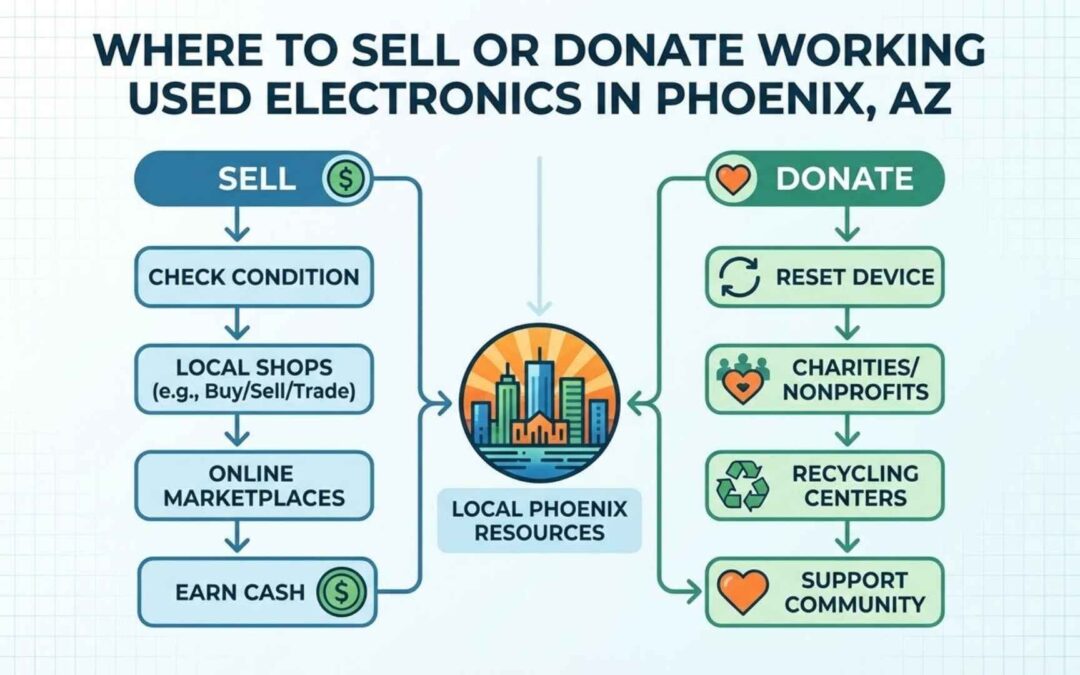
This guide walks you through every option for selling, donating, or recycling working used electronics in Phoenix. You’ll learn where to go, what to expect, and how to protect your data along the way.
The Problem with Old Electronics in Phoenix, AZ
Electronic waste or e-waste is one of the fastest-growing waste streams in the country.
Working used electronics are devices that still power on and function. They might be outdated or slow, but they’re not broken. Think old iPhones, laptops from 2015, or monitors that work fine but don’t match your new setup.
Here’s the problem in Phoenix:
- Cluttered spaces: Offices and closets fill up with “just in case” gadgets.
- Landfill risk: People toss electronics when they don’t know better options exist.
- Trust issues: You’re not sure who to call or whether they’ll handle your stuff safely.
And the stats are alarming. According to the EPA, Americans generate millions of tons of e-waste every year. But recycling rates stay below 40%.
That means most electronics end up in landfills or sitting unused.
You have three main paths forward: sell, donate, or recycle. Each one fits different situations.
Why Should You Not Throw Away Old Electronic Devices?
Here’s what happens when electronics hit the landfill.
Old devices contain heavy metals like lead, mercury, and cadmium. They also have toxic components like brominated flame retardants.
When these materials break down in a landfill, they leach into soil and groundwater. That’s a serious problem in Phoenix’s desert environment.
The Arizona Department of Environmental Quality (ADEQ) warns residents to avoid dumping electronics. Groundwater contamination is harder to reverse in arid climates.
There’s also a climate angle. Manufacturing new electronics uses massive amounts of energy and raw materials. Reusing or recycling existing devices cuts down on emissions and resource extraction.
Bottom line: Trashing electronics is bad for the environment and potentially illegal in some areas. Don’t do it.
Why Should You Donate or Recycle Your Old Technology?
Stop thinking of old electronics as trash. They’re assets with real value.
Every device contains metals, plastics, glass, and even precious materials like gold and silver. Recycling recovers these resources for future manufacturing.
But there’s also a social benefit.
Phoenix nonprofits and schools need working computers, tablets, and phones. These devices help bridge the digital divide for low-income families and students.
Programs like AZ StRUT (Arizona Science, Technology and Research University Trust) collect used tech and redistribute it to schools across the state.
Here’s the contrast:
- Throwing away: Toxic waste, wasted resources, legal risk.
- Selling: Cash in your pocket, device gets reused.
- Donating: Community impact, possible tax deduction.
- Recycling: Proper disposal, materials recovery, data security.
One Phoenix family cleared out their garage and donated five old laptops to a local youth center. The center turned those laptops into a coding lab for kids.
That’s the kind of impact you can have.
Benefits of Recycling Your Electronics
Let’s break down why recycling matters beyond just “doing the right thing.”
Environmental Benefits
Recycling electronics saves energy and reduces pollution.
When you recycle a laptop, you’re preventing toxic materials from entering the waste stream. You’re also conserving the resources that would’ve gone into building a brand-new device.
Here’s a stat that makes it real: recycling one million cell phones recovers 35,000 pounds of copper, 772 pounds of silver, and 75 pounds of gold.
That’s resources that don’t need to be mined from the earth.
Social and Charity Impact
Donating working electronics supports Phoenix schools, nonprofits, and families who can’t afford new tech.
Organizations like AZ StRUT refurbish donated devices and distribute them to students. National programs like Compudopt (available through Micro Center) do the same thing.
Your old phone could help someone apply for jobs. Your old computer could help a kid finish homework.
Financial and Resource Recovery
For consumers: You can get cash, trade-in credit, or just free up storage space.
For businesses: Recycling surplus equipment can mean asset recovery and potential tax benefits on donations.
The EPA notes that businesses can write off fair-market value on donated tech. Check with your accountant to see if this applies to you.
Where to Sell Working Used Electronics
If your devices still work well, selling them might be your best option. You get cash, and someone else gets a deal.
Online Marketplaces
Facebook Marketplace, eBay, and Swappa are the big three.
Pros:
- Higher payouts than trade-ins
- Full control over pricing
- Large buyer pool
Cons:
- Takes time to list, photograph, and negotiate
- You handle shipping or local meetups
- Scammers exist
Phoenix tips: Meet buyers in public spots like police station parking lots or busy coffee shops. Avoid giving out your home address.
Retailer Trade-In Programs
Best Buy, Apple, and other retailers offer trade-in programs.
You bring in your device, they assess its value, and you get store credit or a gift card.
Pros:
- Fast and convenient
- No need to deal with strangers
- Data wiping often included
Cons:
- Lower payout than private selling
- Credit instead of cash
Trade-ins make sense when you’re already buying something new.
Local Resellers
Phoenix has plenty of local electronics buyers and resale shops.
Examples include:
- PayMore Stores: Buy used electronics for cash
- Phoenix Pawn and Gold: Accept laptops, phones, and gaming systems
- Local refurbishers who resell after testing
Pros:
- Instant cash
- No listing effort
- Local and convenient
Cons:
- Lower payout than private sales
If speed matters more than maximizing profit, local resellers are your friend.
Where to Donate Working Used Electronics
Donating feels good and helps the community. Plus, you might qualify for a tax deduction.
Non-Profit Organizations
National chains like Goodwill and Salvation Army accept electronics at most Phoenix locations.
For Arizona-specific impact, check out AZ StRUT. They focus on getting technology into schools and universities across the state.
Local Schools and Community Centers
Phoenix schools, youth centers, and training programs often need working computers and devices.
Call ahead to ask:
- What devices do you accept?
- What condition do they need to be in?
- Do I need to wipe data first?
Many schools can use older laptops for basic tasks like word processing and web browsing.
Where to Donate Used Computers
Computers are the most-needed donation.
Phoenix nonprofits and schools especially want:
- Laptops (Windows or Mac)
- Desktop towers
- All-in-one computers
Most organizations prefer devices that are no older than five years. They’ll refurbish and install fresh operating systems before redistributing.
If your computer is too old or broken to donate, recycle it instead.
Where to Donate Used Phones
Old phones have surprising second lives.
Options in Phoenix:
- Shelters that distribute phones for emergency calls
- Programs that provide phones to domestic violence survivors
- National programs like Cell Phones for Soldiers
Even phones that don’t activate anymore can dial 911. That makes them valuable to crisis programs.
Where to Donate Used TVs, Game Systems, and Other Electronics
Youth centers, rehab facilities, and community spaces love TVs and gaming consoles.
What they’ll accept:
- Flat-screen TVs in working condition (no cracked screens)
- PlayStation, Xbox, Nintendo systems
- DVD players, speakers, projectors
Call ahead to confirm. Not every organization has space or interest in large electronics.
Where to Recycle Used Electronics
If your device doesn’t work or nobody wants it, recycling is the responsible choice.
Certified E-Waste Recyclers
Look for R2 (Responsible Recycling) or e-Stewards certification.
The EPA recommends using certified facilities because they follow strict environmental and data security standards.
Phoenix has several certified e-waste companies. These firms offer:
- Free pickup for businesses with large volumes
- IT asset disposition (ITAD) services
- Secure data destruction
- Surplus equipment recycling
Examples include local providers who handle everything from circuit boards to server racks.
City Recycling Programs
The City of Phoenix and Maricopa County run household hazardous waste drop-off events.
You can bring:
- TVs and monitors
- Computers and laptops
- Small electronics
Important: These programs are for residents, not businesses. If you’re a company with IT equipment, use a certified recycler instead.
Brand Take-Back Programs
Apple, Dell, HP, and other manufacturers offer mail-in recycling programs.
You request a prepaid shipping label, box up your device, and send it off.
This works well for single items or brand-specific recycling. For larger cleanouts, a local recycler is faster.
Arizona E-Waste Rules, Certifications, and Local Trust Signals
Let’s talk compliance and safety.
Arizona and Phoenix E-Waste Guidelines
Arizona doesn’t have a statewide e-waste ban yet. But ADEQ strongly recommends using reputable, certified recyclers.
Phoenix and Maricopa County regulations for solid waste emphasize environmental protection. Dumping electronics is discouraged and sometimes penalized.
R2 and e-Stewards Certifications
R2 certification means a recycler meets standards for data security, worker safety, and environmental responsibility.
e-Stewards certification goes further, prohibiting exports to developing countries and requiring advanced data destruction methods.
Both certifications require third-party audits. That’s your assurance the company does what it promises.
Why Phoenix Businesses Should Care
Choosing a non-certified recycler puts your company at risk.
Risks include:
- Data breaches from improper disposal
- Environmental liability if waste is dumped illegally
- Reputation damage from bad press
When you hire a certified recycler, you get documentation proving proper disposal. That protects you legally and reputationally.
Important Preparations
Before you sell, donate, or recycle, do these three things.
Back Up Your Data
Step 1: Choose your backup method.
- Cloud storage (Google Drive, iCloud, Dropbox)
- External hard drive
- Both for extra safety
Step 2: Copy all important files. Photos, documents, passwords, bookmarks—everything you need.
Step 3: Verify your backup works. Open a few files to make sure they transferred correctly.
For businesses, follow your IT policy and get sign-off before wiping devices.
Factory Reset Your Device
A factory reset erases your personal data and restores default settings.
For computers:
- Windows: Settings > Update & Security > Recovery > Reset this PC
- Mac: Restart and hold Command + R, then erase the drive
For phones and tablets:
- iPhone/iPad: Settings > General > Transfer or Reset > Erase All Content
- Android: Settings > System > Reset > Factory data reset
Modern devices encrypt data by default. A factory reset combined with encryption makes your data nearly impossible to recover.
Remove Peripherals and Accessories
Before handing over your device, remove:
- SIM cards
- SD cards
- USB dongles
- Chargers and cables (unless donating them too)
- Cases and screen protectors
Check every port and slot. You’d be surprised how often people forget SIM cards with personal numbers attached.
What About My Personal Information?
Data security is the biggest concern people have. Let’s address it head-on.
Data Safety at Certified Recyclers
Reputable recyclers use multiple data destruction methods:
- Software wiping: Overwrites data multiple times
- Physical destruction: Shreds or crushes hard drives
- Certificates of destruction: Written proof your data is gone
Ask for a Certificate of Data Destruction when you recycle. This document lists serial numbers and confirms destruction methods.
Why Wiping Data Matters
Without proper data destruction, you risk:
- Identity theft: Someone recovers your personal info
- Business data leaks: Confidential files get exposed
- Regulatory fines: HIPAA, GDPR, and other laws require data protection
There are real-world cases of companies getting fined because recycled laptops contained customer data. Don’t let that be you.
Tools and Methods to Protect Privacy
Built-in OS tools are usually enough:
- Windows: BitLocker encryption + factory reset
- Mac: FileVault encryption + disk erase
- Phones: Encryption is on by default, just factory reset
When to request physical destruction:
- Hard drives with extremely sensitive data
- Devices you can’t factory reset (broken screens, etc.)
- Compliance requirements for your industry
Most certified recyclers offer physical drive destruction for free or a small fee.
How to Choose the Right Phoenix Electronics Recycler
Not all recyclers are created equal. Use this checklist:
✓ Certification: Look for R2 or e-Stewards. ✓ Pickup options: Do they offer free pickup for businesses? ✓ Accepted materials: Can they handle everything you have? ✓ Data security: Do they provide Certificates of Data Destruction? ✓ Reporting: Will they give you documentation for compliance? ✓ Resale and donation channels: Do they refurbish and donate working items?
Ask about IT asset disposition (ITAD) services if you’re a business. ITAD companies handle large volumes of surplus equipment, circuit boards, and server gear.
Local Case Study: From Clutter to Compliance
A Phoenix manufacturing company had a storage room full of old computers and monitors. They’d been sitting there for five years.
The company called a certified recycler. Within a week:
- Free pickup cleared the entire room
- Working monitors were donated to a local school
- Non-working equipment was recycled and documented
- The company received Certificates of Data Destruction for all hard drives
Result: 2,000 square feet of space reclaimed, zero liability, and a feel-good story for their newsletter.
That’s the power of working with the right partner.
Phoenix, AZ Resources for Selling, Donating, and Recycling Electronics
Here’s your quick-reference guide to Phoenix options.
Sell:
- PayMore Stores (multiple Phoenix locations)
- Phoenix Pawn and Gold
- Facebook Marketplace (meet in public)
- eBay and Swappa (ship nationally)
Donate:
- AZ StRUT (statewide tech donations)
- Goodwill and Salvation Army (most Phoenix locations)
- Local schools and community centers (call first)
Recycle:
- Certified e-waste recyclers in Phoenix (R2 or e-Stewards)
- City of Phoenix household hazardous waste events
- Maricopa County drop-off programs
Pro tip: Always check websites or call ahead for current accepted items and hours.
Common Questions About Selling, Donating, and Recycling Used Electronics
Let’s tackle the questions we hear most often.
Biggest Mistakes to Avoid
1. Throwing electronics in the trash: It’s bad for the environment and possibly illegal.
2. Not wiping data: Your personal info could fall into the wrong hands.
3. Trusting “free pickup” with no credentials: Some haulers dump illegally or sell your data.
4. Not getting receipts for donations: You need documentation for tax deductions.
5. Ignoring business compliance: Companies face bigger risks and need certified partners.
FAQs
Is it illegal to throw away electronics in the trash in Phoenix, AZ?
Arizona doesn’t have a statewide ban on trashing electronics. But ADEQ and the EPA strongly recommend recycling due to hazardous materials.
Some Phoenix waste haulers won’t accept electronics in regular trash. Check with your local provider.
Bottom line: even if it’s not explicitly illegal, it’s harmful and avoidable. Use a recycler.
What is the safest way to recycle a laptop with sensitive data?
Follow these steps:
- Back up your files to cloud or external drive
- Encrypt your drive if it isn’t already (BitLocker for Windows, FileVault for Mac)
- Factory reset or erase the drive completely
- Hire a certified recycler and request a Certificate of Data Destruction
For extra-sensitive data, ask the recycler to physically shred the hard drive.
Where can I sell my old electronics for cash in Phoenix?
Your best options:
- PayMore Stores: Fast cash for phones, laptops, tablets
- Phoenix Pawn and Gold: Accept a wide range of electronics
- Facebook Marketplace: Meet local buyers and negotiate
- Online platforms: eBay, Swappa, Gazelle
Compare offers to get the best deal.
Is it better to donate or sell my used electronics?
It depends on your goals.
Sell if:
- You want maximum cash
- Your device is newer and in great condition
- You don’t mind the effort of listing and meeting buyers
Donate if:
- You want community impact
- You’re looking for a possible tax deduction
- Speed and convenience matter more than money
Recycle if:
- The device doesn’t work
- It’s too old or slow to sell or donate
What types of electronics do Phoenix recyclers usually accept?
Most certified recyclers take:
- Computers and laptops
- Monitors and TVs
- Phones and tablets
- Servers and networking equipment
- Printers and copiers
- Circuit boards and components
- Cables and accessories
Check each recycler’s accepted items list. Some specialize in specific types (like IC chips or server gear).
How do I know if an electronics recycler is certified?
Look for R2 or e-Stewards logos on their website.
You can also:
- Check the EPA’s list of certified electronics recyclers
- Review ADEQ’s recommendations for Arizona recyclers
- Ask the company directly for proof of certification
Certification means third-party audits verify their processes. It’s the gold standard for data security and environmental responsibility.
Ready to Clear Out Your Old Electronics in Phoenix?
You now know the risks of trashing electronics, the options for getting rid of them, and how to protect your data.
Here’s what you gain by acting now:
- Space: Reclaim your office, closet, or storage room
- Security: Eliminate data breach risks from old devices
- Impact: Support Phoenix schools and nonprofits through donation
- Peace of mind: Know your electronics were disposed of responsibly
The best part? Working with a certified Phoenix recycler makes the whole process simple.
Free pickup. Data destruction certificates. Documented compliance.
You make one call, and the problem goes away.
Get a Free Phoenix E-Waste Pickup Quote
Ready to get started?
Request a free quote for electronics pickup in Phoenix, Tempe, Mesa, Chandler, Glendale, or anywhere in Maricopa County.
Whether you have five laptops or fifty pallets of surplus equipment, we handle it all.
📞 Call now to schedule same-week pickup. 📩 Or fill out our online form for a fast response.
Let’s turn your clutter into a success story.