
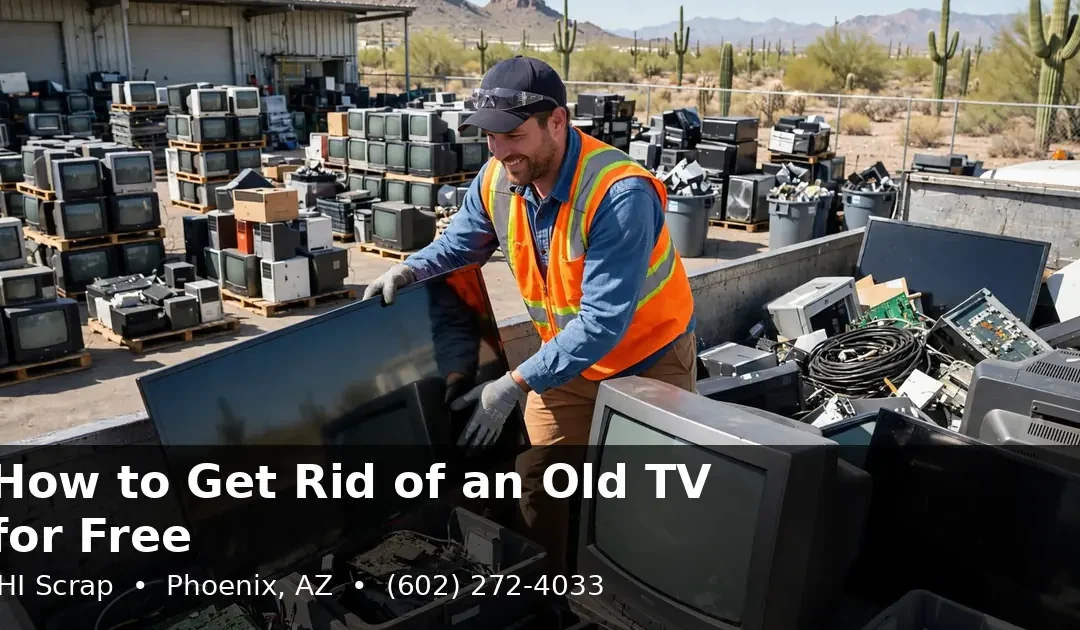
You can get rid of an old TV for free by giving it away, arranging an accepted donation, or using an eligible recycling program. The right option depends on whether it works, its screen type, and your location.
A working flat-screen and a broken tube TV need different plans. Some programs accept televisions without a charge. Others charge for screens even when they recycle smaller electronics for free.
This guide helps you find a suitable option before moving anything. You’ll learn what to ask, how to protect smart TV accounts, and where Phoenix residents can start.
Quick answer: start with these free options
- Working TV: Offer it to someone who wants it and can collect it.
- Donation: Ask a local organization whether it accepts your exact TV.
- Broken TV: Check municipal, manufacturer, and retailer recycling terms.
- Older tube TV: Search specifically for CRT acceptance and fees.
- Before leaving: Confirm the total charge, eligibility, and loading requirements.
Free drop-off does not mean free pickup. Ask about both separately.
Identify your TV before choosing a disposal option
Start with its condition, display type, and model number. These details help a recipient or recycling program give you an accurate answer.
Take a photo of the label on the back. Note the brand and model. If you know the screen size, include it. Otherwise, use the model information to look up the manufacturer’s specifications.
Screen size usually describes the diagonal display measurement. It doesn’t tell a driver how wide the television is. Measure the cabinet too when planning transport.
Working flat-screen TVs
A working flat-screen may suit another household, a community group, or a reuse organization. Check the picture, sound, remote, and accessible input connections before describing its condition.
Don’t call it fully working if it shuts off unexpectedly or has screen damage. Clear details help someone decide whether the television meets their needs.
CRT or tube TVs
A CRT television has a deep cabinet and a glass picture tube. These sets can be heavy. Their glass requires specialized handling, so ordinary electronics acceptance doesn’t establish CRT acceptance.
Don’t open the cabinet or remove the tube. Ask a collection program how to handle the complete unit.
Broken, plasma, and projection TVs
Tell the provider exactly what you have. A program that accepts LCD televisions may exclude projection models or price other screen types differently.
A cracked screen needs separate disclosure. If you can’t identify the type, send photographs before arranging collection.
For a broader explanation of discarded devices, read our guide to what is considered e-waste. Knowing the category helps, but acceptance still depends on the individual program.
Six ways to get rid of an old TV for free
Try reuse first when the television works. For an unusable set, focus on programs that explicitly accept its display type.
1. Give a working TV directly to someone
A direct giveaway can avoid a disposal charge and a drop-off trip. Ask friends, relatives, neighbors, or a local community group whether anyone needs it.
You can also post through a neighborhood sharing group or a marketplace that permits free listings. Follow that platform’s current rules. Include clear photos, the model, condition, and collection requirements.
What makes a free TV worth collecting? Useful details. Mention a working remote, included stand, available inputs, and any faults.
State whether the recipient must bring another person or suitable transport. Arrange a specific handoff instead of leaving the television outside indefinitely.
If you offer a broken unit for repair, label it clearly. A repair project needs a willing recipient. It shouldn’t become an unwanted surprise.
2. Ask an organization about an accepted donation
Donation can work when an organization wants your television. Contact local thrift stores, community centers, shelters, or other reuse groups before delivering it.
Don’t assume a familiar charity accepts every model. Storage space, resale demand, age, and safety concerns can affect its answer.
Ask whether the organization accepts your screen type and size. Explain any missing parts. Check whether it needs the original stand or remote.
If pickup is available, ask whether the TV qualifies and whether collection has a fee. A free donation and a paid collection service are different arrangements.
Respect a refusal. An unwanted donation can leave the organization with disposal costs. Try another suitable recipient or move to recycling.
3. Check your city or county’s electronics program
A municipal program may offer no-charge TV collection or drop-off for eligible residents. Look on the official public works or solid waste website.
Search for your city name plus “television recycling” or “CRT disposal.” Check whether the page describes a permanent facility, an appointment service, or a one-day event.
Read the accepted-items list carefully. Look for household limits, residency rules, required documents, and separate charges for screens.
A neighboring city’s program may exclude your address. County programs may also distinguish incorporated cities from unincorporated areas.
Keep the current instructions on your phone. Before loading, confirm that the program still accepts your television and that its free allowance applies to you.
4. Look for a collection event that includes TVs
A community electronics event can be useful when its rules explicitly include televisions. Check the organizer’s current announcement rather than an old calendar listing.
Look for separate rules covering flat-screens, tube TVs, and damaged devices. “Free electronics recycling” may refer only to selected categories.
Check whether registration is required. Confirm the location, collection window, maximum quantity, and whether staff help unload.
Don’t drive to an event based only on a social media headline. Read its exclusions or contact the organizer.
If you’re moving soon, keep a backup plan. An occasional event may not match your deadline, and accepted materials can change between events.
5. Check manufacturer take-back options
A manufacturer may offer or support recycling options in your area. Search its official support site using your brand, state, and “recycling.”
Some programs operate through collection partners. Others have restrictions based on product type or location. Confirm who receives the TV and whether that location accepts your model.
Ask whether the service covers transportation. A no-charge recycling process can still involve shipping, packaging, or collection costs.
Don’t assume a take-back program includes a trade-in payment. Recycling acceptance, resale value, and purchase discounts are separate questions.
Save any approval message or booking reference. Bring the information requested by the program and follow its preparation instructions.
6. Check retailer exceptions before paying
Retailer programs sometimes offer free television recycling for specific brands or locations. Others charge, impose size limits, or require a different service for large TVs.
For example, Best Buy’s TV recycling policy lists free in-store recycling for Insignia and Dynex TVs measuring 50 inches or smaller. It also lists state-specific fee exceptions. Many other accepted TVs carry a recycling fee.
Check the current rules for your television before visiting. Free store drop-off doesn’t establish free home collection.
A retailer’s general electronics program is like a menu. One free item doesn’t make every item free.
| Your situation | First option | Confirm before committing |
|---|---|---|
| Working flat-screen | Direct giveaway or accepted donation | Condition, collection, and included accessories |
| Working tube TV | Interested recipient or CRT program | Actual demand, safe handling, and CRT acceptance |
| Broken flat-screen | Municipal or eligible take-back program | Damage rules, size limits, and total fees |
| Broken tube TV | Program specifically accepting CRTs | Household eligibility and quantity allowance |
| No transport | Recipient collection or eligible pickup | Loading help, stairs, and collection charges |
Have a TV alongside other unwanted electronics?
Call JHI at (602) 272-4033 to discuss your items. Confirm TV acceptance, any charges, and appointment requirements before bringing anything in.
Where Phoenix residents can start with a tube TV
Phoenix currently lists a no-cost drop-off allowance of two CRT devices per month for residents. Its official appliance and television recycling page explains the program and additional charges.
The city distinguishes transfer-station drop-off from scheduled pickup. Its posted CRT pickup service has a fee. The city also excludes commercial and nonprofit CRT loads.
Before loading your TV, confirm residency requirements, facility instructions, and the remaining household allowance. Call Phoenix Public Works at 602-262-6251 with questions.
Don’t apply the CRT allowance to every flat-screen or every nearby city. Ask for the instructions matching your address and television.
For wider local planning, our guide to recycling electronics in Arizona introduces other collection routes. Verify current TV policies directly with the receiving program.
What to ask before loading your television
Ask whether the exact TV is accepted and whether your complete visit is free. A short conversation can prevent a wasted trip.
Use the same details when comparing programs. Otherwise, one provider may quote a working LCD while another assumes a broken CRT.
- Device: Do you accept this brand, model, screen size, and display type?
- Condition: Does a broken screen or missing stand change acceptance?
- Eligibility: Is this open to my address and household?
- Quantity: How many TVs can I bring under the free allowance?
- Charges: Are there recycling, handling, entry, or other required fees?
- Collection: Is pickup available, and what does it cost?
- Access: Do I need an appointment or proof of residency?
- Handling: Must I unload it, and are damaged units handled differently?
You can say: “I have one household television. It’s a working 43-inch LCD with a stand. I live in your service area. Will you accept it without any required charge if I bring it myself?”
Change those details to match your television. If the answer is unclear, request a written fee breakdown before booking.
Record the provider’s name, date, and instructions. This is especially useful when different departments handle appointments and facility entry.
How to get rid of a broken TV for free
A broken TV needs a program that accepts nonworking devices. Donation lists often focus on usable equipment, so begin with recycling rules.
Describe what happened without guessing at a repair diagnosis. “Powers on, no picture” tells a collector more than “probably an easy fix.”
If the display is cracked, explain that before arranging transport. Ask for packaging instructions. Don’t dismantle the television to make it lighter or easier to fit.
Keep a damaged set away from children and pets. Avoid handling loose glass. If moving it could cause further breakage, ask the receiving program about suitable collection options.
You can offer an intact, nonworking TV for repair or parts. State that it doesn’t work and identify any visible damage. A willing repair hobbyist may want it, but there is no guaranteed demand.
If nobody wants it and no free program qualifies, ask about an affordable responsible option. Paying a clear fee may be necessary. Don’t turn a difficult disposal problem into an abandoned television.
Remove personal information from a smart TV
Remove your accounts and follow the manufacturer’s reset instructions before handing over a smart TV. Treat it like a signed-in device, because it may contain account connections and saved preferences.
Think of a factory reset as clearing the room before handing over the keys. You still need to check account access and remove your belongings.
Sign out and remove account connections
Open streaming apps and sign out where possible. Check the TV’s main account settings too. Some televisions use a separate manufacturer or platform account.
Use your streaming services’ account pages to review connected devices. Remove the old TV where that option exists. Follow each service’s current instructions.
Don’t assume turning off Wi-Fi signs you out. Disconnecting a device and removing its account access are different actions.
Follow the correct factory-reset process
Use the instructions for your exact model. Menu names and reset options vary. A picture-settings reset may leave personal accounts in place.
When possible, check that the television returns to its initial setup screen. Don’t sign back into personal accounts after completing the reset.
A consumer factory reset shouldn’t be described as a certified data-destruction service. If a business needs documented handling, ask its chosen provider about suitable procedures.
Remove accessories you still need
Disconnect streaming sticks, USB drives, external storage, game consoles, and personal cables. Check the back and side ports rather than relying on memory.
Return rented cable equipment through the rental provider’s process. Don’t include someone else’s property in a giveaway.
Include the television’s remote and stand when useful. Tell the recipient what is included. Handle removable remote batteries according to the recipient’s or collection program’s instructions.
If the TV won’t power on
Try removing the device through your account dashboards using another device. Check manufacturer support for any model-specific options.
If you can’t confirm that local information was erased, tell the receiving provider. Don’t claim the TV is reset simply because its screen is broken.
Write a giveaway listing that avoids confusion
A useful listing explains what the recipient will collect. Keep it honest, specific, and easy to scan.
Photograph the television from the front. Include the stand, remote, and any visible defects. When practical, show it displaying a normal picture without exposing personal information.
Don’t post your full address in a public listing. Share collection details through the platform’s messaging tools after agreeing on a handoff.
Example listing for a working television
Free working 43-inch TV for local collection. Picture and sound work. Remote and tabletop stand included. There is a small scratch on the frame. Accounts will be removed before handoff. Please bring suitable transport and help with lifting. Message to arrange a collection time.
This is an example, not a condition report for your TV. Replace every detail with accurate information.
If someone misses the appointment, contact another interested person. Keep the television protected until a recipient confirms collection.
Move the TV safely without damaging it
Plan the route, lifting help, and vehicle before moving the television. A free destination is useful only if you can reach it safely.
Don’t lift a large or awkward TV alone. Clear doors and walkways. Keep pets and children away during the move.
If the TV is wall-mounted, follow the mount and manufacturer instructions. Get appropriate help if you’re unsure how to release it safely.
Use the original packaging when available. Otherwise, ask the recipient or recycler how the television should be protected and secured.
Protect the display from pressure and impacts. Don’t place heavy items against it. Follow model-specific transport guidance rather than assuming every screen can travel the same way.
Keep the load secured throughout the journey. Check that the vehicle can accommodate the cabinet and packaging before loading.
Place loose accessories in a separate bag and label them. Keep personal documents and account notes out of that bag.
If the cabinet is cracked or the unit contains loose glass, stop and seek handling instructions. Keeping the set intact can prevent a simple collection from becoming a cleanup problem.
What if you don’t have transportation?
Start with a recipient who can collect a working television. For an unusable TV, ask about eligible pickup programs and their full charges.
Explain the access conditions before anyone arrives. Mention stairs, narrow doors, parking limits, wall mounting, or the distance from the entrance.
Ask whether the provider collects inside the home or only from a prepared collection point. Don’t assume drivers can carry a heavy set downstairs.
A friend may help with transportation, but compare the whole plan. Vehicle rental, fuel, packing materials, and lifting help can create costs.
Why arrange a long trip before checking a closer program? Call first. A nearby paid service may cost less overall than a distant no-charge drop-off.
If you’re moving on a fixed date, set a decision deadline. Try reuse early enough to leave time for a confirmed recycling appointment.
Understand the difference between free and conditional
A genuinely no-charge option has no required fee for the service you need. Read conditions that could change that result.
A collection program may offer free processing while charging for transport. A retailer may waive a fee only for eligible brands or locations.
A purchase promotion may require a new television, delivery, or installation. Evaluate those costs before describing the old TV’s removal as free.
A gift card or store credit also differs from avoiding an upfront charge. Ask what you must pay today and what you receive afterward.
For recycling providers, request the TV charge separately from other electronics. A free computer drop-off doesn’t automatically include a television.
Our guide to choosing an e-waste company in Phoenix can help you compare providers. Clear acceptance rules and written pricing make comparison easier.
When keeping or repairing the TV makes more sense
Keep or repair the television if it still meets a real need. Disposal isn’t the only answer when a small problem has a practical solution.
Before calling a TV broken, check simple external causes using its support instructions. A failed remote, disconnected input, or missing power connection can resemble a television fault.
Don’t continue testing a set with a damaged cord, loose glass, smoke, or other visible safety concerns. Leave electrical diagnosis and internal repairs to a qualified professional.
If a technician offers an assessment, ask about the diagnostic charge before agreeing. Request a written repair estimate. Compare the total cost with how you would use the repaired television.
A repair estimate should describe the proposed work and any relevant warranty terms. Don’t assume a guessed replacement part will solve the problem.
A working older TV may also suit a spare room or another use you already have. Check compatible connections before buying adapters or accessories.
Keep only what you expect to use. Moving a television from the living room to a crowded garage postpones the same decision.
For a giveaway, a simple condition note can prevent confusion. State which functions you tested and when. Don’t describe untested features as working.
If repair is impractical and no recipient wants the unit, choose an accepted recycling route. The useful goal is a clear next step, whether that means continued use or a responsible handoff.
Keep a simple record of the handoff
Keep the information needed to show where the TV went. For a household giveaway, a saved message confirming collection may be enough for your own records.
For a donation, request the organization’s available acknowledgment if you need one. Don’t assume acceptance creates a particular tax benefit. Tax treatment depends on your circumstances and applicable rules.
For recycling, keep an appointment confirmation or receipt when provided. Check that any listed quantity and charges match what you delivered.
A receipt is a record of the transaction. It doesn’t automatically prove a particular recycling process, certification, or data-erasure result.
If a collector changes the price on arrival, pause before handing over the television. Ask what changed and request the complete amount. Compare that explanation with the original agreement.
You can decline an arrangement that no longer meets your needs, subject to any terms you already accepted. Avoid pressure to approve unexplained extra services.
Once collection is complete, remove the giveaway listing and tell waiting recipients the item is unavailable. Check your account device lists again if you couldn’t remove access earlier.
Businesses may need more formal records than households. Follow your organization’s equipment and information-handling policies when a company owns the TV.
Avoid these common TV disposal mistakes
Most preventable problems come from assuming acceptance, price, or collection terms. Check those details before the television leaves your home.
- Using an ordinary recycling bin: TVs need a suitable electronics collection route. Don’t place them with routine curbside recyclables.
- Leaving it outside a closed charity: Wait for acceptance and use its designated donation process.
- Assuming bulk trash means electronics recycling: Ask your city how televisions must be handled.
- Trusting an old event flyer: Verify the current event’s accepted materials and charges.
- Hiding damage: Disclose cracks, missing parts, and power problems before collection.
- Opening the cabinet: Leave internal parts and screen components for trained handlers.
- Forgetting smart TV accounts: Remove access and follow the correct reset instructions.
- Calling every pickup free: Check transport, stairs, loading, and other required charges.
For disposal rules, check your state and local waste authorities. Requirements vary. A general article shouldn’t replace instructions for your address.
Don’t abandon a television because a giveaway didn’t work. Keep it protected while arranging an accepted handoff.
A practical plan for getting your TV out of the house
Use this order to reduce wasted effort. Each step answers a question you need resolved before moving the television.
- Identify it. Record the model, size, display type, and visible condition.
- Check usefulness. If safe, test basic functions and note faults honestly.
- Try reuse. Offer a working set to a recipient who actually wants it.
- Check eligible programs. Compare municipal, event, manufacturer, and retailer options.
- Confirm the complete price. Separate processing from pickup and handling costs.
- Prepare the device. Remove accounts, personal accessories, and rented equipment.
- Arrange the handoff. Confirm the appointment, address, loading help, and documents.
Imagine a household replacing a working flat-screen. This hypothetical household first offers it to a neighbor. The neighbor accepts and brings suitable transport. That creates a no-charge handoff without a recycling trip.
Now imagine the same TV has a shattered screen. A giveaway may be unsuitable. The household contacts programs that explicitly accept damaged displays, compares charges, and follows handling instructions.
The lesson is practical: condition determines the route. A free option for one television may not suit another.
How JHI fits into your electronics cleanout
JHI can be a starting point for questions about a wider electronics cleanout. Review our electronics recycling and asset management services when your project includes other equipment.
TV acceptance and pricing need a direct conversation. Don’t assume a residential television qualifies for free processing or home pickup.
Prepare a short item list before calling. Separate televisions from computers, networking equipment, and other devices. Include quantities and condition where known.
Explain whether the equipment comes from a household or a business. That distinction can affect which collection routes are available.
For company equipment, confirm ownership approval and any recordkeeping requirements. Household collection allowances shouldn’t be assumed to cover business loads.
You can learn about JHI eScrap in Phoenix before discussing your project. Ask what is accepted, what it costs, and how an appointment would work.
Frequently asked questions
Who will pick up my old TV for free?
A person who wants a working TV may collect it without charging you. Some donation or local collection programs may offer eligible pickup. Availability depends on the item and address. Confirm lifting help, access, and all charges before booking.
Can I donate a TV that doesn’t work?
Only if the recipient explicitly accepts nonworking televisions. Many donation programs want usable items. A repair hobbyist may accept a clearly described project. Otherwise, choose a recycling program that accepts the television’s condition and screen type.
Does Best Buy recycle every television for free?
No. Its policy distinguishes eligible free televisions from fee-based items and lists size restrictions. State-specific terms also apply. Check the current policy and your TV’s details before visiting. Home haul-away is a separate service.
Can I put a TV in my curbside recycling bin?
No. Keep televisions out of routine curbside recycling. Use an accepted electronics collection route. Ask your local waste authority whether it offers a separate television service and what preparation or appointments it requires.
What if I can’t reset a broken smart TV?
Remove its access through your streaming and manufacturer accounts where possible. Check model-specific support instructions. Tell the receiving provider if you can’t confirm erasure. Don’t open or break the TV to reach its internal components.
Are very old tube TVs suitable for giveaways?
Sometimes, if someone specifically wants that model and accepts its condition. Demand isn’t guaranteed. Describe the unit accurately and arrange safe collection. If no recipient wants it, use a program that explicitly accepts CRT televisions.
Is a cracked flat-screen accepted for free recycling?
It depends on the program. Some exclude damaged screens or require special handling. Send photographs and describe the damage before visiting. Ask about acceptance, packaging, and total fees rather than relying on a general free-recycling advertisement.
Does JHI guarantee free television disposal?
No free-TV guarantee is made here. Contact JHI with your television’s type, size, condition, and quantity. Confirm current acceptance, charges, and scheduling before arranging transport or expecting pickup.
Choose a confirmed handoff before moving your TV
The best free option is one that actually accepts your television. Start with reuse for working sets. Check eligible recycling programs for unusable ones.
Before you lift anything, confirm three details: acceptance, total cost, and transport. Then remove personal accounts and prepare the TV for the agreed handoff.
Discuss your electronics with JHI
Call (602) 272-4033 with your item list. Ask about accepted equipment, TV-specific fees, and appointment options before planning your visit.