
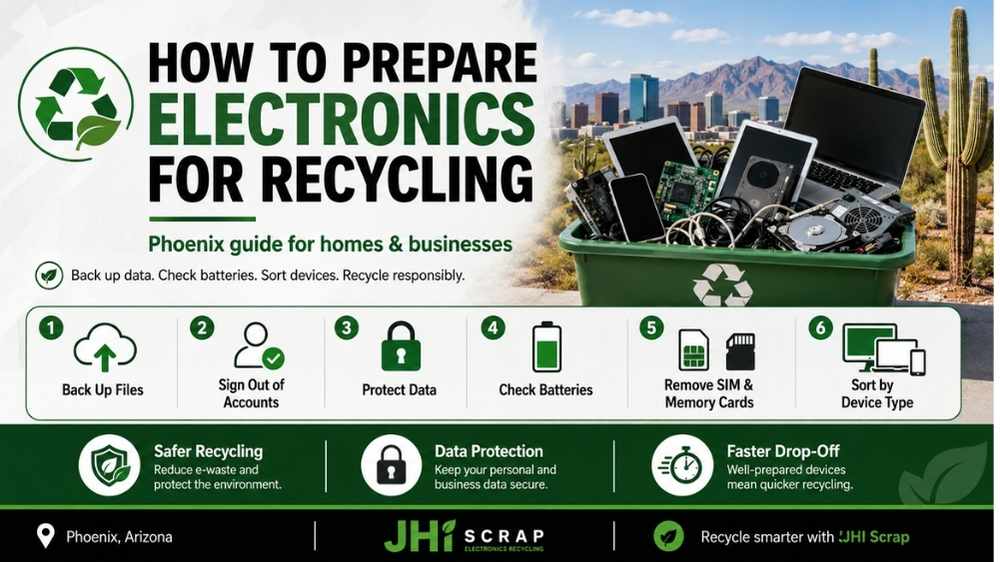
How to Prepare Electronics for Recycling
Old electronics are easy to ignore until they start taking over a closet, office, or storeroom. Then the simple question becomes surprisingly messy. What should you delete, remove, separate, pack, or keep before recycling anything?
If you are in Phoenix, the answer matters even more during hot months. Batteries, old laptops, phones, servers, and mixed office gear need careful handling before transport. A little preparation protects your data, saves time, and helps the recycler process your load correctly.
You do not need a perfect spreadsheet or a complicated disposal plan. You do need a few smart steps in the right order. This guide shows exactly how to prepare electronics for recycling at home or work, without turning the job into a weekend-long project.
Electronic waste includes discarded electrical or electronic devices, from phones and laptops to networking gear and industrial controls. The category is broader than most people expect. That is why the best preparation starts by understanding what you actually have.
How to Prepare Electronics for Recycling: Quick Answer
The fastest safe process is simple. Back up what you need, protect your data, check batteries, sort devices, and confirm the recycler accepts them. Businesses should also make a basic inventory before equipment leaves the property.
Do not start by taking everything apart. That can create extra risk, especially with batteries, screens, storage drives, and specialized equipment. Keep devices intact unless you know a component should be removed safely.
The goal is control. You want to know what is leaving, what still contains data, what may have resale value, and what needs special handling. Measure twice, cut once. Ten minutes of preparation can prevent hours of confusion later.
Step 1: Decide What Should Be Reused, Sold, Donated, or Recycled
Not every old electronic device should go straight into material recycling. Some equipment still works, some has useful parts, and some may have resale value. The first step is deciding whether the item is truly at the end of its useful life.
Start with condition, age, demand, and security needs. A three-year-old business laptop may be worth reusing or remarketing. A cracked ten-year-old laptop with a failed battery may be better suited for recycling.
This decision matters because reuse can preserve more value than shredding a working device. It also keeps useful equipment in service longer. One person’s trash can still be another person’s tool.
How to Spot Reuse or Resale Potential
Working equipment deserves a quick second look before recycling. Check whether the device powers on, whether major parts work, and whether it is still supported. Look at laptops, desktops, monitors, switches, test equipment, and specialty electronics separately.
Business owners should also check whether equipment belongs to a lease, managed service contract, or employee assignment. A device that looks abandoned may still have an owner or return requirement. Keep your ducks in a row before moving anything off-site.
If you are unsure, ask the recycler whether the equipment has reuse or recovery value. Photos, model numbers, and rough quantities can help with that decision. You do not need to guess from appearance alone.
When Recycling Is the Better Route
Recycling usually makes more sense when equipment is broken, obsolete, unsafe, unsupported, or too costly to repair. It may also be the better option when company policy requires retirement instead of resale. Sensitive devices can need a stricter path.
Very old equipment may still contain valuable metals even when nobody wants the device itself. Circuit boards, processors, cables, connectors, and power supplies can all enter material recovery streams. The outside can look worthless while the inside still has value.
Do not destroy everything just to be safe. First decide what needs data protection and what does not. Different strokes for different folks, and different electronics need different end-of-life paths.
Step 2: Back Up Important Data Before You Do Anything Else
Back up anything you may need before resetting, wiping, or recycling a device. Once secure destruction begins, recovery may be impossible. This sounds obvious, but rushed cleanouts make people skip this step all the time.
Check local files, cloud folders, browser exports, photos, accounting records, project files, and old email archives. Think about software license keys or configuration files too. Small files can be harder to replace than the hardware.
For a home device, a simple cloud or external-drive backup may be enough. For a business, the process should follow internal retention rules. A stitch in time saves nine, especially when the missing file is discovered after pickup.
Back Up Personal Devices
Phones and tablets often sync automatically, but do not assume everything is current. Check photos, contacts, messages, authentication apps, notes, and downloaded files. Confirm the backup completed before you reset anything.
Computers may hide important files outside the obvious Documents folder. Check the desktop, downloads, browser profiles, local email, and application folders. External drives and USB devices should be reviewed separately.
If a device will not power on, do not keep pressing buttons and hoping. Ask whether data recovery is needed before recycling. Better safe than sorry when the files cannot be replaced.
Back Up Business Devices
Business equipment needs a more deliberate backup plan. Decide which data belongs to the company and which files can be deleted under policy. Coordinate with IT before removing drives or resetting managed devices.
Servers, network appliances, storage arrays, and specialized systems may hold configuration data. That information can matter during replacement or audits. Write down what was backed up and who approved retirement.
A basic record creates accountability without creating red tape. The goal is not paperwork for its own sake. The goal is knowing nothing important disappeared with the old hardware. Keep the main thing the main thing.
Step 3: Sign Out of Accounts and Remove Device Locks
Signing out protects accounts and makes reuse easier when equipment still has value. Phones, tablets, laptops, and some smart devices can remain tied to cloud accounts after a reset. Activation locks can make a reusable device nearly worthless.
Before recycling, remove the device from Apple, Google, Microsoft, carrier, or manufacturer accounts when relevant. Business devices may also belong to mobile device management systems. Removing those links can prevent headaches later.
Do not share account passwords with a recycler. Account removal is your job or your IT team’s job. Keep your cards close to your vest.
Phones and Tablets
For phones and tablets, confirm that photos and contacts are backed up first. Then sign out of the main cloud account and disable any activation lock or device-tracking feature. Remove the SIM card when the device uses one.
Also check memory cards. A microSD card can hold years of photos or business files even after the phone is reset. Keep it, wipe it securely, or include it in the data-destruction plan.
If the screen is broken, do what you can without forcing the device apart. The recycler can advise on the safest next step. Do not make a bad situation worse.
Computers and Business Gear
Computers may be linked to Microsoft, Apple, Google, or company management tools. Sign out where practical and remove the asset from management systems. This is especially important when the device may be refurbished.
For company equipment, confirm who owns the license for installed software. Some licenses follow the user, while others follow the device. Clean records prevent confusion when replacement hardware goes live.
Network gear may also contain saved credentials and configuration data. Treat routers, firewalls, switches, and storage appliances like real data-bearing assets. Out of sight should not mean out of mind.
Step 4: Protect Data Before the Electronics Leave Your Control
Data security is one of the most important parts of electronics recycling. Deleting a file does not always remove the underlying information. A factory reset can help, but it is not the same as verified sanitization for every device.
Sensitive electronics may contain personal records, customer information, employee data, financial files, saved passwords, or internal documents. Even broken devices can still hold readable storage media. Protect the information before you focus on the metal and plastic.
If you want a deeper explanation, JHI’s guide to data destruction covers why disposal and information security belong in the same plan. Loose lips sink ships, and loose data creates its own version of that problem.
Why Deleting Files Is Not Enough
Normal deletion often removes a file reference instead of immediately overwriting every piece of data. That is why recovery tools can sometimes find deleted information. Reformatting a drive may also leave recoverable data depending on the method.
Think of deletion like removing a label from a storage box. The label is gone, but the contents may still be inside. Secure sanitization focuses on making the underlying data inaccessible.
For low-risk personal devices, manufacturer reset procedures may be appropriate. Businesses should use methods that match their policy and risk level. Do not assume one button solves every case.
Data Wiping Versus Physical Destruction
Data wiping can preserve the reuse value of a working drive. Physical destruction removes that reuse option but can fit higher-risk or failed media. The right choice depends on the device, condition, security requirement, and company policy.
A working SSD may be securely sanitized and reused. A damaged hard drive with sensitive records may need physical destruction instead. There is no prize for using the harshest method when a verified safer method fits.
Ask the recycler what method is available and what proof is provided. Businesses may need a destruction record or certificate. Trust, but verify.
Records for Business Electronics
Business customers should decide what documentation they need before pickup. That may include an asset list, chain-of-custody record, data-destruction record, or recycling certificate. The right package depends on company requirements.
Do not wait until an audit to ask what happened to retired equipment. Build the record while the project is fresh. A simple process is easier than reconstructing one later. For larger retirements, an IT asset disposition program can combine inventory, data handling, reuse, recycling, and value recovery. Many hands make light work when the process is organized from the start.
Step 5: Check Batteries Before You Pack Anything
Batteries change how electronics should be stored, packed, and transported. Lithium-ion batteries can create fire risks when damaged, crushed, punctured, or overheated. That makes battery inspection a basic safety step, not an optional extra.
Look for swelling, cracking, leakage, heat damage, crushed cases, or strange smells. If anything looks wrong, separate the device from the normal load and tell the recycler. Do not bury a damaged battery device in a box of laptops. Phoenix heat adds another layer of risk. A hot vehicle or garage can become an oven during summer. The sun does not play around here.
Electronics With Built-In Batteries
Many newer devices do not have an easy battery door. Phones, tablets, earbuds, power banks, and slim laptops may keep the battery sealed inside. Do not pry one out unless the device was designed for safe user removal.
Keep the device intact and protect it from heat, pressure, and metal objects. JHI’s guide to electronics with built-in batteries explains why forced removal can create more danger than leaving the battery in place.
Tell the recycler what you have before transport, especially for large quantities. The safe route depends on device type and condition. If it ain’t broke, do not break it just to remove a battery.
Swollen or Damaged Batteries
A swollen battery can push against a phone screen, laptop case, or tablet back panel. Do not press it flat or squeeze the case shut. Avoid charging the device or putting weight on it.
Move people away from any device that is hot, smoking, hissing, or actively failing. Follow emergency guidance rather than trying to carry a dangerous device through a building. Safety comes before recycling.
For non-emergency damaged devices, contact the recycler before arrival. Explain the condition and follow their packaging instructions. Better safe than sorry is not just a saying when batteries are involved.
Why Phoenix Heat Changes Storage Plans
Phoenix garages, storage units, and parked vehicles can become extremely hot. Electronics with batteries should not sit in those spaces longer than necessary. Indoor, dry, stable storage is usually a safer short-term option.
Do not stack heavy equipment on top of battery-powered devices. Pressure can damage cases and cells. Keep damaged items away from normal office traffic and material-handling equipment. Schedule pickup soon when you have questionable batteries. Do not create a long-term stockpile because nobody wants to decide what to do. Strike while the iron is cold, not after the battery heats up.
Step 6: Remove Personal Items, Cards, and Accessories
Before recycling, check every device for personal items that should stay with you. SIM cards, memory cards, USB receivers, security keys, labels, and removable storage are easy to forget. A two-minute check can save a lot of frustration.
Remove cases or accessories only when they are not part of the recycling load. Do not strip a device down to the circuit board unless the recycler asks you to. Complete devices can be easier to identify and evaluate. Keep accessories together when they belong with reusable equipment. For pure recycling, cables and chargers may still have material value. Waste not, want not.
SIM Cards and Memory Cards
SIM cards can contain account information or identifiers. Remove them before a phone leaves your control unless your recycler gives specific instructions. Memory cards can hold photos, documents, or saved application data. Do not assume a factory reset wiped a removable card. Check it separately. Keep it, securely erase it, or include it in your destruction plan.
Businesses should also look for USB security keys and small dongles. They disappear easily during bulk moves. The smallest item can cause the biggest headache.
Cables, Chargers, and Peripherals
Cables and chargers are often recyclable too. Group them separately so they do not tangle around larger equipment. This also makes sorting faster at intake. Keyboards, mice, docks, adapters, and small peripherals can be grouped by type. If a charger belongs with reusable equipment, keep the pair together. If the device is dead, the charger may still have value on its own. Do not throw random accessories into the bottom of a mixed box. A little order goes a long way. A place for everything makes pickup day easier.
Step 7: Sort Electronics by Category
Sorting by category helps a recycler estimate labor, value, storage, and processing needs. It also makes business pickup faster. You do not need twenty categories, but you should avoid one giant pile of mystery electronics.
Separate computers, monitors, networking gear, phones, storage media, cables, batteries, printers, and specialty equipment. Keep damaged battery devices in their own clearly identified group. Large industrial or test equipment should be described before pickup. This is where the basic definition of electronic waste becomes useful. If a device has a plug, battery, board, or stored data, it likely deserves a closer look. Sort first and ask questions second.
Common Home and Office Categories
Most home and office cleanouts can use a simple grouping system. Put laptops and desktops together, monitors together, phones and tablets together, and cables in a separate box. Printers or larger equipment can stay outside boxes. Label boxes in plain language. “Laptops,” “Cables,” and “Phones” work better than vague labels like “Tech Stuff.” Clear labels help everyone handling the load. Do not overthink it. The recycler can do the detailed material sorting later. Keep it simple and keep it safe.
Business, Industrial, and Test Equipment
Industrial electronics deserve more description because they can vary widely in size and function. Include test equipment, controls, modules, boards, sensors, telecom gear, and surplus components in separate groups when possible. Take photos of unusual equipment before pickup. Model numbers can help identify reuse potential, special handling, or resale value. A picture really can be worth a thousand words here.
Do not dismantle specialized equipment unless your team knows the hazards and the recycler requests it. Leave a sleeping dog lie when opening the case adds risk without adding value.
Step 8: Create a Basic Inventory for Business Loads
Business recycling becomes easier when everyone is working from the same list. An inventory helps with quotes, pickup planning, internal approval, data tracking, and final documentation. It does not need to be fancy. A simple spreadsheet can list device type, quantity, model, serial number, condition, and whether the item stores data. Add notes for damaged batteries or unusually heavy equipment. That is enough for many projects.
Inventory also helps prevent disputes after pickup. You can compare what was staged with what was collected. What gets measured gets managed.
Minimum Inventory Fields
Start with equipment type and rough quantity. Add model numbers when they are easy to capture. Use serial numbers when your company needs asset-level tracking or data-destruction proof. Mark data-bearing devices clearly. Servers, laptops, drives, phones, and storage appliances usually deserve attention. Network equipment may store configurations or credentials too. You do not need to catalog every cable by serial number. Match the detail to the risk and value. Do not use a sledgehammer to crack a nut.
Photos and Model Numbers
Photos make quotes easier for mixed or unusual loads. Take wide shots of pallets and close shots of model labels on expensive equipment. Good photos help the recycler plan space, labor, and handling.
Model numbers can reveal whether an item still has market demand. That is especially useful for test equipment, industrial electronics, servers, and network gear. A dusty device can still be worth evaluating.
Send photos before scheduling when the load includes oversized equipment. Surprises are fun at birthdays, not on loading docks.
Step 9: Clean and Pack Electronics Safely
Electronics do not need to look new before recycling. A quick dry wipe can remove loose dust and make handling easier. Avoid liquids, harsh cleaners, or anything that can enter vents and ports. Packing should prevent drops, crushing, short circuits, and loose movement. Use sturdy boxes, bins, or pallets that match the weight. Keep fragile screens upright when practical. Do not turn cleanup into repair work. The goal is safe transport, not cosmetic perfection. Good enough is good enough.
Packing Small Devices
Phones, drives, tablets, and small electronics can shift around inside large boxes. Use smaller containers or dividers when practical. Keep exposed metal contacts from pressing against loose batteries. Heavy power supplies or metal equipment should not sit on top of fragile devices. Use separate boxes when weight differences are large. A box that feels fine on the floor can fail when lifted.
Label damaged items clearly. Everyone touching the load should know where the risk is. Forewarned is forearmed.
Packing Computers and Monitors
Desktop computers can usually be placed in sturdy boxes or stacked carefully on pallets. Avoid unstable towers that can tip during transport. Keep monitors protected from pressure and impact. Do not lay heavy desktops across thin screens. Use padding for glass or fragile displays when the recycler requests it. CRT equipment may require separate handling, so confirm acceptance first. If you have ten monitors, say ten monitors. Accurate counts help the recycler plan the truck. Honesty is the best policy when space is limited.
Step 10: Confirm Acceptance, Fees, and Pickup Details
Always confirm what the recycler accepts before loading your vehicle or scheduling a truck. Electronics programs vary by item, condition, quantity, and customer type. A quick call can prevent a wasted trip.
Some electronics may be accepted at no charge. Others can carry fees because dismantling or downstream processing costs more. Certain business loads may have recoverable value that offsets service costs.
Ask about all three things before pickup: acceptance, pricing, and logistics. Get the lay of the land before moving hundreds of pounds of equipment.
Check Accepted Items
Describe unusual devices rather than assuming they are accepted. This matters for CRTs, batteries, large appliances, industrial equipment, medical devices, and damaged electronics. Photos can speed up the answer.
If the recycler has an e-waste recycling guide, use it as a starting point. JHI’s Phoenix guide explains common material types, data concerns, and business recycling options in one place.
Accepted-item lists can change as downstream markets and processing rules change. Confirm current details before transport. Do not rely on an old social post from years ago.
Understand Fees and Recovery Value
Recycling is not automatically free. Competitor pricing pages show that some items can carry processing fees while others have recoverable value. The economics depend on material, labor, condition, quantity, and current markets. Ask for clear pricing when your load includes monitors, batteries, mixed equipment, or low-value items. For business pickups, transportation and sorting can affect the quote too. Clear pricing is better than a surprise invoice.
Also ask whether reusable or surplus equipment can be evaluated for value. Old does not always mean worthless. Do not count your chickens before they hatch, but do not throw them away either.
Pickup Versus Drop-Off
Drop-off can work well for a few household devices or small office loads. Pickup makes more sense for pallets, heavy equipment, larger cleanouts, or recurring business recycling. Choose the option that reduces handling without creating extra cost.
Confirm the appointment time, loading access, parking, dock requirements, and who provides pallets or containers. Tell the recycler about stairs, narrow access, or heavy equipment before arrival. Phoenix businesses should also plan around heat when equipment waits outside. Do not stage battery-powered electronics in direct sun for hours. Timing is everything.
What Happens After Electronics Are Collected?
Responsible recycling continues after the truck leaves. Equipment usually moves through intake, sorting, data handling, reuse decisions, dismantling, and downstream processing. The exact path depends on the item. This is why preparation matters. Clear labels, asset lists, and separated data devices give the recycler a better starting point. Good intake is the first link in the chain. Arizona Department of Environmental Quality encourages people to use responsible recycling programs and recognizes R2 and e-Stewards certification programs. Trust works better when the process can be explained.
Intake and Tracking
At intake, equipment may be weighed, counted, photographed, or matched to an asset list. Business projects may use more detailed tracking than household drop-offs. The level of detail should match the risk. Data-bearing equipment should move through the agreed security process. Reusable equipment may be tested or evaluated. Damaged devices can require different storage or handling.
This stage is the handoff point between your preparation and the recycler’s process. A chain is only as strong as its weakest link.
Reuse and Data Decisions
A working device can sometimes be refurbished, resold, or used for parts. That route can preserve more value than immediate material processing. Data must still be handled correctly before reuse.
Storage media may be wiped, sanitized, or physically destroyed depending on policy and condition. The best method balances security with reuse when reuse is allowed. Security comes first, but waste does not have to. Ask what happens to devices that cannot be reused. A clear answer should lead to responsible material recovery. Do not buy a pig in a poke when the downstream process matters.
Dismantling and Material Recovery
Non-reusable electronics can be dismantled into material streams such as steel, aluminum, copper, circuit boards, plastics, and glass. Specialized processors may handle batteries, displays, or refining. One facility does not have to do every step itself.
The important part is responsible downstream management. Recyclers should know where materials go and how specialized items are handled. That is what turns a pile of mixed devices into recoverable resources.
Preparation cannot control every downstream step, but it helps keep the chain organized. Many small hinges can swing one big door.
Common Mistakes When Preparing Electronics for Recycling
Most preparation mistakes come from rushing. People toss mixed devices into boxes, forget data, leave damaged batteries hidden, or assume every item is accepted. The fix is usually simple. Do not take apart devices unless you know why you are doing it. Do not mix visibly damaged battery devices with normal equipment. Do not send company computers out without confirming the data plan.
Also avoid waiting years to deal with a growing stockpile. Old equipment gets harder to inventory and easier to forget. A rolling stone gathers no moss, and a regular recycling routine keeps storage areas under control.
Mistakes That Create Data Risk
The biggest data mistake is assuming “deleted” means “gone.” Another common mistake is forgetting storage inside printers, network appliances, phones, and backup devices. Data risk can hide in equipment that does not look like a computer.
Businesses should identify data-bearing equipment before the recycler arrives. Decide whether the media will be wiped, destroyed, or removed. Document the decision for higher-risk assets. Do not wait until the truck is at the dock to argue about hard drives. Plan the security step first. An ounce of prevention is worth a pound of cure.
Mistakes That Create Safety Risk
Battery damage is a common safety concern. Crushing, puncturing, charging, or overheating damaged lithium-ion devices can make the problem worse. Keep questionable equipment separate and tell the recycler. Unstable pallets create another risk. Heavy electronics shift during movement, and overloaded boxes can fail. Pack for the lift, not just for the storage room.
Do not block fire exits or work areas with staging equipment. Safe recycling starts before the recycling facility. Safety first, last, and always.
Mistakes That Create Surprise Costs
Surprise fees often come from missing information. A vague “we have some electronics” message does not tell the recycler about thirty monitors, two pallets, stairs, or damaged batteries. Better details lead to better quotes. Provide counts, photos, and equipment types for mixed business loads. Ask what is free, what carries a fee, and what may have value. Confirm pickup labor and transport terms too.
A clear quote beats a cheap-looking guess. You get what you pay for, especially when the cheapest option leaves important details out.
Phoenix-Specific Preparation Tips
Phoenix conditions change how electronics should be staged and stored. Heat is the biggest local factor, especially for devices with lithium-ion batteries. Avoid leaving electronics in parked vehicles, outdoor bins, or direct sun.
Businesses should stage equipment indoors when possible. If outside staging is unavoidable, minimize the time and protect devices from heat, rain, dust, and traffic. Even a short delay can become a long afternoon in summer.
Local logistics matter too. Apartment cleanouts, office towers, warehouses, schools, and industrial sites all need different pickup plans. When in Rome, do as the Romans do, and in Phoenix that means planning around heat and access.
Homes and Apartments
For a small home load, use sturdy boxes and keep batteries or damaged devices easy to identify. Do not leave boxes on a patio for days before drop-off. Keep them indoors until you are ready to go.
Apartment residents should check building rules for loading areas and elevator access. A few computers are easy, but bulky televisions or heavy printers can be awkward. Plan the route before lifting.
If you have only one or two items, call ahead and confirm drop-off rules. A short phone call can save a long drive. Look before you leap.
Offices, Schools, and Multi-Location Businesses
Larger organizations should assign one person to coordinate the retirement. That person can collect counts, confirm data requirements, and schedule pickup. Too many decision-makers can slow a simple project.
Schools may have carts of laptops, monitors, projectors, printers, and networking gear. Offices may have mixed employee devices and storage drives. Separate data-bearing equipment early.
Multi-location businesses should standardize the basic process across sites. One checklist reduces confusion across Phoenix, Tempe, Mesa, Chandler, Glendale, and nearby areas. Get everyone singing from the same hymn sheet.
Home Electronics Versus Business Electronics: The Preparation Is Different
Home and business electronics can look identical, but the risk is not always the same. A family laptop may hold photos and tax files. A business laptop may hold customer records, credentials, contracts, and regulated information.
Businesses also care about asset tracking, audits, pickup coordination, and value recovery. That makes inventory and documentation more important. Households can usually use a simpler checklist.
The core steps stay the same: back up, protect data, check batteries, sort, and confirm acceptance. The difference is how much proof and tracking you need. Horses for courses.
Home Preparation Checklist
- Back up personal files and photos.
- Sign out of cloud and device accounts.
- Remove SIM cards and memory cards.
- Factory reset the device when appropriate.
- Check the battery for damage or swelling.
- Group cables and accessories separately.
- Confirm the recycler accepts the item.
- Keep devices indoors until drop-off.
A home checklist should feel easy enough to finish in one sitting. If you make it too complicated, the box goes back into the closet. Keep it simple and keep it moving.
When one step does not apply, skip it. The point is not perfection. The point is safe, sensible preparation without stress.
Business Preparation Checklist
- Create a basic asset inventory.
- Identify every data-bearing device.
- Confirm backup and retention requirements.
- Decide on wiping or physical destruction.
- Remove devices from management systems.
- Separate damaged battery equipment.
- Photograph unusual or high-value assets.
- Confirm pickup, fees, and documentation.
- Keep a record of what leaves the site.
Business preparation should support security and accountability without slowing operations. Use the detail that matches your risk. A small office does not need the same process as a data center.
For recurring retirements, turn the checklist into a routine. Quarterly or annual pickups can be easier than one giant cleanout. Slow and steady wins the race.
A Final Ready-to-Recycle Checklist
Before anything leaves your home or business, do one last pass. You should know what the device is, whether it holds data, whether the battery is safe, and whether the recycler accepts it. Those four answers solve most last-minute problems.
Backups should be complete. Account locks should be removed when practical. Sensitive storage should have a defined sanitization or destruction path. Boxes and pallets should be safe to move.
The recycler should know about unusual equipment, damaged batteries, heavy items, and access limits. No surprises on either side makes the job smoother. Clear is kind.
How to Choose an Electronics Recycler in Phoenix
Choose a recycler that can explain its process in plain language. You should understand accepted items, data handling, fees, pickup options, and downstream responsibility before equipment leaves your control. Vague answers create unnecessary risk. Look for experience with the type of equipment you have. A household phone drop-off is different from a server-room retirement or industrial surplus project. The provider should understand your actual load.
Jay Hoehl Inc. has served the Phoenix area since 1980 and works with electronics recycling, industrial surplus, and business IT assets. The proof of a good fit is still in the details, so ask the questions that matter to your situation.
Ask About Data Handling
Ask what happens to hard drives, SSDs, phones, servers, and other data-bearing equipment. Confirm whether the recycler offers wiping, physical destruction, or both. Ask what documentation comes with the service.
For businesses, make the data requirement part of the quote. Do not add it as an afterthought after equipment is already loaded. That keeps security and pricing aligned.
If the answer sounds vague, ask again. Your data does not become less important because the hardware is old. Trust, but verify.
Ask About Downstream Responsibility
Responsible recyclers should understand where major material streams go next. You do not need a map of every truck route, but you should get a believable explanation. Specialized processors often handle batteries, circuit boards, displays, and refining.
Arizona regulators encourage responsible e-waste recycling and point to R2 and e-Stewards as recognized certification programs. Certification can be one screening factor among several. Clear procedures and accountable downstream partners matter too.
A local address alone does not explain the full recycling chain. Ask enough to understand the process. All that glitters is not gold.
Ask About Quotes, Pickups, and Documentation
A strong quote should reflect what you actually have. Give the recycler quantities, photos, access details, and unusual conditions. This makes pricing more useful and reduces changes on pickup day.
Ask whether business volume qualifies for pickup and what labor is included. Confirm any fees for monitors, batteries, or special items. If reusable equipment may have value, ask how that value is evaluated.
Also confirm the records you will receive after service. The best time to define expectations is before work begins. Get it in writing when documentation matters.
Frequently Asked Questions About Preparing Electronics for Recycling
Should I remove the hard drive before recycling a computer?
You can remove a hard drive when your data policy requires it, but you do not always have to. A recycler with secure data services can handle the drive under an agreed process. The important part is knowing how the data will be protected before the computer leaves your control.
Removing the drive does not finish the recycling job. The rest of the computer still needs responsible handling. Keep your eye on the ball and treat data security and hardware recycling as two connected steps.
Do I need to delete everything before recycling a laptop?
You should back up needed files and follow an appropriate data-sanitization process. Normal deletion alone may not make sensitive information unrecoverable. A factory reset can be useful, but business devices may need a more controlled method.
If the laptop will not turn on, do not assume the data is gone. The storage device may still be readable. Better safe than sorry.
Should I factory reset my phone before recycling it?
Yes, after backing up your data and signing out of linked accounts, a factory reset is a useful consumer step. Remove activation locks, SIM cards, and memory cards when relevant. This helps protect your information and improves reuse potential.
A damaged phone may need a different approach when the screen or battery is unsafe. Do not force it open just to complete the reset. Safety comes first.
Should I remove a battery before recycling electronics?
Remove a battery only when the device was designed for safe user removal and the recycler requests it. Many modern electronics have sealed batteries that should stay inside the device. Prying, bending, or puncturing cells can create serious risk.
Inspect the device for swelling or damage instead. Tell the recycler about any problem before transport. Do not make a mountain out of a molehill by turning a safe sealed device into a damaged one.
Can I recycle electronics with swollen batteries?
The device may still have a recycling route, but it needs special handling. Do not charge, crush, squeeze, or hide the device inside a mixed box. Contact the recycler first and describe the condition.
If a battery is hot, smoking, hissing, or actively failing, move away and follow emergency guidance. Recycling can wait. Safety first, last, and always.
Do I need to clean electronics before recycling?
A light dry cleaning is enough for most electronics. Remove loose dust, dirt, and personal items, but do not use liquids or harsh chemicals. The recycler does not need the device to look new.
Cleaning is about easier handling and identification, not appearance. Do not spend an hour polishing a broken laptop. Time is money.
Can I leave cables and chargers with old electronics?
Usually, cables, chargers, and adapters can be recycled too, but confirm with the facility. Group them separately when possible so they do not tangle around larger items. Keep matching chargers with reusable equipment when that adds value.
A labeled box of cables is easier to process than loose cords wrapped around computers. A little organization goes a long way.
How should a business prepare a large electronics pickup?
Start with rough quantities, photos, and a basic inventory. Identify data-bearing devices and damaged batteries. Confirm loading access, pickup timing, fees, data requirements, and documentation before the truck arrives.
You do not need a perfect asset database for every project. You need enough information to manage risk and logistics. Many hands make light work when everyone follows the same plan.
What electronics should be kept separate?
Keep damaged battery devices separate from normal electronics. It is also smart to separate storage media, monitors, batteries, cables, and specialty equipment. Businesses may want data-bearing devices in a dedicated group.
Separate does not mean complicated. Use clear boxes, labels, or staging areas. Do not put all your eggs in one basket when one category needs special handling.
How far ahead should I prepare for a Phoenix pickup?
Small loads can often be prepared quickly, while business cleanouts need more lead time. Start early enough to back up data, build a basic inventory, and identify special items. Confirm pickup details before moving equipment outside.
During hot weather, keep battery-powered devices indoors until close to pickup time. Phoenix heat rewards good timing. The early bird gets the worm.
Do electronics need to be working before recycling?
No. Broken and obsolete devices can still contain recyclable materials and reusable parts. Condition affects the best processing route and sometimes the price, but a dead device is not automatically worthless.
Tell the recycler about severe damage before transport. Clear information helps them plan. Honesty is the best policy.
What if I am not sure whether an item counts as e-waste?
Look for a plug, battery, circuit board, screen, or data storage. If the item has one of those, it probably deserves an electronics-recycling check. Photos can help a recycler identify unusual equipment quickly.
Do not throw something away just because the category is unclear. Ask first when the item is electronic, battery-powered, or data-bearing. When in doubt, keep it out of the trash until you know.
Prepare First, Recycle With Confidence
Preparing electronics for recycling is mostly about avoiding preventable problems. Back up what matters, remove account locks, protect data, check batteries, sort the load, and confirm acceptance. Businesses should add inventory and documentation to that list.
The process becomes much easier when you do the steps in order. Do not take devices apart without a reason, do not hide damaged batteries, and do not send sensitive hardware out without a data plan. Small preparation choices create a smoother recycling experience.
For Phoenix homes and businesses, heat, access, storage, and pickup logistics deserve extra attention. Keep battery-powered electronics indoors until transport and give the recycler accurate information before arrival. A smooth handoff starts with a clear plan.
Ready to clear out old electronics without guessing? Request a free evaluation or schedule a pickup with JHI. A few photos and a rough inventory are often enough to get started. Well begun is half done.