
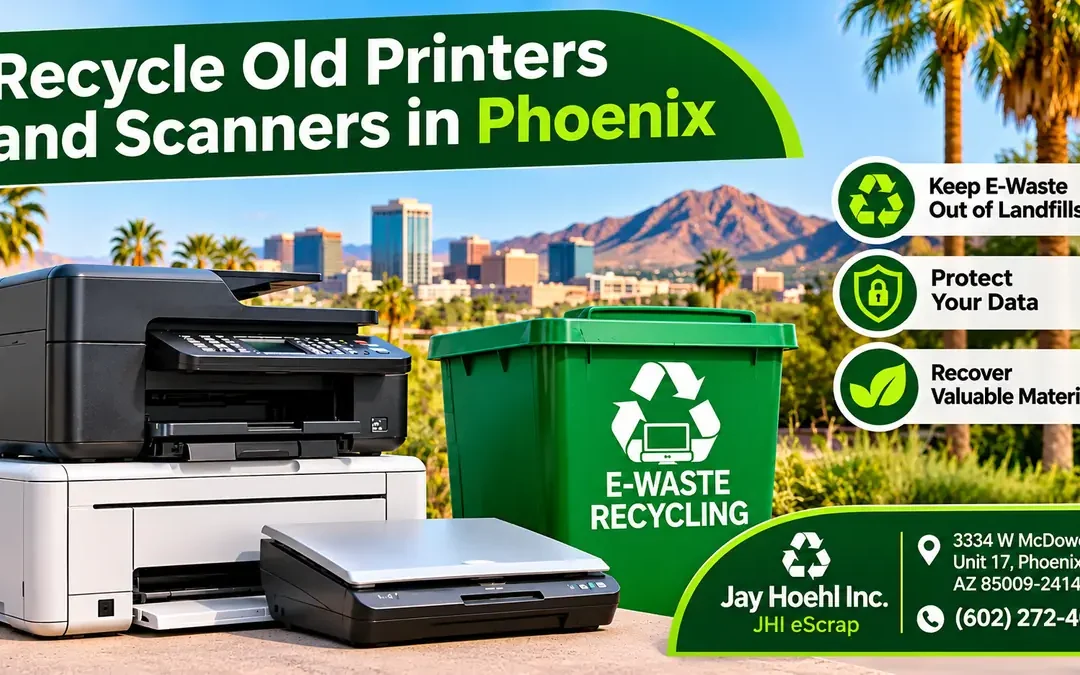
How to Recycle Old Printers and Scanners in Phoenix, AZ
Your old printer just died. The scanner beside it has not worked in a year. Both sit in the corner, gathering dust in the Phoenix heat. Where do they go? The trash is not an option. Bulk trash does not take electronics in Phoenix. This guide shows you how to recycle old printers and scanners the right way. You will learn how to wipe the memory. You will see where to drop them off. You will learn what it costs. And you will learn how to get a free pickup.
Short answer: Recycle old printers and scanners in four steps. Wipe the memory first. Remove ink and toner cartridges. Then take them to a certified recycler or a free retail drop-off. In Phoenix, Best Buy takes printers and scanners for free. The city transfer stations take electronics from residents too. For offices with many printers, Jay Hoehl Inc offers free business pickup across Maricopa County. Call (602) 272-4033 to schedule.
In this guide:
- The Short Answer: Printer Recycling in 60 Seconds
- What Counts as a Printer or Scanner?
- Why Printers Need Special Care
- Before You Recycle: 5 Prep Steps
- Where to Recycle Printers and Scanners in Phoenix
- What Happens After Drop-Off
- Can You Donate or Sell Instead?
- What About Ink and Toner Cartridges?
- Printer Recycling Costs in Phoenix
- How to Choose a Recycler
- What Happens at Jay Hoehl Inc
- Your Printer Recycling Checklist
- Frequently Asked Questions
Printers are the most common office device in Phoenix. Every home has one. Every office has several. They break down. They get replaced. And they pile up fast. A dead printer is heavy. It is bulky. It holds ink, toner, and sometimes your data.
Scanners pile up too. Flatbed scanners, document scanners, and all-in-one machines all reach the same end. They stop working. They get replaced. They sit in a closet until someone deals with them.
This guide deals with them. It covers every printer and scanner type. It covers the data risk most people miss. It covers every drop-off option in Phoenix. And it covers the free pickup option for offices. Read on for the full picture.
The Short Answer: Printer Recycling in 60 Seconds
Recycling a printer takes four steps. First, wipe the memory. Many office printers hold a hard drive with copies of your documents. Second, remove the ink and toner cartridges. Third, take the printer to a drop-off point. Best Buy takes printers and scanners for free. Fourth, get a receipt if the printer held business data.
What if you have many printers? Do not haul them one by one. A certified recycler picks them up. Jay Hoehl Inc offers free business pickup across Maricopa County. One call clears the whole office.
What should you never do? Never put a printer in the trash. Never put it in bulk trash. Never put it in curbside recycling. Printers hold circuit boards, motors, and sometimes toner dust. They need proper handling.
That is the whole guide in one minute. The rest of this article fills in the details. Read on when you want them.
What Counts as a Printer or Scanner?
A printer is a peripheral machine. It makes a durable copy of graphics or text, usually on paper. Different types of printers include 3D printers, inkjet printers, laser printers, and thermal printers. You can read more about the printer on Wikipedia.
Printers come in many shapes. Each one recycles a little differently. Here are the main types you will meet in Phoenix homes and offices.
| Type | How it works | Common at | Main recycling concern |
|---|---|---|---|
| Inkjet printer | Sprays liquid ink on paper | Homes, small offices | Ink cartridges, circuit boards |
| Laser printer | Fuses toner powder with heat | Offices, schools | Toner dust, fuser heat unit |
| All-in-one (MFP) | Prints, scans, copies, faxes | Offices, homes | Hard drive, memory, toner |
| Flatbed scanner | Scans pages on a glass bed | Homes, offices | Glass, lamps, boards |
| Document scanner | Feeds pages through fast | Offices, clinics | Memory, rollers, boards |
| Wide-format printer | Prints posters and plans | Print shops, architects | Size, weight, large cartridges |
| Thermal printer | Heats special paper | Shops, warehouses | Small boards, batteries |
| 3D printer | Builds objects layer by layer | Makers, schools | Filament, heated parts |
What about copiers? A copier is a big printer. It works the same way. It holds the same parts. It also holds a hard drive in most office models. Treat it like a printer. The same recycling rules apply.
What about fax machines? A fax is a small printer with a phone line. It holds memory and a circuit board. It recycles like a printer. Bring it with the same load.
What about label printers? They are small thermal printers. They hold a small board and sometimes a battery. They recycle like other small electronics. Bundle them with the printers.
How old is the printer? The first computer printer was designed by Charles Babbage in the 19th century. His design was not built until 2000. The first electronic printer was the EP-101, made by Epson in 1968. The low-cost laser printer arrived in 1984 with the first HP LaserJet. The next year, the Apple LaserWriter set off the desktop publishing revolution. Your old printer is part of that long story. Recycle it well.
Why Printers Need Special Care
Printers look simple. They are not. A printer holds data, chemicals, and metal. Each one needs care. Here is why.
Your Data Lives in the Printer
Many office printers hold a hard drive. It stores copies of every document the printer handled. Contracts, medical forms, tax papers, and payroll sheets can sit on that drive. A home printer holds less. But an all-in-one with a network card can hold scan history and network passwords too.
What happens if you skip the wipe? The next owner can read your files. A used printer sold online can leak your data. A printer left in a dumpster can leak it too. Wipe the memory before the printer leaves your hands.
What does Arizona law say? Arizona law (ARS 44-7601) makes improper disposal of storage devices holding personal information a civil violation. A printer hard drive counts as a storage device. Destroy it properly. Keep the proof.
Toner Dust Is Not Harmless
Laser printers use toner. Toner is a fine powder. It can irritate lungs and eyes. Do not shake a toner cartridge. Do not vacuum toner with a regular vacuum. A regular vacuum blows the fine dust back into the air. Let the recycler handle it.
What about ink? Inkjet ink stains skin and clothes. It is not highly toxic. But it is messy. Keep cartridges upright. Put them in a bag. The recycler takes them separately.
Printers Hold Valuable Metal
A printer holds steel, copper, and aluminum. It holds motors and circuit boards. Boards hold gold, silver, and copper traces. A single printer holds only a little. A whole office load holds a lot. Recycling recovers it all.
What about the plastic? Printer shells are hard plastic. They can be ground down and reused. The glass in a scanner bed can be recycled too. Very little of a printer needs to go to a landfill.
Think of a printer like a small factory. It has a brain, a memory, a motor, and a fuel tank. Each part needs its own path. A good recycler knows every path.
Before You Recycle: 5 Prep Steps
Five minutes of prep saves trouble later. Do these steps before the printer leaves your home or office.
- Wipe the memory. Use the printer menu to factory reset the device. This clears scan history and network settings. For office printers with a hard drive, ask your recycler to wipe or shred the drive. Do not skip this step.
- Remove ink and toner cartridges. Take them out. Put them in a bag. Cartridges recycle separately. Some stores take them at the front desk. Never ship a printer with a cartridge still inside. It can leak in transit.
- Remove paper and trays. Take out all paper. Remove loose trays if they come off. Paper goes in your regular paper recycling. Loose trays can break in transit.
- Unplug and coil the cables. Unplug the power cord. Coil it neatly. Tape it to the printer or bag it. Cables recycle with the load. A loose cord is a trip hazard.
- Note the model and serial number. Write down the model and the serial number. Keep the note for your records. Businesses should log it in the asset list. It proves what left your office.
Remember: a factory reset clears settings, not the hard drive. An office printer with a hard drive needs a proper wipe or shred. Ask your recycler to destroy the drive and give you a certificate.
Where to Recycle Printers and Scanners in Phoenix
Phoenix gives you several good options. Homes use retail drop-off. Offices use pickup. Here is the full map.
| Option | Who it suits | Cost | What to know |
|---|---|---|---|
| Jay Hoehl Inc | Homes and businesses | Free business pickup | Full recycling, drive destruction, report |
| Best Buy | Households | Free for printers and scanners | Residential only, daily limits apply |
| Staples | Households | Free for most electronics | Takes electronics except TVs, call ahead |
| City of Phoenix transfer stations | Phoenix residents | Free for residents | Electronics accepted, CRT items carry a fee |
| Manufacturer take-back | Anyone with that brand | Often free | Mail-back labels for cartridges and printers |
| Local certified recyclers | Businesses | Free pickup for volume | Ask for R2 or e-Stewards certification |
Best Buy is the easiest option for a home printer. Printers, scanners, fax machines, and ink and toner cartridges are free to drop off. The $29.99 fee covers only TVs and monitors. A printer at the customer service desk costs nothing. You do not need to buy anything. But the program is for households, not businesses. Daily limits apply, so call ahead if you have several printers.
Staples is another easy stop. Staples stores accept most electronics for recycling, except TVs. Call your specific store before a big trip. Rules can vary by store.
City of Phoenix residents can bring electronics to the city transfer stations. Computers, laptops, TVs, monitors, and anything else with a power cord are accepted. This is a free service for Phoenix residents. A small fee is charged for CRT monitors and televisions. Bulk trash does not take electronics. Do not leave a printer at the curb.
Manufacturer take-back works well for cartridges. HP, Epson, and Canon all run cartridge take-back programs. Many offer free mail-back labels. Some take back whole printers too. Check the brand website before you buy a new cartridge.
What about offices with ten or twenty printers? Do not haul them one by one. A certified recycler picks them up. Jay Hoehl Inc offers free business pickup across Maricopa County. The team handles the drive destruction too. One call clears the whole office.
What about R3eWaste? It is an R2-certified, zero-landfill recycler with a Phoenix facility. It offers free pickup for businesses. Its facility is open for residential drop-offs from 8 a.m. to 3 p.m. on weekdays. It takes printers, scanners, fax machines, and ink and toner cartridges.
What Happens After Drop-Off
Your printer does not go straight to a shredder. It goes through a process. Here is what happens at a certified facility.
First, the printer is logged. The model and serial number go into the tracking system. If it held a hard drive, the drive is removed first. The drive is wiped or shredded. You get a certificate if you asked for one.
Second, the cartridges come out. Ink and toner cartridges go to their own stream. Some are refilled. Some are broken down for plastic and metal. Toner dust is handled with care. Workers use proper filters, not regular vacuums.
Third, the printer is disassembled by hand. The shell comes off. Motors come out. Circuit boards come out. Glass from scanner beds goes to its own bin. Each part goes to the right stream.
Fourth, the materials go downstream. Steel goes to a steel mill. Copper goes to a copper plant. Circuit boards go to a smelter. The smelter recovers gold, silver, and copper. Plastic goes to a plastics plant. Glass goes to a glass plant.
What about the landfill? Almost nothing goes there. A certified recycler is zero-landfill for electronics. The goal is to recover every part. The chain of custody tracks each unit from intake to its final home.
How long does it take? A single printer moves through in days. A whole office load takes one to two weeks. The final report lists every item and its fate. Businesses keep the report for their records.
Can You Donate or Sell Instead?
Yes, if the printer still works. A working printer has a second life. Donation beats recycling. Resale beats donation for value. Here is how to decide.
Donate a working printer to a school or a nonprofit. Many schools need printers for classrooms. Nonprofits need them for offices. A working all-in-one is always welcome. Wipe the memory first. Include the power cord. Include a fresh cartridge if you can.
Sell a working printer online or at a local shop. Laser printers hold value best. A two-year-old office laser can sell for real money. An old inkjet holds little value. Ink dries up. Parts wear out. Be honest about the condition. Test it before you list it.
Trade in a printer when you buy a new one. Some retailers offer trade-in credit. Some brands offer a discount on the new printer. Ask at the store. The credit is small, but it beats the trash.
When should you recycle instead? When the printer is dead. When the repair costs more than a new printer. When the parts are gone. When the driver no longer works with your system. A dead printer is a recycling job, not a donation.
What about the cartridges? A half-full cartridge has value too. Some refill shops buy them back. Some brands take them back for free. Never throw a cartridge in the trash. Ink and toner belong in the recycling stream.
What About Ink and Toner Cartridges?
Cartridges are the small part with the big impact. Phoenix homes throw away millions of them. Most can be recycled. Here is how.
Ink cartridges hold liquid ink in a plastic shell. They can be refilled. Many office supply stores refill them for less than a new one. A refilled cartridge prints well for most home jobs. If it leaks, recycle it instead.
Toner cartridges hold fine powder in a larger shell. They can also be refilled. A refilled toner cartridge can print thousands of pages. Do not open a toner cartridge yourself. The powder is fine and messy. Let a refill shop handle it.
Where do cartridges go? Best Buy takes ink and toner cartridges for free. Staples takes them too. Many stores have a drop box at the front. HP, Epson, and Canon run mail-back programs. The brand website gives you a free label. Print it, stick it on, and mail the cartridge back.
What if the cartridge is empty? It still recycles. The plastic shell can be ground down. The metal parts go to the smelter. An empty cartridge is not trash. It is raw material.
What if the cartridge is full but the printer died? Save it. A new printer of the same brand may use the same cartridge. Or donate it with the printer. Or return it to the store. A full cartridge is worth more than an empty one.
Electronic waste is one of the fastest-growing waste streams in the world. In 2022, about 62 million tonnes were made. Only 22.3 percent was formally recycled. Cartridges are a small part of that pile. But small parts add up. You can read more about Electronic waste on Wikipedia.
Printer Recycling Costs in Phoenix
Printer recycling is cheap. For most homes, it is free. For offices, the value in the load often covers the service. Here is the typical picture.
| Service | Typical cost | Notes |
|---|---|---|
| Best Buy drop-off (printer, scanner) | Free | Residential only, daily limits apply |
| Best Buy drop-off (cartridges) | Free | Front desk drop box |
| Staples drop-off | Free | Most electronics except TVs |
| City transfer station (residents) | Free | CRT items carry a small fee |
| Manufacturer mail-back (cartridges) | Free | Free label from the brand website |
| Business pickup (certified recycler) | Free | Free for volume across Maricopa County |
| Hard drive destruction | Small fee or included | Certificate per asset on request |
What drives the price up? Small loads with long drives. On-site shredding. Rush jobs. What drives it down? Large loads. Working gear with resale value. Regular schedules.
What is the hidden cost of doing nothing? Storage space. A closet full of dead printers costs rent. Security risk. A printer hard drive with client data can bring a breach. Lost value. A working printer loses value every month it sits. Doing nothing is the most expensive option.
How do you get a quote? Call the recycler. Count the printers by type. Note which ones held business data. Most recyclers give a free evaluation. The quote should list every fee. No hidden charges should appear later.
How to Choose a Recycler
Not every recycler is equal. Some are certified. Some are not. Some track your gear. Some do not. Here is how to tell the good from the bad.
Ask about certification first. R2 and e-Stewards are the two accredited standards. The EPA recognizes both. A certified recycler gets audited every year. An uncertified one answers to no one. Certification is the first filter.
Ask about data destruction next. Do they wipe printer hard drives to the NIST 800-88 standard? Do they shred them? Do they issue a certificate of destruction? The certificate should list each asset by serial number. A vague receipt is not enough.
Ask about the chain of custody. Who touches your printers after pickup? Where do they go next? A good recycler tracks each unit from your office to its final home. A bad one cannot tell you. If they cannot track it, they cannot prove it.
Ask about downstream partners. Where do the boards go? Where does the toner go? Where does the glass go? A good recycler names its partners. A bad one says trust me. Trust is earned with names and papers.
Ask about pickup. Can they collect from your office? Is pickup free for your volume? A good recycler serves businesses across the Valley. A good one books a time that suits you.
- ✓ Certified to R2 or e-Stewards, audited every year.
- ✓ Printer hard drives wiped or shredded, with certificates per asset.
- ✓ Full chain of custody from pickup to final home.
- ✓ Named downstream partners for boards, toner, and glass.
- ✓ Free business pickup across Maricopa County.
- ✓ Final report with assets, certificates, and recycled weight.
- ✓ Cartridges taken separately, not mixed with the trash.
- ✓ Clear quote with no hidden fees.
What Happens at Jay Hoehl Inc
Jay Hoehl Inc has recycled electronics in Phoenix since 1980. That is more than 45 years of work. Founder Jay Hoehl still leads as president. CEO Jake Hoehl has run daily operations since 2016.
What does Jay Hoehl Inc do with printers and scanners? Full recycling. Intake logging, data destruction, disassembly, and reporting. One vendor covers the whole chain. One call starts it.
How is printer data handled? Drives are wiped to industry standard. The standard is NIST 800-88. Or drives are shredded outright. You get a record for your files. A certificate of destruction is available on request. It lists your assets by serial number.
What happens to working printers? They are tested and graded. Working printers can go to donation programs. They reach schools and nonprofits. Working printers can also go to resale. Value comes back to your business.
What happens to dead printers? They are disassembled by hand. Cartridges come out first. Boards, motors, and glass go to downstream plants. Nothing useful goes to a landfill. The chain of custody tracks each unit from your office to its final home.
How does pickup work? Businesses across Maricopa County get free pickup. Call (602) 272-4033 to schedule. The team confirms the load. They book a time that suits you. The visit runs Monday to Friday, 8:00 a.m. to 4:30 p.m.
See how Phoenix e-waste recycling works across the Valley. The local guide covers what the city takes. It also covers what retailers take. It shows what a recycler like Jay Hoehl Inc handles best.
Need the city options too? Read how to dispose of electronics in Phoenix. It covers the city, the retailers, and the recyclers in one place.
Not sure if your printer counts as e-waste? Read what counts as e-waste. It lists the items we take and the ones that need a call first.
Retiring a whole office fleet? Read IT asset disposition. It covers the full process for laptops, servers, and printers together.
Your Printer Recycling Checklist
- ✓ List every retiring printer and scanner with type, model, and serial number.
- ✓ Factory reset each device from its menu.
- ✓ Ask your recycler to wipe or shred any printer hard drive.
- ✓ Remove ink and toner cartridges and bag them separately.
- ✓ Remove paper and loose trays.
- ✓ Unplug and coil the cables.
- ✓ Choose a certified recycler or a free retail drop-off.
- ✓ For offices, book a free business pickup instead of hauling one by one.
- ✓ Keep the signed transfer form from the pickup.
- ✓ Collect the certificates of destruction for every drive.
- ✓ File the certificates and the report with your records.
Frequently Asked Questions
How do I recycle an old printer in Phoenix?
Wipe the memory first. Remove the cartridges. Then take it to a free drop-off like Best Buy or a city transfer station. For offices, schedule a free business pickup with a certified recycler like Jay Hoehl Inc.
Does Best Buy recycle printers for free?
Yes. Printers, scanners, fax machines, and cartridges are free to drop off at Best Buy. The $29.99 fee covers only TVs and monitors. The program is for households, not businesses. Daily limits apply.
Do printers hold personal data?
Many office printers do. They hold a hard drive with copies of printed and scanned documents. They also hold network settings. Factory reset the printer. Ask your recycler to wipe or shred the drive.
Can I throw a printer in the trash?
No. Bulk trash does not take electronics in Phoenix. Arizona has no statewide e-waste landfill ban. But the city will not collect printers at the curb. Recycle them instead.
What do I do with old ink and toner cartridges?
Take them to Best Buy or Staples for free. Or use the brand mail-back program. HP, Epson, and Canon all offer free labels. Never throw a cartridge in the trash.
Can I donate a working printer?
Yes. Schools and nonprofits welcome working printers. Wipe the memory first. Include the power cord. A working all-in-one is always in demand.
How much does printer recycling cost?
For most homes, it is free. Best Buy, Staples, and city transfer stations take printers at no charge. Business pickup is often free for volume. Hard drive destruction may carry a small fee.
Does Jay Hoehl Inc pick up printers from offices in Phoenix?
Yes. Jay Hoehl Inc offers free business pickup across Maricopa County. Drives are wiped to industry standard or shredded. Call (602) 272-4033 to schedule.
The Bottom Line
Now you know how to recycle old printers and scanners in Phoenix. Wipe the memory first. Remove the cartridges. Drop off for free or schedule a pickup. Keep the proof if the printer held business data.
Your old printer holds three things. Data that can hurt you. Metal that can be recovered. Plastic that can be reused. Recycling handles all three at once. The trash handles none of them.
Start with one step. Walk to the corner and look at the dead printer. Note the model. Then make the call. One call turns a dusty pile into a clean record.
The choice is yours. The next step is one phone call.
Get Your Free Evaluation Today
Retiring printers or scanners in Phoenix? Call Jay Hoehl Inc for a free evaluation. We handle full printer and scanner recycling. Business pickup is free. Data destruction is certified. You get a complete report. No pressure. No hidden fees.
Jay Hoehl Inc.
3334 W McDowell Rd, Unit 17, Phoenix, AZ 85009-2414
Phone: (602) 272-4033 | Email: JayHoehlinc@gmail.com
Hours: Monday–Friday, 8:00 a.m.–4:30 p.m. | By appointment only. Please call before visiting.
Serving Phoenix and Maricopa County, Arizona. Long-time BBB member, A+ rating.
About the author: The Jay Hoehl Inc team wrote this guide. The company recycles electronics in Phoenix and Maricopa County. It has served the Valley since 1980. Jay Hoehl Inc handles e-waste recycling, IT asset disposition, and surplus electronics buying. It serves Valley homes and businesses. Facts in this guide come from Wikipedia and from published recycling guides. They also come from Jay Hoehl Inc’s own published service pages. Fees and acceptance change with the load, so call before you visit.