
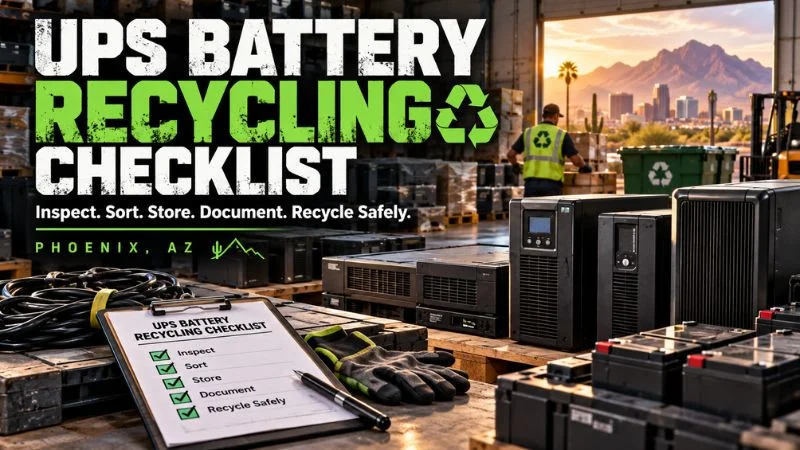
UPS and Battery-Backed Equipment Recycling Checklist
Retired UPS units and battery-backed equipment need more care than ordinary office electronics. The batteries may still hold energy, while attached devices may contain sensitive business data.
This checklist helps Phoenix homes and organizations sort, store, document, and recycle that equipment safely. It also shows when to stop and call a qualified recycler.
Quick Answer
Turn the equipment off, disconnect it only if you can do so safely, and inspect it without opening the battery case. Keep damaged units separate from normal equipment.
Record the model, quantity, battery type, condition, and data-bearing parts. Then confirm acceptance, packaging, pickup, fees, and documentation with your recycler before moving anything.
Why UPS Recycling Needs a Separate Plan
A UPS is not just another plastic box with a cord. It combines electronic controls, metal, wiring, and one or more batteries inside a single unit.
The term uninterruptible power supply covers systems that provide temporary power when the main supply fails. Small desktop models protect one computer, while larger systems support server rooms, medical devices, and network equipment.
Many UPS units use sealed lead-acid batteries. Newer systems may use lithium-ion batteries, and specialized equipment may use other chemistries.
That chemistry affects storage, packaging, transport, and recycling. A label that says “battery backup” does not tell the whole story.
Battery-backed equipment can also outlive its useful service date. A unit may still power on while its battery has lost capacity, swollen, leaked, or become unreliable.
Phoenix heat adds another concern. Equipment left in a vehicle, outdoor bin, or uncooled storage room can face temperatures that raise battery risk.
The safest plan begins before anyone lifts a unit. A short inventory and condition check can prevent surprises later.
Safety first: Do not open, crush, puncture, drain, or repair a battery for recycling. If a unit is hot, swollen, leaking, smoking, hissing, or damaged, isolate the area and contact a qualified professional.
What Counts as Battery-Backed Equipment?
Battery-backed equipment includes devices that store power for outages, safe shutdowns, alarms, communications, or memory. Some batteries are easy to see, while others sit behind covers or inside sealed housings.
A practical inventory should look beyond the word “UPS.” Offices often find several related device types during a technology refresh or facility cleanout.
- Desktop and rack-mounted UPS units
- Data center battery backup cabinets
- Network and telecom backup power systems
- Emergency lighting and exit-sign battery packs
- Alarm, access-control, and security system batteries
- Medical and laboratory equipment with backup batteries
- Point-of-sale and payment system backup units
- Industrial controls and programmable systems with batteries
- Portable power stations and battery generators
- Power distribution units with monitoring electronics
Not every item follows the same recycling path. A rack UPS with removable battery cartridges differs from a portable power station with sealed lithium cells.
When the chemistry is unclear, photograph the product label and model number. A recycler can use that information to plan safe handling.
Before You Start: Assign One Project Owner
One person should own the recycling project from inventory through final records. This person can coordinate facilities, IT, security, purchasing, and the recycling provider.
Without an owner, equipment often moves twice, labels disappear, and damaged batteries enter normal scrap. Too many cooks can spoil the broth, especially during a rushed office cleanout.
The project owner does not need to handle every battery. The role is to control information, approvals, access, and communication.
For a business, assign a backup contact too. Pickup questions should not stall because one manager is unavailable.
The Complete UPS Battery Recycling Checklist
- Create an inventory before moving equipment.
- Identify each device and likely battery chemistry.
- Power down equipment through the normal process.
- Inspect for heat, swelling, leakage, cracks, and corrosion.
- Separate normal, questionable, and damaged equipment.
- Identify attached data-bearing devices.
- Protect terminals and loose battery connectors where appropriate.
- Keep batteries upright and prevent shifting.
- Use a cool, dry, secure temporary storage area.
- Photograph labels and damaged areas without touching them.
- Ask the recycler what it accepts before pickup.
- Confirm packaging and transportation instructions.
- Request pricing, pickup, and documentation details in writing.
- Control access during removal and loading.
- Keep final receipts, recycling records, and data records.
Step 1: Build a Clear Inventory
Start with a room-by-room or rack-by-rack count. List complete UPS units, loose cartridges, external battery packs, power modules, and connected electronics separately.
Record the manufacturer, model, serial number, approximate weight, quantity, and condition. Add the location so the pickup team can plan stairs, elevators, hallways, and loading access.
For larger facilities, label each item with a simple inventory number. Match that number to photos and notes in a spreadsheet.
Do not guess weights for large cabinets if documentation is available. Manufacturer specifications can help identify lifting needs and floor-loading concerns.
A strong inventory also separates working, repairable, reusable, and end-of-life units. That distinction may affect recovery value and downstream processing.
| Record | What to capture | Why it matters |
|---|---|---|
| Equipment | Brand, model, serial number, and asset tag | Supports identification and chain of custody |
| Battery | Chemistry, count, voltage, and cartridge type | Guides sorting and handling requirements |
| Condition | Normal, swollen, leaking, hot, cracked, or recalled | Determines whether special handling is needed |
| Logistics | Floor, room, access route, weight, and pickup contact | Helps prevent delays and unsafe lifting |
| Data | Network cards, logs, drives, or attached systems | Supports secure retirement and documentation |
Step 2: Identify the Battery Chemistry
The battery label is your best starting point. Look for terms such as sealed lead acid, VRLA, AGM, lithium-ion, Li-ion, nickel-cadmium, or Ni-Cd.
Do not remove covers just to find a hidden label. Use the manufacturer, model number, manual, or replacement cartridge number instead.
Sealed lead-acid batteries are common in traditional UPS units. They may contain lead and sulfuric acid, even when marketed as sealed or maintenance-free.
Lithium-ion systems pack more energy into less space. They need careful protection against short circuits, crushing, punctures, and high heat.
Nickel-cadmium batteries appear in some industrial, aviation, medical, and emergency systems. Cadmium creates a separate hazardous-material concern.
If labels are missing, mark the chemistry as unknown. Never mix an unknown battery into a container chosen for another battery type.
Step 3: Shut Down Equipment Safely
Use the normal shutdown process before disconnecting a UPS. Confirm that protected computers, servers, switches, and controls can lose backup power without causing damage.
Coordinate with IT or facilities staff when the unit supports shared systems. Pulling one plug can interrupt more than the device in front of you.
For rack systems, facility-scale cabinets, or hardwired equipment, use trained personnel. Electricity and stored battery energy can remain present after normal power is disconnected.
Do not test a visibly damaged unit by turning it on. A recycling project is not the time to see whether a swollen battery has “one more run” left.
Once disconnected, keep power cords and reusable accessories with the correct unit. Loose cords can become trip hazards during staging.
Step 4: Inspect Without Opening the Battery
Conduct a visual inspection from a safe distance first. Check for bulging panels, split cases, wet spots, white residue, corrosion, scorch marks, or unusual odor.
Also notice heat, smoke, popping, or hissing. These signs require an immediate stop and a safer response plan.
Do not touch leaking material or smell a unit closely. Keep people away and follow your emergency procedures.
Photograph the label and visible problem if you can do so safely. Send those images to the recycler before the scheduled pickup.
Damaged equipment should never be hidden at the bottom of a pallet. Clear disclosure protects your staff, the driver, the facility, and the recycler.
Step 5: Separate Equipment by Condition
Create three groups: normal end-of-life equipment, questionable equipment, and damaged equipment. Use clear labels that cannot fall off during handling.
Normal equipment has an intact case and no signs of heat, leakage, swelling, or impact. It still needs careful storage because a depleted battery can retain energy.
Questionable equipment includes units with missing labels, old corrosion, unknown history, or batteries that will not seat correctly. Ask the recycler before combining these units with the normal group.
Damaged equipment includes swollen, crushed, punctured, burned, leaking, hot, or recalled batteries. Keep this group isolated and wait for professional instructions.
Separation is not busywork. It stops one risky unit from turning a simple pickup into a larger safety problem.
Step 6: Protect Data and Configuration Information
A basic UPS battery usually does not store customer files. However, network management cards, attached servers, control panels, and connected storage may hold sensitive information.
Inventory any network card, removable media, internal drive, or connected computer. Record who authorized the retirement and who controlled the equipment before pickup.
Remove credentials and configuration data through approved IT procedures. Do not assume a factory reset covers attached storage or every management module.
When a project includes computers, servers, or drives, use a documented IT asset disposition process. It can combine inventory, secure handling, reuse decisions, and final reporting.
For additional planning, review why secure data destruction matters before equipment leaves your control. A dead device can still hold live data.
Step 7: Prepare Batteries and Units for Temporary Storage
Use a cool, dry, secure area away from direct sun, ignition sources, drains, and busy traffic. Phoenix garages, loading docks, and vehicles can become dangerously hot.
Keep intact lead-acid batteries upright. Prevent units from tipping, sliding, or carrying weight on battery cases.
Protect exposed terminals from contact with metal. Nonconductive tape or individual nonconductive packaging may be appropriate when the recycler directs it.
Do not toss loose batteries into a metal drum or mixed parts bin. Tools, screws, cables, and other batteries can bridge terminals and create a short circuit.
Place heavy UPS units on stable pallets only when the pallet can support them. Use edge protection and restraints that do not crush the equipment.
Keep chemistry groups separate and labels visible. A clear layout helps the pickup team confirm the load before anything moves.
Phoenix heat note: Never stage battery-backed equipment in a closed vehicle. Even a short delay can expose batteries to extreme heat and increase risk.
Step 8: Never DIY a Damaged Battery Shipment
Damaged lithium batteries can require special packaging, marking, documentation, and transport methods. Those details depend on chemistry, size, condition, and transportation mode.
Do not mail or ship a damaged battery using ordinary parcel instructions. Do not improvise with a cardboard box, sand, oil, kitty litter, or scrap packaging.
Tell the recycler exactly what happened. Useful details include impact, heat exposure, water exposure, swelling, leakage, recall status, and any recent alarm.
Keep the unit where it is if moving it may cause more damage. The recycler or qualified emergency professional should guide the next safe action.
When immediate fire or smoke is present, follow emergency procedures and call emergency services. A pickup request is not an emergency response service.
Step 9: Ask the Recycler the Right Questions
A trustworthy recycler should understand both the electronics and the battery. Ask specific questions before accepting a vague “yes, we take everything.”
- Do you accept complete UPS units and loose battery cartridges?
- Which battery chemistries do you accept?
- Can you handle swollen, leaking, recalled, or fire-damaged batteries?
- Should batteries remain inside the equipment?
- What packaging is required before pickup?
- Are there quantity, weight, or access limits?
- Does the load qualify for free pickup?
- Are any batteries, cabinets, or services chargeable?
- How are data-bearing components handled?
- What receipt or recycling documentation will you provide?
- Will reusable equipment be evaluated separately?
- Where do batteries and electronics go after collection?
Ask for important answers in writing. Clear expectations prevent hidden fees, refused items, and rushed decisions on pickup day.
If a vendor cannot explain damaged-battery procedures, pause the project. The cheapest quote can become expensive when safety and compliance are unclear.
Step 10: Confirm Arizona Requirements
Arizona treats battery management differently by battery type, generator status, condition, and intended destination. Business rules may differ from household disposal options.
Lead-acid batteries cannot go into Arizona landfills or incinerators. Recycling is the normal path for intact end-of-life units.
Many business batteries may be managed under universal-waste rules. Labeling, storage time, training, response procedures, and shipment records may apply.
This article is a practical checklist, not legal advice. Your environmental or safety manager should confirm current requirements for your organization.
Do not rely on a recycler’s marketing phrase as your full compliance review. Ask what documentation supports the process and keep it with your project file.
Step 11: Plan the Pickup Route
Walk the route before pickup day. Check doors, elevators, ramps, floor surfaces, security gates, loading docks, and parking access.
Measure tight openings when equipment is large. A battery cabinet that fit through a construction opening may not fit through the finished doorway.
Tell the recycler about stairs, long carries, limited dock hours, or required insurance documents. Heavy equipment needs the right cart, lift gate, crew, and schedule.
Keep the route clear of staff and visitors during removal. Do not stack boxes in fire lanes or block emergency exits.
For schools, clinics, apartments, and offices, choose a lower-traffic pickup window. Less foot traffic means fewer interruptions and fewer chances for an accident.
Step 12: Control the Handoff
The project owner should meet the pickup team and compare the load with the inventory. Confirm any differences before equipment leaves the site.
Check that damaged or questionable units received the agreed handling. Do not allow a rushed driver to combine them with ordinary electronics without review.
Record the pickup date, vehicle or work-order information, item count, and receiving company. Note any items left behind and why.
If data-bearing equipment is included, preserve chain-of-custody records. The final count should connect each asset to its approved outcome.
A clean handoff protects both sides. It gives your business a defensible record and helps the recycler process the load correctly.
Step 13: Keep the Final Documentation
Retain the original inventory, photos, quote, pickup receipt, weight record, and recycling documentation. Keep data-destruction records with the related asset list.
Your retention period should match company policy, contract duties, insurance needs, and applicable rules. Healthcare, finance, education, and government organizations may need stricter records.
Review the final paperwork against the pickup list. Resolve missing serial numbers, quantities, or signatures while the project is still fresh.
Use the completed project to improve the next refresh. Note which rooms, devices, batteries, and access points caused delays.
A repeatable process turns a one-time cleanout into a reliable asset-retirement program. That saves time when the next battery replacement cycle arrives.
What Not to Do With Old UPS Batteries
Do not put UPS batteries in household trash, curbside recycling, or an ordinary office dumpster. Compaction and sorting equipment can crush batteries and start fires.
Do not store them outside or in direct Phoenix sunlight. Heat, weather, and unauthorized access can worsen a manageable problem.
Never drill, puncture, smash, or dismantle battery cells. Valuable material does not justify exposure to electricity, acid, lead, or fire.
Do not drain lead-acid batteries or pour liquid onto the ground. A “sealed” battery can still leak hazardous material when damaged.
Never connect random chargers to test old batteries. The wrong charging profile or damaged cell can cause overheating.
Do not mix batteries with loose metal parts. Small connectors can create a short circuit faster than many people expect.
Avoid leaving batteries unmarked for months. Time erases useful history and makes safe sorting harder.
Can UPS Equipment Be Reused or Sold?
Some UPS equipment may have reuse value when it is complete, supported, and safe to test. Age, power rating, battery condition, demand, and accessories affect that value.
A working UPS with dead batteries is not automatically worthless. A buyer may value the chassis, electronics, rails, network card, or compatible modules.
However, reuse should never override safety. Swollen batteries, damaged housings, missing covers, and unknown electrical faults can eliminate reuse options.
Keep manuals, rack rails, cables, bezels, and management cards with the unit. Complete equipment is easier to identify and evaluate.
Ask whether evaluation occurs before recycling. That lets usable assets take a second path while end-of-life material moves into recovery.
How the Recycling Process Usually Works
The process begins with receiving and condition review. Staff compare the equipment with the disclosed battery type and damage status.
Reusable units or components may be separated for testing. End-of-life units move toward controlled dismantling and material sorting.
Batteries follow chemistry-specific channels. Lead-acid, lithium-ion, and nickel-based batteries should not enter one mixed processing stream.
Electronics may yield steel, aluminum, copper, circuit boards, plastics, and reusable components. Battery processors recover materials through specialized systems.
The exact route depends on equipment condition and the recycler’s downstream network. Ask for a plain-language explanation when the outcome matters to your reporting.
For a broader view of accepted electronics and local options, explore JHI Scrap’s Phoenix e-waste recycling service. Confirm UPS batteries and unusual equipment before arrival.
UPS Recycling for Different Phoenix Properties
Offices and Corporate Campuses
Office projects often include desktop UPS units, network closets, monitors, computers, and cables. Inventory by floor so nothing disappears during the move.
Coordinate with IT before removing power protection from active equipment. Schedule pickup after final shutdowns, not during the middle of a migration.
Data Centers and Server Rooms
Data centers may have heavy rack units, external packs, battery cabinets, and monitored power systems. Load planning and electrical isolation need experienced personnel.
Track racks, network cards, servers, and drives as separate asset classes. A battery project can quickly become a full ITAD project.
Schools and Public Facilities
Schools may find UPS units in classrooms, labs, offices, security systems, and network rooms. Plan removal away from student traffic and testing schedules.
Maintain clear custody for computers and storage devices. Public organizations may also need purchase, disposal, and board-policy records.
Healthcare and Laboratories
Healthcare and lab equipment may use internal backup batteries for alarms, memory, mobility, or controlled shutdown. Manufacturer guidance and service records matter.
Do not disable support equipment without approval. Separate patient-data devices, specialized instruments, and contaminated equipment before contacting a recycler.
Warehouses and Industrial Sites
Industrial sites may have UPS systems inside controls, robots, test equipment, and communications gear. Dust, impact, heat, and long storage can hide damage.
Share equipment photos and estimated weights early. A forklift helps only when operators, pallets, and access conditions are appropriate.
Homes and Small Offices
Small UPS units still need careful handling. Keep them upright, cool, dry, and away from children, pets, and metal objects.
Call before visiting because acceptance rules and appointment needs can change. JHI’s Phoenix location is open to the public by appointment.
How Much Does UPS Battery Recycling Cost?
Cost depends on battery chemistry, condition, quantity, weight, access, packaging, transportation, and documentation. Data services and specialized labor can also affect the quote.
Intact, sorted equipment is usually easier to price than mixed or damaged material. Clear photos and an accurate inventory reduce uncertainty.
Some electronics have recovery value, while certain batteries or difficult items may carry processing costs. A single flat promise cannot cover every load.
Ask whether pickup, pallets, stairs, lift-gate service, data destruction, and certificates are included. The lowest headline price may leave important work outside the quote.
JHI advertises free business pickup for e-waste, but you should confirm your exact load and location. Request an evaluation before staging equipment for collection.
How to Choose a Phoenix Recycling Partner
Choose a partner that asks about battery chemistry, damage, quantity, weight, and access. Those questions show that the company is planning the job, not guessing.
Look for clear answers about downstream handling, data security, documentation, pricing, and rejected items. Trust grows from specifics.
Check the company’s physical location, contact details, business history, and recent customer feedback. You can review JHI Scrap on Google before scheduling.
Ask who will arrive, what vehicle they use, and whether subcontractors are involved. Your chain of custody should not become a mystery at the loading dock.
JHI Scrap has served industrial electronics and surplus needs since 1980. Its Phoenix team handles e-waste, excess equipment, components, and IT asset disposition.
A Simple Pickup Request Template
Use the following details when requesting a quote or pickup. Good information helps the recycler respond faster and plan the right service.
Subject: UPS and battery-backed equipment pickup request
We have [quantity] UPS units, [quantity] loose battery packs, and [quantity] related electronics at [Phoenix-area location]. The known battery types are [chemistry or unknown].
The equipment condition is [normal, questionable, or damaged]. We have noticed [no damage or describe heat, swelling, leakage, impact, or recall].
The units are located on [floor or room] with [dock, elevator, stairs, or access notes]. The estimated heaviest item is [weight], and pickup is preferred during [time window].
Please confirm acceptance, packaging, pickup eligibility, possible fees, data services, and final documentation. Photos and the inventory list are available.
Final Check Before Pickup Day
Confirm the item count, battery chemistry, condition labels, storage area, access route, and pickup contact. Recheck damaged equipment without touching or moving it unnecessarily.
Make sure the recycler received all photos and condition notes. A five-minute confirmation can prevent a refused load.
Keep employees away from the staging zone. Place the paperwork where the project owner can reach it quickly.
Do not add surprise items after the quote. Send new photos and ask whether the recycler can include them.
After loading, inspect the area for loose batteries, labels, residue, cords, and paperwork. Close the project only after final records arrive.