
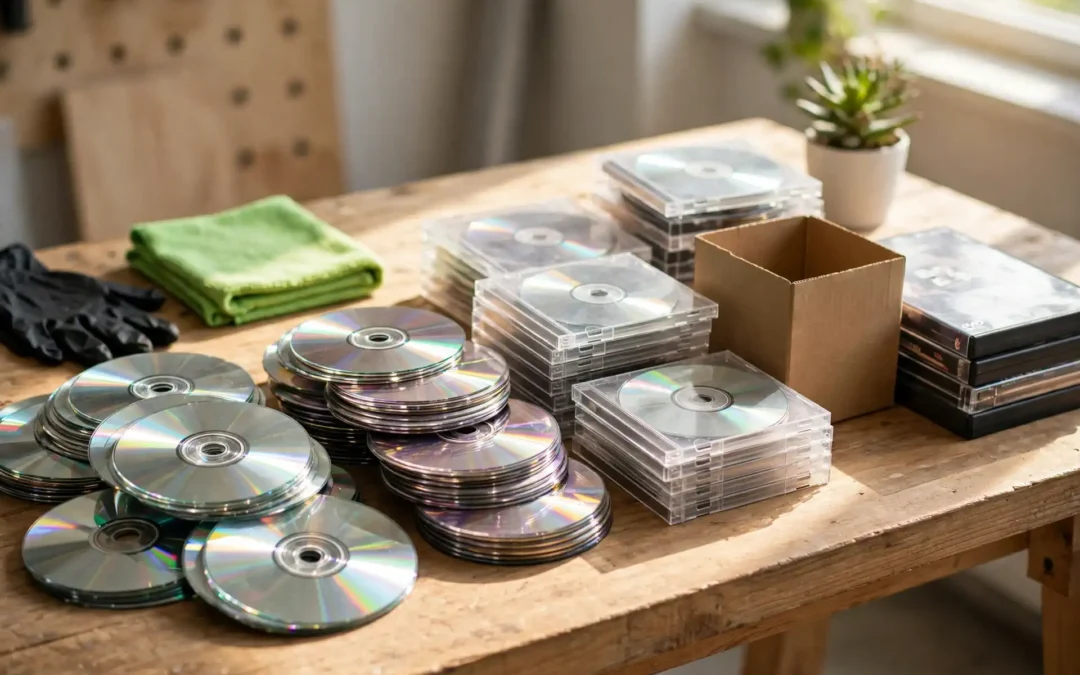
Yes, CDs and DVDs can be recycled through specialty programs that accept optical discs. However, most household recycling programs don’t accept them in curbside bins. The right route depends on the disc, its contents, and the receiving program’s rules.
That leaves a common cleanup problem. You have old movies, burned music discs, software installers, and family backups. Some still work. Others have scratches or handwritten labels. Their plastic cases make the whole pile look recyclable.
Before emptying that drawer, separate three decisions: what deserves reuse, what needs data protection, and what a recycler accepts. This guide walks through each step, including practical questions for Phoenix households and businesses.
Quick answer: sort first, confirm second
- Offer playable commercial discs for reuse when someone wants them.
- Keep personal and business data discs out of donation boxes.
- Use a specialty program that specifically accepts CDs and DVDs.
- Check separate rules for cases, paper inserts, and broken discs.
- Confirm fees and handling instructions before shipping or dropping anything off.
Why aren’t CDs and DVDs ordinary curbside recycling?
Optical discs need a different recycling route from common bottles and containers. Being plastic doesn’t automatically make an item suitable for your household bin.
Most CDs and DVDs contain a polycarbonate plastic base and additional layers. Traditional CD jewel cases commonly use polystyrene. Many DVD cases use polypropylene. These are different materials, even when they sit together on one shelf.
The item’s shape and construction matter alongside its plastic type. A recycling symbol identifies material. It doesn’t promise that your local sorting facility accepts that product.
Think of your curbside cart like a delivery route with a fixed address list. An item can have a destination somewhere without belonging on that particular route.
Adding an unaccepted disc doesn’t create a recycling option. It simply sends the material into a system that wasn’t expecting it. Follow the program’s accepted-item list instead of guessing from appearance.
Does a number inside the recycling symbol settle the question?
No. A resin code alone doesn’t confirm local acceptance. A program may accept certain containers while excluding other objects made from similar plastics.
Look for guidance naming discs, jewel cases, or DVD cases. Broad wording such as “rigid plastics” may need clarification. Ask the operator to confirm the exact item before putting it in the cart.
Keep a written answer when organizing a large collection. That helps everyone follow the same instructions and prevents a helpful volunteer from mixing rejected items into the load.
Which discs, cases, and inserts should you separate?
Start by separating the disc from its packaging, unless a confirmed reuse recipient wants the complete set. For recycling, the receiving program decides how much separation is required.
| Item | First option to consider | What to confirm |
|---|---|---|
| Playable commercial CDs and DVDs | Resale, donation, or a direct giveaway | Condition, demand, and original packaging requirements |
| Scratched or unwanted discs | A specialty optical-disc recycling program | Acceptance of damaged discs and any labels |
| Personal or business backup discs | Data review before any transfer | Approved handling and destruction requirements |
| CD jewel cases and DVD cases | Reuse or an accepting case-recycling program | Material, inserts, and sorting instructions |
| Paper booklets and cardboard sleeves | Paper recycling where accepted | Coatings, mixed materials, and local paper rules |
| Disc wallets and storage binders | Reuse if useful | Separate handling for fabric, zippers, and mixed materials |
Make a separate pile for unknown contents. A disc marked “backup” deserves a different decision from a commercial movie. An unreadable label doesn’t prove the disc is empty.
For a larger technology cleanup, JHI’s explanation of what is considered e-waste can help organize the surrounding equipment. Still, check optical-disc acceptance separately from computer acceptance.
Can Blu-ray discs go with CDs and DVDs?
Some specialty programs accept all three, but you should confirm the current list. Don’t assume a service accepts Blu-ray simply because it handles DVDs.
The same caution applies to recordable discs, rewritable discs, mini discs, and unusual formats. Describe the actual items when requesting instructions. A photo of representative discs can help prevent misunderstandings.
Where can you recycle old CDs and DVDs?
Look for a specialty media recycler, an explicitly accepting local collection, or a mail-in program. Confirm the destination before you pack the box.
One verified example is GreenDisk. Its accepted recycling items list includes several optical-disc formats and plastic disc cases. Review its current service instructions before ordering or shipping.
That list establishes an available program type. It doesn’t establish a free walk-in service, free shipping, or a suitable data-destruction arrangement for your situation.
Compare the actual service details rather than relying on an old directory entry. A program name can stay online after shipping instructions or accepted materials change.
What should you ask a local recycler?
Ask whether the facility accepts your exact disc types from your type of customer. Household and business rules can differ.
- Do you accept loose CDs, DVDs, and recordable discs?
- Can I include cases, booklets, and cardboard sleeves?
- Are scratched or cracked discs accepted?
- Are there quantity limits, appointments, or handling fees?
- Do data-bearing discs need a separate service?
- What happens to the material after collection?
Write down the date, contact name, and instructions. For a business load, request written confirmation of the scope. Clear instructions are more useful than a broad promise that “electronics are accepted.”
What should you check before using mail-in recycling?
Check the program’s current order process, shipping address, packaging rules, and total cost. Don’t ship a box based only on a search-result summary.
Some programs use purchased containers or a specific service order. Others may have weight or size limits. Follow the provider’s instructions rather than assuming any box and address will work.
Also decide whether ordinary shipping fits the sensitivity of the contents. A package tracking number records transport. It doesn’t establish a complete data-security process or prove destruction.
Take care with collection drives. Pool only the materials the program approved. Adding unwanted batteries or unrelated electronics can change packaging and handling requirements for the entire shipment.
Planning a Phoenix electronics cleanup?
Call JHI at (602) 272-4033 to discuss your inventory. Ask specifically about CDs, DVDs, cases, and data-bearing media before arranging delivery or requesting pickup.
Should you sell or donate working discs instead?
Consider reuse first when the discs work and a recipient actually wants them. A playable album or movie can remain useful without being processed into material.
Start with original commercial releases in good condition. Keep their matching cases and inserts together while evaluating resale or donation. A complete set is easier for a recipient to assess.
Who would benefit from the collection you already have? A local buyer, a friend, or a community exchange might be a better match than a general recycling box.
Ask before delivering donations. Libraries, thrift stores, and community organizations set their own policies. Some accept selected titles. Others have limited storage or don’t accept physical media.
Don’t use donation as a way to pass along a disposal problem. Moldy packaging, broken cases, and untested stacks create work for the recipient. Be honest about the condition and contents.
How can you decide whether selling is worth the effort?
Compare likely demand with the time and cost involved. There’s no reliable single resale price for a mixed pile of old discs.
Review the exact edition, packaging, condition, and completeness. Recent completed sales can be more helpful than ambitious asking prices. Account for shipping materials, platform fees, and your own sorting time.
A rare edition may justify individual research. A box of common titles may suit a local bundle. Blank media and obsolete installers need their own assessment rather than a movie-based price comparison.
Keep software licensing separate from physical condition. Owning an installer disc doesn’t automatically establish transferable rights to its software. Check the applicable license before offering it to someone else.
Which discs should stay out of donation piles?
Keep discs containing private, confidential, or unknown information out of public giveaways. Homemade labels and handwritten names often signal that a closer review is needed.
Examples include family photographs, tax backups, client files, medical images, and employee records. Even a familiar music collection can contain an old personal backup tucked inside the same wallet.
Original commercial media and personal recorded media should have separate review paths. Don’t ask a charity or reseller to decide what your private files contain.
How should you handle personal data on CDs and DVDs?
Review the information before deciding how the disc leaves your control. The recycling decision comes after the data decision.
Commercial movie and music discs usually raise a different privacy question from personal backup media. A disc holding family photographs or customer records can remain sensitive long after its computer disappears.
JHI’s overview of the importance of data destruction explains why retired storage needs attention. For optical media, confirm the provider’s actual method and accepted formats.
The current NIST media sanitization guidance describes a risk-based program tied to information sensitivity. It supports choosing appropriate controls, rather than treating all discarded media alike.
For an organization, assign that decision to the person responsible for the information. An office cleanout volunteer shouldn’t have to judge the retention needs of archived client records.
Does deleting files erase a recordable disc?
Don’t assume deletion removes the recorded information. Disc types and writing methods differ, and hiding a file from view isn’t proof of sanitization.
Write-once media, such as CD-R and DVD-R, cannot be treated like a reusable storage drive. An apparent delete action doesn’t mean the original recorded area has been overwritten.
Rewritable media needs its own approved approach. A quick erase command shouldn’t be accepted as evidence that sensitive information is unrecoverable. Have the responsible IT or security person evaluate the method.
When you don’t know the disc type or contents, keep it controlled until someone can decide. Guessing that an old backup “probably contains nothing useful” isn’t a data-handling plan.
What about scratching or snapping a disc?
Don’t use casual damage as proof of secure destruction. Making a disc fail in one player doesn’t demonstrate that its information cannot be recovered.
Home cutting and snapping also create sharp fragments. Avoid improvised treatment with heat, chemicals, or kitchen appliances. Use an appropriate service when the information calls for destruction.
If you have already damaged a disc, place the fragments in a protective container. Tell the receiving provider what happened and ask how to package them. Don’t mix loose shards into a volunteer sorting table.
Think of data handling like moving confidential paper files. An untidy folder isn’t a destroyed record. The process must address the information itself, not merely make the object look unusable.
Should you make a backup before discarding old backups?
Preserve information you still need before retiring its original disc. First confirm that you have the right to retain it and that retention is appropriate.
Check that copied files open correctly in their new location. File names alone don’t establish that a transfer worked. Where appropriate, have the owner confirm that the important material is present.
Keep the replacement copy under suitable access controls. Moving sensitive files into an unrestricted shared folder can create a new problem while solving an old storage problem.
For work records, check retention schedules and any instructions to preserve information. When the decision is unclear, pause disposal and ask the responsible manager rather than inventing a retention period.
How do you prepare discs for an approved recycling program?
Prepare them according to the receiving program’s instructions after completing your reuse and data reviews. A simple, consistent sorting process reduces confusion.
Step 1: Make a quick inventory
Record the approximate quantity, disc types, condition, and packaging. Separate commercial entertainment discs from recorded personal or business media.
You don’t need to catalog every movie before requesting basic acceptance information. A clear description such as “two boxes of DVDs with cases” can start the conversation.
For confidential business media, use an inventory method appropriate to the information. Avoid exposing sensitive file names in an ordinary inquiry email or on a public collection label.
Step 2: Create clearly marked sorting groups
Use separate containers for reuse, ordinary recycling, sensitive media, and unresolved items. Mark each container so another person can understand its status.
Keep cases with discs destined for resale or donation. Remove packaging for recycling only when the program instructs you to do so. Premature separation can create extra work.
Set aside unrelated items such as USB drives, batteries, and cassette tapes. They need their own acceptance checks even if the same provider eventually handles them.
Step 3: Confirm instructions before doing extra preparation
Ask whether labels, sleeves, binders, and cases should remain attached or separate. Avoid spending hours peeling labels that the recycler doesn’t require you to remove.
Don’t wash discs with solvents or try to strip off layers. The receiving program should explain what preparation it expects. Household processing isn’t a substitute for its recycling system.
If the load includes broken media, describe it before packing. The provider may need different containment from the instructions used for intact discs.
Step 4: Pack for the actual destination
Use a sturdy container that meets the provider’s requirements. Avoid overloading it, and keep loose pieces from escaping during normal handling.
Keep approved contents together and excluded items out. Mark boxes with useful handling information while keeping confidential details off the outside.
For shipping, follow the carrier and program instructions. For a local drop-off, confirm the appointment, unloading arrangements, and who receives the material.
Step 5: Keep the right records
Retain the order confirmation, receipt, and any documentation you requested. For businesses, connect those records to the relevant inventory or collection batch.
A recycling receipt and a destruction record serve different purposes. Ask in advance which documents the service supplies. Don’t wait until the box has left to discover a missing requirement.
After completion, update your inventory so the same discs don’t remain listed as active backups. A clear closeout prevents confusion during the next audit or office move.
Can CD cases, DVD cases, and paper inserts be recycled?
They may have recycling options, but each component needs its own acceptance check. Don’t assume the entire package follows the disc’s route.
An empty case can also have reuse value. Someone maintaining a physical collection may want replacement cases. Offer clean, functional cases where there’s real demand.
For recycling, check the exact case type. A brittle jewel case and a flexible DVD case can require different handling. A molded resin mark helps identify material but doesn’t settle acceptance.
Paper booklets and clean cardboard sleeves may fit a local paper program. Remove plastic pockets and other mixed-material pieces when required. Keep confidential paper inserts in a suitable document-disposal stream.
A fabric disc wallet is another separate item. Its zipper, padding, rings, and pockets don’t become optical-disc material simply because it holds CDs.
When instructions are unclear, ask about each component by name. “Can I recycle this DVD collection?” may get a less useful answer than separate questions about discs, cases, and paper.
What does CD and DVD recycling cost?
The total depends on the program, quantity, shipping, preparation, and any data service. There isn’t one universal price or a guaranteed free option.
Request a quote covering the whole job. A low processing fee can become less attractive after shipping or separate handling charges. Conversely, a bundled service may include steps you otherwise need to arrange.
Separate optional conveniences from required controls. Pickup may save staff time. Documented destruction may address a defined information risk. Those are different reasons for paying more.
| Cost factor | Useful question |
|---|---|
| Quantity and minimum charges | Does the price depend on weight, containers, or a minimum service order? |
| Packaging and shipping | What must I purchase, and who pays transport costs? |
| Cases and mixed materials | Does including packaging change the fee or sorting rules? |
| Data handling | Is media destruction separate, and what documentation is included? |
| Local collection | Are pickup, appointment, or unloading charges relevant to this load? |
For a small household collection, a confirmed local route may be practical. For an office archive, secure handling and records may deserve greater weight than convenience alone.
Don’t assume a recycler will buy ordinary unwanted discs. Resale value belongs to a different market from material recovery. Get a specific offer before expecting payment.
How should Phoenix businesses manage bulk disc cleanouts?
Treat a bulk disc cleanout as a small records and asset project. Start with ownership and data decisions, then arrange the appropriate receiving service.
A company may uncover training DVDs, installation media, customer backups, and unmarked archives together. Those categories shouldn’t automatically share the same disposal route.
Assign one project owner and involve IT or records staff early. Give other employees clear instructions about what they may place in collection containers.
For cleanouts involving computers and other storage, JHI’s IT asset disposition service provides relevant context for a broader equipment discussion. Confirm the scope for optical media specifically.
Use a simple business handoff checklist
- Identify the department responsible for each collection.
- Confirm which records must be kept or reviewed.
- Separate commercial media from data-bearing media.
- Restrict access to unresolved and confidential discs.
- Confirm the provider accepts the material and customer type.
- Agree on transport, handling, documentation, and costs.
- Record completion and update the affected inventory.
Keep descriptions useful without revealing unnecessary information. A batch label can identify the responsible department without listing client names or sensitive project details.
Ask the provider how it tracks your material after handoff. For confidential loads, discuss who takes possession and how the agreed outcome will be documented.
Example: an office clears an old storage cabinet
Consider a hypothetical office with movie DVDs, old software, and employee backup discs. The project owner first separates commercial titles from recorded business information.
A manager reviews the software and backup materials before approving disposal. Useful records move to approved storage, and required preservation checks happen before anything leaves.
The office then requests separate instructions for reusable titles, ordinary unwanted discs, and sensitive media. It confirms whether cases stay attached and what paperwork comes with each service.
The result is a documented decision for each group. The office avoids treating every shiny disc as either harmless clutter or confidential waste.
How can you keep the next cleanout manageable?
Give incoming discs an owner and a purpose before adding them to storage. A small note about contents and responsibility can save a later team from guessing.
For personal collections, keep favorite commercial titles separate from recorded files. Review the files when you update your backups. That makes it easier to spot duplicates without losing your only copy.
For businesses, include optical media in existing records reviews. Avoid creating a separate informal disposal practice just because discs are small. The information should determine the controls, regardless of the container.
Set a review date for unresolved boxes. Write the next action beside that date, such as asking a department owner or requesting a recycler’s instructions. A deadline without an assigned action often leaves the same pile untouched.
Keep your confirmed provider instructions with the collection notes. Recheck them before the next handoff because acceptance rules can change. An old successful shipment doesn’t guarantee the same arrangement remains available.
Finally, distinguish completed work from pending work. Mark transferred files as checked only after you verify them. Mark disposed media as completed only after the approved handoff. These simple habits make the next cleanup easier to understand.
A tidy shelf is useful, but a clear decision record is more valuable for shared collections. Anyone taking over should know what remains, who owns it, and what needs to happen next.
What should Phoenix residents confirm before a drop-off?
Confirm current disc acceptance, customer eligibility, and delivery arrangements directly with the receiving location. A general electronics listing isn’t enough.
Search by the material as well as the city. Terms such as “optical-disc recycling” or “CD and DVD recycling” can narrow the discussion. Check each result’s current instructions.
JHI’s guide to recycling electronics in Arizona offers broader background. Use direct confirmation for present-day disc policies, event rules, and fees.
If you’re contacting JHI eScrap in Phoenix, describe the load accurately. Mention whether it contains only discs or also computers, drives, and other electronics.
Ask about your specific situation before traveling. A business equipment pickup and a household box of movie DVDs may involve different arrangements.
Don’t leave materials outside a closed facility or beside an unattended collection box. Wait for an approved handoff. That protects the material, the property, and any private information inside.
Common CD and DVD disposal mistakes to avoid
The most common mistakes come from treating recyclability, acceptance, and data security as the same question. Check each one separately.
Putting everything in the blue bin. A plastic disc isn’t automatically an accepted household recyclable. Confirm the exact item rather than relying on a symbol.
Donating unreviewed backups. A charity doesn’t need your tax records or customer files. Review recorded media before it enters a public reuse stream.
Assuming all electronics recyclers accept discs. Providers set their own material lists. A computer-recycling service may exclude loose optical media.
Destroying reusable commercial titles first. Check genuine reuse opportunities before damaging a playable collection. Once destroyed, it can’t serve another viewer or listener.
Shipping to an outdated address. Confirm the current service order and destination. Old blog posts can outlast the programs they describe.
Expecting a certificate after ordinary recycling. Request the exact documentation in advance. Material collection alone doesn’t establish secure media destruction.
Mixing confidential and ordinary loads. One sensitive disc can change the handling needs of a whole box. Use clear separation from the start.
Keeping an unresolved pile forever. Assign a person and a next action to uncertain items. A labeled review box works better than another anonymous cabinet.
Frequently asked questions about recycling CDs and DVDs
Can scratched CDs and DVDs be recycled?
Some specialty programs accept damaged discs. Confirm whether scratches, cracks, labels, and fragments are allowed. An item that no longer plays may still have a recycling route. Keep private data considerations separate from its playback condition.
Can I put CDs and DVDs in my household recycling bin?
Most curbside programs don’t accept optical discs. Check your local program’s explicit instructions before using the cart. A resin code or a broad reference to plastics doesn’t establish disc acceptance.
Can I recycle discs with their cases attached?
Only follow that approach when the receiving program allows it. Some services accept both materials but specify separate packing. For resale or donation, keep matching packaging together until the recipient gives instructions.
Are old music CDs worth selling?
Some are, depending on the title, edition, condition, and demand. Check realistic completed sales and subtract your likely selling costs. Don’t assume either that every old disc is valuable or that the whole collection is worthless.
Is a disc unreadable in my computer safe to discard?
No. A failed read doesn’t establish that the recorded information is unrecoverable. Keep sensitive or unknown media controlled and ask the responsible person to choose an appropriate handling method.
Can I recycle CDs and DVDs for free?
A free route may exist locally, but it isn’t guaranteed. Confirm processing fees, shipping, packaging, minimum quantities, and any separate data service. Compare the full cost before committing.
Does JHI accept every type of CD or DVD?
Confirm directly with JHI before delivery. Describe the formats, quantity, cases, and any confidential contents. Don’t assume general electronics services include all optical media, household drop-offs, or free pickup.
What if I cannot find a recycler that accepts my discs?
Check genuine reuse options first. Then ask your local waste provider for the approved disposal route for unaccepted discs. Resolve data privacy before using any disposal option, and don’t place rejected items in recycling hoping they’ll be processed.
Your next step: choose a route for each pile
CDs and DVDs can have another use or an appropriate recycling destination. Start by sorting reusable titles, sensitive recordings, packaging, and unresolved items into separate groups.
Then confirm one receiving route at a time. Get clear instructions, compare the full cost, and request any required records before handoff. A few specific questions can prevent a wasted trip and a poor data decision.
Discuss your collection with JHI
Call (602) 272-4033 with an inventory of your discs and electronics. Confirm accepted items, data-handling options, costs, and available scheduling before arranging your next step.