
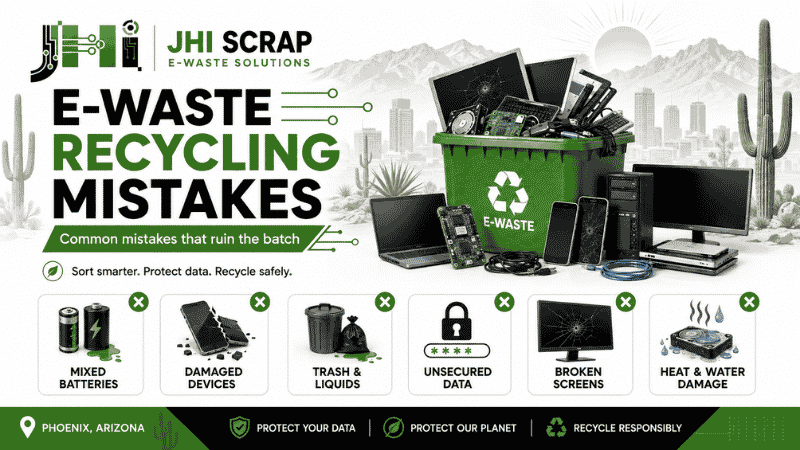
Common E-Waste Recycling Mistakes That Ruin the Batch
One wrong item can turn a clean e-waste load into a costly problem. A loose battery can start a fire. A wet computer can spread residue. A mixed box can slow sorting. An unlocked laptop can also expose private data.
These mistakes often happen before a recycler sees the load. Someone cleans an office, empties a storage room, or clears a garage. Everything electronic lands in one box. The job feels finished, but the trouble has only moved downstream.
Phoenix adds another layer. Summer heat can damage batteries and screens inside parked vehicles or metal sheds. Dust can hide cracked cases, swollen cells, and leaking parts. What looks harmless may not stay harmless.
The good news is simple. Most batch problems are easy to prevent. You need clear sorting, safe storage, honest labeling, and early communication. As people across the Valley say, an ounce of prevention beats a pound of cure.
This guide explains the common e-waste recycling mistakes that ruin the batch. It also shows how homes, offices, schools, and facilities can prepare electronics safely. You will know what to separate, what to document, and what to ask before pickup.
What Does “Ruining the Batch” Really Mean?
Ruining the batch means lowering its safety, value, or recycling potential. It rarely means every item becomes useless. More often, one problem changes how the entire load must be handled.
A recycler may pause unloading after finding a leaking battery. Staff may need protective gear and a special container. Nearby devices may require inspection. The truck, pallet, or floor may also need cleaning.
Mixed materials can cause another problem. Electronics contain metals, plastics, glass, batteries, and data-bearing media. Each stream needs a different path. When unrelated waste gets mixed in, sorting takes longer and costs rise.
Condition also matters. Clean, dry equipment may qualify for testing or resale. Broken screens, missing parts, and water damage reduce that chance. A reusable laptop can become scrap after careless handling. That is money left on the table.
Data risk can ruin a project too. A load may be physically recyclable, yet still fail company policy. Missing asset records can break the chain of custody. Unverified data wiping can create legal and business exposure.
Think of the batch like a crate of fresh produce. One bruised apple may not destroy everything. Still, it demands inspection before the crate can move. Better preparation keeps one issue from becoming everyone’s issue.
Mistake 1: Mixing Batteries With General Electronics
Loose batteries should never disappear inside a box of general electronics. Their terminals can touch metal, wires, or other batteries. That contact can create a short circuit and intense heat.
Lithium-ion batteries need special care. They power phones, laptops, tablets, tools, and backup systems. A damaged cell can enter thermal runaway. That reaction may cause smoke, fire, or another cell failure.
Arizona heat makes poor storage even riskier. A closed vehicle can become dangerously hot. A metal shed can stay hot long after sunset. Batteries should remain in a cool, dry, stable location.
Look for warning signs before moving anything:
- Swelling or a case that no longer sits flat
- Leaking fluid, crust, staining, or a sharp odor
- Cracks, punctures, dents, or burn marks
- Unusual warmth when the device is not running
- A battery that was recalled or exposed to water
Do not crush, bend, or pry a swollen battery. Do not place it in a regular trash bin. Do not mail it without approved packaging and carrier instructions.
For ordinary loose batteries, protect each terminal with nonconductive tape. Keep batteries apart in individual bags when practical. Use a sturdy, nonmetal container for short-term storage.
The Arizona Department of Environmental Quality advises residents not to store used batteries together. It also warns against extreme temperatures. If a battery cannot be removed, send the whole device to a qualified e-waste collector.
When in doubt, do not tough it out. Tell the recycler what you have before delivery. That small call can protect workers, property, and the rest of your load.
Mistake 2: Hiding Damaged, Swollen, or Leaking Devices
Damaged electronics must be disclosed before pickup or drop-off. Hiding them inside a pallet creates surprise risk. Workers may not see the danger until they lift, stack, or open the load.
A cracked laptop may contain a bent lithium battery. A dropped server may have sharp rails. A broken monitor can expose glass and internal lamps. Old equipment may also hold dust, toner, oil, or chemical residue.
People sometimes stay quiet because they fear a fee. That choice can cost far more. A small handling charge is better than a delayed truck, injured worker, or rejected shipment.
Create a separate damage area during collection. Label each item with the known problem. Use short notes like “swollen battery,” “screen broken,” “water exposure,” or “unknown residue.”
Take clear photos when a device looks unsafe. Photograph the full item and the damaged area. Send those images before transport. A recycler can then choose the right container, vehicle position, and handling plan.
Never clean a leaking device with bare hands. Avoid turning it on for testing. Keep it away from heat, sparks, and flammable material. If you see smoke or hear hissing, leave the area and call emergency services.
Honesty keeps the wheels turning. The recycler can usually handle damaged electronics when warned. The real problem is not damage alone. It is damage without notice.
Mistake 3: Adding Trash, Liquids, and Non-Electronic Waste
Regular trash does not belong in an e-waste batch. Food, paper cups, wet cardboard, cleaning products, and household garbage contaminate work areas. They also hide sharp or hazardous objects.
Office cleanouts often create mixed boxes. A desktop computer may sit beside binders, toner, drinks, and broken furniture. A warehouse pallet may include shrink wrap, wood, oil rags, and unrelated metal.
Keep the electronic stream clean. Remove loose trash before packing. Empty drawers and bags inside equipment cases. Check printer trays, laptop sleeves, rack cabinets, and desk organizers.
Liquids deserve special attention. Do not pack electronics beside cleaners, paint, fuel, oils, or lab solutions. A small leak can spread across several devices. It can also change the waste classification and handling needs.
Medical and laboratory equipment can carry extra risks. Devices may have biological residue, chemicals, compressed gas, or radioactive components. Decontamination records may be required before acceptance.
Use a simple rule. If the item is not electronic, a battery, or an approved accessory, separate it. Ask about uncertain items before pickup.
A clean load is easy to inspect and easier to value. Many hands make light work, but mixed waste makes every hand work harder.
Mistake 4: Ignoring Data Before Recycling Computers
Recycling hardware does not automatically destroy the data inside it. Hard drives, solid-state drives, phones, tablets, servers, and copiers can retain sensitive information. Even a broken device may still hold readable storage.
Common data includes customer records, payroll files, tax details, medical information, passwords, and internal messages. A single forgotten drive can expose thousands of records.
Deleting files is not enough. Emptying the recycle bin is not enough. A quick format may also leave recoverable data. The correct method depends on the media, condition, policy, and required proof.
Businesses should define the destruction standard before equipment leaves. They should record asset tags, serial numbers, device owners, and storage types. The final report should connect each data-bearing asset with its disposition result.
Some working drives may support verified sanitization. Others require shredding or physical destruction. Damaged media can limit software-based methods. A qualified ITAD provider can choose the right process.
JHI explains why data destruction matters before retired devices change hands. That step protects the company even when the hardware has little market value.
Households should also sign out of accounts and remove activation locks. Back up wanted files first. Remove SIM cards and removable memory. Then ask how the recycler handles internal storage.
Do not drill, smash, or burn drives at home. Those methods create sharp fragments and toxic dust. They may also miss memory chips. Two wrongs do not make a right.
Mistake 5: Removing Valuable Parts Without a Plan
Random part removal can lower the value of reusable equipment. People often pull memory, drives, cables, power supplies, and adapters before recycling. The remaining unit may then fail testing or lose resale potential.
Data security is a valid reason to manage drives separately. Still, removal should follow a documented plan. Record which drive came from which asset. Keep screws, caddies, and brackets with the device when requested.
Power adapters matter more than they seem. A laptop without its correct charger costs more to test. A network device without its power supply may become scrap. Specialized cables and mounting hardware can also support resale.
Servers need careful handling. Missing drive trays, rails, controllers, and processors change the value. Mixing trays from different models creates extra sorting work.
Do not strip copper wire or circuit boards unless you understand the downstream requirements. Unsafe stripping can release dust and damage valuable components. It also turns an organized device stream into a loose material stream.
Ask one question before removing anything: will this step improve security or lower recovery? If the answer is unclear, leave the item intact. Measure twice and cut once.
Mistake 6: Breaking Screens and CRT Glass
Screens should arrive intact whenever possible. Broken displays create sharp edges, loose glass, and possible hazardous material exposure. They also require more labor and stronger packaging.
Modern flat panels look simple, but their layers are delicate. Pressure from stacked equipment can crack the display. Loose stands can strike nearby screens during transport.
Cathode-ray tube displays need even more care. CRT glass can contain lead. The tube also holds a vacuum and may implode when damaged. Never smash a CRT to reduce its size.
Stand monitors upright in stable rows. Use dividers, cardboard sheets, or padded blankets. Remove loose bases only when they are packed beside the matching screen.
Do not place heavy servers or printers on top. Secure the load so it cannot slide. Mark broken screens clearly and keep fragments contained.
Some recyclers charge for TVs, CRTs, or specialty displays. Those fees cover labor and downstream processing. Confirm prices before loading the truck. A stitch in time saves nine.
Mistake 7: Letting Electronics Get Wet or Overheated
Water and extreme heat can turn reusable electronics into low-value scrap. They also create hidden safety problems. Corrosion may spread after a device looks dry.
Never stage e-waste outdoors without cover. Monsoon rain can reach pallets quickly. Irrigation, roof leaks, and warehouse doors can also soak equipment.
Phoenix heat can warp plastics, weaken batteries, and damage screens. Do not leave electronics in a parked truck for days. Avoid non-air-conditioned storage when batteries remain inside.
If equipment gets wet, disconnect power when safe. Do not switch it on. Move it to a ventilated area away from ignition sources. Tell the recycler about the exposure.
Keep pallets off bare ground. Use clean, dry containers with secure lids when needed. Avoid sealing visibly wet electronics inside plastic. Trapped moisture can speed corrosion and mold.
Schools and offices should choose an indoor staging room. Limit access and post clear signs. Keep the room away from public hallways, heaters, and sprinkler leaks.
Arizona weather changes fast. Make hay while the sun shines, but never bake electronics in that sun.
Mistake 8: Crushing Everything to Save Space
Crushing electronics before assessment can destroy reuse value and create hazards. Compact loads seem efficient, but they remove options. A working computer may become mixed scrap in seconds.
Crushed equipment can release glass, toner, battery material, and sharp metal. It may also hide data-bearing drives. Workers must spend more time separating unsafe fragments.
Keep devices whole until the recycler grades them. Stack like items together. Use gaylords, pallets, bins, or carts suited to the item size.
Do not overfill boxes. The bottom can fail during lifting. Heavy units may shift and injure staff. Keep lifting limits clear on each container.
Separate high-value equipment from obvious scrap. Servers, test equipment, networking gear, and newer computers may deserve individual review. JHI’s IT asset disposition service can support secure evaluation, value recovery, and responsible retirement.
Space matters, but options matter too. Do not be penny-wise and pound-foolish. A smaller pallet is not always a better pallet.
Mistake 9: Mixing Reusable Assets With True Scrap
Reusable electronics should not be buried under broken scrap. Condition affects the best next step. Working equipment can support reuse, resale, donation, parts recovery, or recycling.
Create simple condition groups before packing:
- Working and complete
- Untested but complete
- Damaged but repairable
- Parts only
- Broken or unsafe
Use honest labels. “Working” should mean someone tested the device. “Untested” should not mean “probably broken.” Clear labels help the recycler plan labor and pricing.
Keep model numbers visible. Do not cover serial labels with tape. Match chargers, remotes, trays, rails, and accessories where possible.
For business assets, compare recovery value with labor and data risk. A ten-year-old desktop may not deserve detailed testing. A recent server or analyzer might.
Reuse often saves more resources than immediate material recycling. Yet reuse must never bypass data security. Both goals can work together through controlled testing and sanitization.
Separating by condition is not perfectionism. It is good housekeeping. You can lead a horse to water, but you cannot restore value after careless crushing.
Mistake 10: Packing Heavy Items on Top of Fragile Ones
Poor stacking causes preventable damage during every turn and stop. Printers, UPS units, servers, and battery backups can crush laptops, monitors, and small devices.
Place heavy equipment low and near the center. Keep fragile displays upright. Fill empty space with clean packing material so devices cannot slide.
Use sturdy pallets without broken boards or exposed nails. Keep the load within the pallet edge. Wrap the pallet firmly without bending screens or cases.
Do not rely on stretch wrap alone for tall loads. Use straps, corner boards, or approved containers. Confirm the carrier’s rules before pickup.
Label weight and handling needs. Mark fragile sides and damaged items. Leave labels visible after wrapping.
A safe pallet protects people first. It also protects resale value and project timing. Slow and steady wins the race.
Mistake 11: Forgetting Ink, Toner, and Consumables
Printers and copiers often contain loose consumables. Toner can spill across the device and nearby equipment. Ink cartridges can leak during heat or rough movement.
Ask whether cartridges should stay installed. The answer may depend on the model and recycler. If removed, seal each cartridge in a suitable bag or original package.
Check paper trays and finishing units. Remove personal documents, labels, badges, and storage media. Many modern copiers contain internal drives that need data handling.
Large machines may require wheels, liftgates, or special access. Measure doors, hallways, elevators, and loading areas. Share those details before scheduling.
Never tip a large copier just to fit it through a doorway. Internal toner can spill. Heavy units can also shift suddenly.
The devil is in the details. A five-minute printer check can prevent an hour of cleanup.
Mistake 12: Guessing What the Recycler Accepts
Every recycler has different equipment, permits, partners, and pricing. An accepted-item list is not universal. A device accepted last year may also have a new fee today.
Send an inventory before pickup. Include item type, quantity, condition, location, and known hazards. Add photos for unusual equipment.
Ask direct questions:
- Do you accept batteries inside devices?
- Are loose batteries handled separately?
- Do TVs, CRTs, or monitors carry fees?
- Can you process medical or laboratory equipment?
- Is data destruction included or optional?
- Will I receive recycling and destruction records?
- Is pickup available for this volume?
Do not assume “free pickup” means every item is free. Distance, stairs, labor, screens, batteries, and contamination can affect the quote.
JHI’s Phoenix e-waste guide gives local readers a useful starting point. Still, confirm the current details for your exact load.
There is no shame in asking. Better safe than sorry.
Mistake 13: Choosing a Recycler on Price Alone
The lowest price does not always deliver the lowest risk. A vague quote may exclude labor, screens, batteries, data destruction, or transportation. Those costs can appear later.
Ask for a written scope. It should describe accepted items, excluded materials, pickup terms, data services, reports, and possible fees.
Check how the recycler handles downstream vendors. Ask where materials go after sorting. Responsible recycling needs more than a truck and a warehouse.
Review business history, contact details, and facility access. Confirm that the company can explain its process in plain language. Avoid promises that sound too good to verify.
For business projects, ask about insurance, security controls, certificates, and chain of custody. A school, clinic, or government office may need stricter documentation.
Price still matters. Compare equal scopes and equal risk controls. Apples should be compared with apples.
Since 1980, JHI Scrap has worked with electronics, industrial surplus, and recovery projects in Phoenix. A free evaluation can clarify whether material has value, a fee, or special handling needs.
Mistake 14: Skipping an Inventory and Chain of Custody
An inventory tells everyone what entered the project. Without it, missing assets become difficult to explain. Data-bearing equipment can disappear inside broad weight totals.
Start with the records you already have. Export the asset list from your IT system. Then compare it with the physical equipment.
Useful fields include:
- Asset tag
- Serial number
- Manufacturer and model
- Device type
- Storage media type
- Condition
- Data handling method
- Final disposition
Small household drop-offs may not need serialized records. Business loads often do. The right level depends on policy, regulation, contract, and risk.
Seal containers when required. Record who released the assets and who received them. Keep pickup receipts, weight tickets, destruction records, and recycling certificates together.
A spreadsheet cannot stop every mistake. It does create a trail when questions appear. The proof is in the pudding.
Mistake 15: Waiting Too Long to Clear Old Electronics
Long storage lowers value and increases risk. Batteries age. Drives remain exposed. Models become harder to resell. Boxes collect dust, water, pests, and unrelated waste.
Create a regular retirement schedule. Many organizations review unused assets each quarter. Others connect disposal with equipment refresh cycles.
Do not let retired devices sit under desks. Move them to a secure staging area. Remove them from active inventory only after custody transfers correctly.
Set a maximum holding period. Assign one owner for the process. That person should coordinate IT, facilities, finance, security, and the recycler.
Homes need a routine too. Keep one small, safe box for cables and devices. Store batteries separately. Schedule a drop-off before the box becomes a closet.
Old electronics are like milk, not wine. They rarely become more valuable with age. Strike while the iron is hot.
Why Clean Sorting Protects Material Value
Clean sorting keeps useful materials in the right recovery stream. Electronics can contain steel, aluminum, copper, circuit boards, plastics, and glass. Each material needs different equipment and buyers.
The broader idea is the circular economy. Products and materials stay useful longer through repair, reuse, refurbishment, and recycling. Good sorting supports each step.
Mixed contamination lowers efficiency. Food waste soils plastics. Broken glass spreads through components. Loose batteries require special handling. Water damage can remove reuse options.
Careful preparation also supports accurate quotes. A recycler can estimate labor, freight, value, and fees from a clear inventory. Surprise items make estimates less reliable.
This does not mean households must dismantle electronics. In fact, home dismantling can be unsafe. The goal is simple separation, not industrial processing.
Keep batteries, screens, reusable assets, damaged items, and general electronics clearly grouped. Let trained workers handle deeper separation.
Clean in, clean out. That old saying fits recycling perfectly.
A Safe E-Waste Sorting Plan for Phoenix Homes
A safe home plan starts with five clearly marked groups. Use sturdy boxes or bins. Keep them indoors and away from children or pets.
Group one holds phones, tablets, laptops, and data-bearing devices. Back up wanted files. Sign out, remove cards, and disable activation locks.
Group two holds cables, keyboards, mice, routers, and small accessories. Coil cords loosely. Do not cut them for copper.
Group three holds screens and fragile equipment. Keep them upright with padding. Never place heavy items on top.
Group four holds batteries. Tape loose terminals and use separate bags. Keep damaged batteries apart and call for instructions.
Group five holds questionable items. Add a note describing the concern. Send photos to the recycler before moving them.
Do not leave these groups in a garage all summer. Choose a cool, dry room. Schedule the drop-off soon.
Before leaving, confirm hours and appointment rules. JHI’s Phoenix facility operates by appointment, so call first. Pack the vehicle so nothing shifts.
If the load includes an unsafe battery, do not improvise. Follow local fire and waste guidance. Home is where the heart is, and safety starts there.
A Better E-Waste Workflow for Offices and Schools
Offices and schools need one owner, one intake point, and one written process. Without ownership, equipment moves between rooms and records quickly drift.
First, stop informal dumping. Employees should not leave devices beside a loading dock or trash enclosure. Create a secure room with controlled access.
Second, define what the program accepts. Post photos and short labels. Show where batteries, screens, cables, and reusable assets belong.
Third, connect the program with IT records. Capture asset tags and serial numbers before packing. Decide which devices require witnessed destruction.
Fourth, schedule pickups before containers overflow. A regular cadence keeps the room safe. It also prevents valuable equipment from aging in storage.
Fifth, review every pickup report. Compare collected assets with destruction and recycling records. Resolve gaps while the project is still fresh.
Schools should protect student and employee data. Clinics must consider health information. Businesses should also protect customer, payroll, and account records.
For a deeper lifecycle view, JHI’s essential ITAD guide explains secure retirement, value recovery, and responsible disposition.
Clear signs and steady habits beat a yearly cleanup panic. Get your ducks in a row before the storeroom fills.
What to Do When You Already Have a Mixed Batch
A mixed batch can usually be fixed with a controlled re-sort. Do not dump everything onto the floor. Start with a visual safety check.
Look for smoke, heat, odor, leaks, swelling, broken glass, and wet boxes. Stop work if you find an active hazard. Isolate the area and call for qualified help.
If the load is stable, create clear zones. Separate loose batteries first without forcing damaged cells. Then move screens, data devices, reusable equipment, and general accessories.
Remove ordinary trash and liquids. Keep unknown chemicals or contaminated equipment untouched. Photograph them and ask for guidance.
Build a basic inventory as you sort. Exact serial tracking may not be necessary for every cable. It is valuable for computers, servers, phones, and storage media.
Mark damaged boxes and replace weak containers. Keep heavy equipment low. Secure each pallet before transport.
Tell the recycler that the load began mixed. Share what you found and what remains uncertain. Full disclosure helps them plan safely.
Do not rush because a truck is waiting. Haste makes waste, especially with e-waste.
How JHI Evaluates an E-Waste Load
JHI begins with the material, condition, volume, location, and handling needs. A useful evaluation also asks what the owner wants to achieve.
Some clients need secure electronics retirement. Others need industrial surplus removal, component recovery, or resale review. The right plan depends on the mix.
Photos and inventory lists speed the first review. They help identify batteries, screens, servers, test gear, circuit boards, and unusual equipment.
The team can then discuss pickup or appointment-based delivery. It can also explain which items may carry costs and which may hold recovery value.
Business projects should describe data needs early. The evaluation can include storage media, records, and disposition goals. That avoids last-minute changes.
JHI is located at 3334 W McDowell Road, Unit 17, Phoenix, Arizona. Public access is by appointment. Business hours are Monday through Friday, 8:00 a.m. to 4:30 p.m.
Ready to clear a load without hidden surprises? Call (602) 272-4033 to schedule a pickup or request a free evaluation. A picture is worth a thousand words, so have load photos ready.
E-Waste Batch Preparation Checklist
Use this checklist before pickup or drop-off:
- Confirm the recycler accepts every item type
- Ask about screens, CRTs, batteries, and possible fees
- Separate loose batteries from general electronics
- Tape battery terminals when appropriate
- Isolate swollen, leaking, wet, or damaged devices
- Keep electronics dry and out of extreme heat
- Remove trash, liquids, food, and unrelated materials
- Keep reusable equipment intact and complete
- Match chargers, trays, rails, and accessories
- Pack screens upright with protection
- Place heavy equipment at the bottom
- Record data-bearing devices and serial numbers
- Choose the required data destruction method
- Label boxes and pallets by type and condition
- Share photos of unusual or risky items
- Confirm pickup access, stairs, docks, and liftgate needs
- Keep appointment details and contact numbers handy
- Save recycling and destruction records after completion
No checklist can replace expert advice for a dangerous battery or contaminated device. It does prevent routine mistakes. Many a little makes a mickle.
Frequently Asked Questions
Can one battery really ruin an e-waste load?
One battery can delay or endanger the entire load. A shorted lithium battery may start a fire. A leaking battery can contaminate nearby items. Separate batteries and disclose damaged units before transport.
Should I remove every battery before recycling electronics?
Not always. Removable batteries may need separate packaging. Built-in batteries should often stay inside the device. Never force out a swollen or glued battery. Ask the recycler for instructions.
Can wet electronics still be recycled?
Many wet electronics can still enter material recovery. Their reuse value may drop. Water also creates electrical, chemical, and corrosion risks. Do not power them on. Label and disclose the exposure.
Can I mix cables with computers?
Many recyclers accept both, but separate groups speed sorting. Keep cables clean and dry. Do not mix them with trash, batteries, or liquids.
Should I smash a hard drive before recycling it?
No. Home smashing creates sharp fragments and may miss storage components. Use a documented sanitization or destruction service that matches your risk.
Why do some electronics have recycling fees?
Some items cost more to dismantle and process than their recovered materials return. CRTs, TVs, batteries, and specialty equipment may require added labor or downstream fees.
Is every old electronic device e-waste?
Not always. Working equipment may qualify for reuse, resale, repair, or donation. Items become e-waste when discarded without a better use path. The EPA electronics donation and recycling guidance recommends considering donation or recycling options for used devices.
Does recycling erase my data?
Physical recycling may destroy some components, but it is not a data plan. Confirm the exact sanitization or destruction method. Ask for records when business or regulated data is involved.
Can JHI pick up electronics in Phoenix?
JHI evaluates pickup needs based on material, volume, location, and access. Call before visiting or scheduling. Photos and an inventory help the team review the load.
What should I do with an unknown device?
Do not guess. Photograph its labels, connectors, damage, and full shape. Keep it separate. Ask the recycler whether it is accepted and how it should be packed.
Keep the Batch Safe, Clean, and Valuable
The worst e-waste mistakes usually begin with good intentions and poor preparation. People want a fast cleanup. They mix everything, close the box, and move on.
A better result needs only a few habits. Separate batteries. Protect screens. Keep equipment dry. Remove trash. Track data devices. Tell the recycler about damage.
Those steps protect workers and reduce fire risk. They preserve reuse options and material value. They also make pricing, pickup, and reporting more predictable.
Phoenix heat makes quick, safe handling especially important. Do not let retired electronics age inside hot storage. Build a plan and clear them on schedule.
JHI has served the Phoenix market since 1980. The team handles electronics, IT assets, components, and industrial surplus with a practical recovery focus.
Need help with a mixed load or office cleanout? Call (602) 272-4033 to request a free evaluation or schedule a pickup. Share your inventory and photos first. Then the team can help you avoid surprises on pickup day.
The bottom line is simple. A clean batch starts before the truck arrives. Better late than never, but better prepared is best.